
How to resolve “Error Connecting to db. MongoNetworkError” when connecting to localhost MongoDB through MongoClient from NodeJS

So, to connect Mongo DB in NodeJS, I had to use MongoClient, which was imported using a command
import { MongoClient } from ‘mongodb’;
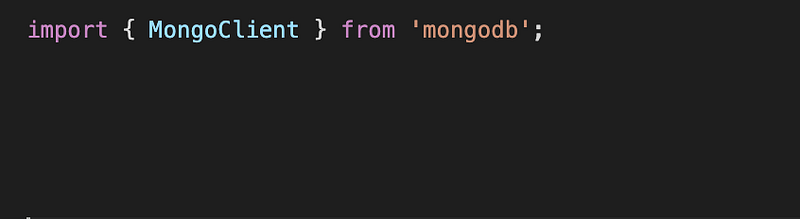
I used MongoClient code snippet below to connect to a local Mongo DB from NodeJS using the following command.
const client = await MongoClient.connect(“mongodb://localhost:27017”, { useNewUrlParser: true });

However, when I was hitting the API endpoint through PostMan, which is a HTTP client tool more user friendly and advanced than curl, I was getting the following error.
{ “message”: “Error connecting to db”, “error”: { “name”: “MongoNetworkError” } }
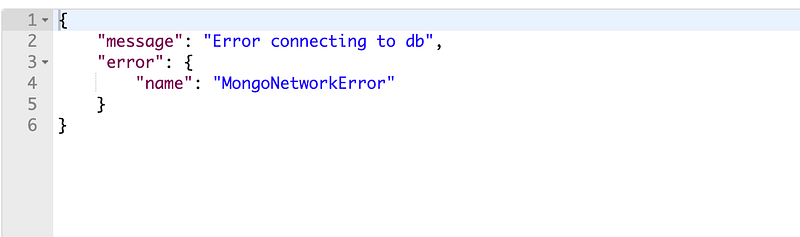
This is odd. I verified few things:
- Make sure that I am calling the correct API endpoint — This is not going to be a problem since it complains that MongoDB is not responding.
- MongoDB is up and running
- I am using the correct MongoDB port number
I also added few console.log(…) to make sure that the error happens during the line where MongoClient.conect(…) happens.

This indeed showed that the error happens at the line where MongoClient.connect(…) gets called, as I saw “Before calling MongoClient…” prints out but “After calling MongoClient…” does not.

When I check back Mongo service again, I noticed that the Mongo DB indeed exposes the service through port 27017.

Then, I had this thought.
“But wait a second. What if I change localhost to 127.0.0.1?”
Well, localhost should be mapped to 127.0.0.1, but what if MongoDB cannot figure that out for some reason? I decided to change localhost to 127.0.0.1, save, and try to run NodeJS again.

I called the same API endpoint, and it correctly returned the response this time. So, from the stand point of the server, this mapping is usually configured through /etc/hosts. I suspected whether this got changed anytime in the past. I opened /etc/hosts but found localhost still correctly maps to 127.0.0.1.
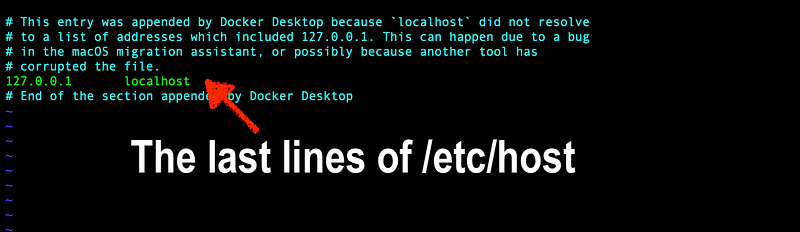
I am now suspecting this has to Mongo DB configuration. I know, in my Mac, that the MongoDB configurations are stored in the file /usr/local/etc/mongod.conf, so I opened that file using VIM.
I noticed that bindIp value is set to 127.0.0.1.
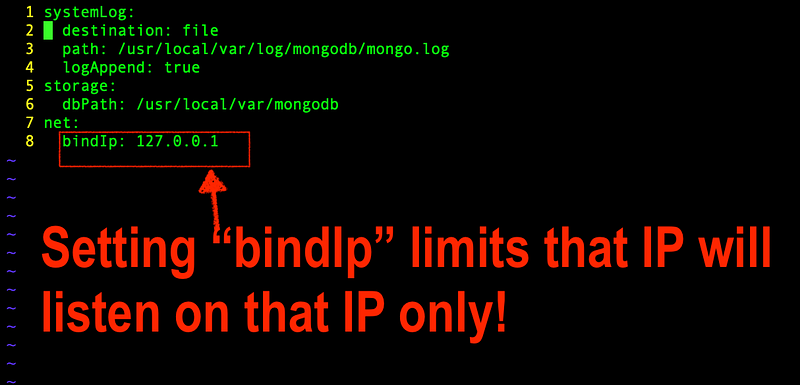
So, in the version prior to MongoDB 3.6, Mongo DB was binding to 127.0.0.1. From MongoDB 3.6 and beyond, it will find to localhost. See:
In any case, setting bindIP a value explicitly sets the Mongo DB to listen to that port only. And this is why localhost did not work because I was using Mongo DB 3.2.3.
