
How to Remove Unused CSS
Reduce your CSS files more than 60% during your development workflow with Purgecss.
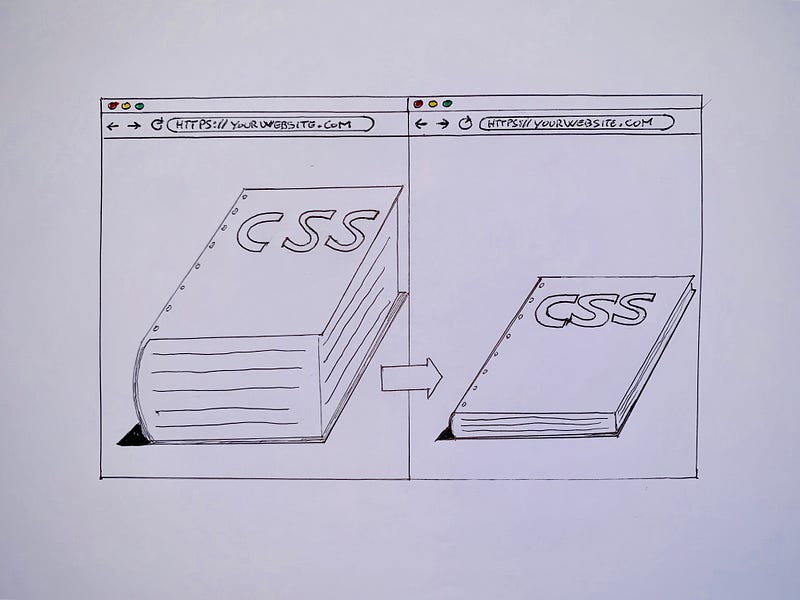
I have been searching for a while a tool that will allow me to clean my CSS from unused style.
Why was I looking for this kind of tool? Because nowadays almost every developer uses a lot of CSS frameworks and libraries to develop interfaces faster and easier so it is inevitably that the size of css files increase a lot.
But how much of the CSS style that you import from external libraries you really use? Sometimes even less than 20%, so why do you need to have all this unused style? No reason!
Purgecss
Here Purgecss come to help, it is a tool which helps to remove unused CSS and it can be used as part of your development workflow.
How Purgecss is working under the scene? It needs to know:
- the file css that you want to clean.
- the files where it need to inspect
- the destination path of the new file generated
So from the initial css file[1] it will search in your html files(for example)[2] and from there it will create a new css file[3] only with the style that you really used.
I’m sure that if you try it you will be able to reduce more than 60% the size of your CSS.
The build tools
The cool thing of Purgecss is that you can implement it in your development workflow with a lot of popular build tools:
- CLI
- JavaScript API
- Webpack
- Gulp
- Rollup
The JS frameworks
We can use it also with the most modern JavaScript frameworks such as:
- React
- Vue
- Next
- Nuxt
How to use Purgecss
I wrote a whole article about how to set up a CSS build process with Gulp, there I used also Purgecss so if you are interested in this build process I suggest you to read this article.
Here I will show you how to implement Purgecss with Gulp and Nuxt.js but you can read the official documentation here to know how to implement Purgecss in different ways.
Purgecss with Gulp
At first you need to install the package with npm or yarn.
npm i -D gulp-purgecssor
yarn add gulp-purgecssafter in your gulpfile.js you need to import the package that you just added
const gulp = require('gulp'),
      purgecss = require('gulp-purgecss');
and after you need just to create your task like that:
gulp.task('purgecss', () => {
  return gulp
    .src('src/**/*.css')
    .pipe(
      purgecss({
        content: ['src/**/*.html']
      })
    )
    .pipe(gulp.dest('build/'))
})
ps. if you are running your task in series or sequence remember to run this task after that you generate your html files, if not the task will generate an error.
Purgecss with Nuxt.js
In the beginning when I saw that Purgecss was working with HTML files I got upset because in the last months I’m developing different projects with Nuxt.js and for me it’s very important to optimize my files. But reading the documentation I found out that you can implement Purgecss with the most modern JS frameworks such React, Vue, Next and Nuxt.
Let’s see how to use Purgecss in your Nuxt projects
At first you need to install the following packages to your project with npm or yarn
npm i --save-dev glob-all purgecss-webpack-pluginor
yarn add glob-all purgecss-webpack-pluginNow in your nuxt.config.js you need to import them (outside of the export default)
import PurgecssPlugin from 'purgecss-webpack-plugin'
import glob from 'glob-all'
import path from 'path'
Inside your export default you need to add this in your build configuration
build: {
  extractCSS: true,
  extend(config, { isDev, isClient }) {
    if (!isDev && isClient) {
      config.plugins.push(
        new PurgecssPlugin({
          paths: glob.sync([
            path.join(__dirname, './pages/**/*.vue'),
            path.join(__dirname, './layouts/**/*.vue'),
            path.join(__dirname, './components/**/*.vue')
          ]),
          whitelist: ['html', 'body']
        })
      )
    }
  }
}
And it’s done!
Try Purgecss and let me know how much you have reduced from your files 😉
If you are interested how to write Scalable and Maintainable CSS code read this article about CSS methodologies.


