
How to quickly expose webhooks in Django
Webhooks are a crucial technology for modern web applications, providing a means for systems to communicate and relay information to each other in real-time.

Webhooks are a crucial technology for modern web applications, providing a means for systems to communicate and relay information to each other in real-time.
In the context of Django, a popular Python web framework, webhooks can play a vital role in the ecosystem of an application, enhancing its interactivity and connectivity with other services.
In this article, you will learn how to use the Django-webhook library to quickly expose a webhook that is triggered by model changes.
What is Django-webhook?
Django-webhook is a plug-and-play app for sending outgoing webhooks based on model changes within a Django application.
It utilizes Django’s built-in signal system, which allows functions to be scheduled and executed in response to certain model changes.
By leveraging this system in conjunction with Celery, a distributed task queue, Django-webhook can send HTTP requests when specified model changes occur, making the process of integrating webhooks into your application more streamlined and efficient.
This system offers a way for developers to integrate their Django applications with other services and applications over the web in a seamless and real-time fashion, opening up a myriad of possibilities for automating workflows and responding to events as they happen.
Installation
To install Django-webhook, follow these steps:
Install Celery
Django-webhook requires Celery for background processing to manage tasks asynchronously.
Ensure you have Celery installed and running in your Django project. You can find instructions for installing Celery here.
Install Django-webhook
Use pip to install the Django-webhook package:
pip install django-webhook
Configure your Django settings
Add django_webhook to your INSTALLED_APPS in your settings file.
You also need to specify which models should send webhooks by adding them to the DJANGO_WEBHOOK dictionary:
INSTALLED_APPS = [
    # ... other installed apps,
    "django_webhook",
]

DJANGO_WEBHOOK = dict(MODELS=["core.Product"])
In this example, changes to the model Product from app core will be sent by the generated webhook.
Run Migrations
Apply the necessary database migrations for Django-webhook:
python manage.py migrate
Configuration
Let’s suppose you have the following model from an app called core:
class Product(models.Model):
    name = models.CharField(max_length=255)
    price = models.FloatField()
    stock = models.IntegerField()
    image_url = models.CharField(max_length=2083)
Django-webhook allows for easy configuration of the webhook with Django Admin:
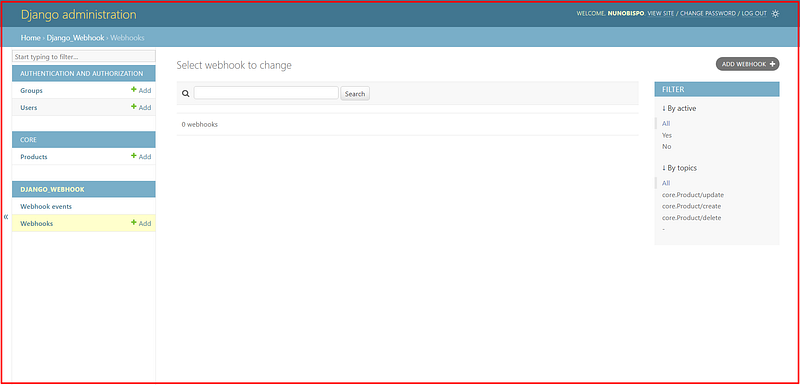
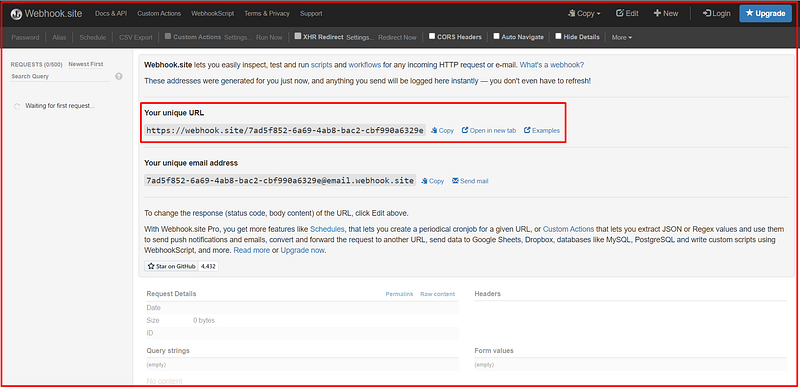
First, you need a way to test and receive the outgoing webhook, navigate to webhook.site to have an easy way to test the webhooks.
Make a note of the shown URL, you will configure this next in the webhook:
Now you can add the webhook configuration in the Django Admin by clicking on ‘Add Webhook’, which will show a screen similar to this:
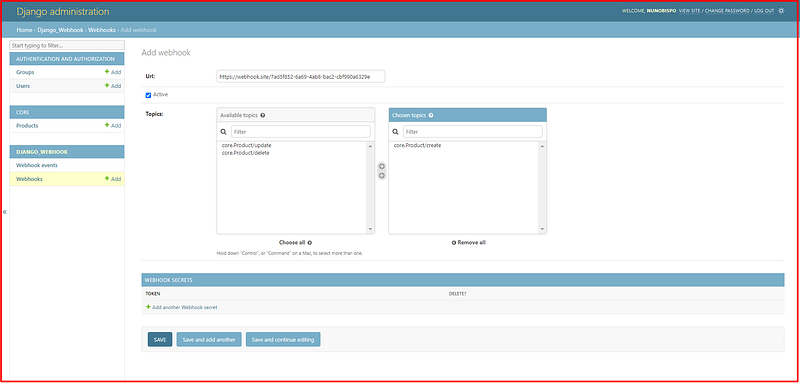
Input the previously noted URL and select which topic (action) to send on the webhook.
In this example, only when a new Product is created, then the webhook is sent.
Optionally, you can also configure a webhook secret for additional security.
Testing the webhook
First, make sure you have Celery installed and running on your Django project.
Then, to test the webhook, simply go to the Django Admin section for Product and add a new one:
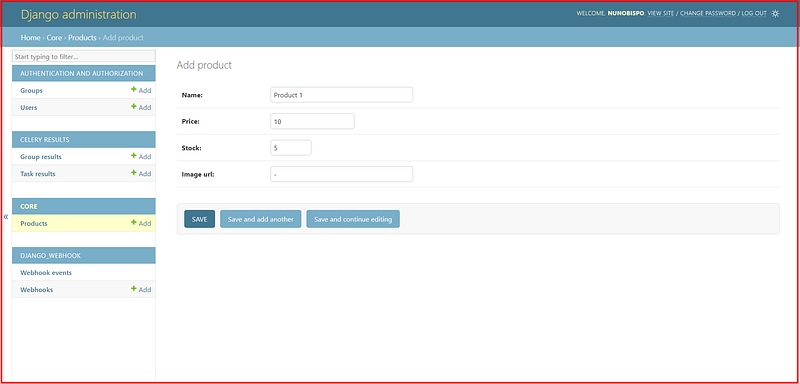
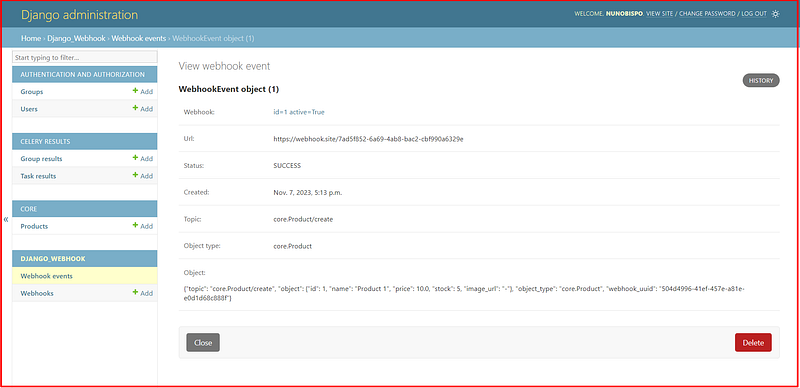
Once it is created, you can go to the ‘Webhook events’ section and see the details of the sent webhook:
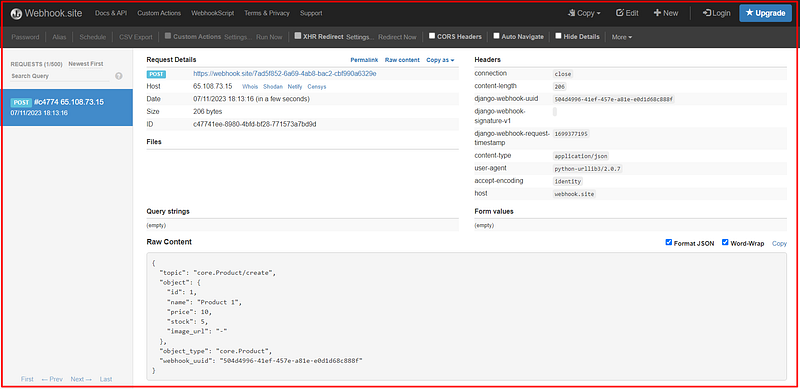
The webhook was also received in the webhook.site, so navigating to that page you now see the received webhook:
Conclusion
In conclusion, webhooks offer a powerful mechanism for web applications to communicate in real-time, and Django’s ecosystem provides the tools necessary for easy integration of this functionality.
By leveraging Django-webhook alongside Celery for asynchronous task management, developers can efficiently set up outgoing webhooks that respond to model changes within their applications.
The installation and setup process is straightforward, enabling Django applications to interact with other services across the web seamlessly.
With Django-webhook, the process of automating and extending application workflows through event-driven programming becomes more accessible and robust.
Thank you for reading and I will see you on the Internet.
Follow me on Twitter: https://twitter.com/DevAsService
Check out my website at: https://developer-service.io/
Check out other articles that might interest you:
If you want to stay updated when I post a new article, you can sign up for my free newsletter!


