
How to push an existing project to GitHub
Step by step, you’ll get there.
Pushing project code to GitHub requires a few steps, assuming you already have a GitHub account and also learn how to do repository setup. Nevertheless, unlike a lengthy copy and paste, it’s simple, effective, and has no drawbacks.
Follow these instructions to add your project to an existing GitHub repository quickly:
- Please make a new GitHub repository with a README file inside of it.
2. To clone the GitHub repository locally, use Git.
3. Transfer your project files to the folder that the clone created.
4. Execute a git add. a git commit, too.
Here demonstrate How to push code to GitHub
You must first build a GitHub repository before you can push an existing local project to GitHub. Simply click the green “Create repository” button in GitHub’s online dashboard.
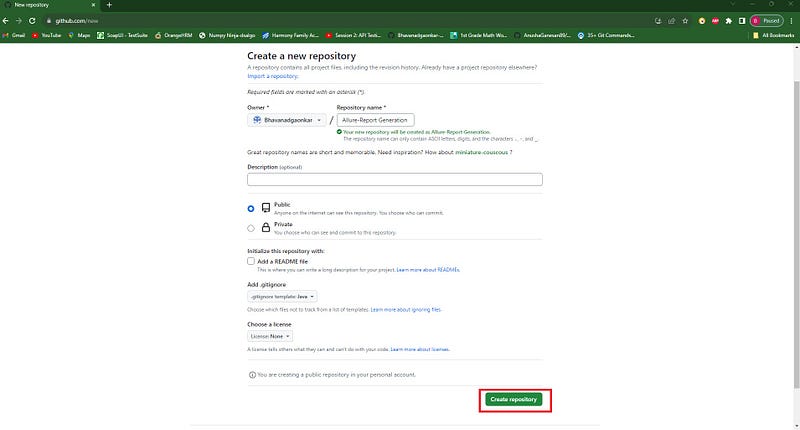
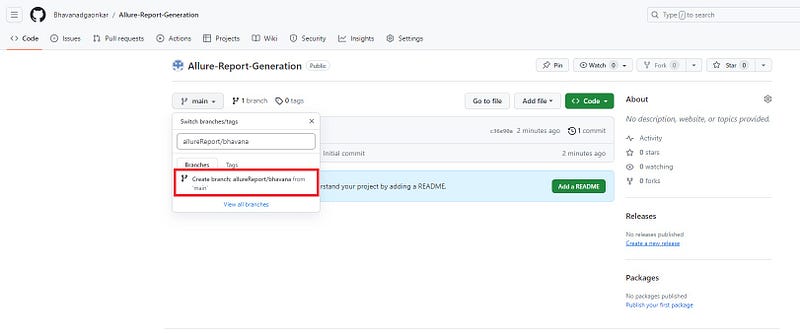
Create the branch allureReport/bhavana in Allure-Report-Generation repository.
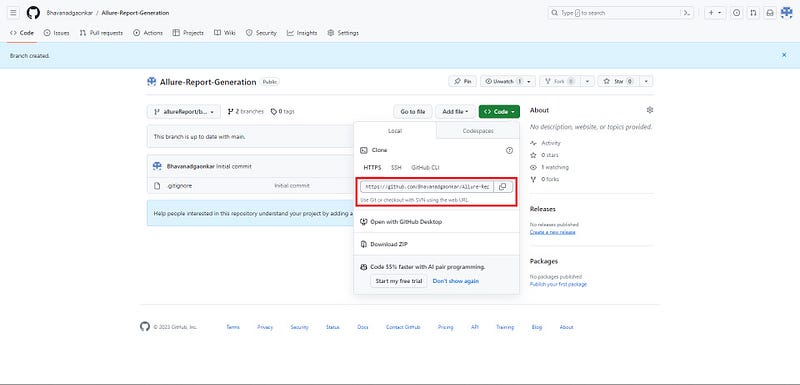
After you’ve created the branch in the Allure-Report-Generation repository, click the green “Code” button. The GitHub URL is revealed for HTTPS connections. This value should be copied and saved for further use.
Export the project from Git
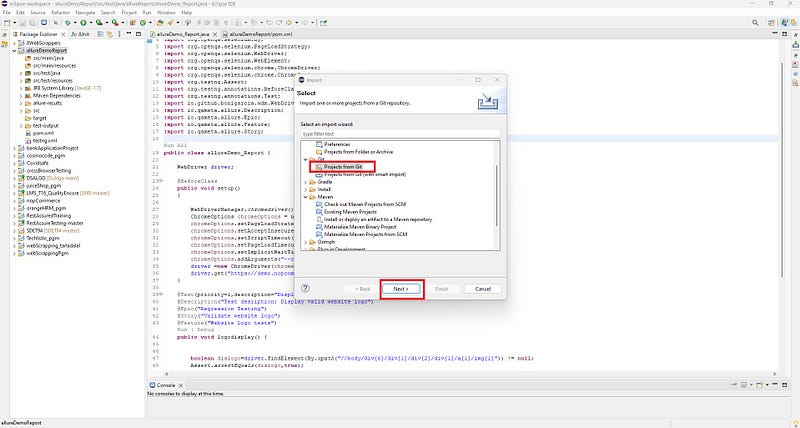
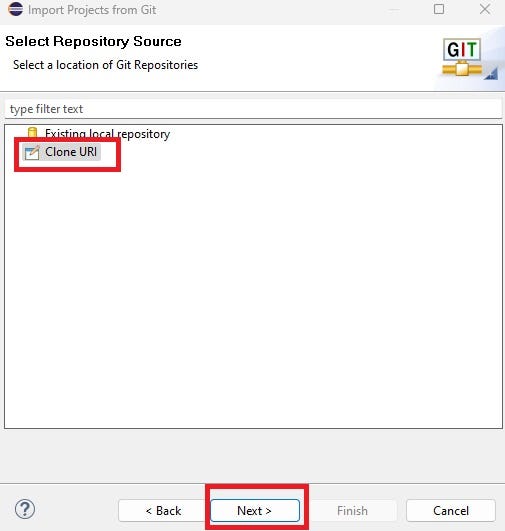
Select Clone the URL and click on the next button
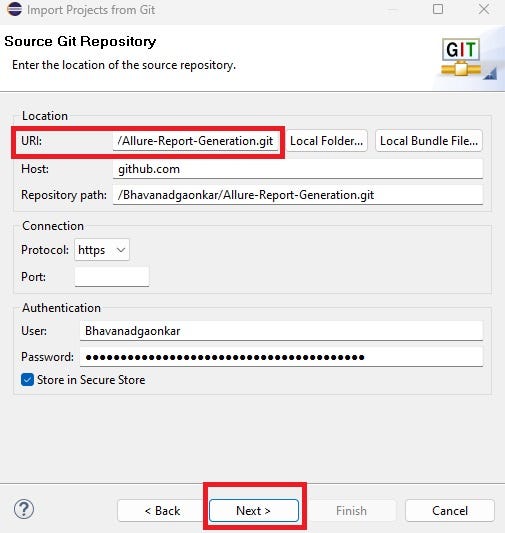
Paste the URL in the highlighted box and click on next button
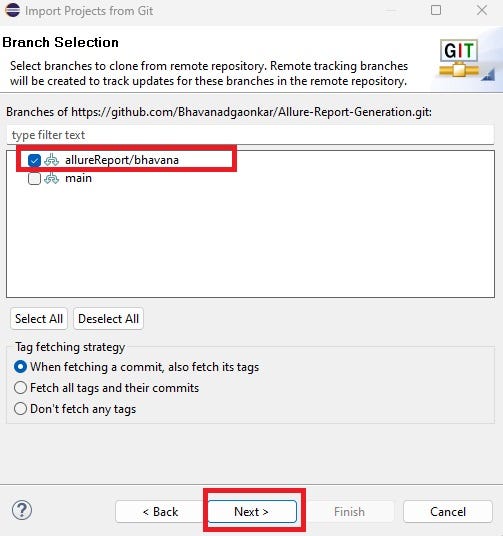
While creating a new repository Allure-Report-Generation with a new branch there are 02 branches shown here the main branch is by default. but we need to select the highlighted branch allureReport/bhavana that we created to push the code. and then click on the next button.
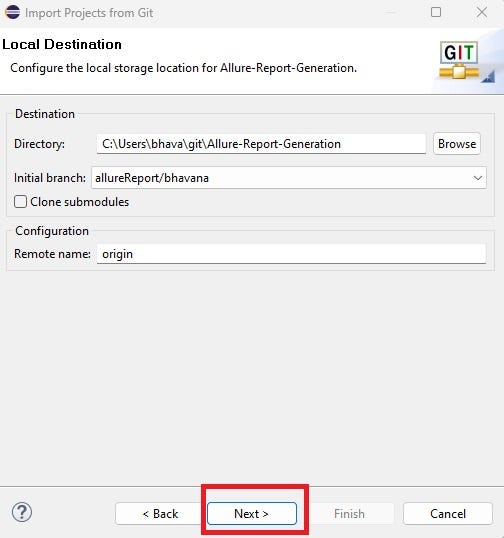
Local git folder source path and Click on the next
Select import existing eclipse project click on the next button and
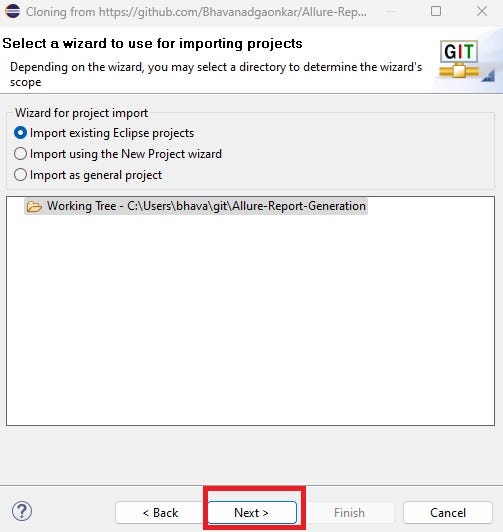
then select the project name and click on the finish button. Here we are done with cloning the project with the repository Allure-Report-Generation and to a specific branch allureReport/bhavana
Now copy your project into the local git folder where the Allure-Report-Generation local repository is created.
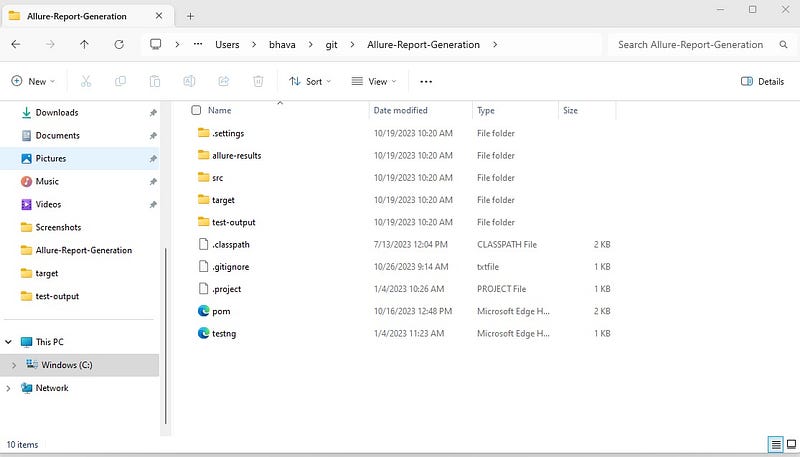
now click on the highlighted area and type cmd, press the enter key. Command Prompt opens with the git path of the project. For example, C:\Users\bhava\git\Allure-Report-Generation
Now here we will see how to push the project code with the help of git commands.
- git status: It assists developers in tracking uncommitted changes and understanding how their project files are tracked. so, in the below, I see the folder structure of my project and also know on which branch I am working.
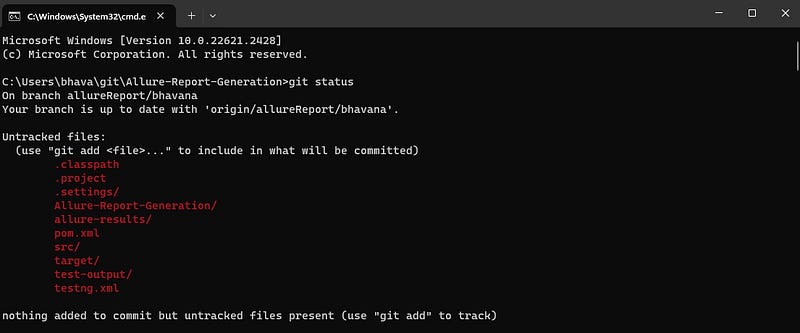
2. git add: The git add command adds a modification to the staging location from the working directory. It informs Git that it wishes to include changes to a specific file in the next commit. However, git add has little effect on the repository — changes are not actually recorded until we run git commit.

3. git commit: The git commit command saves an instantaneous record of the current staged changes in the project. here is the syntax of the command
git commit -m “Message”
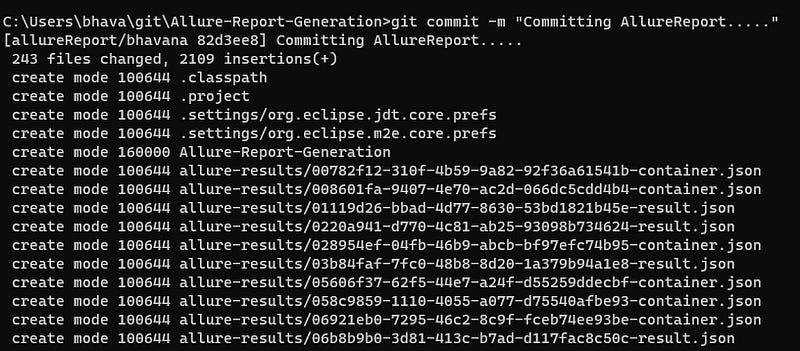
4. git push: The git push command is used to transfer local repository content to a remote repository (Git repository) means content will upload into the Allure-Report-Generation in branch allureReport/bhavana.
syntax of this command is git push origin branch name
Suppose we do not create the branch then commands will go git push origin ( Here origin means main branch )
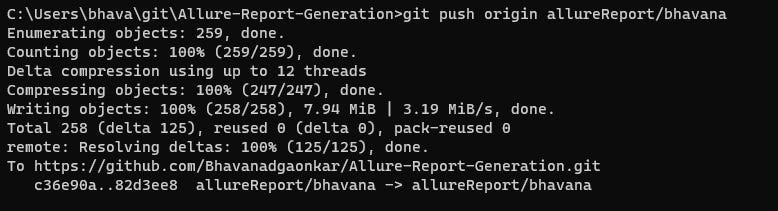
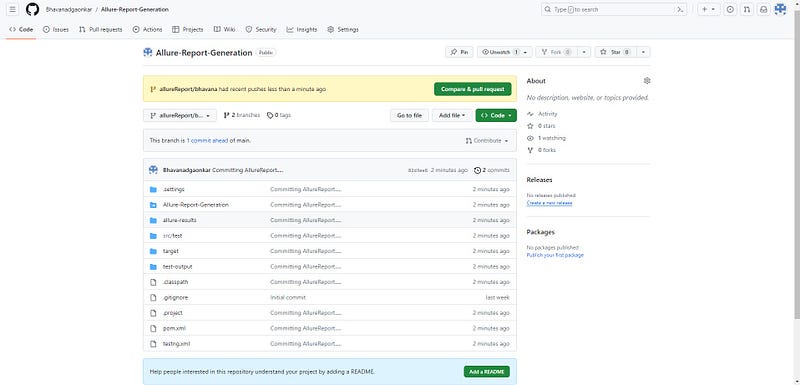
After pushing the code go to the remote repository i.e. git repository Allure-Report-Generation in branch allureReport/bhavana. you will see the project-related files and codes in GitHub
5. git branch: This command simply returns the current branch name.

Branching enables development teams to easily interact within a single core code base. When a developer creates a branch, the system for managing version control produces a copy of the current code base. Changes to the branch have no impact on other team members.
This is how we can push the existing code in the remote repository i.e. in the Git repository.
Happy Learning !!!


