
How To Provision Infrastructure on AWS With Terraform
A Beginner’s Guide with an example project
Terraform is an infrastructure as a code tool that makes it easy to provision infrastructure on any cloud or on-premise. Terraform is a tool for building, changing, and versioning infrastructure safely and efficiently. Terraform can manage existing and popular service providers as well as custom in-house solutions.
Configuration files describe to Terraform the components needed to run a single application or your entire datacenter. Terraform generates an execution plan describing what it will do to reach the desired state, and then executes it to build the described infrastructure.
In this post, we will see how to provision infrastructure on AWS.
- Get Started With Terraform
- Prerequisites
- Example Project
- What is Backend
- Configuring Backend
- Provisioning Infrastructure
- Inputs and Outputs
- Destroying Infrastructure
- Summary
- Conclusion
Get Started With Terraform
The first thing we need to do is to get familiar with Terraform. If you are new to Terraform, Check the below article on how to get started. It has all the details on how t install, Terraform Workflow, Example Projects, etc.
How To Get Started With Terraform
Prerequisites
It’s very important to set up and configure a local development environment for the terraform. Please make sure you install the below tools before going through the entire CLI.
AWS Prerequisites
- AWS account setup: AWS offers a free tier for one year here is the link to set it up.
- Once you set it up you have a root account. It’s not a best practice to use your root account to do any tasks instead you should create an IAM group that has permissions for administrator access and add a user to it and log in with that user.
- Install AWS CLI
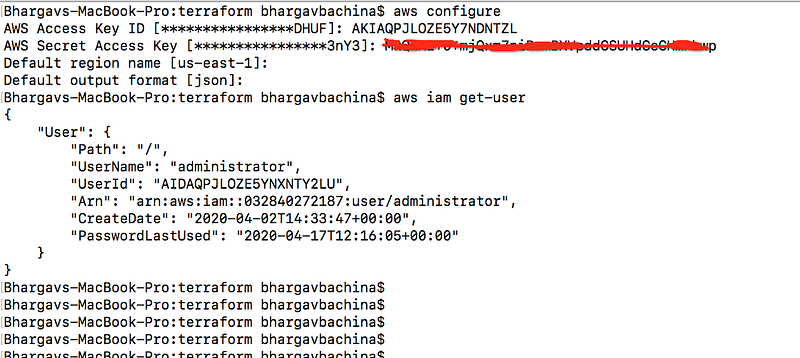
- Configure AWS CLI for the user you just created above. You should use this command
aws configureand it will ask for access key id and secret key.
Example Project
Here is an example project you can clone it and run it on your local machine and provision infrastructure on the AWS platform from your local machine.
// clone the project
git clone https://github.com/bbachi/terraform-aws.git
// Initialization
terraform init// plan
terraform plan -var-file="terraform.tfvars"// apply
terraform apply -var-file="terraform.tfvars"What is Backend
Every Terraform project has a state and this state determines which resources to create, destroy, etc. Whenever you do the Terraform apply command it looks at this state and determines the action on the resources. By default, Terraform uses the “local” backend, which is the normal behavior of Terraform. This is not the case in the professional environment and you can’t use the local backend all the time since we work in a collaborative environment with teams. In Terraform, Backend is a way to configure a Terraform state in a remote place where everybody can access in a collaborative environment.
There are some benefits to using Backends.
- You can’t use a local state when you work in a team because everybody should have a shared state. Using remote backends helps you share the state.
- You can protect the sensitive information as the data is the backends is saved remotely and off the disk.
- You can do remote operations as the state can be accessed remotely such as having a pipeline for the provisioning infrastructure.
Configuring Backend
You can store the Terraform state in AWS S3. The State allows Terraform to know what AWS resources to add, update, or delete. There are two steps to configuring Backend.
- Creating a Bucket in the AWS S3
- Include Backend Block in the Terraform scripts and run the command
terraform init
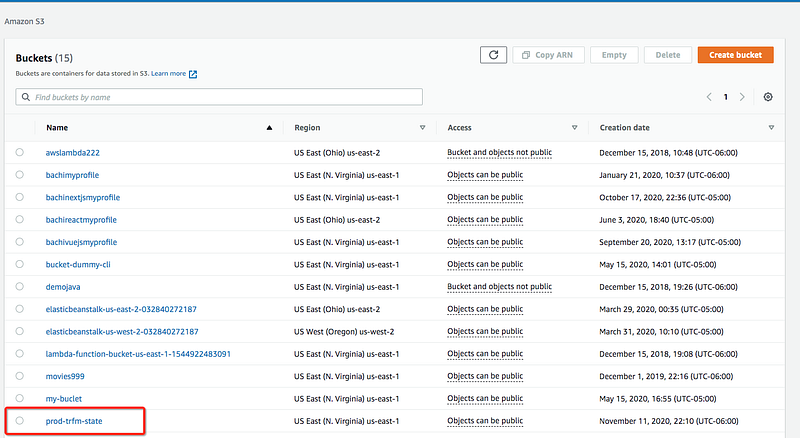
Creating an S3 Bucket for the terraform state
The first thing you need to run this script with this command so that it creates the S3 Bucket for the state.
aws s3 mb s3://prod-trfm-state
You can see that in the AWS console as well.
Include Backend Block in the Terraform scripts and run the command
Let’s create a file called backend.tf and place all the backend information in the backend block like below.
Once you have this file all you need to do the following steps. Since you have already configured the CLI with the user in the prerequisites section, you need to run the following command.
terraform init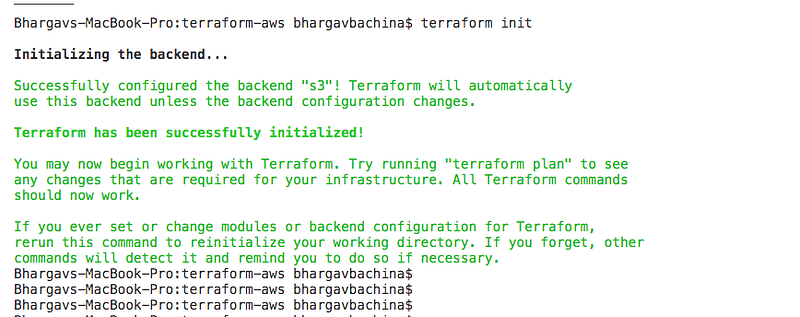
Provisioning Infrastructure
For simplicity, let’s create EC2 instances on AWS with the terraform. Here is the main.tf file that contains provider block and EC2 instances. You can create a separate file for the provider information as a provider.tf.
Make sure you have that AMI in that particular region. We are creating 4 instances.
Let’s run the following commands to create these resources in AWS.
// Initialization
terraform init
// Plan
terraform plan// apply
terraform apply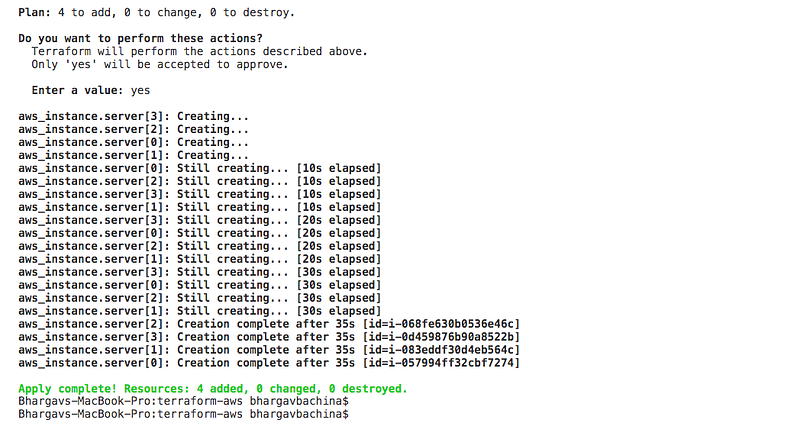
You can verify that by logging in to the portal
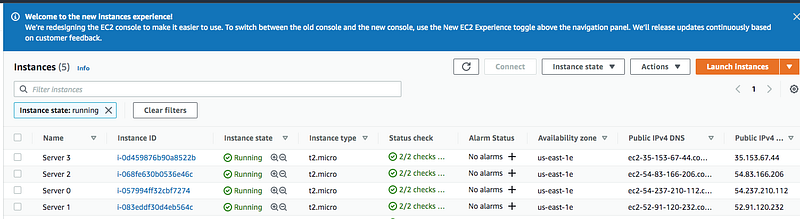
You can even list the instances with this command on the command line
aws ec2 describe-instances --filters "Name=instance-type,Values=t2.micro" --query "Reservations[].Instances[].InstanceId"
Once you run the command terraform apply the terraform state is created in the remote backend as below.
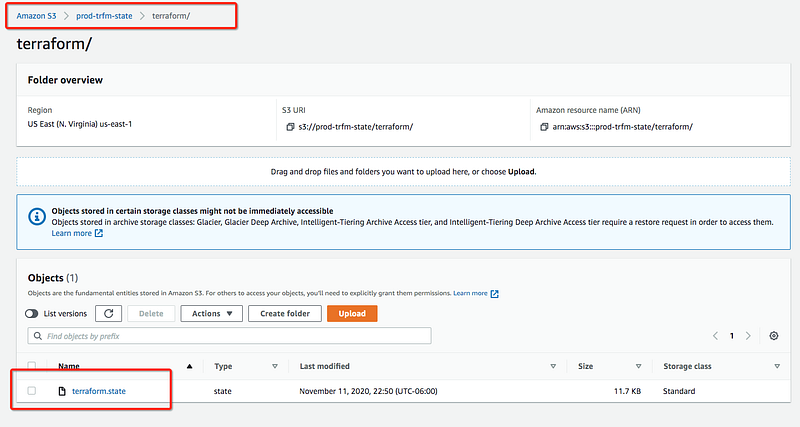
You can download with the AWS CLI with the following command and check the state.
// copy the terraform state to local
aws s3 cp s3://prod-trfm-state/terraform/terraform.state .
// see the content
cat terraform.state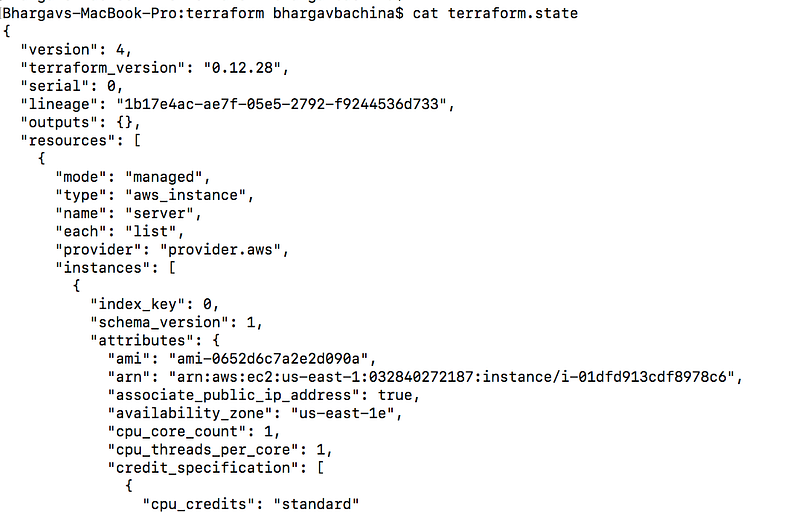
Inputs and Outputs
Inputs
Input variables serve as parameters for a Terraform module, allowing aspects of the module to be customized without altering the module’s own source code, and allowing modules to be shared between different configurations.
When you declare variables in the root module of your configuration, you can set their values using CLI options and environment variables. When you declare them in child modules, the calling module should pass values in the module block.
Let’s pass the inputs in our file instead of using direct values in the main.tf file. The first thing we need to do is define the input variables in the variables.tf file as below.
Once all the variables are declared you can read those variables with var.varibaleName in the terraform scripts as below
The above file is the declaration file, you need to define another file to pass actual values for these variables as below. You can use different files for different environments.
Now you can pass this file with the following commands.
// plan
terraform plan -var-file=terraform.tfvars
// apply
terraform apply -var-file=terraform.tfvarsoutputs
Output values are like the return values of a Terraform module. A child module can use outputs to expose a subset of its resource attributes to a parent module. A root module can use outputs to print certain values in the CLI output after running terraform apply.When using remote state, root module outputs can be accessed by other configurations via a terraform_remote_state data source.
You can define the outputs in a separate file as well like the inputs. I have defined the outputs in the main.tf (line 17) for simplicity.
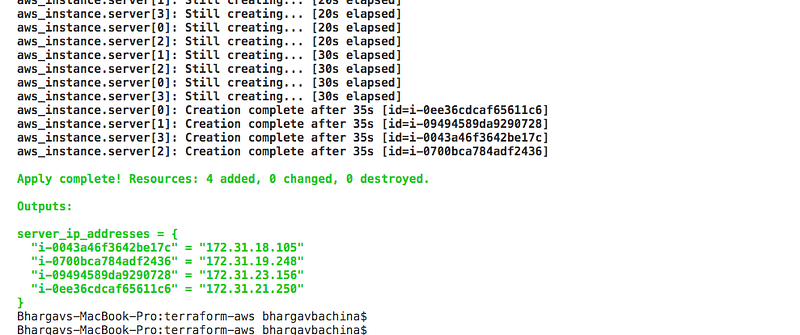
When you run the command terraform apply -var-file=terraform.tfvars you can see the outputs and if you notice we are looping the servers since we have created 4 servers.
Destroying Infrastructure
You can destroy the infrastructure with the following command.
terraform destroy -var-file=terraform.tfvars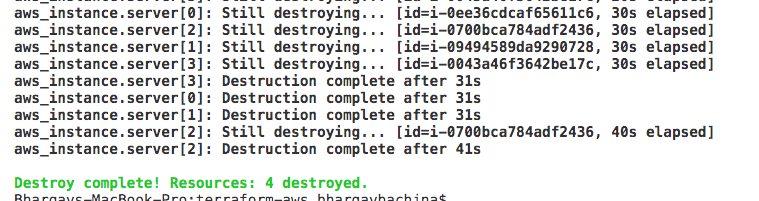
Summary
- Terraform is a tool for building, changing, and versioning infrastructure safely and efficiently. Terraform can manage existing and popular service providers as well as custom in-house solutions.
- You need a have an AWS Account with at least a free tier for provisioning infrastructure with the Terraform.
- In Terraform, Backend is a way to configure a Terraform state in a remote place where everybody can access in a collaborative environment.
- You can store the Terraform state in AWS S3. The State allows Terraform to know what AWS resources to add, update, or delete. There are two steps to configuring Backend.
- You need to initialize with the command
terraform init -backend-config="backend.tf" - You can provision the infrastructure with this command
terraform apply - Input variables serve as parameters for a Terraform module, allowing aspects of the module to be customized without altering the module’s own source code, and allowing modules to be shared between different configurations.
- Output values are like the return values of a Terraform module. A child module can use outputs to expose a subset of its resource attributes to a parent module.
Conclusion
This is a Beginner’s guide to provisioning infrastructure on AWS with the Terraform. In future posts, we will see how we can create more resources on AWS, creating modules, workspaces, provisioning infrastructure in multiple environments, etc.