
How to Provide Network Requirements
Vendors make your networks easier to attack when they do not provide do this
~~~~~~~~~~~~~~~~~~~~~~~~~~~~~~~~~~~~~~~~~~~~~~~~~~~~~~~
⚙️ Check out my series on Automating Cybersecurity Metrics | Code.
🔒 Related Stories: Network Security
💻 Free Content on Jobs in Cybersecurity | ✉️ Sign up for the Email List
~~~~~~~~~~~~~~~~~~~~~~~~~~~~~~~~~~~~~~~~~~~~~~~~~~~~~~~
This is seems like a very basic requirement, but unfortunately many vendors cannot provide proper network requirement specifications for their products. Before you buy any product, perform a proper security assessment to understand which ports and protocols the product requires. If you do not do this in advance, you may find that the product requires you to open up your network in very insecure ways.
This winter, I was trying to configure our firewall rules to allow our young relative to play Roblox at our house. I actually never got it working. Then my nephew was here and he couldn’t access some other game of which I don’t remember the name.
These gaming applications and vendors are causing you to create risky firewall rules just to play a game!
Unfortunately, some network security products are not much better.
I’ve written about this before. It contributed to the Solar Winds breach — the largest breach of the US government in history at the time.
The problems with most network specifications
Here’s the TLDR for problems with most network specifications:
- Domains only — Not good enough
- IPS only— Not good enough
- Ports only— Really not good enough
- Lacking protocols — Not good enough
- Don’t require ICMP for constant pings
- Not allowing customers to configure their own DNS servers — low quality
- Trying to make inbound connections — Forget about it
- Poorly design network that creates risk for customers — low quality
Firewall Rules Requirements Specifications
OK now that I’ve gotten that out of the way, here’s what you need to provide for each firewall rule a customer needs to create.
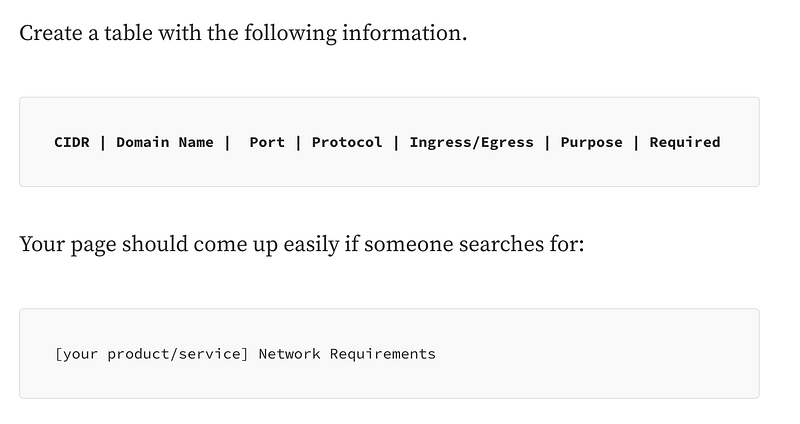
Create a table with the following information.
CIDR | Domain Name | Port | Protocol | Ingress/Egress | Purpose | RequiredYour page should come up easily if someone searches for:
[your product/service] Network RequirementsTypically that will happen if you make that ^ the title of the page.
Here’s a bit more information about each requirement and why.
- An IP range (CIDR block), ideally.
You provide an IP range because you don’t want your service to be subject to DNS cache poisoning where someone points your domain name to the wrong IP and causes someone to send requests to the wrong place when trying to contact or authorize your service from their network. Also, some firewall products and services (Like AWS Security Groups, AWS Network Access Control Lists (NACLS), for example) do not support domain names (FQDNs) they only support CIDR blocks.
2. If you cannot provide an IP range, provide domain names.
Domain names are not as secure as a CIDR block (IP range) because DNS requests may be compromised, but it’s better than providing a port only. At least a customer can use a domain name in their firewall rules — unfortunately, not all firewalls and network configuration tools support domain names. The customer will have to do something hokey in that case and do a dns lookup for the IP range to create firewall rules and continuously check for changes. Be nice to your customers. Give them both CIDR blocks and domain names.
3. If you have many non-continuous IP ranges, provide DNS names.
This is not as secure as a continuous IP range, but it’s more reasonable for customers to implement one rule for a DNS name than it is to create 50 rules for 50 different IP ranges.
4. Provide port numbers.
Domain names are not enough. Provide the specific port numbers. Customers do not want to just allow all traffic to all your IPs or domain names. Be specific. If one of your servers gets compromised unrelated to whatever service the customer uses, that server can try to attack customers if you fail to provide specific IP ranges and ports. If a port is bound and in use, something else cannot connect to it. A customer wants to only open the required ports on their side to limit attacks and only wants to connect to the proper ports on your side.
5. Provide protocols.
Provide the required protocols — TPC or UDP generally. Customers do not want to open both if not required. If a connection exists to a port on TCP then an attacker may try to get around the port already bound by using UDP. Be specific!
6. Don’t require ICMP and expose customer data
Don’t require customers to ping your network or vice versa to connect. Some customers do not want your device constantly calling home or vice versa. Products that fail to function because they cannot ping something are poorly designed and assume the customer does not know what they are doing. Ping tunnels have been used in various attacks such as the one that caused the Target breach. Yes customers can limit types and codes but a lot of customers won’t know how to do that. Don’t create network requirements that put your customers at risk.
7. Provide a network validation button
This is so simple and almost no one does it. Instead of pinging random IPs when customers may not want you to be sending that traffic on their network, create a button to check required network connectivity. Report back which required ports and protocols are blocked to which domains or IP addresses. Include and explanation of what that network traffic is required and what is optional.
8. Allow customers to configure DNS servers — before any connections
Allow customers to configure DNS servers for your product or service, if required, before they connect. Do not override them!
9. Don’t even think about asking customers to allow inbound traffic
If you require inbound traffic, a customer cannot properly secure their network. That’s because specific ports are used for outbound initiated connections and only responses to those requests are allowed inbound. This limits a whole plethora of attacks. Once you start allowing inbound connections, an attackers job just got much easier. Yes, they can do tricky things to get around this, but it’s a lot more complicated.
10. Explain the purpose of each rule and if it is required
Explain the purpose of each rule in your table so customers understand why it is needed and what type of traffic to expect. That way they can see if something suspicious is going on. Additionally, make it clear whether the rule is actually required or not. Will your product or service work without it? What are the pros and cons of opening each rule?
Design your network so it is easier for customers to secure theirs
- Design your network to have contiguous CIDR blocks where possible.
- Design your applications to use less domain names and less ports.
- Outbound connections ONLY (Google.)
- Do not use non-standard ports and protocols (Google.)
- Do not try to override customer DNS settings (Google.)
- Do not require pinging your IP addresses and exposing information unnecessarily (Google and a whole bunch of other products and services.)
- Consolidate requests via an API gateway or proxy instead of requiring 50,000 IP ranges and domain names to load one web site page or get software updates (CNN, Microsoft, Apple, and a bazillion other websites).
- Break IP range definitions up by services — not some lump of EC2 that has a whole bunch of other services using the same IPs. (All cloud providers). Break it down by service.
- Do not create or use CDNs that are generic and do not specifically identify your own company or domain names, thereby making it impossible to create firewall rules.
- Separate cloud services, tv services, and all the other services clearly by IP range — Apple, Google, etc. — so it is easy for a customer to allow one service but not another.
- Limit IP ranges and ports. I’m looking at you Active Directory. If your product requires 20 ports and protocols and a customer has a huge forest of 20 different non-contiguous IP ranges then that’s 400 firewall rules. (Been there, done that and had to get AWS to increase limits they said couldn’t be increased.)
Do the right thing — build a secure product and provide decent network specifications
If you can’t provide basic network specifications as outlined in this post, likely your product wasn’t built with security in mind. There’s a good chance it’s putting customers at risk by requiring them to open up extraneous ports, protocols, or IP ranges on their network.
If you are trying to get network requirements from a vendor and having a hard time getting them, feel free to pass this along. I’m happy to help vendors with network architectures and specifications via calls scheduled through IANS Research.
Follow for updates.
Teri Radichel | © 2nd Sight Lab 2023
About Teri Radichel:
~~~~~~~~~~~~~~~~~~~~
⭐️ Author: Cybersecurity Books
⭐️ Presentations: Presentations by Teri Radichel
⭐️ Recognition: SANS Award, AWS Security Hero, IANS Faculty
⭐️ Certifications: SANS ~ GSE 240
⭐️ Education: BA Business, Master of Software Engineering, Master of Infosec
⭐️ Company: Penetration Tests, Assessments, Phone Consulting ~ 2nd Sight Lab
Need Help With Cybersecurity, Cloud, or Application Security?
~~~~~~~~~~~~~~~~~~~~~~~~~~~~~~~~~~~~~~~~~~~~~~~~~~~~~~~~~~~~~
🔒 Request a penetration test or security assessment
🔒 Schedule a consulting call
🔒 Cybersecurity Speaker for PresentationFollow for more stories like this:
~~~~~~~~~~~~~~~~~~~~~~~~~~~~~~~~~~~~~~~~~~~~~~~~~~~~~~~~~~~~~
❤️ Sign Up my Medium Email List
❤️ Twitter: @teriradichel
❤️ LinkedIn: https://www.linkedin.com/in/teriradichel
❤️ Mastodon: @teriradichel@infosec.exchange
❤️ Facebook: 2nd Sight Lab
❤️ YouTube: @2ndsightlab


