
Troubleshooting Docstring Table Rendering Issues in VS Code
Not a member? Read for free here!
Mastering Docstring Tables in VS Code: Enhancing Code Documentation
Emphasizing the importance of documentation in coding, Visual Studio Code (VS Code) provides exceptional support for viewing docstrings. A prevalent challenge faced by many is the rendering of tables within these docstrings, often leading to the perplexing issue: “Why won’t my docstring table render in VS Code?”. In this article, we’ll guide you through the process of creating tables in Python docstrings that display beautifully in VS Code.
The Trouble with reST Tables
reStructuredText (reST) is the default markup language for Sphinx, a robust tool for generating Python documentation. While reStructuredText (reST) is a common choice for writing docstrings, its complex table syntax can lead to poor renderings in the hover preview, as depicted in the images below.


Markdown Tables: A Simpler Alternative
Markdown is renowned for its simplicity and readability; VS Code natively supports it. When you write a table in Markdown and hover over the function, the table appears as intended: neat and organized.
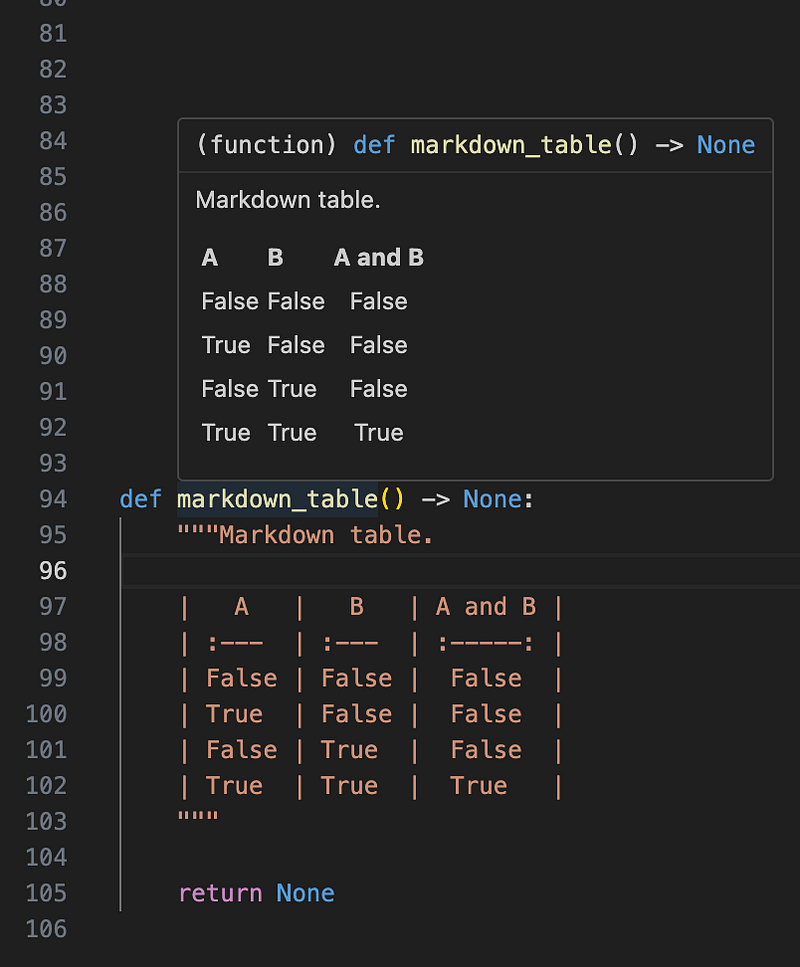
This simplicity is due to Markdown’s minimal syntax, which VS Code can easily interpret and display correctly in a small hover window.
Writing Markdown Tables in Your Docstrings
To use Markdown for your tables, follow this straightforward syntax:
- Pipes ´|´ create columns.
- Dashes ´-´ under the header row separate it from the content rows.
- Text alignment isn’t necessary for rendering but can help with readability in the code.
Here’s a snippet illustrating a Markdown table in a docstring:
|   A   |   B   | A and B |
| :---  | :---  | :-----: |
| False | False |  False  |
| True  | False |  False  |
| False | True  |  False  |
| True  | True  |  True   |
def markdown_table() -> None:
    """Markdown table.

    |   A   |   B   | A and B |
    | :---  | :---  | :-----: |
    | False | False |  False  |
    | True  | False |  False  |
    | False | True  |  False  |
    | True  | True  |  True   |
    """

    return None
Sphinx and Markdown-based Documentation Support
Sphinx now supports Markdown through the MyST-Parser extension. This tool allows Sphinx documentation to be written in Markdown, including table structures, facilitating seamless integration with Sphinx’s robust documentation features.
For a comprehensive guide on MyST-Parser, visit the MyST-Parser documentation.
Conclusion
The adoption of Markdown for docstrings, particularly for table documentation, provides a clear legibility edge within VS Code. With tools like MyST-Parser, Sphinx users can write Markdown and compile it into various formats without sacrificing the sophistication of their documentation.


