
How to Prompt ChatGPT to Teach You Anything
I created a prompt chain that enables you to learn any complex concept from ChatGPT.

Have you ever looked at a paper and just thought to yourself, “This is way above my pay grade…” Now, those days are gone. ChatGPT, with a little prompting expertise, can become your personal tutor for any high-level concept.
I developed a prompt chain that takes an input document or webpage and guides the AI through the process of teaching you anything. This process causes ChatGPT to be more comprehensive, more accurate, and more responsive than a more traditional approach. Let’s jump right in!
Find your learning material
Before you can start this process, find a document or webpage that contains a new concept or something that is tough to learn on your own. This can be old or new information; it doesn’t matter. In this case, I chose this paper from Anthropic AI about identifying LLM features via sparse autoencoders. Much of this paper is beyond my knowledge of AI, so I was happy to let ChatGPT help me out.
Input your learning material
Once you have your material, download it as a PDF, or if it’s a webpage, copy the link. Click the paperclip icon on ChatGPT, or simply paste the link into the box.
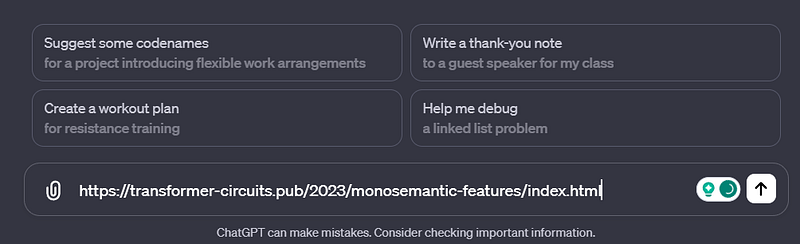
Don’t send this link or file yet; we need to include the first prompt with our first request.
The summarize + outline prompt
Input “Shift-Enter” on your keyboard, and paste the first prompt into the input box. Here is the prompt (this works for any concept):
Provide an executive summary of this link [or attatched document]. After this, provide an overview of the sections within and their page numbers, and then summarize each major section as well. Always cite your sources.
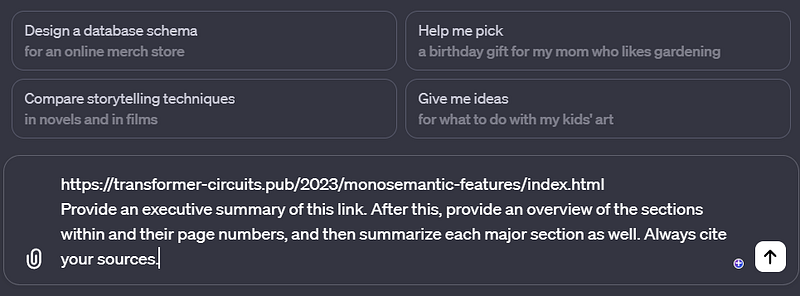
Press enter, and you’re on your way.
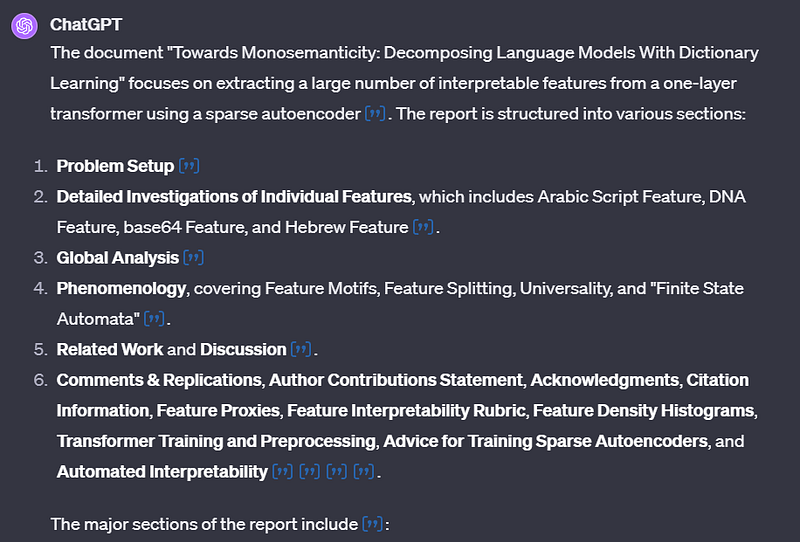
Continuing the learning prompt chain
Before you do anything else, input this prompt:
Using this summary, please generate a conceptual map based on the paper (no images) for me to learn from. make sure to output some foundational concepts, with descriptions, and then work your way into the tougher topics. Think of this as a lesson plan.
This prompt enables ChatGPT to think critically about the topics within and build a set of foundational topics that you must understand to understand the rest of the more complex ones within the paper. This is the most important step; it’ll jump-start your learning speed because you can skip the fluff and dive right into the important stuff.
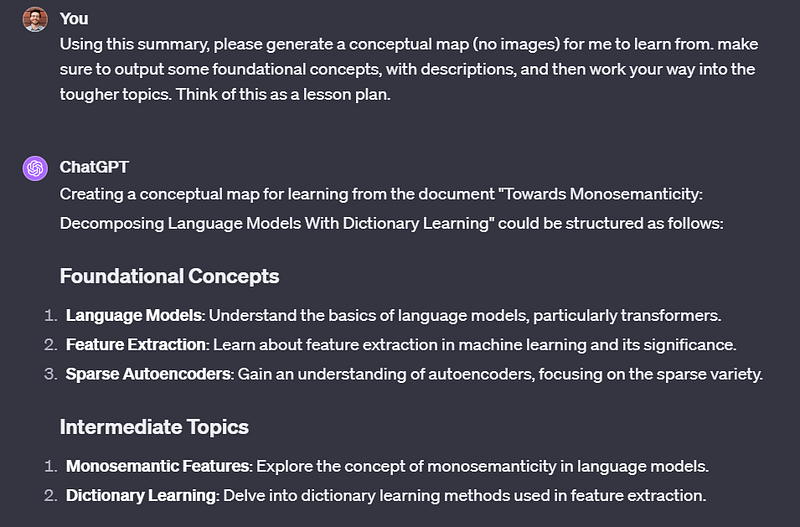
You can clearly see how effective this is at splitting out the high-level concepts and paring them down into a digestible outline.
Here’s where the learning really begins
Now you can pick and choose what you want ChatGPT to teach you. In this example, I already understood AI language models fairly well. However, I needed a deep dive into Feature Extraction. So then I used this prompt:
Let’s do a deep dive into the [your chosen section] of the lesson plan. Please output a detailed description of the concept based on the text. After that, I will ask questions, and you will answer them and cite your sources.
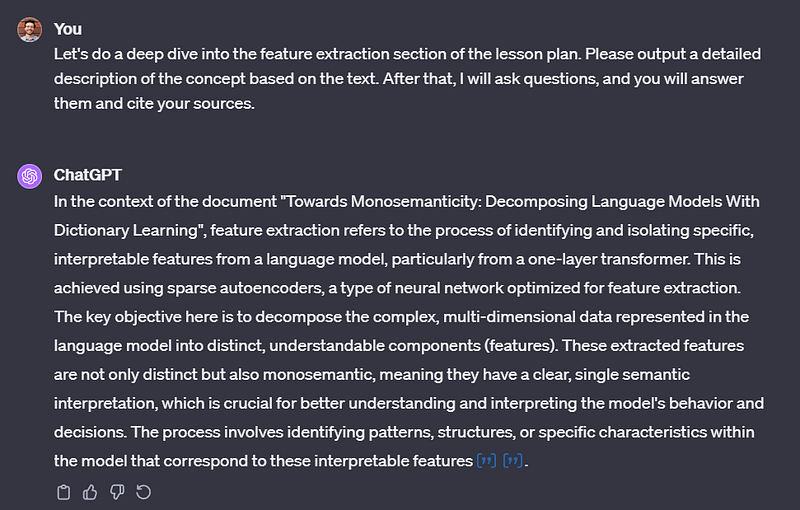
Now you can begin a standard Q&A process with ChatGPT, and dive as deep into the concept as you like.
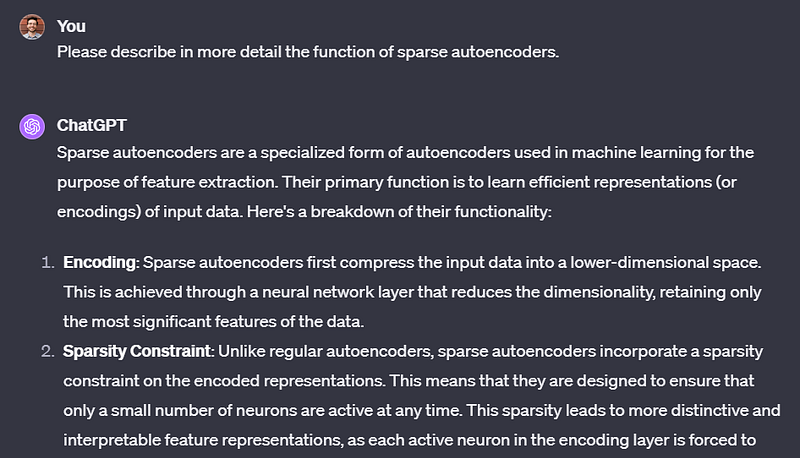
Post Q&A learning
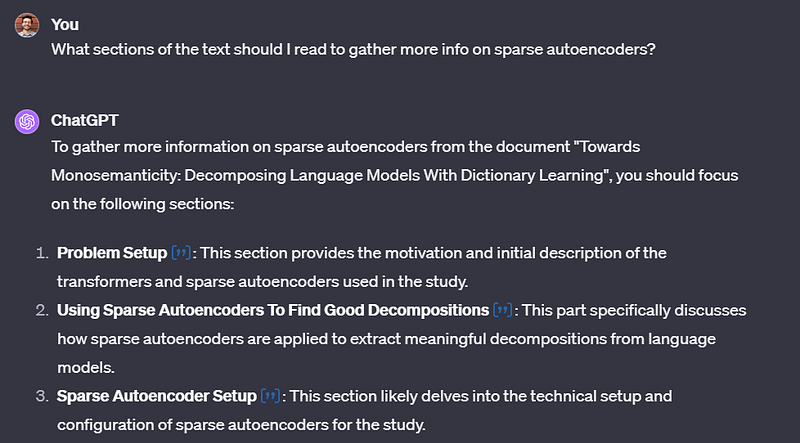
Now, let’s say that you’ve gone down a Q&A track, and you’re in a good spot to understand that topic. You can now either ask the AI where you should read first to flesh out your knowledge, or you can move on to the other parts of your learning roadmap that the AI generated for you. Here is an example of asking it to cite places to read specifically:
What sections of the text should I read to gather more info on [insert topic]?
Here is the output:
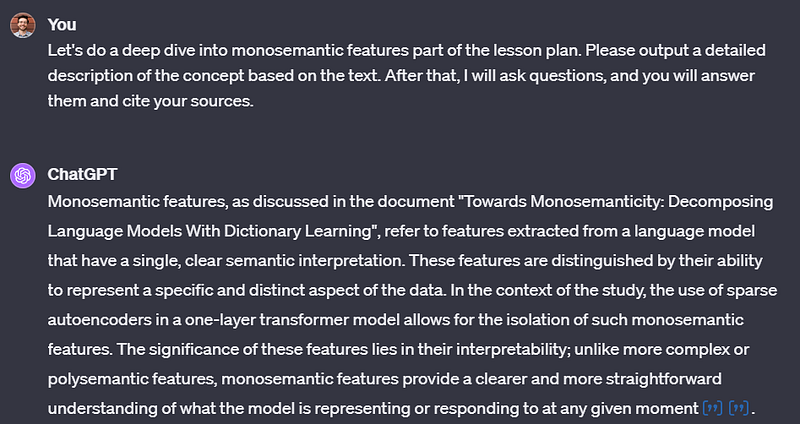
Here’s how you can continue down the lesson plan:
Let’s do a deep dive into [the next section you want to learn] part of the lesson plan. Please output a detailed description of the concept based on the text. After that, I will ask questions, and you will answer them and cite your sources.
For a final prompt, this is a great one to get the AI to give you deeper information:
Now that I have a decent understanding of [insert topic] can you dive deeper into the text and tell me more about it and it’s place in the text, and why it’s impactful towards the overall point of the paper? Please be highly detailed.
From here, you can iterate through the rest of your lesson plan that ChatGPT gave you, and you can ask it questions along the way. I urge you to read the important sections of the material that it suggests yourself, because it’s risky to trust that the AI has not hallucinated. Luckily, now that you have some understanding of the topic, the reading will become much easier.
This strategy changed the way I learn
Reading a dense text after going through a learning session like this gives an incredible boost in terms of comprehension and retention. This strategy has changed the way I learn high-level concepts forever.
I will be writing an article in the future about automating this process (with up to 20 documents at a time) via the Assistant API, so please let me know in the comments if you want to see this!
Thanks for reading.
-Jordan


