
How To Organize Your File-Manager, Social Media, Physical Environment, Etc (Barbell #11)
(You can also listen to this article on Youtube, Spotify, Apple Podcasts, and Google Podcasts)
In the previous article, I mentioned the four friends or characteristics that the most successful organizational system has:
- Search
- Favorites
- Hyperlinks
- Random Generator
Let’s discover how we can apply these friends outside the note-taking app. Although your preferred tool (Mem.ai) is the main gateway for information, there are still other interfaces that need to be dealt with.
File Manager
Your file manager (Google Drive, OneDrive, Dropbox, local hard drive) is necessary for storing various types of files. There is no silver bullet, unfortunately, but two methods of effective organization:
The first method is to create two folders only. The first one is called Favorites and the other Archives. You keep your most referred files in favorites and move over every obsolete one to the other.
Outside of these folders, you simply create each new file in the main menu (Downloads, NOT Desktop in your local hard drive). Sort the list by recently edited. You want your file manager to look like this:
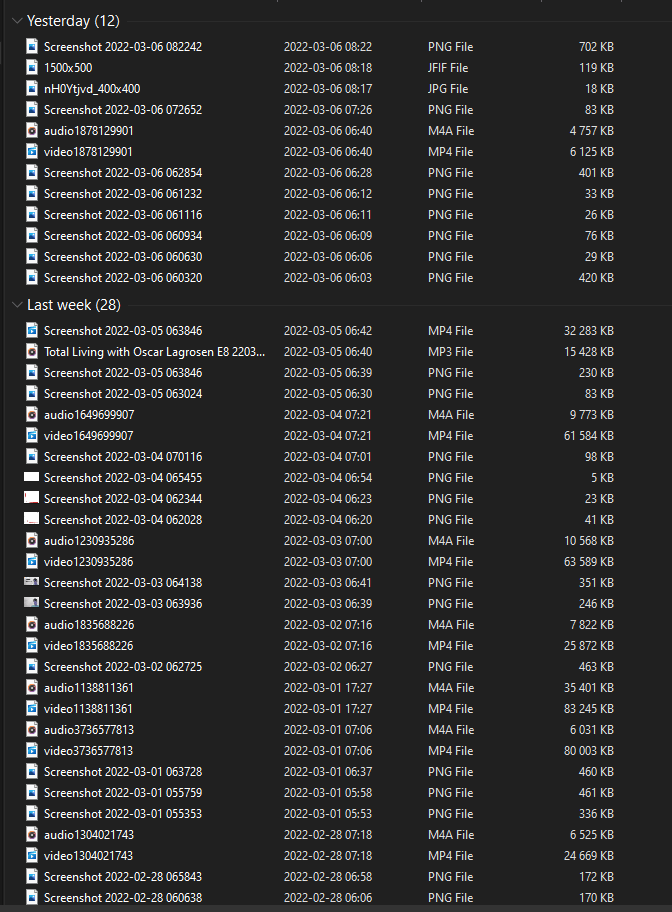
Before you faint, I assure you that you will not need to interact with your file manager that often (because of your note-taking app). You can still search for files, have your favorites in Quick Access, and hyperlink in Google Docs. This is great news for everyone who can relate to this picture above, you are doing absolutely right!
The second method is for people like me, who suffer from excessive orderliness. You create folders with loose categories (areas of your life) and nothing more. Within the folders, you create an archive folder for each. Visual example from my own Google Drive below
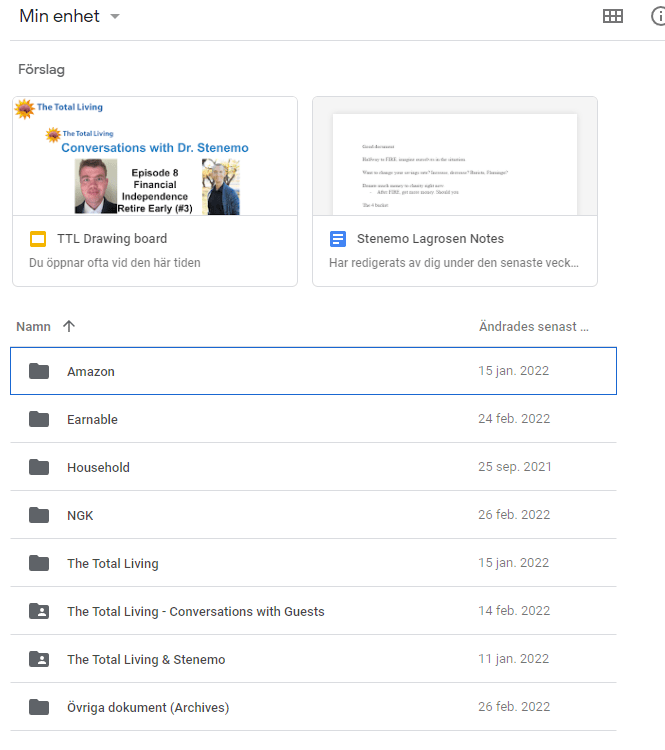
It is still reasonably managed to quickly place a file and you do not need to worry too much about stifling creativity. Within the folders, there should still be no structure, sorted after the latest date. This way, your more useful files are still searchable.
Once again, you will not interact with it that often. Therefore, you do not need to feel like it has to reflect inner beauty. Just enough so you can find your files and nothing more.
Social Media
Your preferred social media, primarily Twitter, is also a second brain, but a social one. You upload information and get access to many others, plus external validation of your information.
Here is what the four friends of the digital organization look like:
- Search. You search for your own posts, other users and topics.
- Favorites. You can bookmark a tweet or post that you want to save. In a separate menu, you can access them freely.
- Hyperlinks. You link to your previous posts, share others, mention people and topic, comment on others. Thus a thread you can easily proceed.
- Random Note Generator. Just scroll my friend. Just scroll…
Physical Environment
The same two methods for your file manager apply here.
- Reserve a space/folder for favorites and for archive. For all other documents and stuff, put them all in one place without organization, just the most recent on top.
- If you like me suffer from excessive orderliness, create different spaces/folders according to loose categories (business, household, hobby etc). Quickly sort your stuff into these directories when they arrive.
The less time you spend organizing, the better. You will still find your stuff equally slow or fast according to research.
Task Manager, Bookmarks, Read-Later Apps, Shortcuts
Do not organize them. Especially for your task-manager, you sort the tasks by latest created. If you absolutely must identify the context, write it or emoji it in the task itself. This way, you can get the benefit without looking at your options twice. For email, check out my written article here.
Overall, I recommend bookmarks for saving links, read-later apps like Pocket and Instapaper for deep reading, and shortcuts like Magical to replace copy-paste.
The main message of this article is this: organize as little as possible and trust that you will find what you seek.
If you like this article series, you will enjoy the full e-book (a full expansion on how to use the Barbell System in your daily life). Click here to learn more.