avatarJacquelyn Lynn

Free AI web copilot to create summaries, insights and extended knowledge, download it at here

3786

Abstract

arison operators, and bitwise operators on this type too.</p><p id="c4da">It’s important to note that there is another type, called <code>bytes</code> which is different from the above in that it is a dynamically sized array, and not a value type but a reference type. It is basically shorthand for <code>byte[]</code>.</p><p id="ad39">When you can limit the length of your data to a predefined amount of bytes, it is always good practice to use some of <code>bytes1</code> to <code>bytes32</code> because it is much cheaper.</p><h2 id="0118">Enums</h2><p id="aea7"><b>Enums</b> in Solidity are a way to create user-defined types. Enums are explicitly convertible to integer types, but not implicitly. Enum values are numbered in the order they are defined, starting from 0.</p><p id="ed00">Enums are not part of the ABI (Application Binary Interface — more on this in a later lesson, but it’s basically how you encode Solidity code for the Ethereum Virtual Machine, and how you get data back). This means that if your function returns an <code>enum</code> for example, it will be automatically converted to a <code>uint8</code> behind the scenes. The integer returned is just large enough to hold all enum values. With more values, the size gets increased too (<code>uint16</code> and up).</p><p id="cdb6">The below code, taken from the <a href="https://docs.soliditylang.org/en/v0.4.24/index.html">Solidity docs</a>, defines an enum with four possible values, creates a variable of that enum named <code>choice</code> and a constant called <code>defaultChoice</code>that will hold a default value.</p><div id="cf29"><pre><span class="hljs-keyword">enum</span> <span class="hljs-title class_">ActionChoices</span> { GoLeft, GoRight, GoStraight, SitStill } ActionChoices choice; ActionChoices <span class="hljs-type">constant</span> <span class="hljs-variable">defaultChoice</span> <span class="hljs-operator">=</span> ActionChoices.GoStraight;</pre></div><p id="66a9">Now we can define some functions to interact with our <code>enum</code>.</p><div id="c0bb"><pre><span class="hljs-title function_"><span class="hljs-keyword">function</span> <span class="hljs-title">setGoStraight</span></span>() <span class="hljs-keyword">public</span> { choice = ActionChoices.GoStraight; }

<span class="hljs-title function_"><span class="hljs-keyword">function</span> <span class="hljs-title">setChoice</span></span>(ActionChoices <span class="hljs-keyword">new</span><span class="hljs-type">Choice</span>) <span class="hljs-keyword">public</span> { choice = <span class="hljs-keyword">new</span><span class="hljs-type">Choice</span>; }</pre></div><p id="6bc2">The first one simply sets the <code>choice</code> to <code>GoStraight</code> while the second one sets it to the choice that the caller passes into the function. As we can see after deployment, the <code>setChoice</code> function expects a <code>uint8</code> value, which corresponds to the <code>enum</code> value declared at that number.</p><figure id="e997"><img src="https://cdn-images-1.readmedium.com/v2/resize:fit:800/1*1pKNPVy4UUBCSLi2-SIckg.png"><figcaption>Testing enums in Remix</figcaption></figure><p id="7917">If we want to get the value of <code>choice</code> and <code>defaultChoice</code>, we can define the following functions:</p><div id="1f02"><pre><span class="hljs-keyword">function</span> <span class="hljs-title">getChoice</span>() public view returns (ActionChoices) { <span class="hljs-keyword">return</span> <span class="hljs-type">choice</span>; }</pre></div><div id="43e7"><pre><span class="hljs-function">function <span class="hljs-title">getDefaultChoice</span>() <span class="hljs-keyword">public</span> pure <span class="hljs-title">returns</span> (<span class="hljs-params"><span class=

Options

"hljs-built_in">uint</span></span>)</span> { <span class="hljs-keyword">return</span> <span class="hljs-built_in">uint</span>(defaultChoice); }</pre></div><p id="c2f2">As we can see if we try this out in Remix, the first function returns a <code>uint8</code> while the second returns a <code>uint256</code>.</p><figure id="e514"><img src="https://cdn-images-1.readmedium.com/v2/resize:fit:800/1*jmaOFb9GhXz7FWC4ONMa_A.png"><figcaption>Testing enums in Remix</figcaption></figure><h2 id="3c7c">Fixed point numbers</h2><p id="2ecc"><b>Fixed point numbers </b>represent fractional numbers by storing a fixed number of digits of their fractional part. No matter how large or small the fractional part is, it will always use the same number of bits.</p><p id="cdcd" type="7">Fixed point numbers are not fully supported by Solidity yet. They can be declared, but cannot be assigned to or from.</p><p id="f872">We can differentiate between signed fixed point numbers, declared with the <code>fixed</code> keyword, and unsigned fixed point numbers, declared with the <code>ufixed</code> keyword.</p><p id="3c1c">It can also be declared as <code>fixedMxN</code> or <code>ufixedMxN</code> where <code>M</code> represents the number of bits the type takes, and <code>N</code> represents the number of decimal points. <code>M</code> has to be divisible by 8 and a number between 8 and 256. <code>N</code> has to be a number between 0 and 80.</p><p id="96e1">They function with the following operators:</p><ul><li>Comparisons: <code><=</code>, <code><</code>, <code>==</code>, <code>!=</code>, <code>>=</code>, <code>></code> (evaluate to <code>bool</code>)</li><li>Arithmetic operators: <code>+</code>, <code>-</code>, unary <code>-</code>, unary <code>+</code>, <code>*</code>, <code>/</code>, <code>%</code> (remainder)</li></ul><h2 id="09b7">Conclusion</h2><p id="bd3a">In this lesson, we looked at what value types are available in Solidity and how each one works.</p><p id="28de">Thank you for staying with us till the end. If you enjoyed reading this piece please keep in touch and follow Solidify to keep up with our lessons on Solidity. In the upcoming articles, we will deep dive into the intricacies of the language, progressing from beginner to advanced level.</p><p id="067c">If you are new to Solidity, check out the previous lessons about setting up a local development environment and writing your first smart contract.</p><div id="6b76" class="link-block"> <a href="https://readmedium.com/how-to-setup-your-local-solidity-development-environment-c4c8195810f3"> <div> <div> <h2>How to Setup Your Local Solidity Development Environment</h2> <div><h3>Get started with smart contract development</h3></div> <div><p>medium.com</p></div> </div> <div> <div style="background-image: url(https://miro.readmedium.com/v2/resize:fit:320/1*HHko-o9m1sVngmTeRVYgKA.jpeg)"></div> </div> </div> </a> </div><div id="3ad1" class="link-block"> <a href="https://readmedium.com/lesson-1-your-first-solidity-smart-contract-1ba7e641f9a3"> <div> <div> <h2>Lesson 1: Your First Solidity Smart Contract</h2> <div><h3>In the previous lesson, we looked at how to set up your local Solidity development environment. Here we will continue…</h3></div> <div><p>medium.com</p></div> </div> <div> <div style="background-image: url(https://miro.readmedium.com/v2/resize:fit:320/1*7r7HSYkbn73NrmR_skvh5w.jpeg)"></div> </div> </div> </a> </div></article></body>

Communications | Etiquette | Common Sense

How to Mind Your E-manners: Use Proper Email Etiquette

27 tips to make sure your electronic messages don’t come back to haunt you
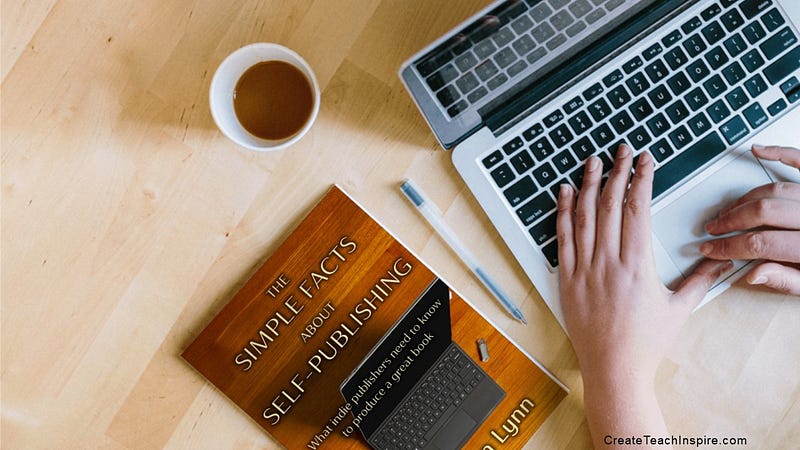
Image created by Jacquelyn Lynn using MockupShots

Email is quick, casual, and convenient — and a potential minefield.

An email gaffe can be amusing, embarrassing, or even career-ending. Use these guidelines for proper email etiquette to make sure your electronic messages don’t come back to haunt you:

1. Remember that readers cannot hear your tone of voice or see your facial expressions and gestures. Write clearly, concisely, and in a manner that won’t be open to misinterpretation. Use caution with sarcasm and humor.

2. Keep your message brief, preferably to a length equivalent to no one than one printed page — shorter if possible.

3. Respond to emails with the same promptness that you would return a telephone call.

4. Use correct capitalization, punctuation, and grammar in the same way you would in any other business document.

5. Spell-check and proofread every email before hitting send — and if it’s a critical message, get another set of eyes on it.

6. Write an appropriate and specific subject line so the recipient knows what the email is about before opening it. Don’t try to trick people into opening your emails — you’ll only tick them off.

7. If you engage in a lengthy email dialog with someone and the subject changes, adjust your subject line accordingly.

8. Write a salutation or greeting for each new email. If you are exchanging several emails on the same topic, it’s not necessary to include a greeting in your replies; instead, treat it as though you were having a conversation — you wouldn’t say “hello” each time you begin speaking.

9. Remember that emails are public documents. Once you send an email, you have no control over where it goes and who might see it, so never include anything in an email to anyone that you would not want widely known.

10. Don’t send unnecessary attachments.

11. If you are sending an attachment, name the file in a way that will make it easy for the recipient to recognize once it has been downloaded. In the content of your email, explain why you are sending the attachment and what type of software was used to create it — such as, “The attached docx file explains …” or “The details are included in the attached pdf file.”

12. Don’t hit “reply all” unless it’s essential that everyone on the initial distribution list see your reply.

13. Be sure to “reply all” if everyone on the initial distribution list needs to see your response.

14. When sending a message to a large group of people, consider using the “blind copy” feature. This protects the privacy of the recipients by not revealing their email addresses and doesn’t clutter up the top of your message with a long list of names.

15. Don’t type in all caps; it means you’re shouting.

16. Don’t type in all lower-case letters; you’re not ee cummings.

17. Include a signature block with your name, title, company, and telephone number so recipients know who you are and how to reach you.

18. Add your social media information (Twitter, LinkedIn, Facebook, YouTube, Medium, etc.) to your signature block so people can connect with you that way.

19. When replying to an e-mail, be sure to include a quote from the original message that can provide context for your response.

20. Be careful with abbreviations and acronyms; if you’re not absolutely certain your reader will understand them, spell things out.

21. Avoid sending out junk email — if an email says to “forward this to everyone in your address book,” don’t.

22. Forward jokes, political commentary, “gee-whiz” items, and feel-good messages with caution, especially to business addresses.

23. Never send an email when you’re upset or angry; wait until you’ve calmed down.

24. Keep business email on a business level — no jokes.

25. Never forward an email without the permission of the original sender.

26. Keep each email as simple as possible. A good rule is one subject per email, even if it means multiple emails to the same person.

27. Use common courtesy. No profanity, no personal attacks, no insults — and remember to say “please” and “thank you.”

Are there exceptions to these “rules”? Of course. Just be sure your reason for breaking the rule is valid and won’t cause a problem for you later.

Many of these tips can — and should — be applied to texts, social media posts, and anything else you put out on the internet.

Thank you for reading. An earlier version of this article was published on my site at CreateTeachInspire.com. You can reach me there or email me at [email protected].

Here’s a little more about me:

I’d love to connect with you! May I send a brief inspirational message every Saturday morning? Visit CreateTeachInspire.com/saturday to receive messages like these:

Photos by Jerry D. Clement; text added by Jacquelyn Lynn
Email
Business
Life Lessons
Etiquette
Communication
Recommended from ReadMedium