avatarWill J Murphy

Free AI web copilot to create summaries, insights and extended knowledge, download it at here

7487

Abstract

app for Apple devices later.</p><h1 id="37f3">Turning a recipe into a sequence diagram</h1><p id="c89b">The Internet boasts many lasagne recipes, but I decided to follow one on the BBC website.</p><div id="ed8d" class="link-block"> <a href="https://www.bbcgoodfood.com/recipes/classic-lasagne-0"> <div> <div> <h2>Classic lasagne</h2> <div><h3>Prepare this easy lasagne ahead of time and save in the freezer, uncooked, for when you need it during a busy week…</h3></div> <div><p>www.bbcgoodfood.com</p></div> </div> <div> <div style="background-image: url(https://miro.readmedium.com/v2/resize:fit:320/0*4dwVOjTmeg4a-Lu3)"></div> </div> </div> </a> </div><p id="a7ad"><b>I’ll follow each step of this recipe and translate it into a Mermaid description. </b>It’s about 18 or so lines, and it took me ten minutes to do.</p><p id="b6c7">I used a text editor to create the description, and copied and pasted it one line at a time into the Mermaid editor. This also made it easy to try out on the Mermaid editor app on my iPad.</p><p id="59b6"><b>How did I approach it?</b> I looked out at each step and picked out ingredients and equipment as participants. What I did with the ingredients and equipment became the messages.</p><h1 id="1a84">Building the diagram</h1><p id="c282">Go to the Mermaid editor at <a href="https://mermaid.live.">https://mermaid.live.</a> If it isn’t displaying a sequence diagram, tap/click on sample diagrams and select sequence diagram.</p><p id="123e">Clear the default text and type in sequenceDiagram, then return.</p><figure id="78ff"><img src="https://cdn-images-1.readmedium.com/v2/resize:fit:800/1*BnSZe46u4XgJM1ehmTq04g.gif"><figcaption>Set up the editor (Screenshot by author)</figcaption></figure><h2 id="7613">Step 1</h2><blockquote id="10ab"><p>To make the meat sauce, heat 2 tbsp olive oil in a frying pan and cook 750g lean beef mince in two batches for about 10 mins until browned all over.</p></blockquote><p id="ae21"><a href="https://www.bbcgoodfood.com/recipes/classic-lasagne-0">BBC Lasagne Recipe</a></p><p id="55f8">I translated that into:</p><div id="10c7"><pre><span class="hljs-function"><span class="hljs-title">olive0il</span>-></span>>pan: heat <span class="hljs-number">2</span> tbsp <span class="hljs-function"><span class="hljs-title">beef</span>-></span>>pan: cook <span class="hljs-number">2</span> batches of <span class="hljs-number">750</span>g <span class="hljs-keyword">for</span> <span class="hljs-number">10</span>min <span class="hljs-built_in">or</span> <span class="hljs-keyword">until</span> brown.</pre></div><figure id="dfac"><img src="https://cdn-images-1.readmedium.com/v2/resize:fit:800/1*yeAkw7WBtsPq8u7Lhgt1Tg.gif"><figcaption>Brown the meat (Screenshot by author)</figcaption></figure><h2 id="12d4">Step 2</h2><blockquote id="5a7a"><p>Finely chop 4 slices of prosciutto from a 90g pack, then stir through the meat mixture.</p></blockquote><p id="0607"><a href="https://www.bbcgoodfood.com/recipes/classic-lasagne-0">BBC Lasagne Recipe</a></p><p id="101c">I translated that into:</p><div id="3fef"><pre><span class="hljs-function"><span class="hljs-title">prosciutto</span>-></span>>pan: finely chop <span class="hljs-built_in">and</span> stir through meat</pre></div><figure id="7795"><img src="https://cdn-images-1.readmedium.com/v2/resize:fit:800/1*9MvwrvhH20HDtELnqENs6Q.gif"><figcaption>Add the tomato sauce (Screenshot by author)</figcaption></figure><h2 id="d83a">Step 3</h2><blockquote id="5e3b"><p>Pour over 800g passata or half our basic tomato sauce recipe and 200ml hot beef stock. Add a little grated nutmeg, then season.</p></blockquote><p id="d1ea"><a href="https://www.bbcgoodfood.com/recipes/classic-lasagne-0">BBC Lasagne Recipe</a></p><p id="1818">I translated that into:</p><div id="4744"><pre><span class="hljs-function"><span class="hljs-title">passato</span>-></span>>pan: pour <span class="hljs-number">800</span>g <span class="hljs-function"><span class="hljs-title">beefStock</span>-></span>>pan: add <span class="hljs-number">200</span>ml <span class="hljs-function"><span class="hljs-title">nutMeg</span>-></span>>pan: add a little grated nutmeg <span class="hljs-built_in">and</span> season</pre></div><figure id="876d"><img src="https://cdn-images-1.readmedium.com/v2/resize:fit:800/1*AbVdgj6rDx-f762kyvYtgg.gif"><figcaption>Add the seasoning (Screenshot by author)</figcaption></figure><h2 id="441d">Step 4</h2><blockquote id="6d89"><p>Bring up to the boil, then simmer for 30 mins until the sauce looks rich.</p></blockquote><p id="1770"><a href="https://www.bbcgoodfood.com/recipes/classic-lasagne-0">BBC Lasagne Recipe</a></p><p id="42d4">I translated that into:</p><div id="3822"><pre>note over pan: <span class="hljs-keyword">bring </span>to <span class="hljs-keyword">boil </span><span class="hljs-keyword">and </span>simmer for <span class="hljs-number">30</span> mins</pre></div><figure id="8f3b"><img src="https://cdn-images-1.readmedium.com/v2/resize:fit:800/1*dZmF89wpJebBXLctYVn1PA.gif"><figcaption>Simmer meat sauce (Screenshot by author)</figcaption></figure><h2 id="894d">Step 5</h2><blockquote id="3213"><p>Heat oven to 180C/fan/160C/gas 4 and lightly oil an ovenproof dish (about 30 x 20 cm).</p></blockquote><p id="cf62"><a href="https://www.bbcgoodfood.com/recipes/classic-lasagne-0">BBC Lasagne Recipe</a></p><p id="c187">I translated that into:</p><div id="6191"><pre>note <span class="hljs-keyword">over</span> pan: heat oven <span class="hljs-keyword">to</span> <span class="hljs-number">180</span>C note <span class="hljs-keyword">over</span> pan: lightly oil dish</pre></div><figure id="959e"><img src="https://cdn-images-1.readmedium.com/v2/resize:fit:800/1*8zMwv-YSf_38xBQ6wKf0_g.gif"><figcaption>Heat oven (Screenshot by author)</figcaption></figure><h2 id="bba6">Step 6</h2><blockquote id="51d3"><p>Spoon one third of the meat sauce into the dish, then cover with some fresh lasagne sheets from a 300g pack. Drizzle over roughly 130g ready-made or homemade white sauce.</p></blockquote><p id="23b9"><a href="https://www.bbcgoodfood.com/recipes/classic-lasagne-0">BBC Lasagne Recipe</a></p><p id="21af">I translated that into:</p><div id="a676"><pre>pan->><span class="hljs-keyword">dish: </span>spoon third of meat sauce <<span class="hljs-keyword">br> </span>cover with fresh lasagne <span class="hljs-keyword">sheet </span><<span class="hljs-keyword">br> </span>drizzle <span class="hljs-number">130</span>g of white sauce</pre></div><figure id="ea6a"><img src="https://cdn-images-1.readmedium.com/v2/resize:fit:800/1*ERNEk1ZzoPd1OB5yvkNhXQ.gif"><figcaption>Spoon in meat sauce (Screenshot by author)</figcaption></figure><h2 id="9292">Step 7</h2><blockquote id="fbe7"><p>Repeat until you have 3 layers of pasta. Cover with the remaining 390g white sauce, making sure you can’t see any pasta poking through.</p></blockquote><p id="b461"><a href="https://www.bbcgoodfood.com/recipes/classic-lasagne-0">BBC Lasagne Recipe</a></p><p id="29c9">I translated that into:</p><div id="1d2a"><pre><span class="hljs-keyword">loop</span> <span class="hljs-keyword">until</span> there are three layers <span class="hljs-keyword">end</span></pre></div><p id="9742">I then moved step 6 into the loop to get:</p><div id="80ef"

Options

<pre>loop <span class="hljs-keyword">until</span> there are <span class="hljs-literal">three</span> layers
pan-&gt;&gt;dish: spoon <span class="hljs-keyword">third</span> <span class="hljs-keyword">of</span> meat sauce &lt;br&gt; cover <span class="hljs-keyword">with</span> fresh lasagne sheet &lt;br&gt; drizzle <span class="hljs-number">130</span>g <span class="hljs-keyword">of</span> white sauce

<span class="hljs-keyword">end</span></pre></div><figure id="8bba"><img src="https://cdn-images-1.readmedium.com/v2/resize:fit:800/1*EVq6n02TJbLfBpD6_8Q6fQ.gif"><figcaption>Add 3 layers (Screenshot by author)</figcaption></figure><h2 id="87f0">Step 8</h2><blockquote id="1c35"><p>Scatter 125g torn mozzarella over the top.</p></blockquote><p id="d7a2"><a href="https://www.bbcgoodfood.com/recipes/classic-lasagne-0">BBC Lasagne Recipe</a></p><p id="2064">I translated that into:</p><div id="c16f"><pre>note <span class="hljs-keyword">over</span> dish: scatter <span class="hljs-number">125</span>g <span class="hljs-keyword">of</span> mozzarella <span class="hljs-keyword">over</span> top</pre></div><figure id="2477"><img src="https://cdn-images-1.readmedium.com/v2/resize:fit:800/1*P9Xm6m36k2QPkE0tAsrtpQ.gif"><figcaption>Add mozzarella (Screenshot by author)</figcaption></figure><h2 id="be56">Step 9</h2><blockquote id="6d9b"><p>Arrange the rest of the prosciutto on top. Bake for 45 mins until the top is bubbling and lightly browned.</p></blockquote><blockquote id="628f"><p><a href="https://www.bbcgoodfood.com/recipes/classic-lasagne-0">BBC Lasagne Recipe</a></p></blockquote><p id="cbe9">I translated that into:</p><div id="9333"><pre>note <span class="hljs-keyword">over</span> dish: arrange <span class="hljs-built_in">rest</span> <span class="hljs-keyword">of</span> prosciutto <span class="hljs-keyword">on</span> <br> <span class="hljs-keyword">and</span> bake <span class="hljs-keyword">for</span> <span class="hljs-number">45</span> mins <span class="hljs-keyword">until</span> top <span class="hljs-keyword">is</span> bubbling</pre></div><figure id="40f9"><img src="https://cdn-images-1.readmedium.com/v2/resize:fit:800/1*jVFD8ma7BRqu2G7nSXam2A.gif"><figcaption>Bake the lasagne (Screenshot by author)</figcaption></figure><h1 id="d887">The Result</h1><p id="df2c">Tap on “PNG”, and the browser window fills with your lasagne sequence diagram.</p><figure id="d359"><img src="https://cdn-images-1.readmedium.com/v2/resize:fit:800/1*aeIFUTfj5ewcikHFDA5jbA.jpeg"><figcaption>Lasagne recipe as a sequence diagram (Screenshot by author)</figcaption></figure><p id="4c35">What have you gained?</p><ul><li>You can clearly see what’s needed for the recipe.</li><li>When to add ingredients is unambiguous.</li><li>You know when you’re finished with utensils and ingredients.</li></ul><p id="bcac">Here’s the complete description. You could copy and paste it into a Mermaid Editor in one go, if you prefer.</p><div id="e310"><pre>sequenceDiagram olive0il->>pan: heat <span class="hljs-number">2</span> tbsp <span class="hljs-keyword">beef->>pan: </span>cook <span class="hljs-number">2</span> <span class="hljs-keyword">batches </span>of <span class="hljs-number">750</span>g for <span class="hljs-number">10</span>min <span class="hljs-keyword">or </span>until <span class="hljs-keyword">brown. </span> prosciutto->>pan: finely chop <span class="hljs-keyword">and </span>stir through meat

passato->>pan: pour <span class="hljs-number">800</span>g <span class="hljs-keyword">beefStock->>pan: </span><span class="hljs-keyword">add </span><span class="hljs-number">200</span>ml nutMeg->>pan: <span class="hljs-keyword">add </span>a little grated nutmeg <span class="hljs-keyword">and </span>season

note over pan: <span class="hljs-keyword">bring </span>to <span class="hljs-keyword">boil </span><span class="hljs-keyword">and </span>simmer for <span class="hljs-number">30</span> mins

note over pan: heat oven to <span class="hljs-number">180</span>C note over pan: lightly oil <span class="hljs-keyword">dish </span> pan->><span class="hljs-keyword">dish: </span>spoon third of meat sauce <<span class="hljs-keyword">br> </span>cover with fresh lasagne <span class="hljs-keyword">sheet </span><<span class="hljs-keyword">br> </span>drizzle <span class="hljs-number">130</span>g of white sauce

loop until there are three layers pan->><span class="hljs-keyword">dish: </span>spoon third of meat sauce <<span class="hljs-keyword">br> </span>cover with fresh lasagne <span class="hljs-keyword">sheet </span><<span class="hljs-keyword">br> </span>drizzle <span class="hljs-number">130</span>g of white sauce end

note over <span class="hljs-keyword">dish: </span><span class="hljs-keyword">scatter </span><span class="hljs-number">125</span>g of mozzarella over top

note over <span class="hljs-keyword">dish: </span>arrange rest of prosciutto on <<span class="hljs-keyword">br> </span><span class="hljs-keyword">and </span><span class="hljs-keyword">bake </span>for <span class="hljs-number">45</span> mins until top is <span class="hljs-keyword">bubbling</span></pre></div><h1 id="55e9">iOS/iPadOS Mermaid Diagram Editor</h1><p id="6492">If (like me) you prefer your apps to run on your device, and you’re an iPad user, you could use MermaidEditor. It cost me £3.49, and I have no links to the developers.</p><div id="f70e" class="link-block"> <a href="https://apps.apple.com/gb/app/mermaideditor/id1581312955"> <div> <div> <h2>‎MermaidEditor</h2> <div><h3>‎MermaidEditor is a diagram and chart editor, powered by mermaid-js. MermaidEditor supports mermaid-js syntax…</h3></div> <div><p>apps.apple.com</p></div> </div> <div> <div style="background-image: url(https://miro.readmedium.com/v2/resize:fit:320/0*zHltlTVp_jYliuhq)"></div> </div> </div> </a> </div><p id="a0ae">I copied and pasted the lasagne recipe description into the app, and this is what I got.</p><figure id="ad24"><img src="https://cdn-images-1.readmedium.com/v2/resize:fit:800/1*z_Ph1O4sBauQ-NLxrtja7g.png"><figcaption>Recipe rendered in MermaidEditor (Screenshot by author)</figcaption></figure><h1 id="b4c3">Why’s this great?</h1><p id="42bf">Translating a recipe into Mermaid text<b> forces you to think clearly about what you’re doing</b>, and, once you understand, those insights are readily available to you in the future.</p><p id="81dd">This isn’t limited to food preparation. Sequence diagrams are useful for anything complex where you need to understand what has to be done and when. It could be a recipe or buying a house. Lasagne taste better, so I went with that.</p><div id="b556" class="link-block"> <a href="https://willjmurphy.page/membership"> <div> <div> <h2>Join Medium with my referral link - Will J Murphy</h2> <div><h3>As a Medium member, a portion of your membership fee goes to writers you read, and you get full access to every story…</h3></div> <div><p>willjmurphy.page</p></div> </div> <div> <div style="background-image: url(https://miro.readmedium.com/v2/resize:fit:320/0*GYXsl3r8mqT5lnIn)"></div> </div> </div> </a> </div></article></body>

Personal productivity, cooking

How to Make Recipes Easier to Follow Using Mermaid Text (Really)

I’ll demonstrate using a delicious lasagne recipe
Photo by Mateusz Feliksik on Unsplash

You know what I hate most about following recipes? The important information is buried in blocks of text, so it’s easy to overlook. Who hasn’t missed a step and ruined what would have been great food?

It doesn’t matter if the text blocks are numbered, or if they have pretty pictures of ingredients arranged around them. That’s just distracting.

What I want to know is:

  • What do I use?
  • When do I use it?
  • What sequence of actions do I follow?

All that should be up front and central so that I can concentrate on bringing the delicious.

Extracting information from blocks of text isn’t a new problem. System designers have been grappling with it since the days of mainframes. One tool they used to understand what was going on was a sequence diagram.

Keep calm. You don’t need to be a system designer to use them. Here’s an example.
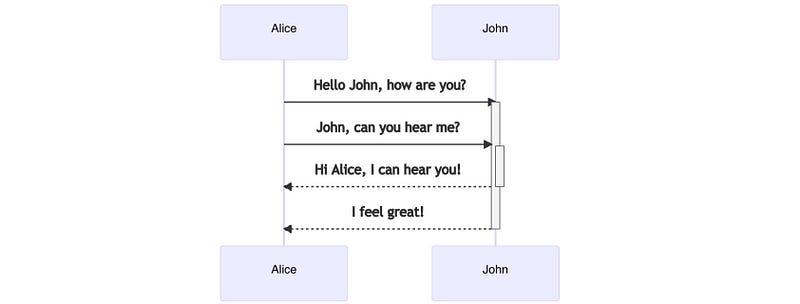
Really un-scary sequence diagram (Screenshot by author)

Alice and John are having a rather dull conversation, but forget their dying relationship! Look at the diagram. It clearly shows the participants, what they’re saying, and the sequence they’re saying it in.

I think recipes should be like that, and there’s a way to achieve that easily and for free. It’s called Mermaid text, and it’s MarkDown for diagrams.

You type something like the text below, and a mermaid editor will draw it for you:

Alice->>John: Hello John, how are you?
Alice->>John: John, can you hear me?
John-->>-Alice: Hi Alice, I can hear you!
John-->>-Alice: I feel great!

In fact, that’s how I created that diagram.

Time-out! Sit up straight and say out loud, “sequence diagram”. Say it again and wait for a moment. Did the devil appear? Did anyone attack you?

No, I didn’t think so.

We’re going to turn a lasagne recipe into a sequence diagram, and we will be proud because making fresh lasagne will be easier.

Making sequence diagrams so easy even politicians could use them

Here’s the plan. Read through a recipe and make notes using Mermaid notation. Copy and paste the notes into a (free) Mermaid editor, and a really useful, clear sequence diagram (not the devil) will appear.

I found a lasagne recipe on the BBC website and tried the technique out. I thought it worked really well, but you’ll be the judge of that

All you need to know about mermaids

Mermaid notation is powerful, but we only need a subset to analyse lasagne recipes. You can find full details here:

Here’s what you need to follow this article.

Mermaid diagram descriptions are text files, and you can create them in any editor you like. You then copy and paste the description to any tool that supports Mermaid text (see later).

The first line indicates the diagram type:

sequenceDiagram

In a sequence diagram, participants (e.g., Alice and John) send messages to each other. You show that with a text arrow and some label text.

Alice->>John: John, can you hear me?

Alice sends a message to John, “John, can you hear me?” The colon indicates the start of the message.

Every so often, you want sequences of messages to happen more than once. Here’s how you do that:

loop until divorced 
	Alice->>John: John, can you hear me?
end

Whatever is after the word, loop, is the label for the loop.

You can add notes to a sequence by doing this:

note over John: He gets duller by the minute.

If you want to break up text in a comment into separate lines, use “
”.

Well, that’s it, but where do you get a free Mermaid editor? Glad you asked.

Free online Mermaid diagram tool

You can find a free Mermaid editor at:

Type that URL into your web browser of choice, and this is what you’ll see.
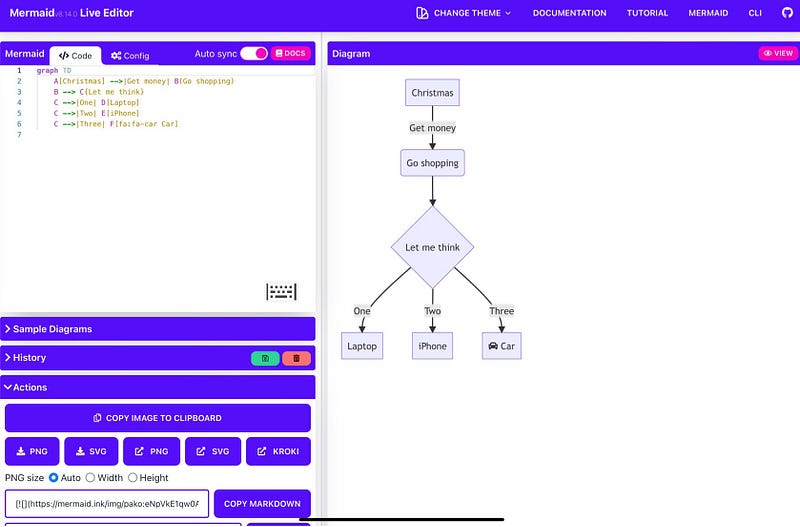
Mermaid Editor at https://mermaid.live (Screenshot by author)

You type your instructions into the left-hand panel, and the diagram on the right updates.

Tap/click on PNG button and the diagram fills the screen. You could print it out or save it locally. Both work.

I’ll tell you about an app for Apple devices later.

Turning a recipe into a sequence diagram

The Internet boasts many lasagne recipes, but I decided to follow one on the BBC website.

I’ll follow each step of this recipe and translate it into a Mermaid description. It’s about 18 or so lines, and it took me ten minutes to do.

I used a text editor to create the description, and copied and pasted it one line at a time into the Mermaid editor. This also made it easy to try out on the Mermaid editor app on my iPad.

How did I approach it? I looked out at each step and picked out ingredients and equipment as participants. What I did with the ingredients and equipment became the messages.

Building the diagram

Go to the Mermaid editor at https://mermaid.live. If it isn’t displaying a sequence diagram, tap/click on sample diagrams and select sequence diagram.

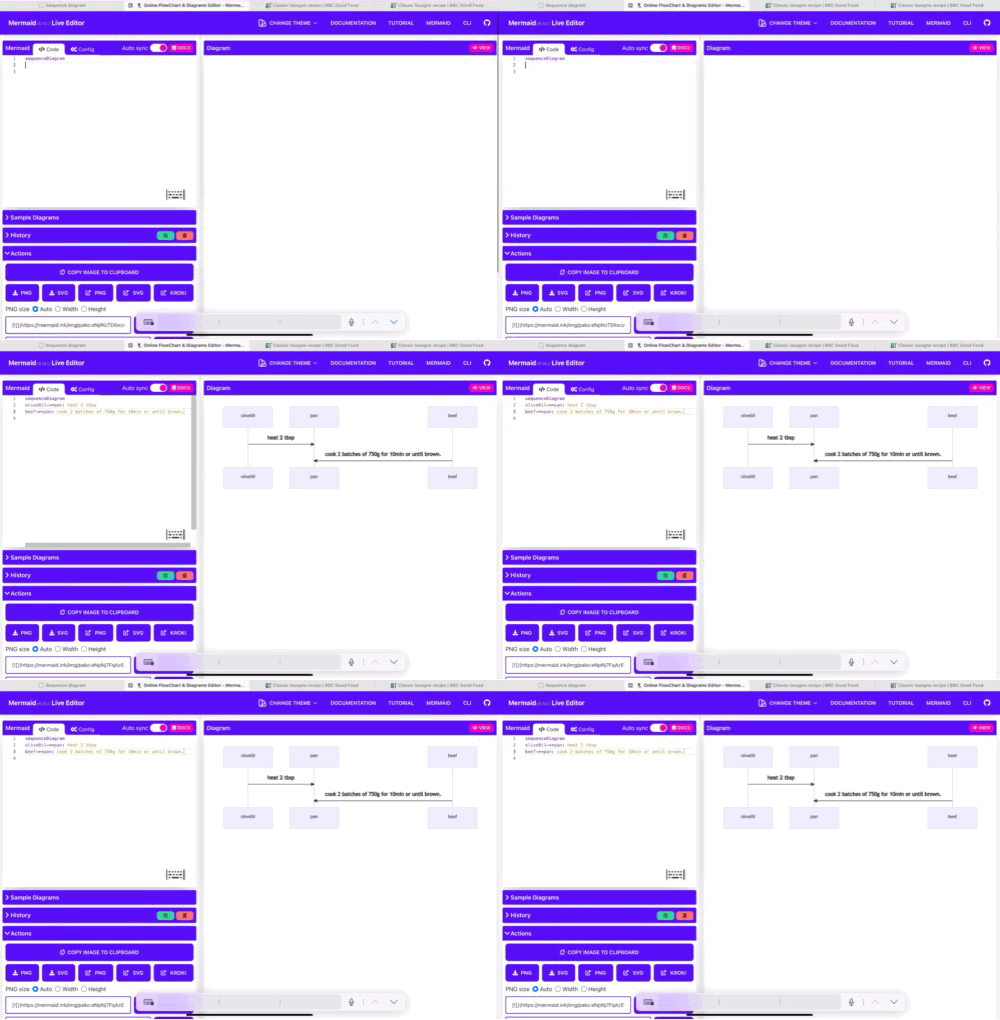
Clear the default text and type in sequenceDiagram, then return.
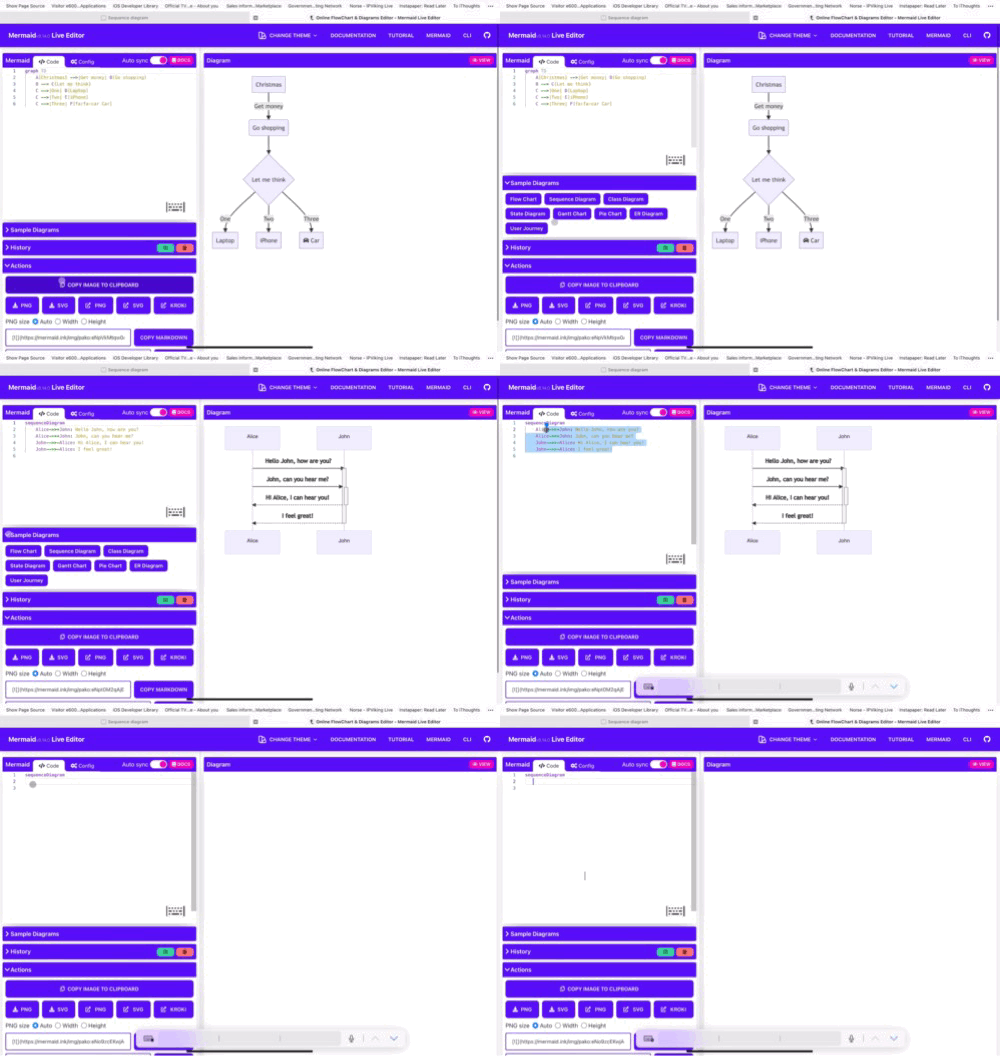
Set up the editor (Screenshot by author)

Step 1

To make the meat sauce, heat 2 tbsp olive oil in a frying pan and cook 750g lean beef mince in two batches for about 10 mins until browned all over.

BBC Lasagne Recipe

I translated that into:

olive0il->>pan: heat 2 tbsp
beef->>pan: cook 2 batches of 750g for 10min or until brown.
Brown the meat (Screenshot by author)

Step 2

Finely chop 4 slices of prosciutto from a 90g pack, then stir through the meat mixture.

BBC Lasagne Recipe

I translated that into:

prosciutto->>pan: finely chop and stir through meat
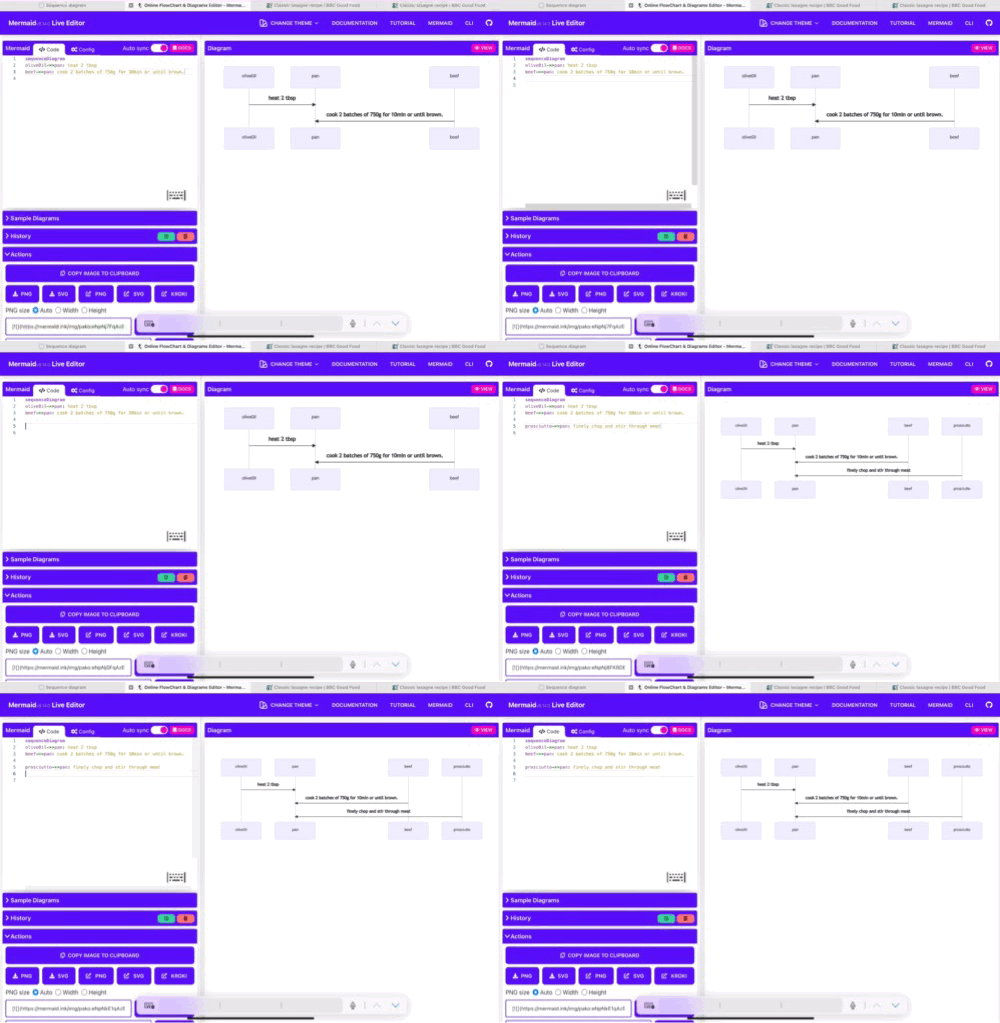
Add the tomato sauce (Screenshot by author)

Step 3

Pour over 800g passata or half our basic tomato sauce recipe and 200ml hot beef stock. Add a little grated nutmeg, then season.

BBC Lasagne Recipe

I translated that into:

passato->>pan: pour 800g
beefStock->>pan: add 200ml
nutMeg->>pan: add a little grated nutmeg and season
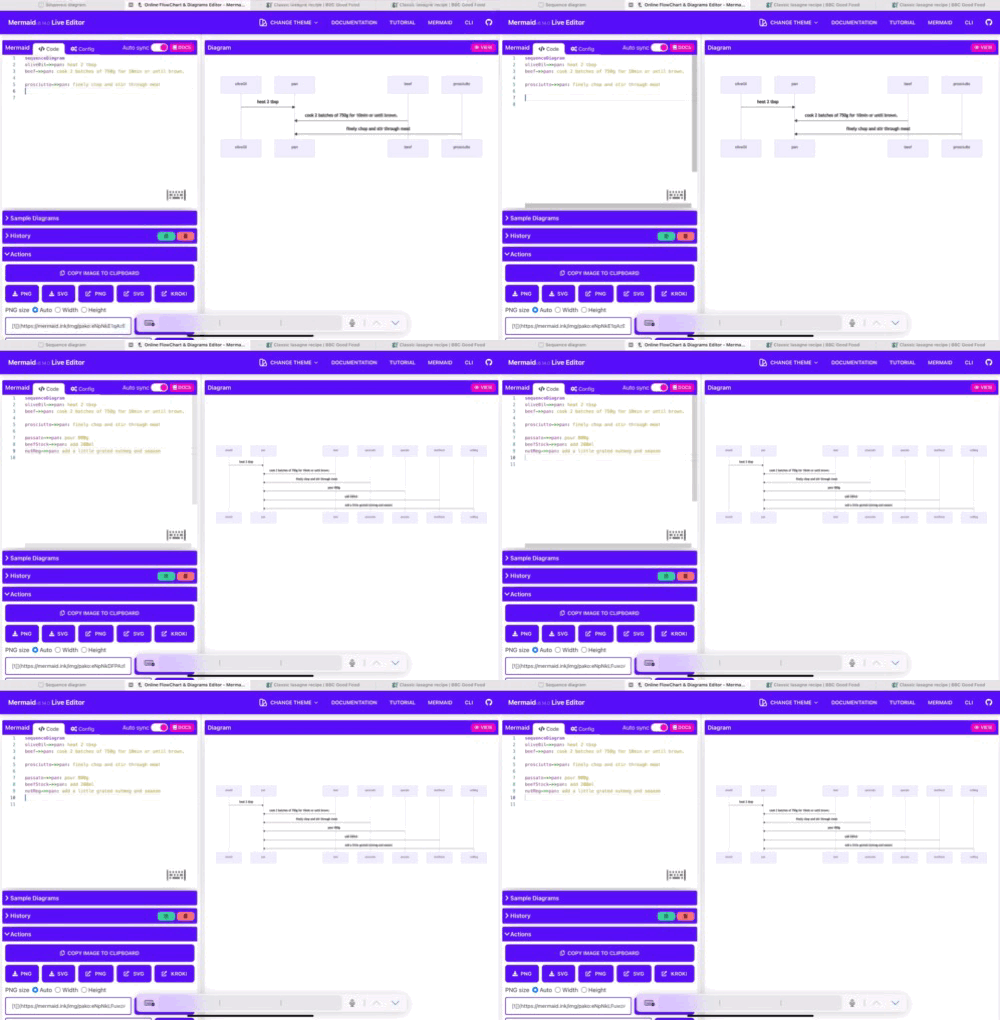
Add the seasoning (Screenshot by author)

Step 4

Bring up to the boil, then simmer for 30 mins until the sauce looks rich.

BBC Lasagne Recipe

I translated that into:

note over pan: bring to boil and simmer for 30 mins
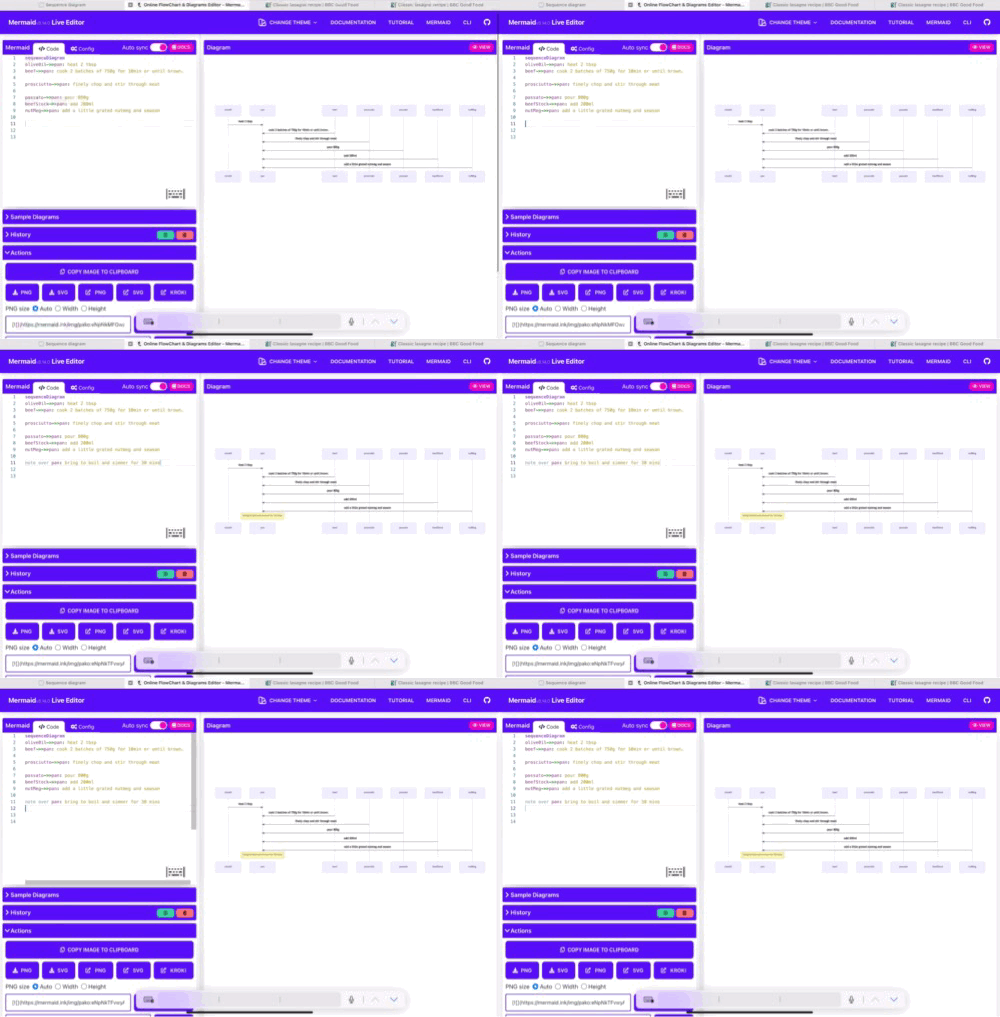
Simmer meat sauce (Screenshot by author)

Step 5

Heat oven to 180C/fan/160C/gas 4 and lightly oil an ovenproof dish (about 30 x 20 cm).

BBC Lasagne Recipe

I translated that into:

note over pan: heat oven to 180C
note over pan: lightly oil dish
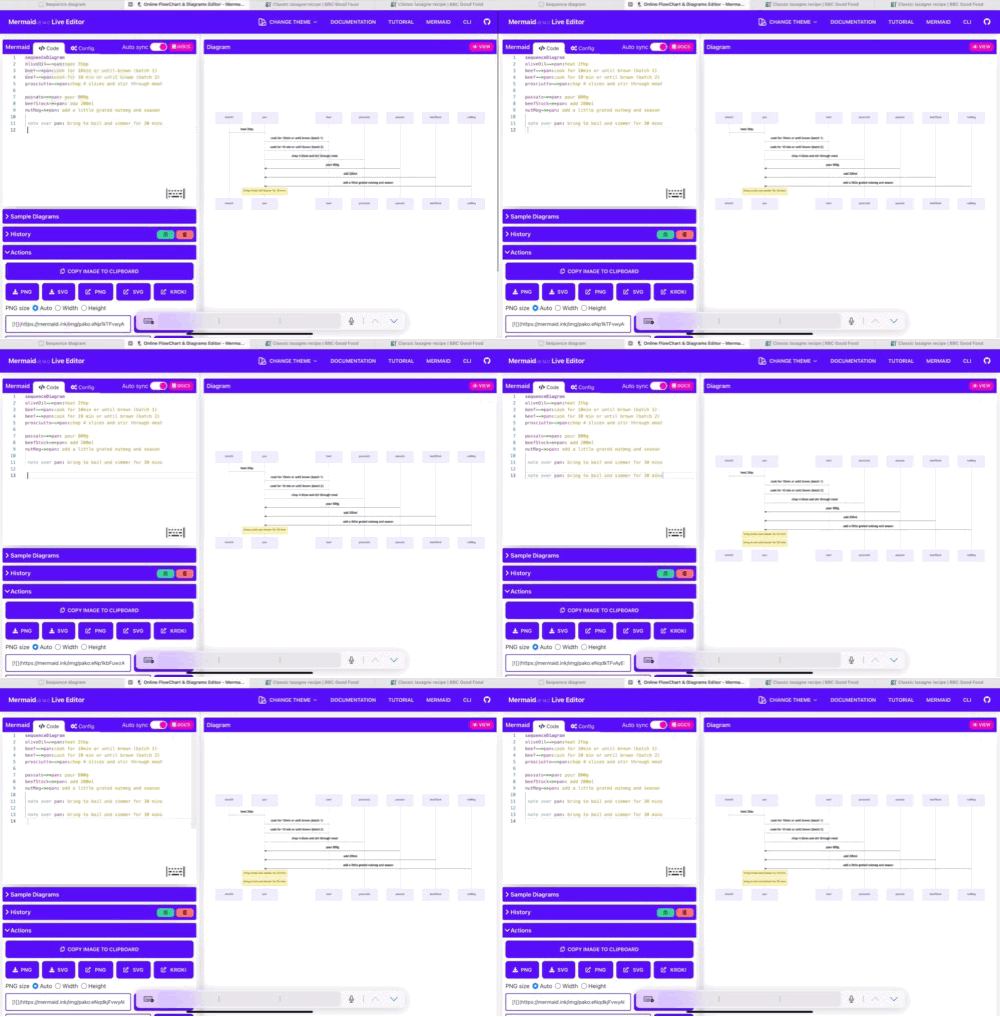
Heat oven (Screenshot by author)

Step 6

Spoon one third of the meat sauce into the dish, then cover with some fresh lasagne sheets from a 300g pack. Drizzle over roughly 130g ready-made or homemade white sauce.

BBC Lasagne Recipe

I translated that into:

pan->>dish: spoon third of meat sauce <br> cover with fresh lasagne sheet <br> drizzle 130g of white sauce
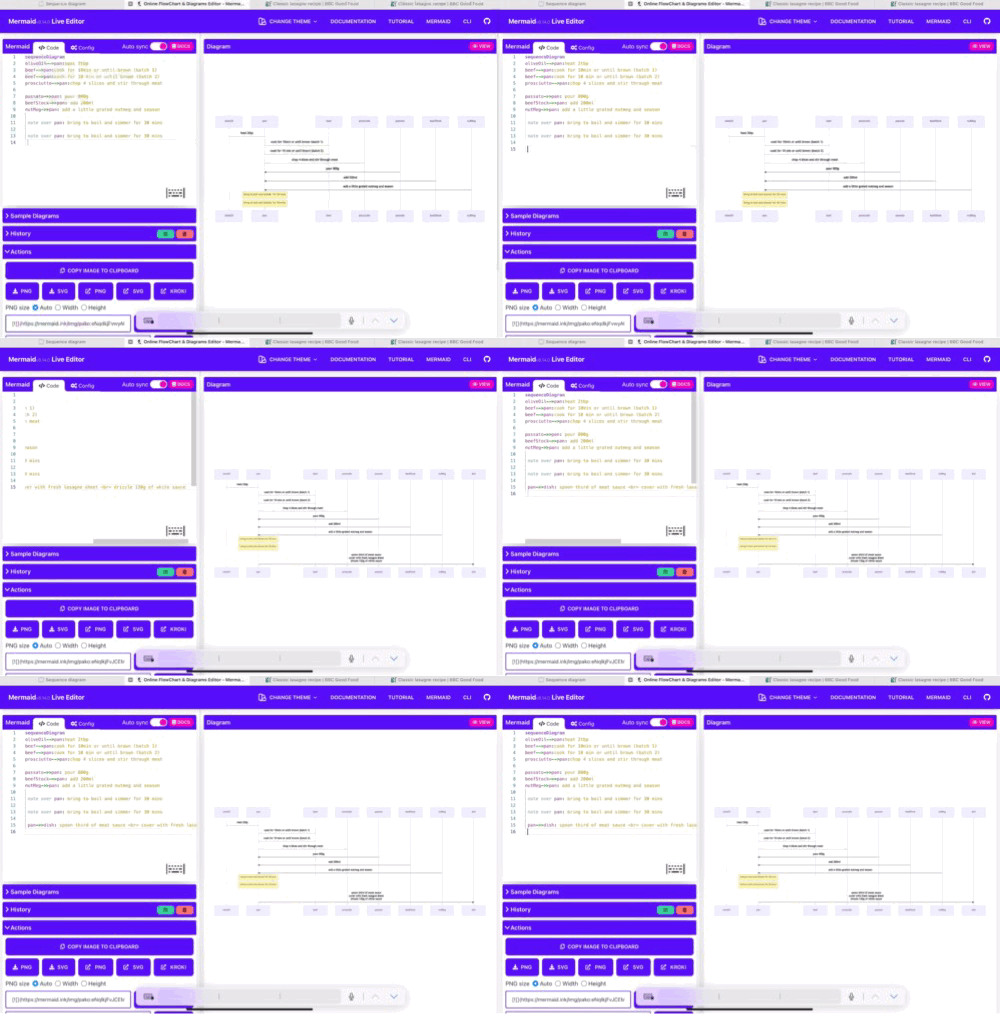
Spoon in meat sauce (Screenshot by author)

Step 7

Repeat until you have 3 layers of pasta. Cover with the remaining 390g white sauce, making sure you can’t see any pasta poking through.

BBC Lasagne Recipe

I translated that into:

loop until there are three layers
end

I then moved step 6 into the loop to get:

loop until there are three layers
    pan->>dish: spoon third of meat sauce <br> cover with fresh lasagne sheet <br> drizzle 130g of white sauce
end
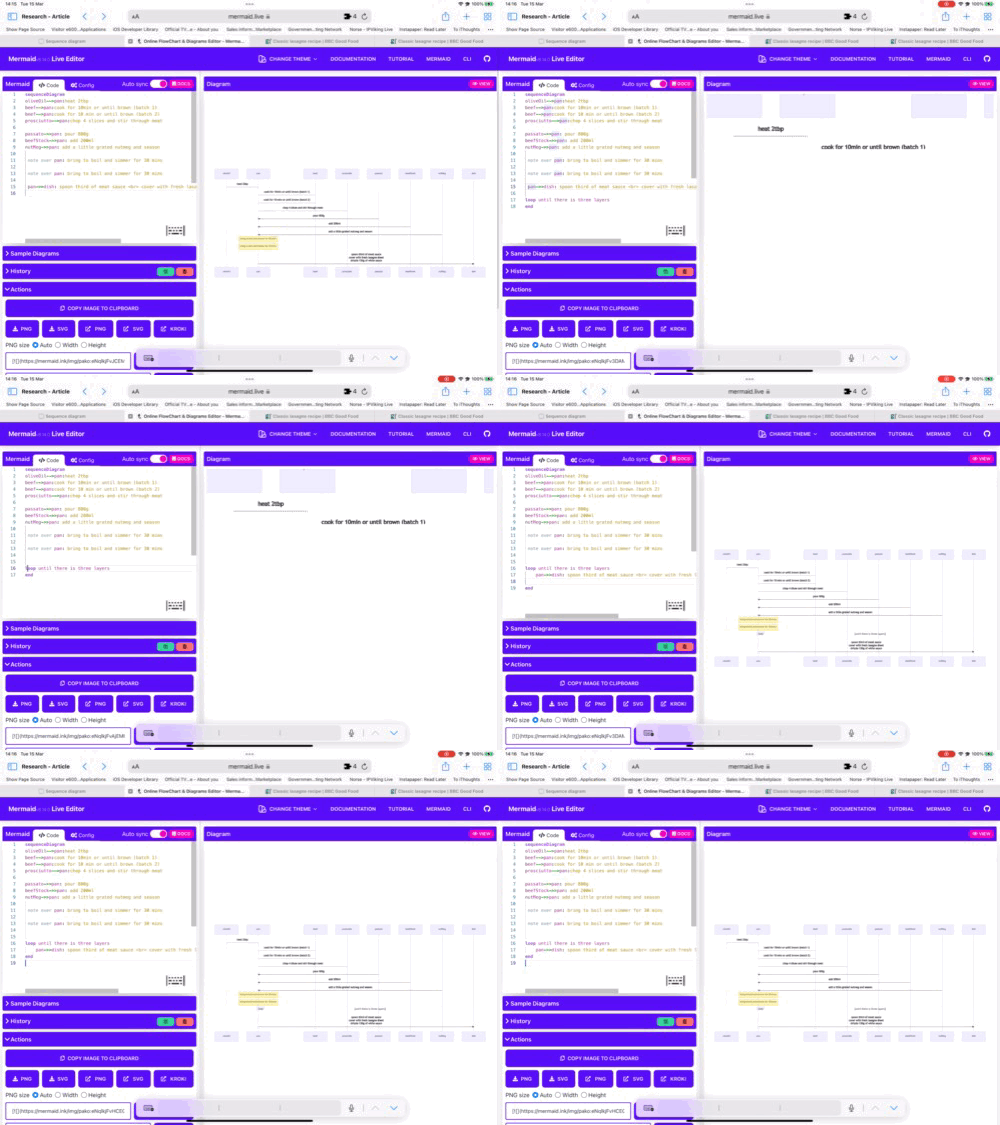
Add 3 layers (Screenshot by author)

Step 8

Scatter 125g torn mozzarella over the top.

BBC Lasagne Recipe

I translated that into:

note over dish: scatter 125g of mozzarella over top
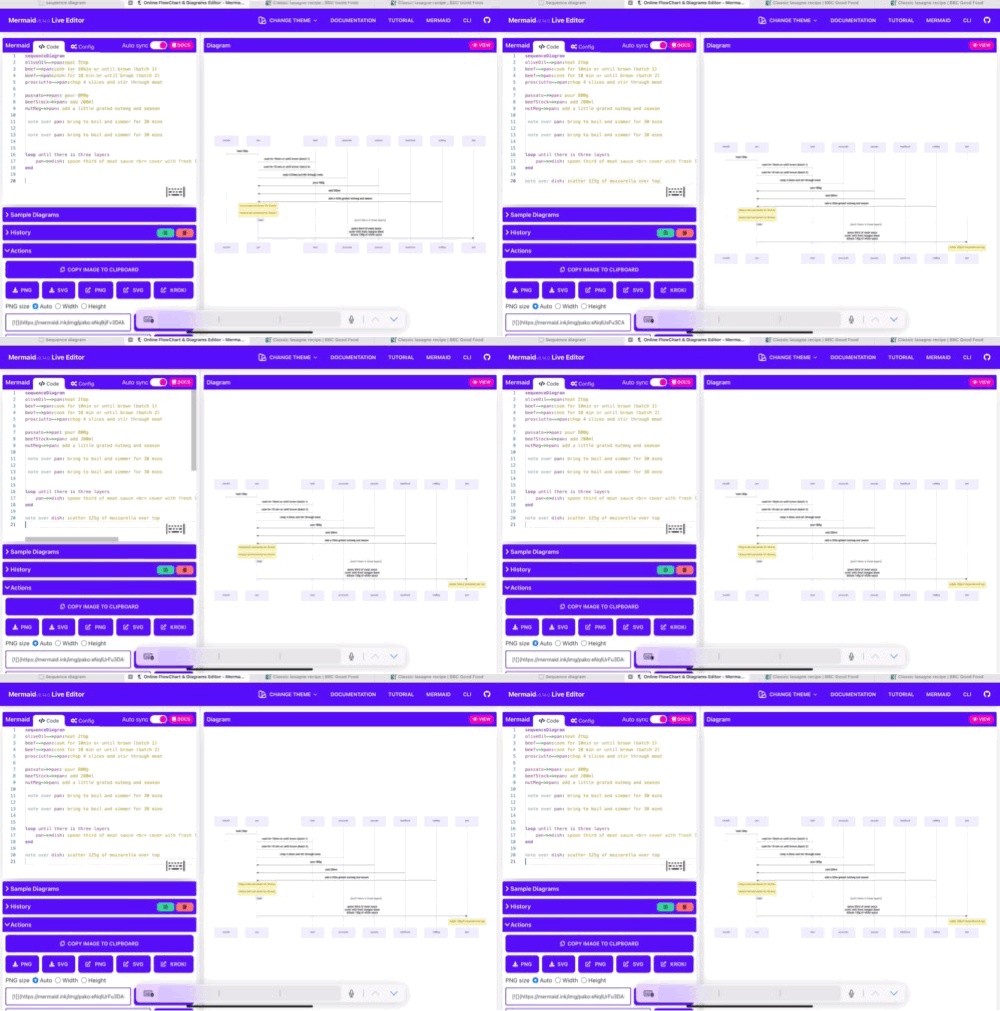
Add mozzarella (Screenshot by author)

Step 9

Arrange the rest of the prosciutto on top. Bake for 45 mins until the top is bubbling and lightly browned.

BBC Lasagne Recipe

I translated that into:

note over dish: arrange rest of prosciutto on <br> and bake for 45 mins until top is bubbling
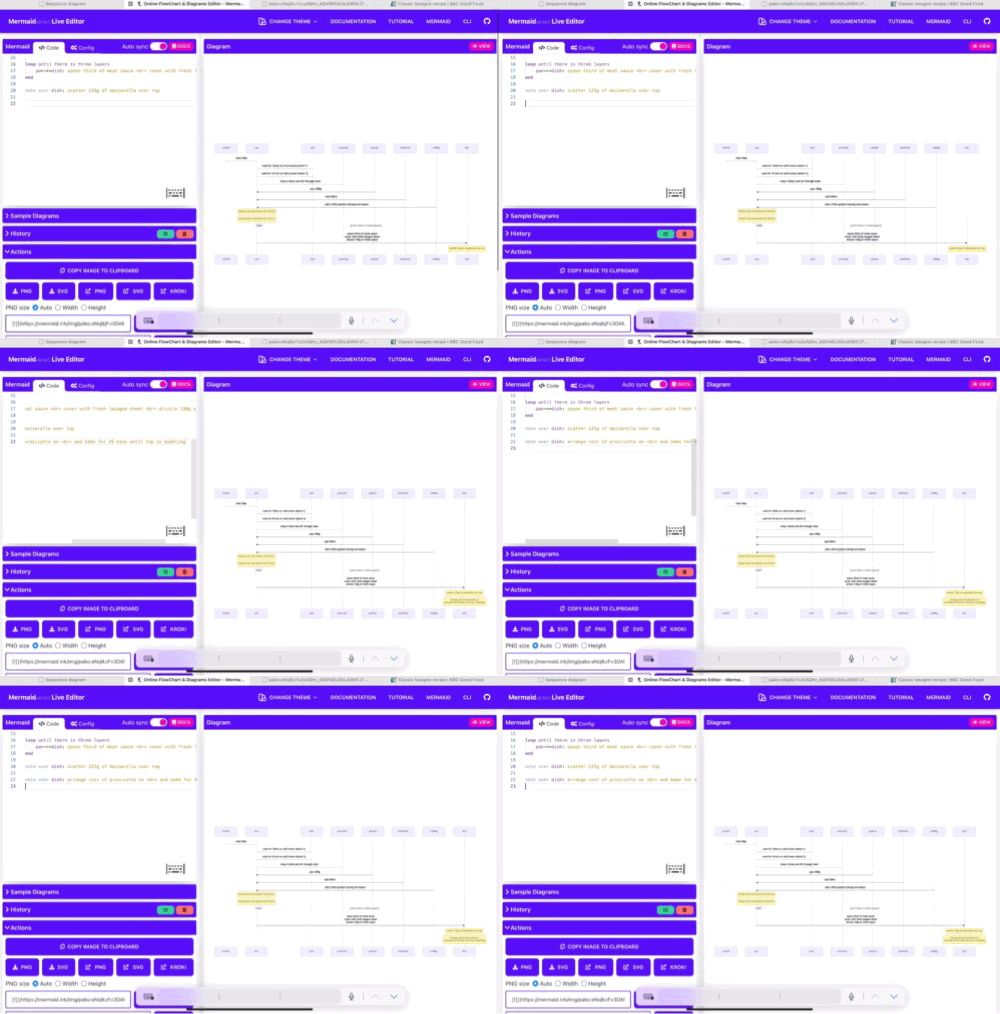
Bake the lasagne (Screenshot by author)

The Result

Tap on “PNG”, and the browser window fills with your lasagne sequence diagram.
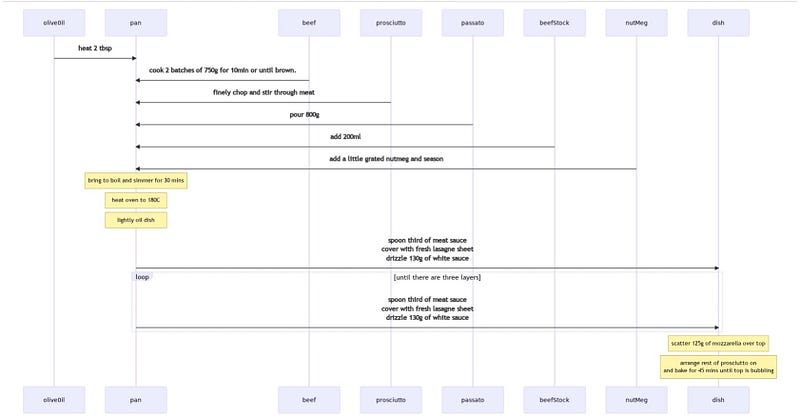
Lasagne recipe as a sequence diagram (Screenshot by author)

What have you gained?

  • You can clearly see what’s needed for the recipe.
  • When to add ingredients is unambiguous.
  • You know when you’re finished with utensils and ingredients.

Here’s the complete description. You could copy and paste it into a Mermaid Editor in one go, if you prefer.

sequenceDiagram
olive0il->>pan: heat 2 tbsp
beef->>pan: cook 2 batches of 750g for 10min or until brown.

prosciutto->>pan: finely chop and stir through meat

passato->>pan: pour 800g
beefStock->>pan: add 200ml
nutMeg->>pan: add a little grated nutmeg and season

note over pan: bring to boil and simmer for 30 mins

note over pan: heat oven to 180C
note over pan: lightly oil dish

pan->>dish: spoon third of meat sauce <br> cover with fresh lasagne sheet <br> drizzle 130g of white sauce

loop until there are three layers
    pan->>dish: spoon third of meat sauce <br> cover with fresh lasagne sheet <br> drizzle 130g of white sauce
end

note over dish: scatter 125g of mozzarella over top

note over dish: arrange rest of prosciutto on <br> and bake for 45 mins until top is bubbling

iOS/iPadOS Mermaid Diagram Editor

If (like me) you prefer your apps to run on your device, and you’re an iPad user, you could use MermaidEditor. It cost me £3.49, and I have no links to the developers.

I copied and pasted the lasagne recipe description into the app, and this is what I got.
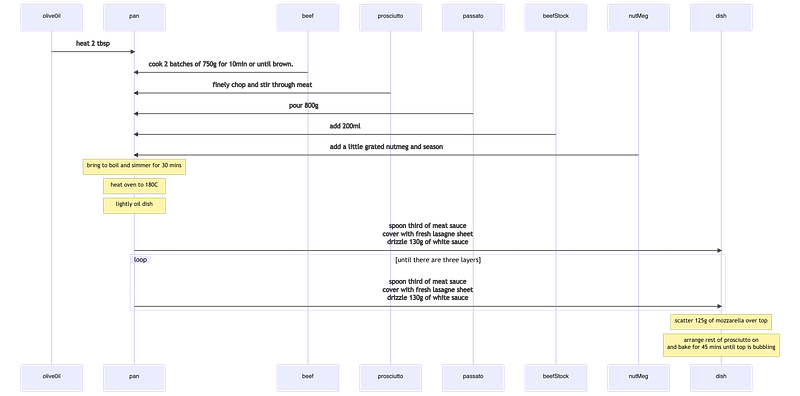
Recipe rendered in MermaidEditor (Screenshot by author)

Why’s this great?

Translating a recipe into Mermaid text forces you to think clearly about what you’re doing, and, once you understand, those insights are readily available to you in the future.

This isn’t limited to food preparation. Sequence diagrams are useful for anything complex where you need to understand what has to be done and when. It could be a recipe or buying a house. Lasagne taste better, so I went with that.

Technology
Business
Productivity
Cooking
Gadgets
Recommended from ReadMedium