
How To Make API calls in React Applications
A Beginner’s Guide with both Fetch and Axios APIs
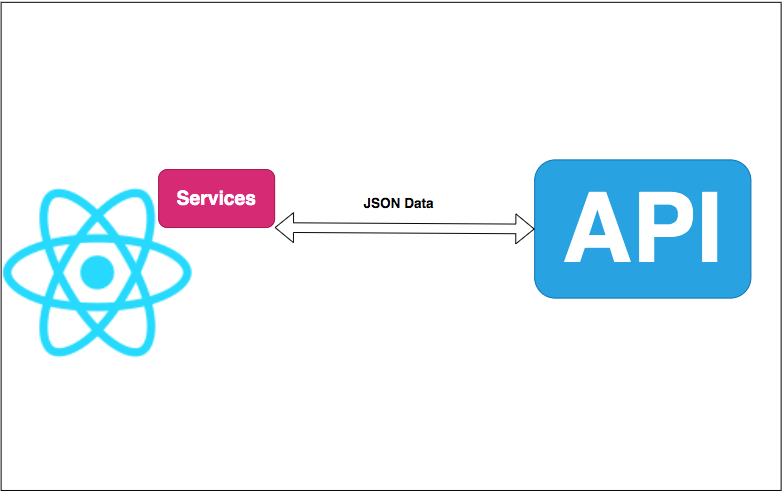
In web applications, all the data you show on the page should reside somewhere, for example, cache, database, storage account, etc. You need to fetch the data from the different sources and do some processing and then render the data on the UI. All the data can be accessed through APIs nowadays and most of the time the format would be in the JSON format.
In this post, we will see how to make API calls in React applications using Fetch and Axios. You can do API calls with either of these.
- Prerequisites
- Example Project
- Running The API
- Running The React UI
- Project Structure and Development Environment
- Call The API with Fetch
- Call The API with Axios
- Demo
- Summary
- Conclusion
Prerequisites
There are some prerequisites for this article. You need to have NodeJS installed on your laptop and know-how HTTP works. If you want to practice and run this on your laptop you need to have these on your machine.
Example Project
This is a simple project which demonstrates developing and running React applications with NodeJS. We have a simple app in which we can add users, count, and display them at the side, and retrieve them whenever you want.
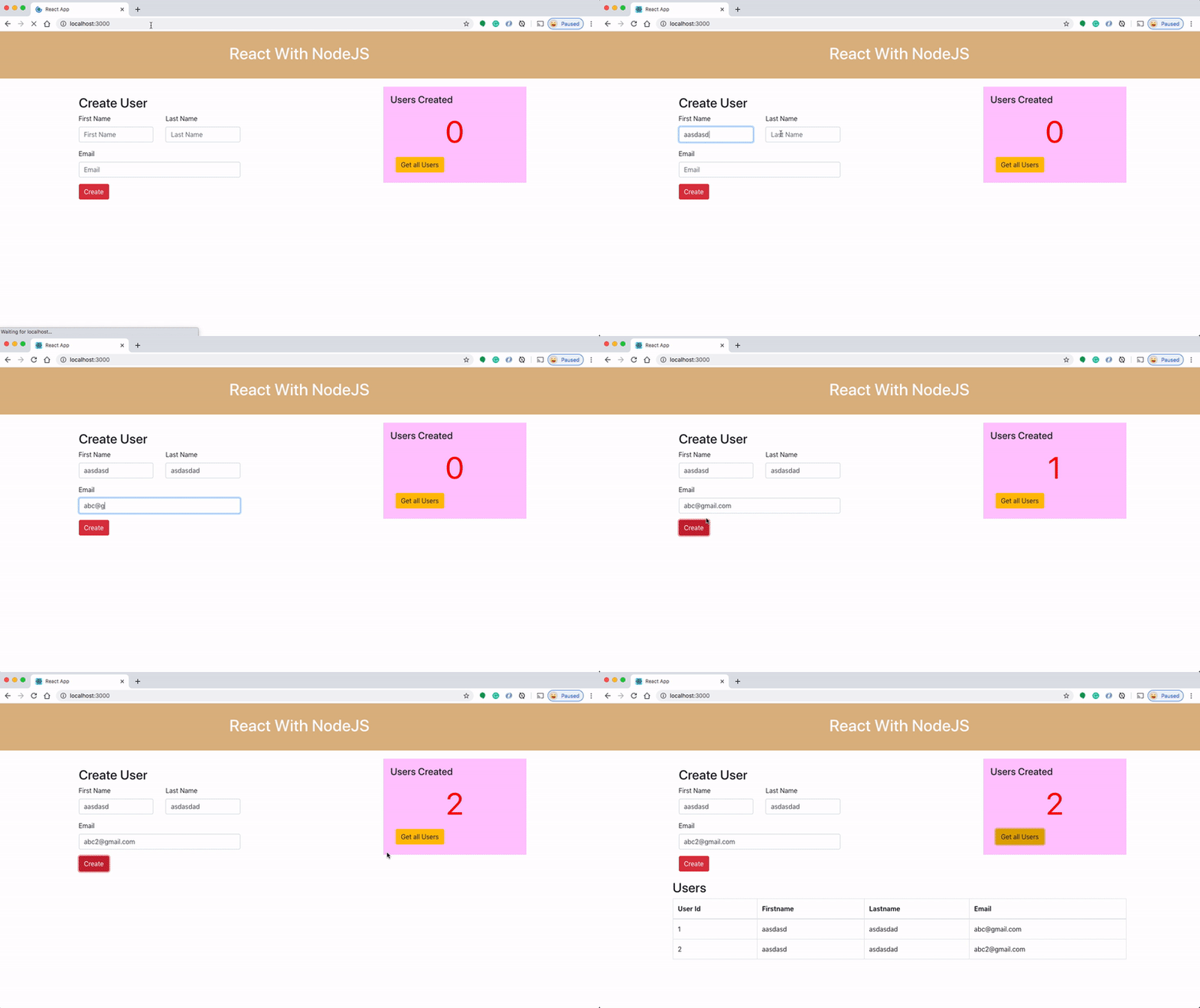
Here is a Github link to this project. You can clone it and run it on your machine.
// clone the project
git clone https://github.com/bbachi/react-nodejs-example.git
// strat the apicd api
npm install
npm run dev// start the react app
cd my-app
npm install
npm startRunning The API
Let’s run the API with the help of the nodemon on port 3070. The following command runs the API.
// change the directory
cd api
// command
npm run dev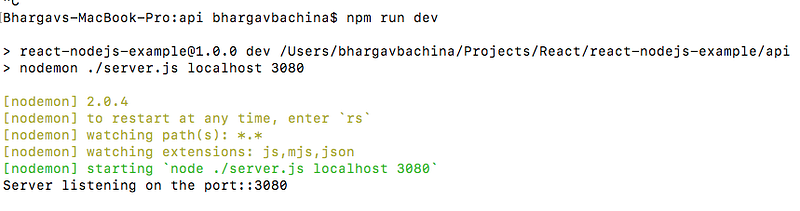
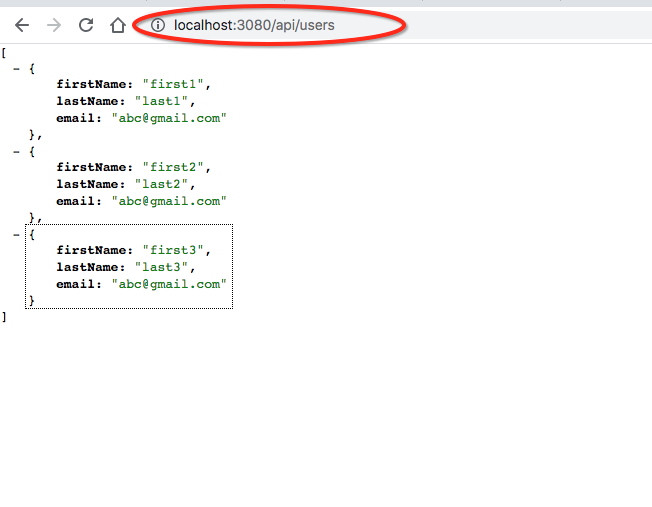
Running The React UI
Let’s run the UI with the help of the React CLI on port 3000. The following command runs the UI.
// change the directory
cd my-app
// command
npm start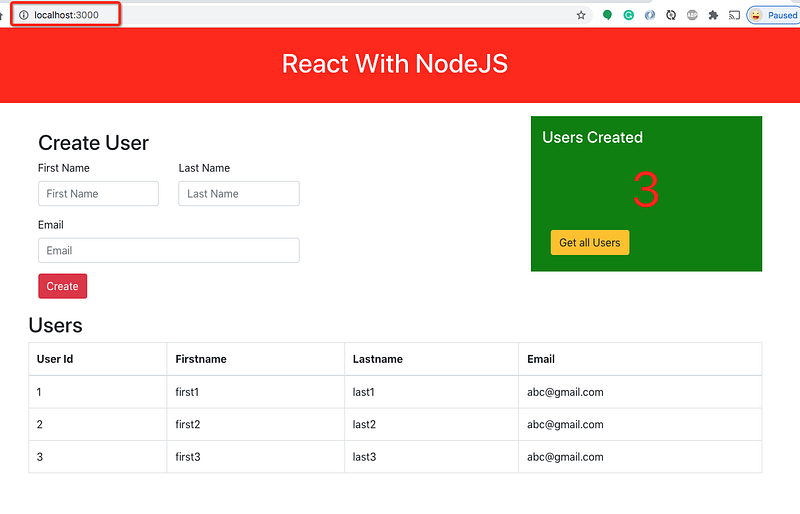
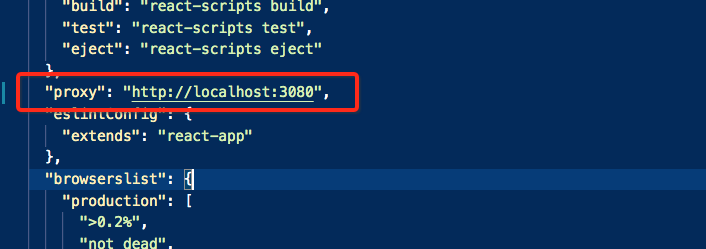
You need to make sure you have this proxy configuration in the package.json file so that React knows where the API is running and forward all the requests to the API.
Project Structure and Development Environment
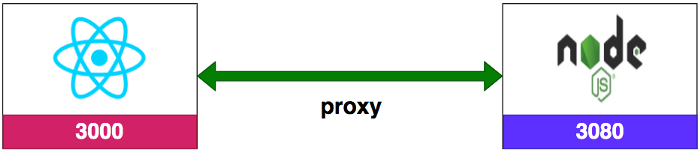
When it comes to developing your React app with NodeJS backend you should use two separate ports. As shown in the following figure, React and NodeJS server runs on separate ports.
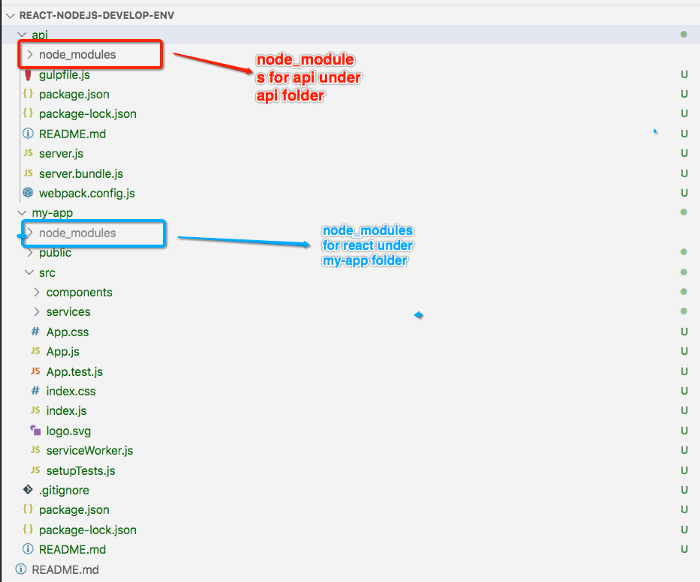
You need to use separate node_modules for both and you should not combine both. React lives under the my-app folder and NodeJS related code lives under the API folder.
If you want to go through the detailed article on the development environment setup. Please follow the below link.
Call The API with Fetch
Let’s not dive into the whole development of the React UI You can check the below article for the development part.
You can place all the API calls under services so that these can be reused across components wherever they are needed. You can use Fetch API directly you don’t have to download or install any dependency for it.
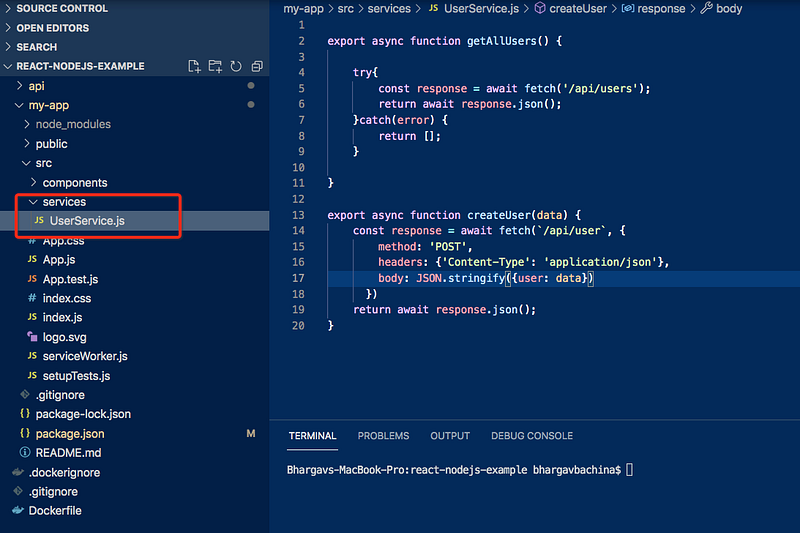
Here is the user service using Fetch API. Since these are all the asynchronous calls you should use async/await so that it waits until the promise is resolved.
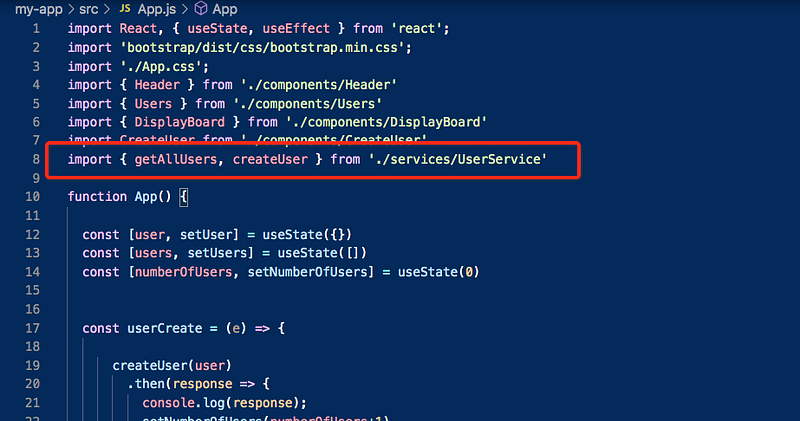
Since we are using export on each function you can import those in the React components as below and you can use them directly and use promise chaining then to read the data.
You can find more about this library on this page.
https://developer.mozilla.org/en-US/docs/Web/API/Fetch_APICall The API with Axios
Let’s not dive into the whole development of the React UI You can check the below article for the development part.
You can place all the API calls under services so that these can be reused across components wherever they are needed. You need to install dependency first before you use it in the application. Let’s install Axios API with the following command.
npm install axiosOnce it is installed and you need to import it in the services as below.
const axios = require('axios');If you notice it’s very similar. There are two changes such as importing that library and another one is that we don’t have to use the .json() method.
Since we are using export on each function you can import those in the React components as below and you can use them directly and use promise chaining then to read the data.
You can find more about this library on this page.
https://github.com/axios/axiosDemo
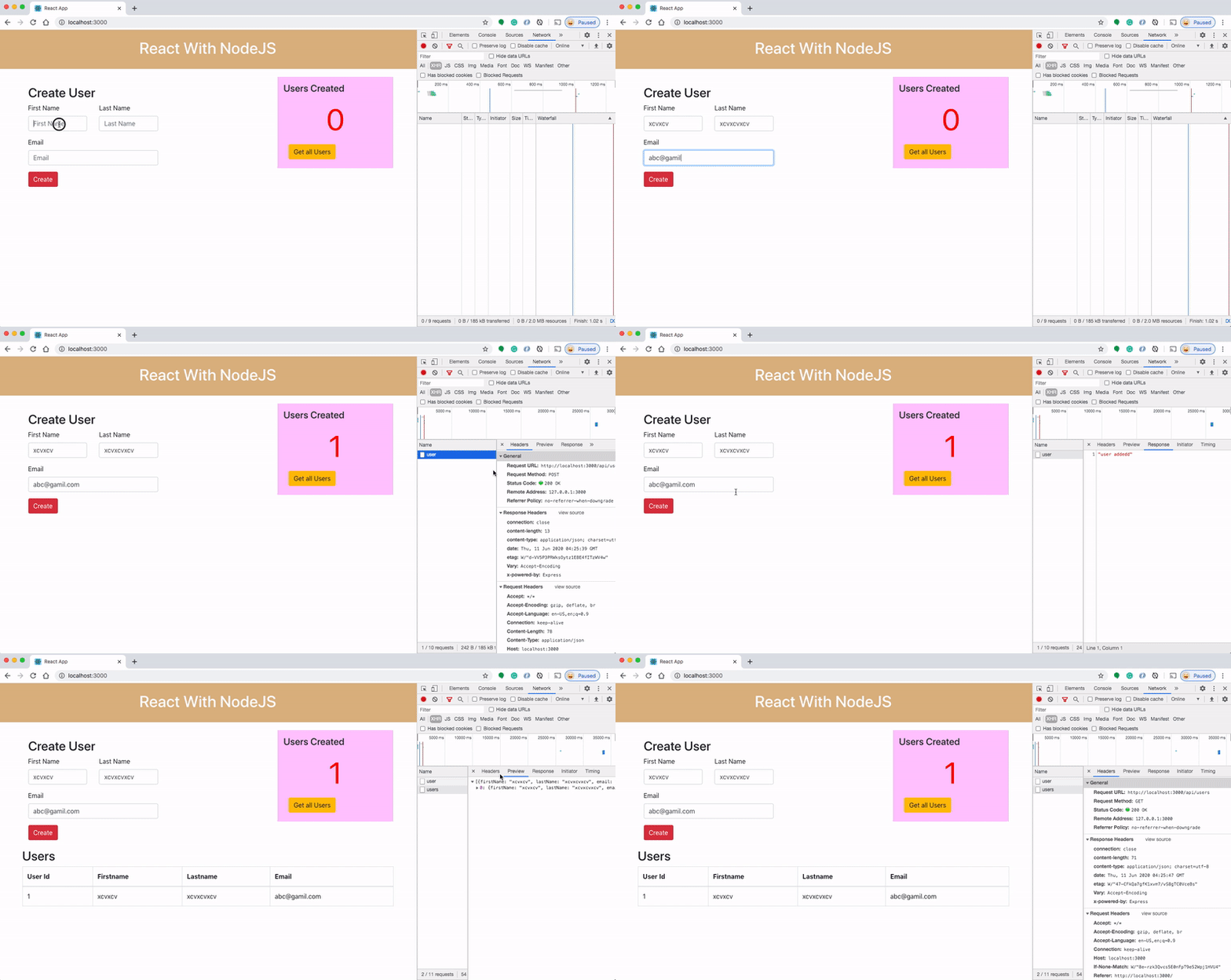
As you add users we are making an API call to the NodeJS server to store them and get the same data from the server when we retrieve them. You can see network calls in the following video.
Summary
- In web applications, all the data you show on the page should reside somewhere, for example, cache, database, storage account, etc.
- All the data can be accessed through APIs nowadays and most of the time the format would be in the JSON format.
- When it comes to developing your React app with NodeJS backend you should use two separate ports.
- We can use both Fetch and Axios APIs to make API calls.
Conclusion
We have seen how to make API calls in React applications using both Fetch and Axios APIs. You can customize it as your application grows such as having a separate file that handles all the headers or any other common things.


