avatarDavid Lindgren

Free AI web copilot to create summaries, insights and extended knowledge, download it at here

1088

Abstract

ortcut <i>“U”</i> to hide the remaining properties for now. And then do the same process with the other Shape layer.</p><p id="b75f">Then copy the <i>“Path”</i>-keyframe from the shape you want it to change to with <i>“cmd/ctrl + C”</i>, click the text <i>“Path”</i> of the other shape, move the playhead to the right and paste with <i>“cmd/ctrl + V”</i>. Then, with the playhead in that position, do the same thing with <i>“Anchor Point”</i> and <i>“Position”</i>.</p><p id="42b8">Now, when you play it from the start you can see that it changes from a circle to a triangle.</p><p id="bc91">If you liked this tutorial, feel free to follow me here on Medium, and to continue to educate yourself as a content creator, <b>sign up for the “content creation productivity” newsletter</b> in the comment section below.</p><p id="f8e8">Thanks for reading and have a nice day!</p><p id="ced5"><b>Follow</b> if you liked this and have a great day! ☀️️</p><p id="43d4"><a href="https://www.youtube.com/watch?v=sk0_-oplWUk&amp;list=PLgJlbAYg0mEnZDvh9LUAz-t0rAjCgH8IQ&amp;index=63"><b><i>🎞 Watch the

Options

tutorial (and all my other tutorials) here!</i></b></a></p><p id="2452">***</p><p id="7c7b"><b>3 of my other stories that might interest you:</b> ⭐️ <a href="https://davidlindgren89.medium.com/i-think-i-just-figured-out-life-fbdf7a784201">I think I just figured out life 🤯</a> ⭐️ <a href="https://davidlindgren89.medium.com/5-tips-for-making-money-on-youtube-how-to-get-started-today-a0e6cc4e2cb">5 tips for making money on YouTube (How to get started today!)</a> ⭐️ <a href="https://davidlindgren89.medium.com/25-things-i-learned-during-my-first-year-as-a-video-editor-296659e5f484">25 things I learned during my first year as a Video Editor</a></p><p id="4f82">— — — — — — —</p><p id="1686"><b>Did you know?</b> You can get full access to every story on Medium for just <a href="https://davidlindgren89.medium.com/membership"><b>$5/month here</b></a>!</p><p id="06d3"><i>(…Or the cost of one coffee ☕️)</i></p><p id="9180">Becoming a Medium member directly supports me ♥ <i>️(and other writers on Medium)</i> so that we can keep creating helpful content for you! 🙏</p></article></body>

How to make a shape change over time in After Effects

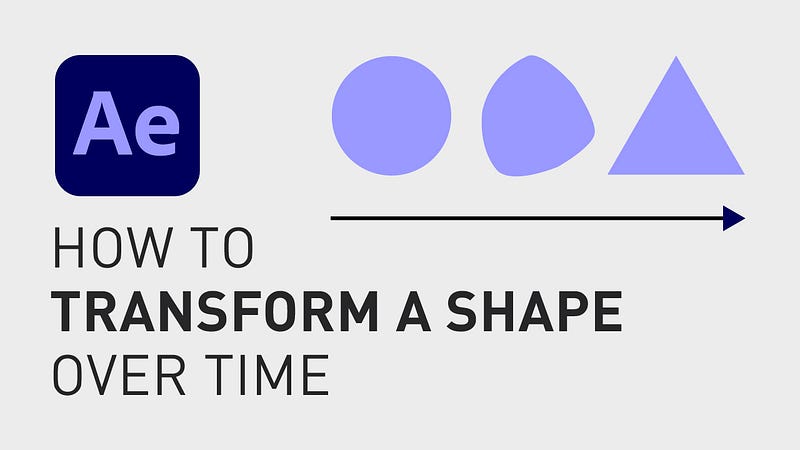
How do you make a shape change over time in Adobe After Effects, let’s say from a circle to a triangle?
How to make a shape change over time in After Effects

This can, in some cases, be very easy to do, depending on the shapes. In this example, we have two layers with one shape in each layer, a circle and a triangle.

Start by opening one layer, go to “Contents”, “Ellipse 1”, “Ellipse Path 1” and right-click on it. Click “Convert To Bezier Path” and now do the same thing with the other layer.

Now open “Path 1” on the top layer and click the stopwatch next to “Path” to create a keyframe. Also click the stopwatch next to the other properties that will change, in this case “Anchor Point” and “Position”. Then click keyboard shortcut “U” to hide the remaining properties for now. And then do the same process with the other Shape layer.

Then copy the “Path”-keyframe from the shape you want it to change to with “cmd/ctrl + C”, click the text “Path” of the other shape, move the playhead to the right and paste with “cmd/ctrl + V”. Then, with the playhead in that position, do the same thing with “Anchor Point” and “Position”.

Now, when you play it from the start you can see that it changes from a circle to a triangle.

If you liked this tutorial, feel free to follow me here on Medium, and to continue to educate yourself as a content creator, sign up for the “content creation productivity” newsletter in the comment section below.

Thanks for reading and have a nice day!

Follow if you liked this and have a great day! ☀️️

🎞 Watch the tutorial (and all my other tutorials) here!

***

3 of my other stories that might interest you: ⭐️ I think I just figured out life 🤯 ⭐️ 5 tips for making money on YouTube (How to get started today!) ⭐️ 25 things I learned during my first year as a Video Editor

— — — — — — —

Did you know? You can get full access to every story on Medium for just $5/month here!

(…Or the cost of one coffee ☕️)

Becoming a Medium member directly supports me ♥ ️(and other writers on Medium) so that we can keep creating helpful content for you! 🙏

After Effects
Adobe After Effects
Video Editor
Video Editing
Content Creator Online
Recommended from ReadMedium