
How To Maintain Physical Security For Your Business
Protecting your employees and business data should always be a number one priority
While there are reams of reports concerning how to keep data and networks secure and how to keep business equipment running at peak efficiency, there seems to be less attention being paid to physical security at business sites and how to maintain physical security for employees and sensitive on-site data and equipment.
Sure, you’re covered when it comes to firewalls, password protocols, and malware protection, but all of that may be for nothing if an unauthorized person can come in from off the street and walk away with sensitive and important business data or hardware.
Also ask yourself, how safe are your employees? Do you know who is in your building and why?
The good news is that there are a number of simple, common-sense solutions for maintaining physical security in the workplace and assuring peace of mind for yourself, your employees, and your customers.
Creating security checkpoints
A security checkpoint should be the first thing a visitor sees when arriving at your business, and should immediately impress upon them how seriously you take security issues. The type of checkpoint may depend on the size or type of business you run and what sort of image you wish to convey. A security checkpoint could be anything from a receptionist seated behind a desk to a uniformed security guard standing behind a counter.

The purpose of the security checkpoint is to confirm the identity of employees, approved vendors, and visitors with scheduled appointments. It can also provide color-coded ID cards or lanyards based upon the type of visitor admitted. When a visitor arrives who is not on a pre-approved list, security checkpoint personnel can call the appropriate contact or department for further information or instructions regarding access for an unscheduled visitor.
A security checkpoint should also keep a log detailing who arrives and leaves, why and who they are visiting, and at what time.
Setting up security cameras
Often seen in association with security checkpoints, security camera systems are valuable tools for business security. The setup might be as simple as a single camera at the front door or a whole series of cameras placed at every entrance, exit, elevator, and high-security area.
With decreasing costs of camera systems and the increase of wireless capabilities, installing security cameras is simple and affordable. Cameras can be as visible or discreet as you wish. Single monitors, tablets, or even mobile phones can display multiple views with sharpness and clarity. Where once footage was stored on videotape — often limiting the duration and breadth of coverage — security cameras can now store data directly and more efficiently to data storage options available on-site, off-site, or the cloud.
Using Photo IDs
After checkpoints, employee photo ID cards are the most visible signal to employees, clients, and visitors that security is an issue you take seriously. These can be visibly clipped to a shirt or jacket or on a lanyard hung around the neck. In addition to their use for photo identification, many companies also use ID cards to indicate important information such as name, position, and contact information. In addition to internal uses, these become particularly useful for external trade shows when also featuring a clearly visible business logo.
When at a secure facility, individuals not wearing visible photo IDs should be challenged to determine if their presence is authorized. Non-employees, visitors and vendors can be issued special badges using a “color of the day” system which can keep a temporary ID from being re-used. There are quick and inexpensive systems now available for taking photos and information at security checkpoints for creating temporary IDs.
Control access to your company and it’s most sensitive equipment
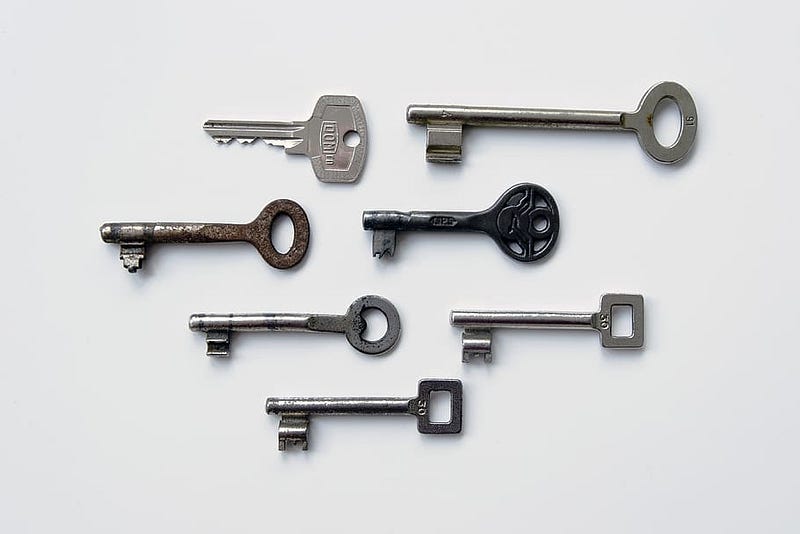
Whether it’s with a card, thumb drive, dongle, or even traditional metal key, using access control keys can go a long way toward bolstering your business’s security. For unlocking a door or accessing a piece of business equipment, these tools, either analog or electronic, can add an additional layer of control over who gains access to sensitive business assets.
Among the options available, cards equipped with magnetic stripes for electronic readers are probably the best combination of convenience and security. They can often be paired with ID cards by adding a magnetic strip on the back containing codes for specific access permissions for each employee and attached to a clip or lanyard for ease of access. Combining the two ensures your employees always have their IDs with them and are less likely to leave a sensitive control access card behind for just anyone to pick up.
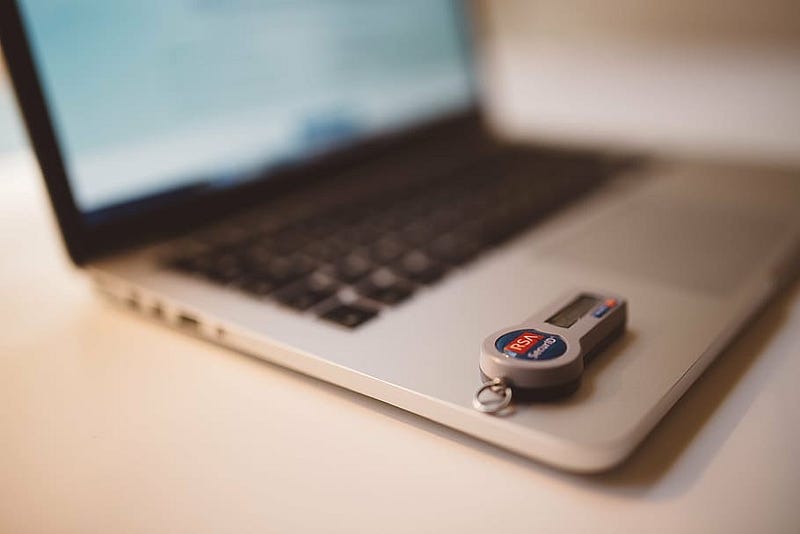
By making use of a coded access system, employers can make use of a central database to change or update employee access information as needed, and save themselves the hassle and expense of changing traditional keys and locks.
An added benefit of a computerized access control system is also the capability to track and record access and monitor suspicious activity. Activity logs can show who gained entry to what location or resource and when should any questions arise.
Looking at employee safety
There is much more to a business’s security than the data or equipment sitting under your business’s roof. There is also your employees’ safety to consider.
Look at your parking lot. Is it well lit? Are there hidden areas? Is the path from the main entrance to the parking area easily visible from your security checkpoints? Are there cameras keeping an eye out for potential threats to employees returning to their cars after dark? Is there a procedure for escorting employees to vehicles after dark?
It makes good business sense to look out for your employees’ safety. Not only is it the responsible thing to do, but it also sends a clear message to your employees that their safety is as much a concern for you as any other part of the business.

Tackling employee training
Your business’s security is only as good as the people you have entrusted to guard it.
What good are ID cards if no one bothers to check or challenge them as needed? An access control card or device left out in the open on top of an unattended desk is just begging to be picked up and used in an unauthorized manner.
Should your employees spot an unauthorized presence, do they know what to do? Is there an established procedure for taking action? Are your employees fully aware and trained in this procedure? Do they know who to call?
It is for reasons such as these that employees should not only be trained in how to spot suspicious activity but also in how to react to such situations. There should be clear knowledge as to who to notify, and what steps should be taken to protect both personal safety and company assets.
Run your system through some tests
Concerned that there are vulnerabilities in your security systems?
Test them.
You can hire security professionals to test your security setup for potential weak links. Can they bypass the security checkpoint without signing in or being on an approved list? Can your ID cards be faked? Will your employees challenge someone whose presence is suspicious? Are locked doors consistently locked? Do your security cameras provide complete coverage?
All of these procedures or scenarios can be tested to let you know if your business is as secure as you wish.
Talk with the experts
Don’t feel you need to take this all on yourself.
Determining the best security solutions for your specific business has its challenges. There are security services which offer packages featuring different levels of security and support, oversee monitoring and employee database updates, and handle installations of security-related devices like cameras or electronic locks.
This allows you the time and freedom to grow your business while secure in the knowledge that both your employees and business assets are safe.
Thank you for reading. I’d love to share more with you via my Weekly Word Roundup newsletter sent to subscribers every Sunday. It will feature news, productivity tips, life hacks, and links to top stories making the rounds on the Internet. You can unsubscribe at any time!


