How to lock any app on an iPhone — no jailbreak!
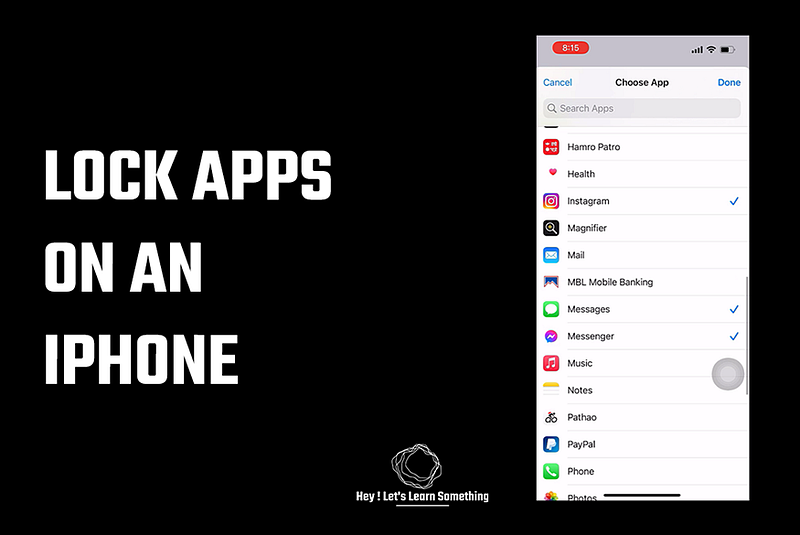
Here are the new updates for 2023; no timer required:
Have you been in a situation where you have to unlock your phone and give it to others for a quick call or message? And then they sneak into your personal stuff like messages or Instagram, Facebook, etc? Ah…if not, then you are lucky, if yes then this article will help you lock individual applications on your iPhone. No jailbreak or third-party app or whatsoever — so it’s perfectly safe and won’t violate any Apple terms!
If you have an older iPhone, this method may not work but if you have a new one with the latest iOS, this method works like a charm. Just look into your iPhone if it has a shortcuts app in there, if yes then it’s time to lock the apps.
Now how does this work?
Apple, with new iOS, introduced shortcuts — which makes lots of things easier and we just figured out some smart ways to lock the apps using shortcuts. Shortcuts app can be downloaded from the App store too for old iPhones, however, it may lack automation which is the key to lock any app on the phone (sorry but please do try).
With shortcuts we can automate a few things, our workaround to lock the app is when someone opens an app we set a timer for a second, after which it sends the user to the home screen and locks it. So you will have to use face-id or passcode to view the app — simple right!
So let’s do it:
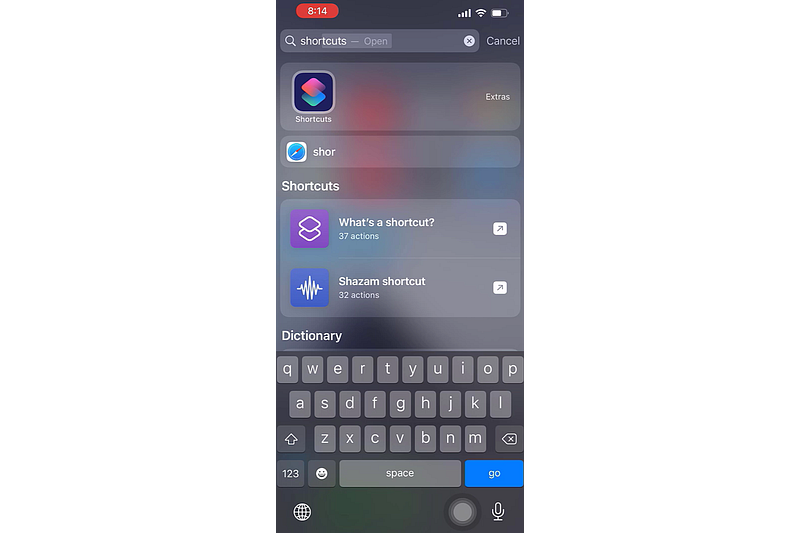
1. First, open the Shortcuts app. If you are using a new iPhone and do not see this app, please get it from the app store. To download click here (This app is from Apple itself).
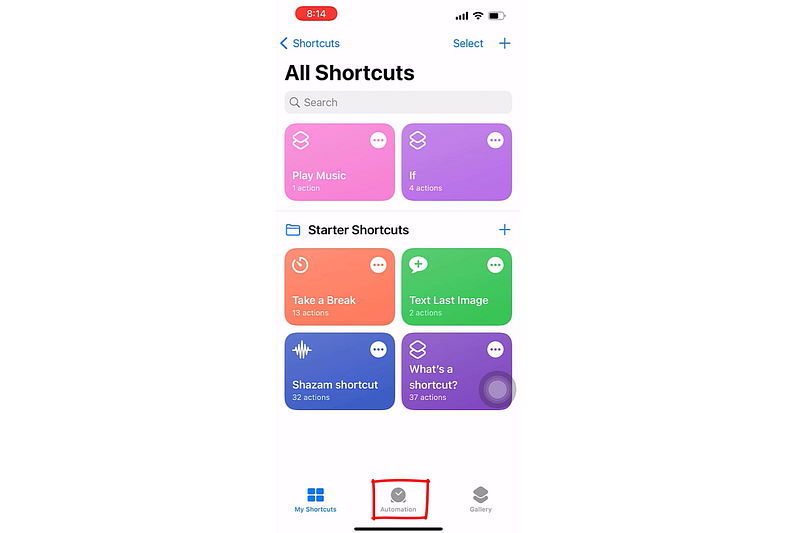
2. Then on the Shortcuts app tap on automation.
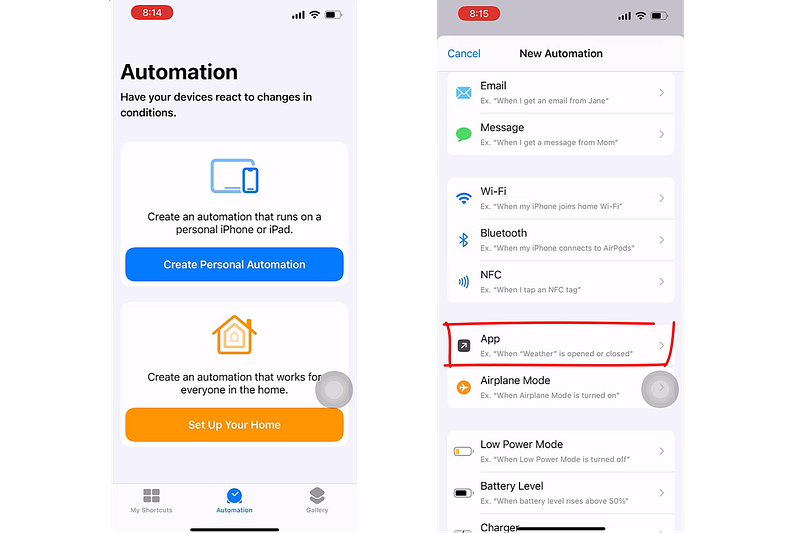
3. Now tap on creating personal automation >> and scroll down to find APPS
4. Now choose the apps you want to lock — you can choose as many apps as you want. After choosing all the apps you want to lock — tap on done at the top right.
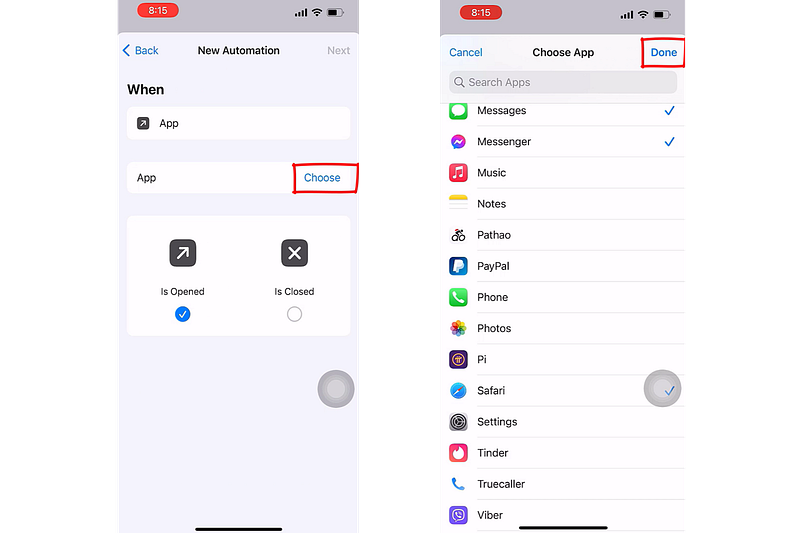
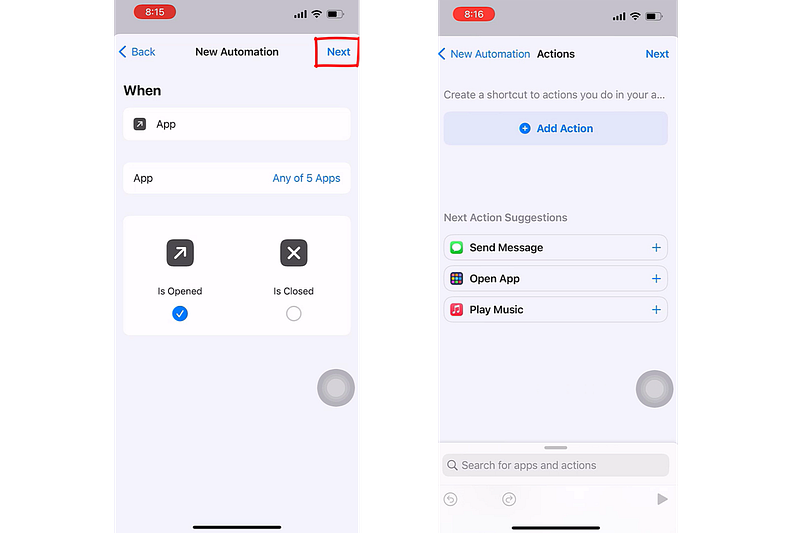
5. Tap on Next and again tap on Add action. Also leave the default App is Open ticked (and not is closed)
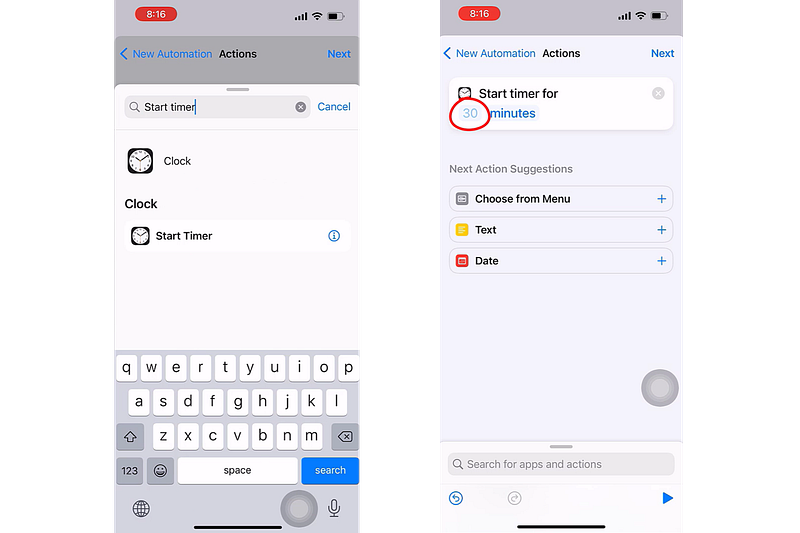
6. Search for the start timer and tap on it. Make sure to change 30 minutes to 1 second and tap on next at the top right.
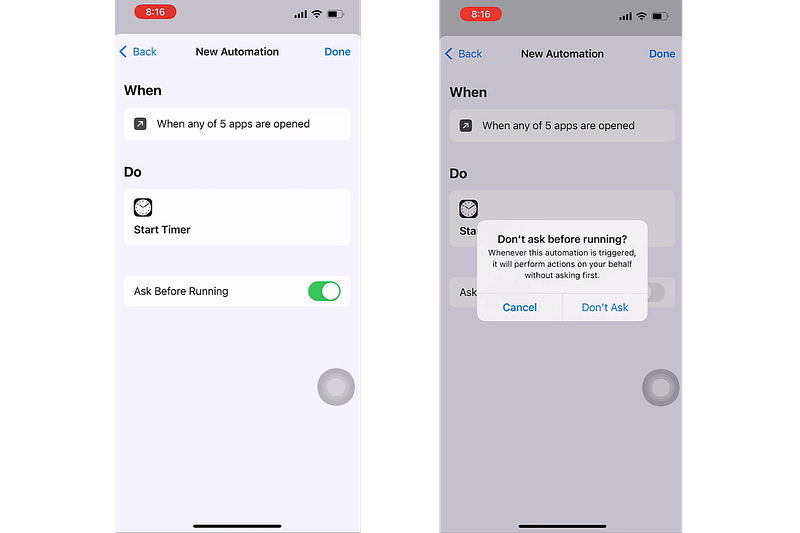
7. Turn off ‘Ask Before Running’ and tap on Done at the top right.
8. Now go back to the Home page and open the Clock app. On the clock app tap on the timer at the bottom right.
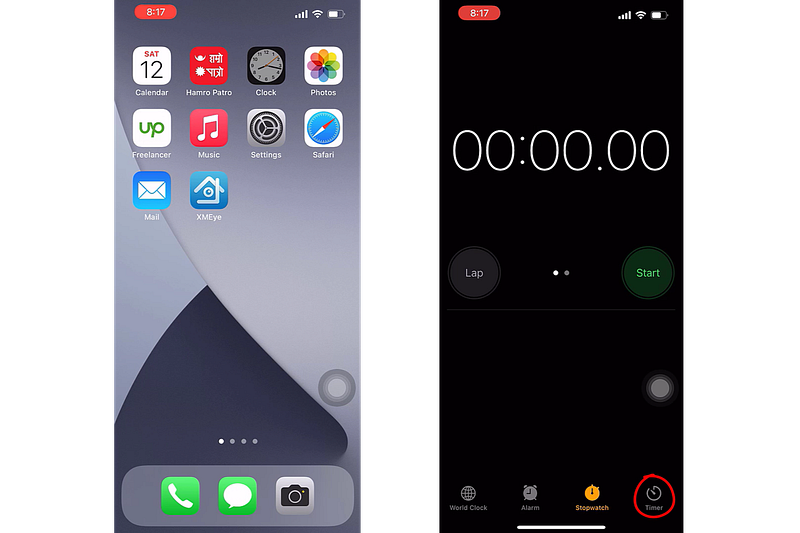
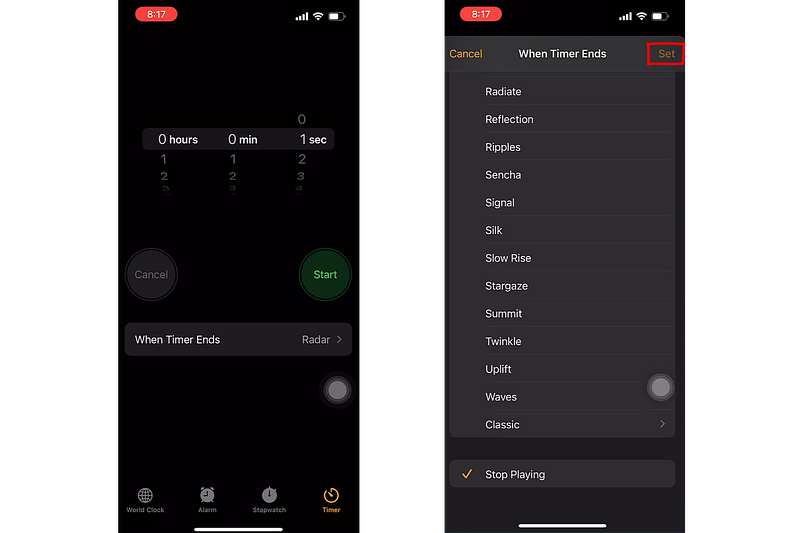
9. Tap on ‘When Timer Ends’ and choose to stop playing. Then tap on Set at the top right.
10. Now if you open any apps you selected earlier, it will open the app for 1 second and go to the Home screen and lock it.
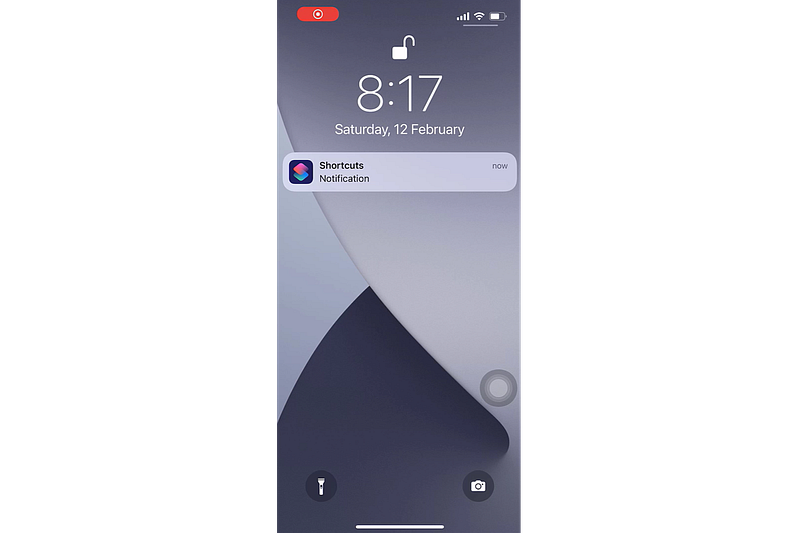
Congratulations you have successfully locked the application on your iPhone without jailbreaking or using any third-party app.
Getting off the Shortcuts notifications:
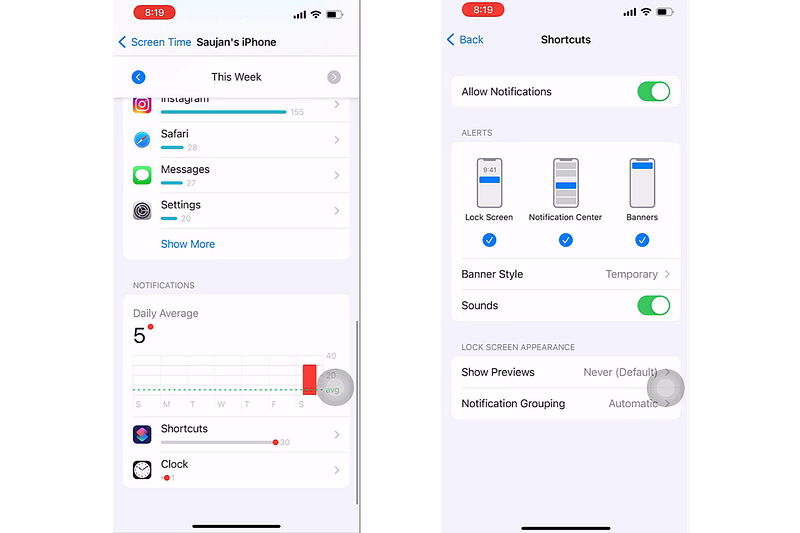
In case you want to get off the Shortcuts app notification from the Home Screen when the application is locked, we can do that too.
- For that go to Settings >> Screen time >> See all activity.
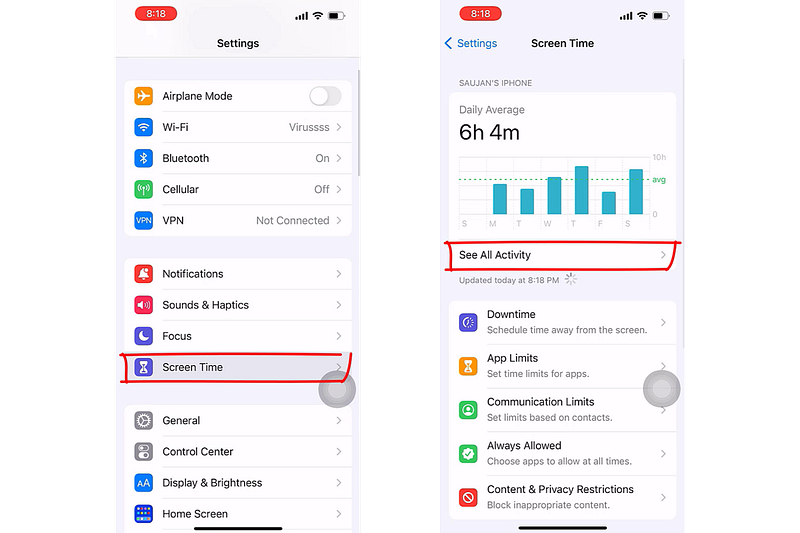
2. Scroll down and tap on Shortcuts and turn off ‘Allow Notifications’. If you cannot tap Shortcuts then please change the date at the top, you should then be able to tap on it.
Here’s a video tutorial to make this whole process easy:
Not a member yet? Please support my writing on Medium by joining medium through this link: Click here to Join Medium.


