
How to Load Images Progressively in React
Loading images the way popular web and mobile apps do it

We all like the way Medium load images. I’ve always wanted images on my website to load the same way. It took me a while to figure out how it’s done, but once I dived deeper, in I realized that creating a progressive loading image is simple.

Progressive image loading also gives a better user experience, reducing the loading time of your website. In this article, I’m going to make a reusable react component for progressive image loading.
How it’s Done
Initially, we set the src of the image to a placeholder image, a low-resolution version of the original image. In the meantime, we start loading the original image asynchronously. When the original image is loaded, we replace the src of the image from the placeholder image to the original image.
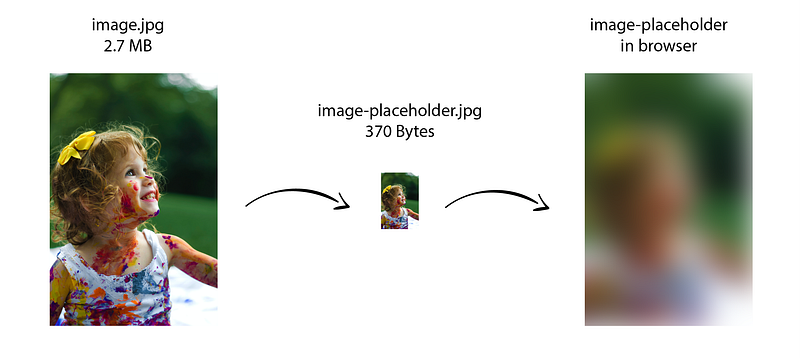
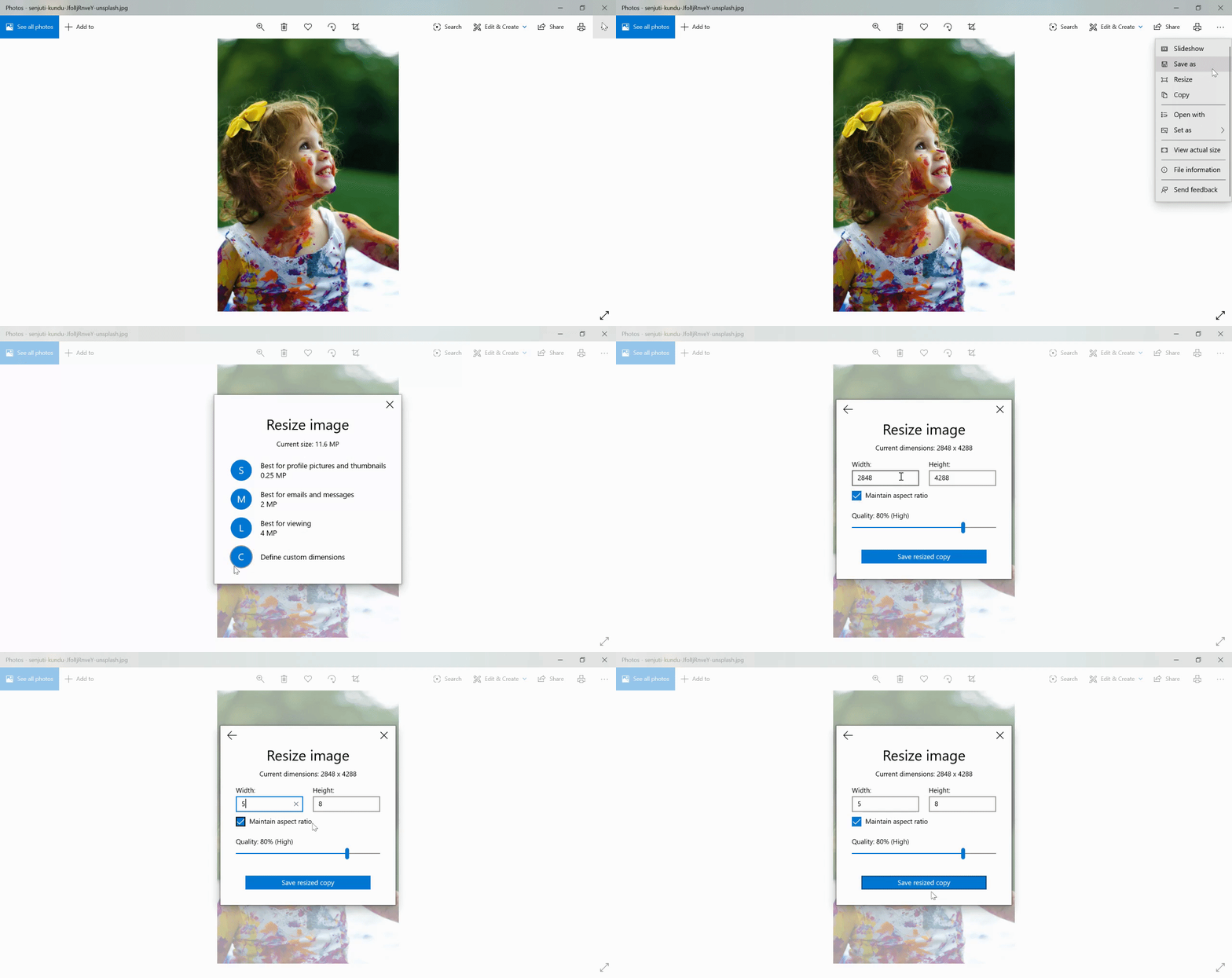
We can make a placeholder image by resizing the original image while maintaining its aspect ratio. In my case image.jpg has dimensions of 2848x4288 pixels. I resized it to 5x8 pixels which results in a placeholder image of some bytes only.
Making the Component
Now we know the theory it’s easier to make the component. I named my component ProgressiveImage and did the following:
Here’s what’s happening in the component
First, theconstructor of the component is called which sets the current src of the image to a low-resolution placeholder image. Then the render method of the component is called, which renders the placeholder image. At this point ,the user sees a blurred image.
After that our favorite lifecycle method componentDidMount is called where we start loading the original image. Once the original image is loaded a function is called which tells the component that the original image is loaded and updates the src of image to the original image in the state.
As a result, the component is re-rendered and the src of the image is replaced with the original image. At this point, the blurred image is replaced by the original image.
Component Usage
Import ProgressiveImage and use it as follows; clean and simple:
<ProgressiveImage
  src="original-image.jpg"
  placeholder="image-placeholder.jpg"
/>
An alt prop can be given if required, by default it is ''.
A working example
Wrapping Up
As promised, it’s not difficult to make progressive loading images as on Medium. One other thing that can be added to this is lazy loading, where images are loaded only when they’re in the browser’s viewport. Let me know if you would like me to amend this article to include lazy loading images.
I hope you got something useful from this article.


