
How to Launch a Profitable Print-on-Demand Business with AI Art in 2024
How to Maximize Profits in Your Print-on-Demand Business with AI Art and Midjourney Alternatives
How I Started My Print-on-Demand Business in 2024 with AI Art and Midjourney Alternatives
I’ve always been fascinated by the idea of starting my own business, but I never knew where to begin. That is, until I discovered the world of print-on-demand.
In this article, I’ll share my journey of starting a print-on-demand business in 2024 using AI art and Midjourney alternatives. I’ll walk you through the process step-by-step, from keyword research to product design and finally, setting up your online store.
We strongly recommend that you check out our guide on how to take advantage of AI in today’s passive income economy.
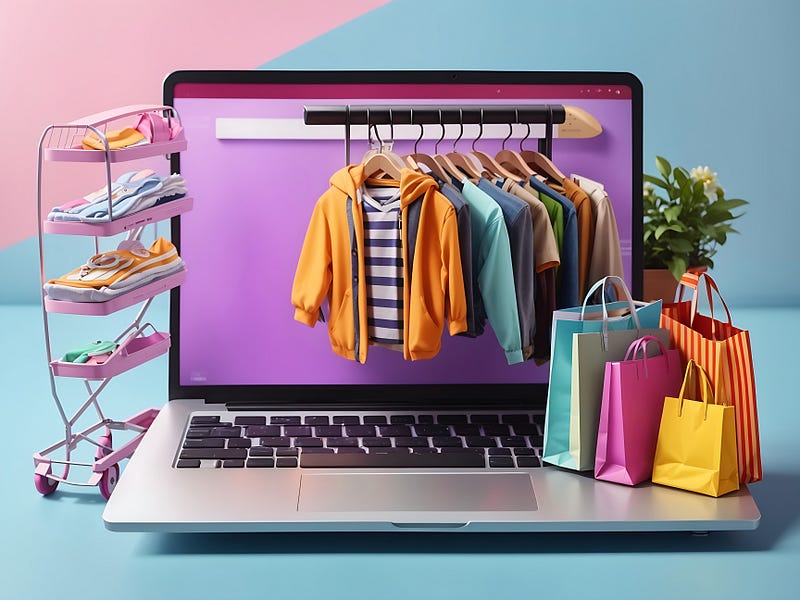
What is Print-on-Demand?
Print-on-demand is a business model where you work with suppliers who provide you with blank products like t-shirts, hoodies, phone cases, mugs, and more. You create your own unique designs and place them on these products, which are then sold on platforms like Etsy and Shopify. The best part? You don’t have to invest in inventory upfront, as products are only printed when an order is placed.
Keyword Research
The first step in starting my print-on-demand business was conducting keyword research. I used a site called Etsy Hunt to get a detailed readout of product sales and competition for various keywords. For this example, I focused on hoodies, but you can choose any product that interests you.
Analyzing the Competition
After entering “hoodies” into Etsy Hunt, I took a closer look at the competition. I searched for products that were selling well and had good reviews. This gave me an idea of the styles and designs that were popular among customers.
Product Research
Armed with keyword insights, I headed over to Etsy to conduct product research. I typed in “hoodies” and browsed through the results, paying close attention to bestsellers and highly-rated items. For this example, I decided to go with a simple white skull design on black hoodies and shirts.
Finding Inspiration
Once I had a clear idea of the style I wanted to emulate, I explored the inventory of successful sellers for more inspiration. Remember, the goal is not to copy designs but to create something unique that resonates with your target audience.
Designing with Canva
With a vision in mind, I moved over to Canva to start designing my products. Canva offers a wide range of templates and images to help bring your ideas to life. I selected the “Print Products” option and chose the hoodies template.
Customizing Your Design
Canva has an extensive library of images, categorized by themes like flower, retro, space, streetwear, and more. I browsed through the magic recommendations and selected a few images that aligned with my white skull on black hoodies concept. Keep in mind that while Canva images are great starting points, you’ll need to alter them before using them commercially.
Enhancing with AI Art
To take my designs to the next level, I turned to an AI art generator called DreamLike.art. This powerful tool allows you to generate variations and new images based on your original designs from Canva.
Generating Variations
After signing up for DreamLike.art, I uploaded my Canva designs and generated variations using the software’s creative prompts. I was impressed with the quality of the images produced and believe this tool has tremendous potential for print-on-demand businesses.
Finalizing Your Design
With my AI-generated images in hand, I returned to Canva for the final touches. I uploaded the images, removed the backgrounds using the background remover tool, and made adjustments to the blacks, whites, vibrancy, and shadows until I was satisfied with the result.
Downloading for Print
When downloading your final design from Canva, be sure to check the “Transparent Background” box. This ensures that your design will print properly on your chosen products.
Creating Your Product in Printify
Now that I had my design ready, it was time to bring it to life using Printify. I started a new design, clicked on “My Device,” and selected my image. Printify makes it easy to place your designs on various products and preview how they’ll look using mock-ups.
Placing Your Design
For this example, I shrunk the skull image and placed it on the upper left-hand corner of the hoodie’s front. I then flipped to the reverse side, enlarged the image, and centered it. Feel free to experiment with placement until you’re happy with the result.
Connecting Your Online Store
With my product designed, it was time to connect my online store. Printify integrates with several platforms, including Etsy, Walmart, Shopify, and more. For this example, I chose to connect my Etsy store.
Setting Up Your Etsy Store
If you haven’t set up your Etsy store yet, don’t worry! The process is straightforward, and there are plenty of resources available to guide you through it. Once your store is set up, simply grant Printify access, and you’re ready to start selling.
Conclusion
Starting a print-on-demand business in 2023 has never been easier, thanks to tools like AI art generators and Midjourney alternatives. By following the steps outlined in this article, you can create unique, eye-catching designs and start selling them on platforms like Etsy and Shopify.
Embrace the Journey
Remember, success doesn’t happen overnight. Be patient, stay creative, and keep learning as you grow your business. With dedication and persistence, you can turn your print-on-demand venture into a thriving source of income.
We strongly recommend that you check out our guide on how to take advantage of AI in today’s passive income economy.