
How to Install and Getting Started With Python
A Beginner’s Guide and for anyone who wants to start learning Python
Python is one of the fastest-growing programming languages nowadays and is used for machine learning, data science, and a lot of other use cases. The best way to start learning python is by practicing it on your machine.
We need to install python on your machine first. Once installed, you can run the python code on your machine. In this post, Let’s see how we can install python and run python code.
- Installation On Windows
- Installation On Mac Os
- Installation On Linux
- How to run python code
- What are PIP and Virtualenv
- Summary
- Conclusion
Installation On Windows
Sometimes your laptop may come with python installed and you can check by opening a command prompt and do python -V. If you are seeing the below error, it means python is not installed on your machine and you can continue with this tutorial.

There are two versions of python out there 3.7(latest) and 2.7. Let’s go to this page and download the version that you want.
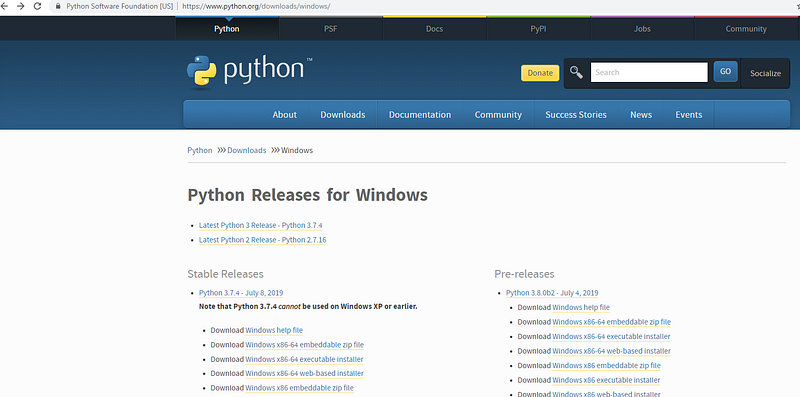
You can download any version But, most of the recent python apps are on python 3 and python 2 support is ending soon. For those reasons, let’s download python 3. Once you click on that link and you will be redirected to the below page and download the executable depending on your machine.
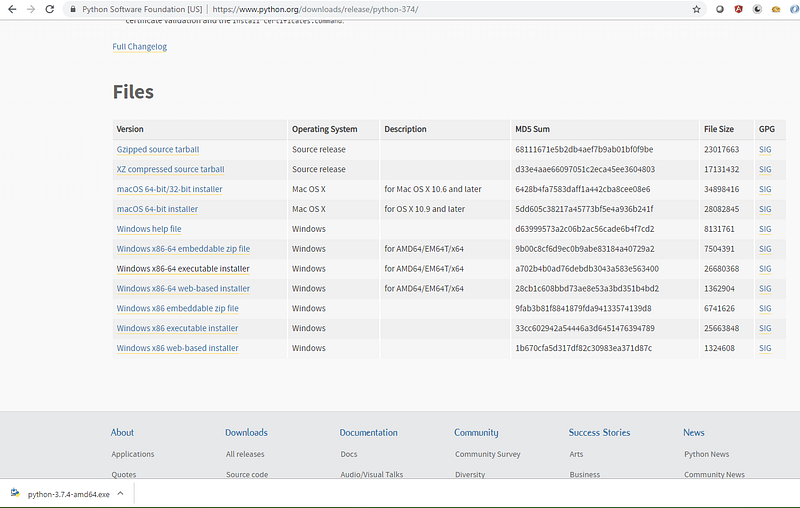
When you double click on this, a popup window is shown like below
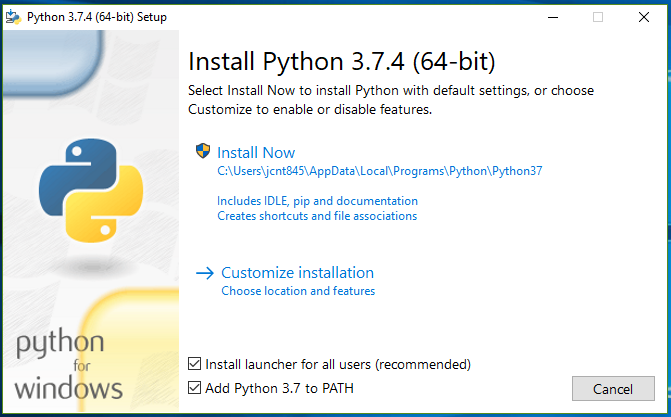
You can check the second checkbox Add Python 3.7 to PATH so that you can use it directly without any path specified. Once you click on the Install Now and you will see the following screens.
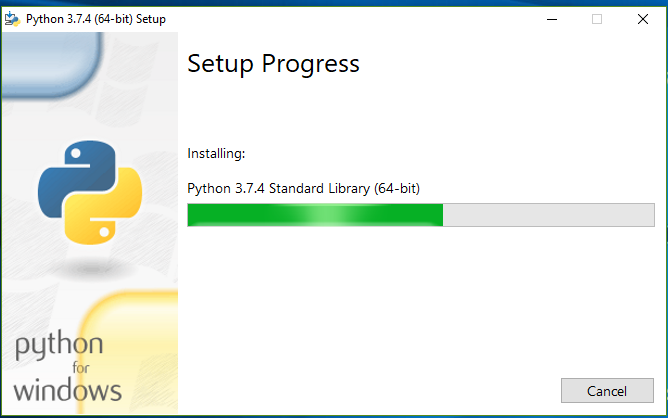
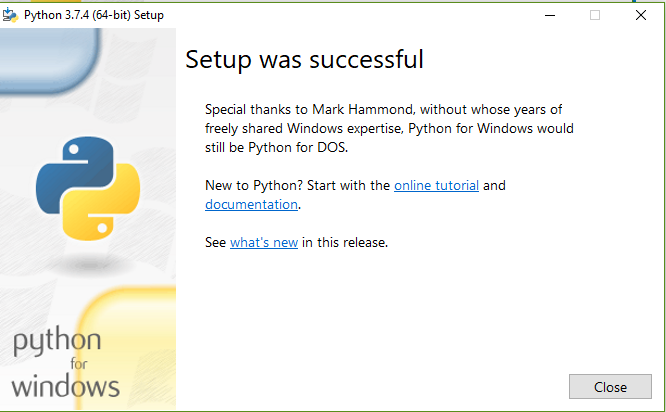
Now we can check the python version by opening a command-line interface. Make sure you are checking with capital V.

Installation On Mac Os
Installing python on Mac OS is no different than above. Let’s go to this page and download the macOS 64-bit installer.
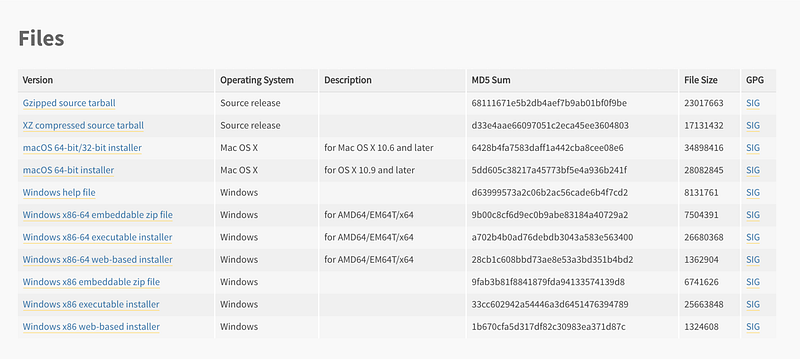
Once you download the installer, double click on it and follow the instructions like below.
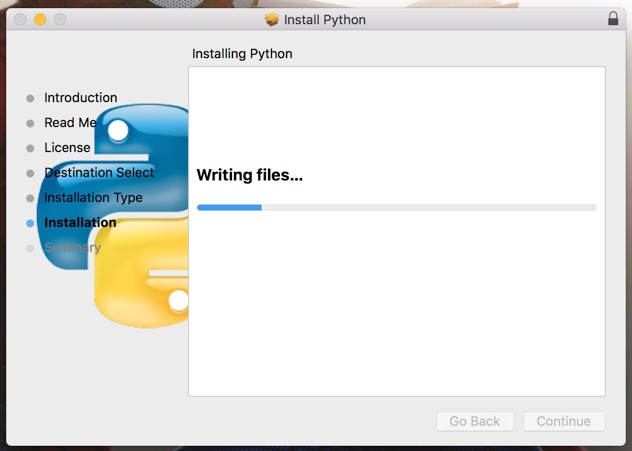
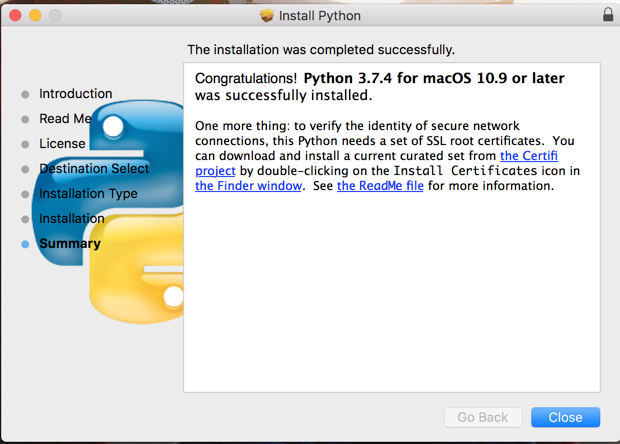
Now we can check the python version by opening a terminal. Make sure you are checking with capital V.
One thing we can notice on Mac OS is that there are two versions installed: one is 2.7.15 and another one is 3.7.4. You can check and run those with the commands python2 and python3 respectively.

Installation On Linux
There are so many Linux distributions out there. The following commands are for Ubuntu. Once installed you can verify the installation as same as above.
sudo apt-get update
sudo apt-get install python3.7
How to run python code
There are a couple of ways to run the python code: one is to use python interpreter and another one is to run the python file which ends with .py extension. Let’s see both ways below.
- Python Interpreter
- With .py extension files
Python Interpreter
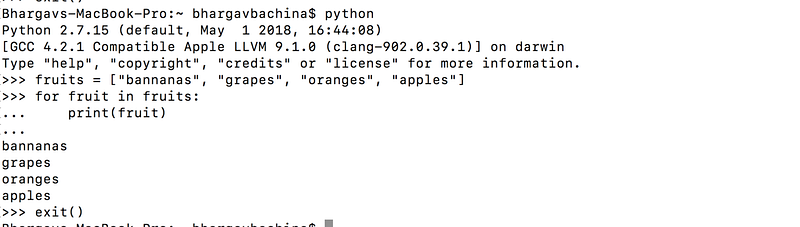
python interpreter comes with the python installation and all you need to type python in the command-line interface or terminal to use it. If you want to exit, just type exit().
With .py extension files
I have put the same code in the fruits.py file and run this python fruits.py in the visual studio code. Here is the output.


So, once python is installed there are two ways we can run and practice your python code.
What are PIP and Virtualenv
Besides this actual installation of python, these two tools PIP and Virtualenv are essential for python development.
PIP
The pip package is the most popular way to install, upgrade, and remove third-party libraries. pip doesn’t usually come with standard python installation and we have to install pip separately. But, from python 3.4 version, pip is a part of the standard installation.
If you want to install pip3 on your machine, here are the commands
curl -O https://bootstrap.pypa.io/get-pip.py
sudo python3 get-pip.py
Now we can check the version of pip3 with this command pip3 -V

It’s a tool to install python packages from the Python Package Index(PyPi). PyPi is the central repository for all the open-source and third-party python packages. Let’s see some of the examples
numpy is one of the useful packages and you can install that package with the pip pip install numpy. Here is an example of how to use that package.
When you this python file with the command python3 example.py, You should get the following output

You can update packages with this command pip3 install -U numpy and uninstall with this command pip3 uninstall numpy
// install package
pip3 install <package name>
// update package
pip3 install -U <package name>// uninstall package
pip3 uninstall <package name> Virtualenv
Virtualenv is a program which you might need for the installation of python packages in a specified or particular directory. This makes sure that different versions of the python packages co-exist on the same machine.
You can install virtualenv with pip pip3 install virtualenv

Once Virtualenv is installed, you can create your own environment virtualenv envfor your project. The environment is nothing but a directory and all the packages installed will be saved into that directory which gives complete isolation from the pre-existing packages.

Every env has its own pip and python installed. If you look at the env directory, it contains three folders bin, include, and lib.

If you just type this command which python, it will tell you which python is being used and every time if you want to install any package you need to type env/bin/pip install <package name>. To avoid long typing like this you should activate env with the following command source env/bin/activate.

Now you can install any package just with pip and that package will be installed in the site-packages folder of python under env.
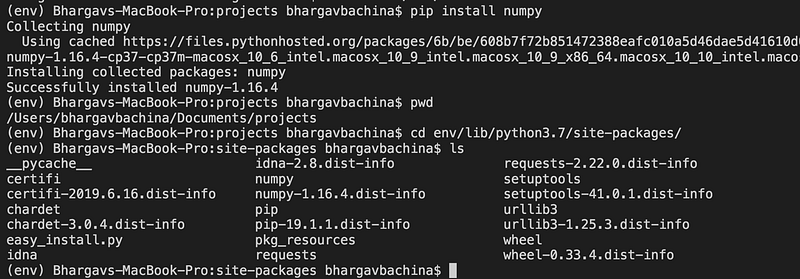
Now you can start using these packages in the project!
Summary
- Python is becoming more and more popular day by day and it is consistent among the top languages every year.
- There are two versions of python: one is 2 and another is 3.
- You can install Python in different operating systems.
- There are two ways you can run the python code: one is python interpreter and another one is to run with .py extensions.
- PIP and Virtualenv are the two important packages and should be used while working with python.
- PIP is a python package manager which helps us to install, upgrade, and remove third-party libraries.
- Virtualenv is a program that helps to maintain complete isolation from any pre-existing packages.
Conclusion
This is a very good starting point for anyone starting python for the first time. Once you know how to install, run python code, and necessary packages like PIP and virtualenv, all you need to go to the official website and practice the syntax and basics of python.


