
How To Increment Versions For Maven Build Java Project — Part 1
One of the ways to increment versions for a Maven build Java project.

In this article, I will be sharing one of the ways I have learned to increment versions for a Maven build Java project.
Before we start, let’s assume we have the following information in our pom.xml.
Reference: https://raw.githubusercontent.com/weikangchia/increment-version-maven/master/pom.xml
The plugins that we will need are:
- org.codehaus.mojo:build-helper-maven-plugin A plugin to assist with the Maven build lifecycle
- org.codehaus.mojo:versions-maven-plugin A plugin to help manage the versions of artifacts in a project’s POM
Reference: https://raw.githubusercontent.com/weikangchia/increment-version-maven/steps/1-add-plugins/pom.xml
Build Helper Maven Plugin
The Build Helper Maven plugin provides a goal, called the build-helper:parse-version. This goal parses a version string (default: ${project.version}) and set properties containing the component parts of the version.
[propertyPrefix].majorVersion
[propertyPrefix].minorVersion
[propertyPrefix].incrementalVersion
[propertyPrefix].qualifier
[propertyPrefix].buildNumber
[propertyPrefix].nextMajorVersion
[propertyPrefix].nextMinorVersion
[propertyPrefix].nextIncrementalVersion
[propertyPrefix].nextBuildNumber
FYI: The default value for the propertyPrefix is parsedVersion
The goal also set the following properties:
[formattedPropertyPrefix].majorVersion
[formattedPropertyPrefix].minorVersion
[formattedPropertyPrefix].incrementalVersion
[formattedPropertyPrefix].buildNumber
[formattedPropertyPrefix].nextMajorVersion
[formattedPropertyPrefix].nextMinorVersion
[formattedPropertyPrefix].nextIncrementalVersion
[formattedPropertyPrefix].nextBuildNumber
FYI: The default value for the formattedPropertyPrefix is formattedVersion
Now let’s try with an example:
mvn build-helper:parse-version help:effective-pomIn the output, we will see the following properties:

Bump A Patch Version
Format: ${parsedVersion.majorVersion}.${parsedVersion.minorVersion}.${parsedVersion.nextIncrementalVersion}
Output: 0.0.1
Bump A Minor Version
Format: ${parsedVersion.majorVersion}.${parsedVersion.minorVersion}.0
Output: 0.1.0
Bump A Major Version
Format: ${parsedVersion.majorVersion}.0.0
Output: 1.0.0
Versions Maven Plugin
The Versions Maven plugin provides a goal, called the versions:set. This goal sets the current project’s version and based on that change propagates that change onto any child modules as necessary.
Now let’s try with an example:
mvn versions:set -DnewVersion=0.0.1In the output, we will see the following messages to inform us that it has been updated successfully.
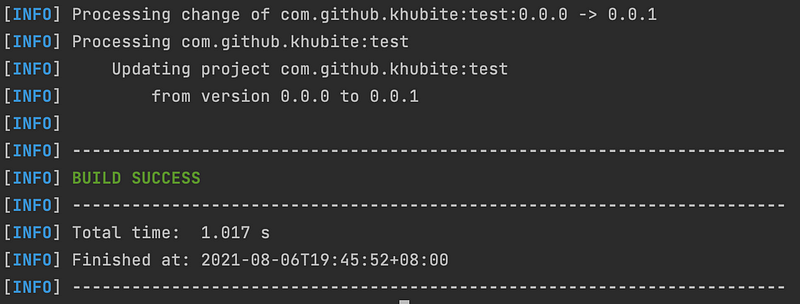
You can now open your pom.xml and see that the project version has been updated to 0.0.1.
That’s it, we have all the ingredients, we can now put them together to increment versions for our Maven build Java project.
First, let’s update the Build Helper Maven plugin in the plugin section of our pom.xml.
Next, create 3 profiles to do the following:
- bump-patch
This profile will be activated when given the property,
bumpPatch - bump-minor
This profile will be activated when given the property,
bumpMinor - bump-major
This profile will be activated when given the property,
bumpMajor
Now let’s try out the 3 profiles that we have just created.
bumpPatch
mvn validate -DbumpPatchOutput:
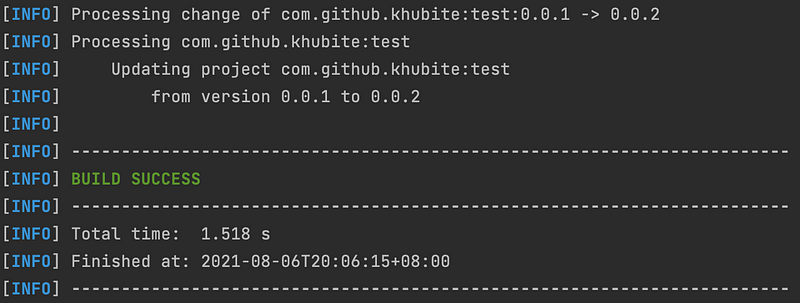
bumpMinor
mvn validate -DbumpMinorOutput:
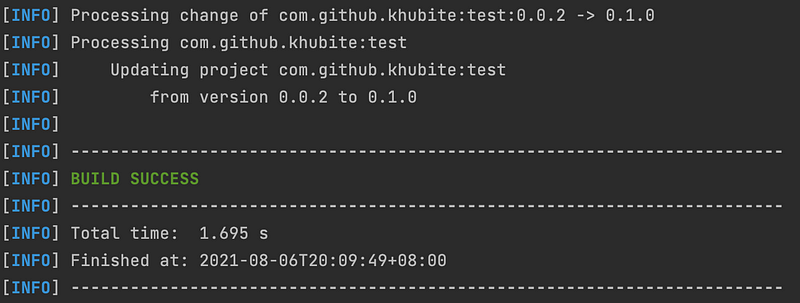
bumpMajor
mvn validate -DbumpMajorOutput:

And there we have it. I hope you have found this useful. Thank you for reading. You may find the complete pom.xml for this article from here.
Stay tuned for the next article, as I will show you how to increment a version that doesn’t follow the Semantic versioning (e.g. 1.0.0_1.0.0)✌️.
If you are not a Medium member yet and want to become one, click here.


