
How To Implement Flows And Share ViewModels In Kotlin Multiplatform Mobile (KMM)
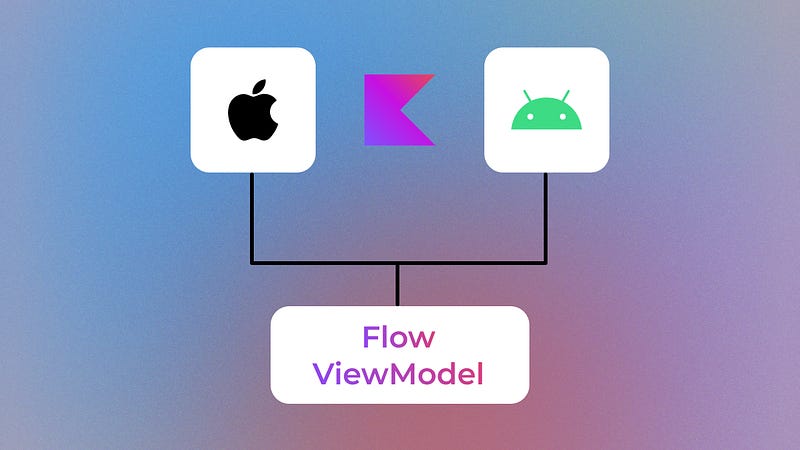
In this article, we will dive into flows and ViewModels, and how they can be implemented in KMM applications.
Introduction
We aren’t able to use flows natively in Swift, so all we need is to create wrapper classes for them.
Terms
expect — Define classes that need platform-specific code
actual — Implements the expected class from the commonMain
Flow Expect Classes
Go to shared > commonMain and then create a util package. This will contain the following expect classes.
CommonFlow.kt
import kotlinx.coroutines.flow.Flow

expect class CommonFlow<T>(flow: Flow<T>): Flow<T>

fun <T> Flow<T>.toCommonFlow() = CommonFlow(this)
CommonMutableStateFlow.kt
import kotlinx.coroutines.flow.MutableStateFlow

expect open class CommonMutableStateFlow<T>(flow: MutableStateFlow<T>) : MutableStateFlow<T>

fun <T> MutableStateFlow<T>.toCommonMutableStateFlow() = CommonMutableStateFlow(this)
CommonStateFlow.kt
import kotlinx.coroutines.flow.StateFlow

expect open class CommonStateFlow<T>(flow: StateFlow<T>) : StateFlow<T>

fun <T> StateFlow<T>.toCommonStateFlow() = CommonStateFlow(this)
Actual Classes — Android
Go to shared > androidMain and follow the same structure as in the commonMain. This will contain the following actual classes.
CommonFlow.kt
import kotlinx.coroutines.flow.Flow

actual class CommonFlow<T> actual constructor(
    private val flow: Flow<T>
) : Flow<T> by flow
The code above means that any call to a method on CommonFlow<T> will be delegated to the corresponding method on the Flow<T> instance passed to the constructor.
CommonMutableStateFlow.kt
import kotlinx.coroutines.flow.MutableStateFlow

actual open class CommonMutableStateFlow<T> actual constructor(
    private val flow: MutableStateFlow<T>
) : MutableStateFlow<T> by flow
The code above means that any call to a method on CommonMutableStateFlow<T> will be delegated to the corresponding method on the MutableStateFlow<T> instance passed to the constructor.
CommonStateFlow.kt
import kotlinx.coroutines.flow.StateFlow

actual open class CommonStateFlow<T> actual constructor(
    private val flow: StateFlow<T>
) : StateFlow<T> by flow
The code above means any call to a method on CommonStateFlow<T> will be delegated to the corresponding method on the StateFlow<T> instance passed to the constructor.
Actual Classes — iOS
Here we will have some work to do. So, go to shared > iosMain and follow the same structure as in the commonMain. This will contain the following actual classes.
CommonFlow.kt
import kotlinx.coroutines.CoroutineDispatcher
import kotlinx.coroutines.CoroutineScope
import kotlinx.coroutines.Dispatchers
import kotlinx.coroutines.GlobalScope
import kotlinx.coroutines.flow.Flow
import kotlinx.coroutines.launch

actual open class CommonFlow<T> actual constructor(
    private val flow: Flow<T>
) : Flow<T> by flow {

    // Collects values emitted by the flow
    fun subscribe(
        coroutineScope: CoroutineScope,
        dispatcher: CoroutineDispatcher,
        onCollect: (T) -> Unit
    ): DisposableHandle {
        val job = coroutineScope.launch(dispatcher) {
            flow.collect(onCollect)
        }
        return DisposableHandle { job.cancel() }
    }

    // Shorthand for the first method
    fun subscribe(
        onCollect: (T) -> Unit
    ): DisposableHandle {
        return subscribe(
            coroutineScope = GlobalScope,
            dispatcher = Dispatchers.Main,
            onCollect = onCollect
        )
    }
}
CommonMutableStateFlow.kt
import kotlinx.coroutines.ExperimentalCoroutinesApi
import kotlinx.coroutines.flow.FlowCollector
import kotlinx.coroutines.flow.MutableStateFlow
import kotlinx.coroutines.flow.StateFlow

actual open class CommonMutableStateFlow<T> actual constructor(
    private val flow: MutableStateFlow<T>
) : CommonStateFlow<T>(flow), MutableStateFlow<T> {

    override val replayCache: List<T>
        get() = flow.replayCache

    override val subscriptionCount: StateFlow<Int>
        get() = flow.subscriptionCount

    override var value: T
        get() = super.value
        set(value) {
            flow.value = value
        }

    override fun compareAndSet(expect: T, update: T): Boolean {
        return flow.compareAndSet(expect, update)
    }

    @ExperimentalCoroutinesApi
    override fun resetReplayCache() {
        flow.resetReplayCache()
    }

    override fun tryEmit(value: T): Boolean {
        return flow.tryEmit(value)
    }

    override suspend fun emit(value: T) {
        flow.emit(value)
    }

    override suspend fun collect(collector: FlowCollector<T>): Nothing {
        flow.collect(collector)
    }
}
Here we just override all MutableStateFlow methods.
CommonStateFlow.kt
import kotlinx.coroutines.flow.FlowCollector
import kotlinx.coroutines.flow.StateFlow

actual open class CommonStateFlow<T> actual constructor(
    private val flow: StateFlow<T>
) : CommonFlow<T>(flow), StateFlow<T> {

    override val replayCache: List<T>
        get() = flow.replayCache

    override val value: T
        get() = flow.value

    override suspend fun collect(collector: FlowCollector<T>): Nothing {
        flow.collect(collector)
    }
}
The same for the StateFlow , so let’s override its’ methods.
IOSMutableStateFlow.kt
import kotlinx.coroutines.flow.MutableStateFlow

class IOSMutableStateFlow<T>(
    initialValue: T
) : CommonMutableStateFlow<T>(MutableStateFlow(initialValue))
The last thing we need is a wrapper for DisposableHandle .
import kotlinx.coroutines.DisposableHandle

fun interface DisposableHandle : DisposableHandle
fun interface — an interface that has only one abstract method, and it can be used as a lambda expression or a function reference.
Share ViewModels
Go into commonMain and let’s create a package called register that contains our shared screen logic.
RegisterState.kt
data class RegisterState(
    val email: String = "",
    val password: String = ""
)
RegisterEvent.kt
sealed class RegisterEvent {
    data class EmailChange(val value: String) : RegisterEvent()
    data class PasswordChange(val value: String) : RegisterEvent()
    object Register : RegisterEvent()
}
I recommend you use a sealed class instead of using a sealed interface , because this will be hard to compile for KMM. You can try but I think that it is much safer to use a sealed class .
RegisterViewModel.kt
class RegisterViewModel(
    coroutineScope: CoroutineScope? = null
) {
    // When we're on iOS the coroutineScope will be null
    // so the default scope will be Dispatchers.Main
    private val viewModelScope = coroutineScope ?: CoroutineScope(Dispatchers.Main)

    private val _state = MutableStateFlow(RegisterState())
    val state = _state
        .stateIn(
            scope = viewModelScope,
            started = SharingStarted.WhileSubscribed(5000),
            initialValue = RegisterState()
        )
        .toCommonStateFlow()

    fun onEvent(event: RegisterEvent) {
        when (event) {
            is RegisterEvent.EmailChange -> {
                _state.update {
                    it.copy(email = event.value)
                }
            }

            is RegisterEvent.PasswordChange -> {
                _state.update {
                    it.copy(password = event.value)
                }
            }

            else -> Unit
        }
    }
}
Android ViewModel
Now let’s go into androidApp module and create a package called register . Here we will create our UI and the ViewModel.
AndroidRegisterViewModel.kt
class AndroidRegisterViewModel : ViewModel() {

    private val viewModel by lazy {
        RegisterViewModel(
            coroutineScope = viewModelScope
        )
    }

    val state = viewModel.state

    fun onEvent(event: RegisterEvent) {
        viewModel.onEvent(event)
    }
}
This is just a wrapper class for the shared ViewModel. Now we can use it in our composable.
RegisterScreen.kt
@Composable
fun RegisterScreen(
    state: RegisterState,
    onEvent: (RegisterEvent) -> Unit
) {
    Column(
        modifier = Modifier.fillMaxSize(),
        verticalArrangement = Arrangement.Center
    ) {
        TextField(
            value = state.email,
            onValueChange = {
                onEvent(RegisterEvent.EmailChange(it))
            }
        )
        TextField(
            value = state.email,
            onValueChange = {
                onEvent(RegisterEvent.EmailChange(it))
            },
            visualTransformation = PasswordVisualTransformation()
        )
        Button(
            onClick = {
                onEvent(RegisterEvent.Register)
            }
        ) {
            Text(text = "Register")
        }
    }
}
To keep our composable state-free we’ll pass the state as a parameter to it. Now let’s call it in the MainActivity.kt and pass the ViewModel to it.
MainActivity.kt
class MainActivity : ComponentActivity() {
    override fun onCreate(savedInstanceState: Bundle?) {
        super.onCreate(savedInstanceState)
        setContent {
            MyAppTheme {
                val viewModel by viewModels<AndroidRegisterViewModel>()
                val state by viewModel.state.collectAsState()

                RegisterScreen(
                    state = state,
                    onEvent = viewModel::onEvent
                )
            }
        }
    }
}
iOS ViewModel
Open Xcode and create a folder called register.
RegisterScreen.swift
import SwiftUI
import shared

struct RegisterScreen: View {
    var body: some View {
        Text("Hello")
    }
}
We need to create the View first because in Swift the ViewModel is an extension of the View.
IOSRegisterViewModel.swift
import Foundation
import shared

extension RegisterScreen {
    @MainActor class IOSRegisterViewModel: ObservableObject {
        private let viewModel: RegisterViewModel

        @Published var state: RegisterState = RegisterState(
            email: "",
            password: "",
        )

        private var handle: DisposableHandle?

        init {
            self.viewModel = RegisterViewModel(coroutineScope: nil)
        }

        func onEvent(event: RegisterEvent) {
            self.viewModel.onEvent(event: event)
        }

        // Observes to state changes
        func startObserving() {
            handle = viewModel.state.subscribe(onCollect: { state in
                if let state = state {
                    self.state = state
                }
            })
        }

        // Removes the listener
        func dispose() {
            handle?.dispose()
        }
    }
}
Let’s get back to the RegisterScreen.swift .
struct RegisterScreen: View {

    @ObservedObject var viewModel: IOSRegisterViewModel

    init {
        self.viewModel = IOSRegisterViewModel()
    }

    var body: some View {
        VStack {
            Spacer()

            TextField(
                text: Binding(
                    get: { viewModel.state.email },
                    set: { viewModel.onEvent(event: RegisterEvent.ChangeEmail(value: $0)) }
                )
            )

            SecureField(
                text: Binding(
                    get: { viewModel.state.password },
                    set: { viewModel.onEvent(event: RegisterEvent.ChangePassword(value: $0)) }
                )
            )

            Button(
                action: { viewModel.onEvent(event: RegisterEvent.Register)}
            ) {
                Text("Register")
            }

            Spacer()
        }
        .onAppear {
            viewModel.startObserving()
        }
        .onDisappear {
            viewModel.dispose()
        }
    }
}
In order to make the text field listen to the changes we need to create a Binding to that value. The last thing we need to do is to add the screen in the ContentView .
ContentView.swift
import SwiftUI

struct ContentView: View {
    var body: some View {
        RegisterScreen()
    }
}
I hope this article helped in your development journey. Remember to stay updated on my latest content by following me and subscribing to the newsletter. Thank you for reading!
I also run a YouTube channel dedicated to Android Development where I share informative content. If you’re interested in expanding your knowledge in this field, be sure to subscribe to my channel.
If you like my content and want to support me, I would appreciate a coffee!


