How To Get Recordings or Transcriptions for Free in Any Language
A simple but detailed guide on using RhinoSpike so your language can reach the next level

If you haven’t heard of RhinoSpike and are learning a language, you’re missing out. Big times.
This platform allows users to ask natives to do one of two things:
- Record a text
- Transcribe an audio file or a video
Learning a language on one’s own is tough. It’s a lot of work and takes time. Sometimes, you just want to verify you understood well something you watched. Other times, you want to listen to a text at natural speed.
For this, RhinoSpike could be your best friend.
How does the platform work?
You have to create a free account… and you’re good to go!
You can start requesting audio recordings, transcriptions. You can also do it yourself for someone else.
Do you have to do it for others? Not really, but this platform works on a give-and-take principle so it is a good idea to return the favor once in a while.
The platform also has a “credit” system. Those credits give you the possibility to download any recording onto your computer. Not just the recordings you requested. Without credits, you can still listen to the recordings on the platform. But you cannot download them to use freely outside of it.

To get credits, you can do one of the following:
- Purchase them
- Get a subscription and get “free” credits every month
- Upload a recording for others. You get one credit per 3 recordings.
- Transcribe a script. For non-subscribers, you need a 600-word script for one credit.
You thus have the possibility to use the website’s full potential without being forced to pay. The platform is very easy to use. And on top of that, it boasts tons of recordings for commonly learned languages!
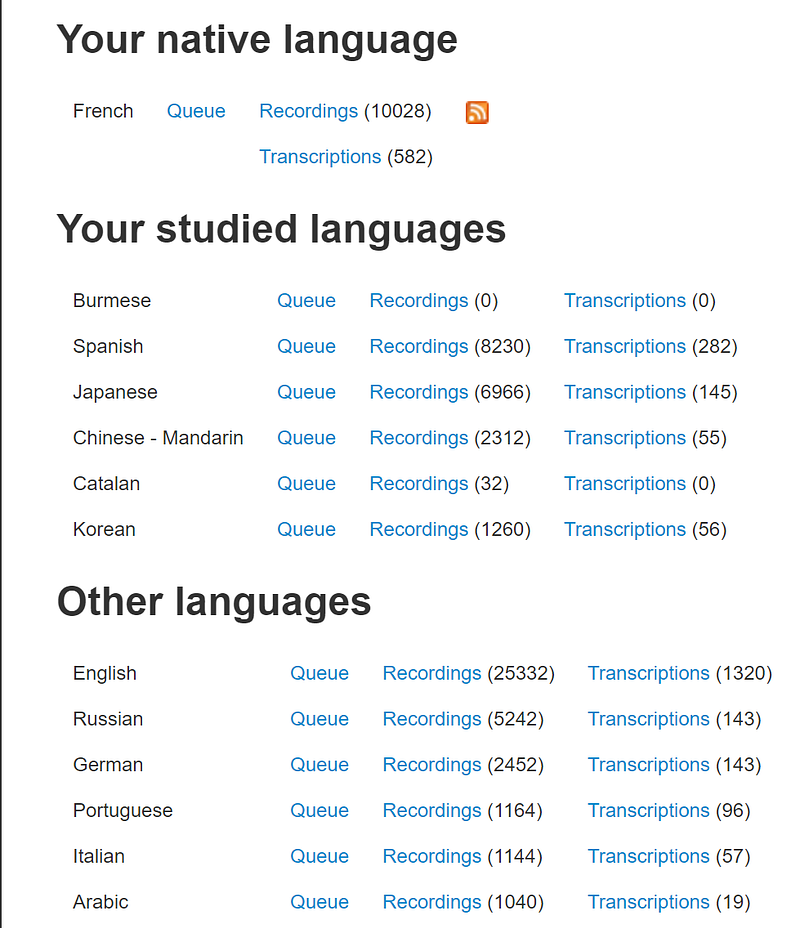
Getting recordings
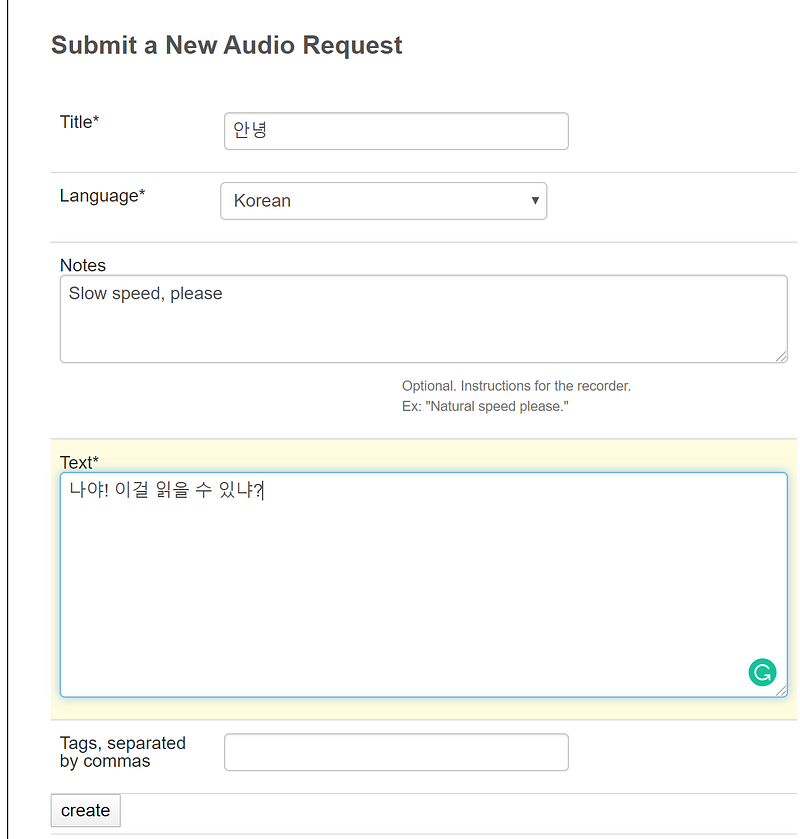
To get recordings, the process is quite simple. You have to fill a little information.
First, set a title. If possible, go for something a bit catchy. Choose your language and add notes for the native speaker. You might want to ask for a natural or slower speed, for tones to be insisted on, or anything else.
Write your text, add a few tags and you’re good to go!
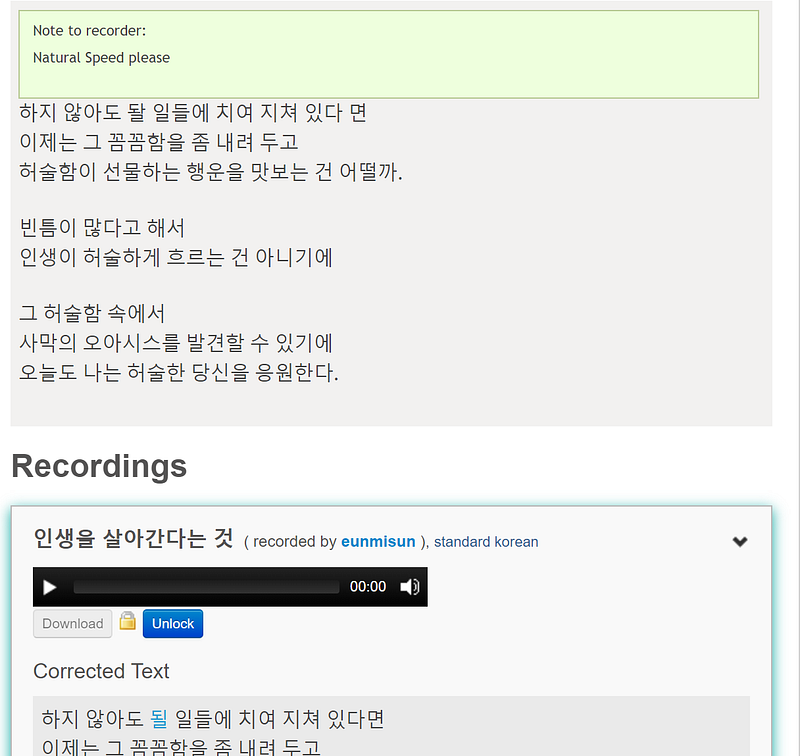
When you get the recording, you will get a page such a the one on the right above.
You can see your text followed by the recording. If you made a mistake, the speaker can add a corrected text. In the screenshot above, you can see a typo was made (돨 instead of 될).
Of course, the longer your text is, the less chance there is to get it recorded. For this reason, texts of a few lines are recommended.
Getting transcriptions
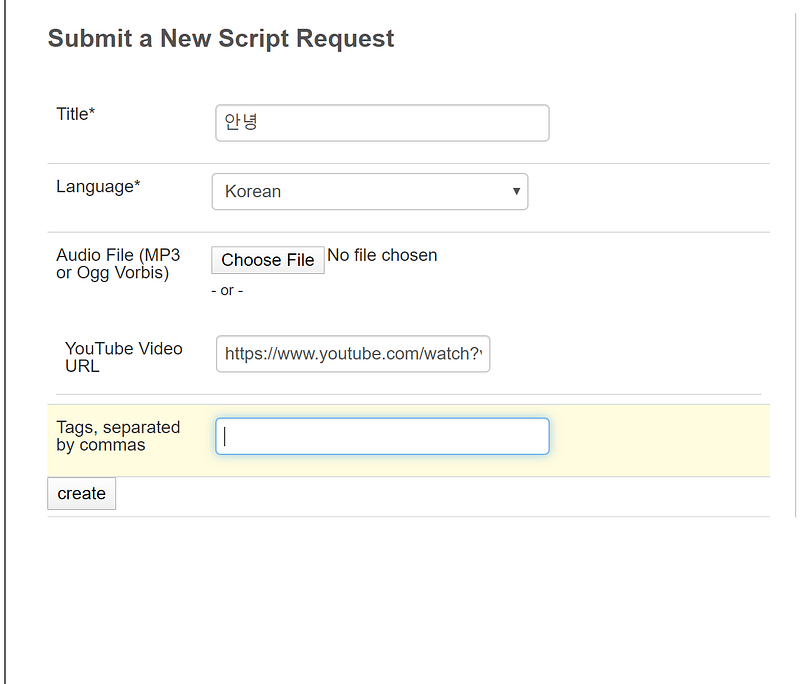
In a similar way for transcriptions, you have to fill a simple form.
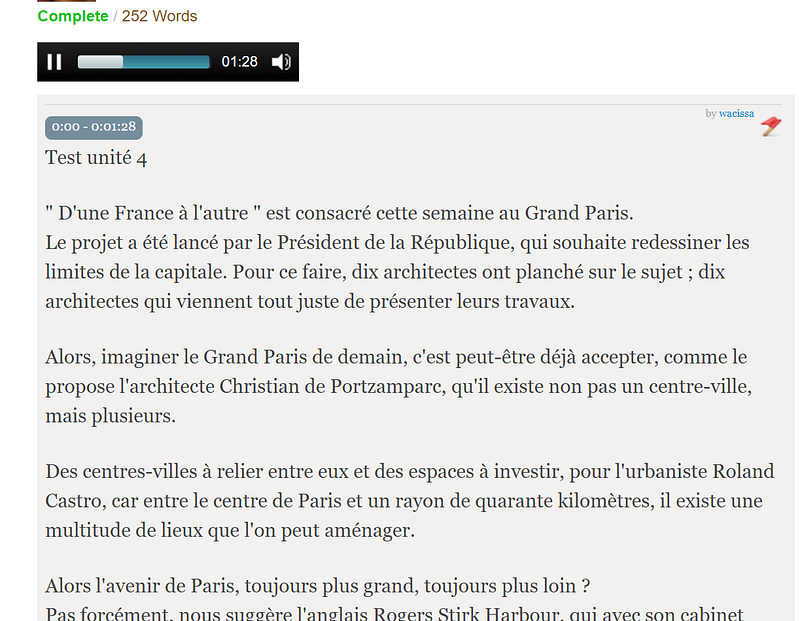
You can either upload an audio file or link to a YouTube video. This will embed it within the request, for the transcriber to watch directly on the platform.
However, some videos or audio files can be too long to handle alone. For this reason, the transcriber can decide to handle a part of it. For example, from 0:34 to 1:46.
Conclusion
If you are learning a language and aren’t using RhinoSpike, you’re missing a great opportunity. It’ll allow you to greatly improve your level with the help of natives you haven’t even met.
If you contribute to the platform by recording or transcribing content, the possibility to download other’s content is an extra added value.
You could, for example, turn sentences or texts into flashcards with audio, adding those to your Anki deck. If need be, you can use Audacity to cut the audio where you need it and even create flashcards of words.
Have fun with it! I know I’m loving it.
Still curious about language learning? Sign up for my newsletter and get my ebook for free!