avatarProto Bioengineering

Free AI web copilot to create summaries, insights and extended knowledge, download it at here

2985

Abstract

rug/drugsfda/">Drugs@FDA API</a>.</figcaption></figure><h1 id="2ce4">Finding the Data</h1><p id="60d1">Finding the API link requires some clicking around. (<b>Hint:</b> the best source is NOT clicking Drugs@FDA above but rather going to a page buried under <b>Download the Data</b> in the sidebar.)</p><p id="4717">The full API link is:</p><div id="e597"><pre>https://download.<span class="hljs-built_in">open</span>.fda.gov/drug/drugsfda/drug-drugsfda-0001-of-<span class="hljs-number">0001.j</span>son.<span class="hljs-built_in">zip</span></pre></div><p id="bb66">The way we got this was to go to the <a href="https://open.fda.gov/apis/downloads/">Downloads</a> page:</p><figure id="cc9f"><img src="https://cdn-images-1.readmedium.com/v2/resize:fit:800/1*EBY_HpVTBFWmKmfnF94NCg.png"><figcaption></figcaption></figure><p id="e5b3">Under <b>How to download data</b>, click “available at <a href="https://api.fda.gov/download.json">here</a>” (circled in red below).</p><figure id="363f"><img src="https://cdn-images-1.readmedium.com/v2/resize:fit:800/1*Rj59sgzucWCmqIwHMCy-vA.png"><figcaption></figcaption></figure><p id="3b68">This will show you a <a href="https://www.json.org/json-en.html">JSON</a>-ified list of links for every FDA API endpoint, including Devices, Tobacco, Food, etc. Unroll the JSON by clicking on the little grey triangles to the left of the labels. The Drugs@FDA link is in pink below.</p><figure id="566c"><img src="https://cdn-images-1.readmedium.com/v2/resize:fit:800/1*wCL2aDKO1cKsmTBZ3BkMag.png"><figcaption></figcaption></figure><p id="2719">The API link:</p><div id="752c"><pre>https://download.<span class="hljs-built_in">open</span>.fda.gov/drug/drugsfda/drug-drugsfda-0001-of-<span class="hljs-number">0001.j</span>son.<span class="hljs-built_in">zip</span></pre></div><h1 id="aa0f">Download the Data: Without Code</h1><p id="9d56">You can download the Drugs API data without any code, since it’s just a zip file sitting on one of FDA’s servers.</p><p id="68e6">To get the data, copy and paste the API link into your browser:</p><div id="157c"><pre>https://download.<span class="hljs-built_in">open</span>.fda.gov/drug/drugsfda/drug-drugsfda-0001-of-<span class="hljs-number">0001.j</span>son.<span class="hljs-built_in">zip</span></pre></div><p id="f4e1">Your browser will automatically download the FDA Drugs data as a zipped JSON file. Just <a href="https://www.filecenter.com/blog/how-to-unzip-files-mac-iphone-android-windows/">unzip it</a> and then you’ll get a file with all of the drug data in it.</p><figure id="2f1e"><img src="https://cdn-images-1.readmedium.com/v2/resize:fit:800/1*xQ_ycm6W8Ls8Tp59RbUxVg.png"><figcaption></figcaption></figure><p id="d56e">As of March 2023, this JSON file has about 2,998,000 lines, with <b>26,316 listed drugs.</b></p><h1 id="e9dc">Download the Data: With Code</h1><p id="d7d2">We can also get the data from the <a href="https://www.computerhope.com/jargon/c/commandi.htm">command line</a> using <code>curl

Options

</code>.</p><p id="9bf5"><b>Why use code if it’s so easy to download with Chrome or Firefox? </b>Because then we can schedule the download to run whenever we want it to, such as daily or weekly. On <a href="https://learn.microsoft.com/en-us/previous-versions/orphan-topics/ws.10/cc772785(v=ws.10)?redirectedfrom=MSDN">Windows, we can use <code>schta</code>sks</a> for this, and on <a href="https://towardsdatascience.com/a-step-by-step-guide-to-scheduling-tasks-for-your-data-science-project-d7df4531fc41">Mac and Linux we can use <code>c</code>ron</a>.</p><p id="2e6a">First open your command line app (<a href="https://support.apple.com/guide/terminal/open-or-quit-terminal-apd5265185d-f365-44cb-8b09-71a064a42125/mac">Terminal</a> on Mac or <a href="https://www.howtogeek.com/235101/10-ways-to-open-the-command-prompt-in-windows-10/">Command Prompt</a> on Windows).</p><p id="ccc3">On the command line, type:</p><div id="750e"><pre>curl -o drugs.json.<span class="hljs-built_in">zip</span> https://download.<span class="hljs-built_in">open</span>.fda.gov/drug/drugsfda/drug-drugsfda-0001-of-<span class="hljs-number">0001.j</span>son.<span class="hljs-built_in">zip</span></pre></div><p id="e6d0">If you’re on Windows, type <code>curl.exe</code> instead of just <code>curl</code>.</p><p id="b17f">Then <code>curl</code> will download the zip file for you on your computer. You can <a href="https://www.filecenter.com/blog/how-to-unzip-files-mac-iphone-android-windows/">unzip</a> the file to get a JSON file of all of the FDA Drug data.</p><figure id="0bc1"><img src="https://cdn-images-1.readmedium.com/v2/resize:fit:800/1*5NpzKeex2NYxQu0vjx06iA.png"><figcaption>The zipped JSON file and it’s unzipped version on Mac OS.</figcaption></figure><p id="9e60">If we scroll through the JSON file, <b>we can see the data on all 26,000 drugs </b>(like <b>isotretinoin</b>), including their route, type, Rx concept unique identifier (<code>rxcui</code>), and more.</p><figure id="e3cb"><img src="https://cdn-images-1.readmedium.com/v2/resize:fit:800/1*fTUBwCKSDAWM22SGPF5CUw.png"><figcaption></figcaption></figure><h1 id="c56a">Questions and Feedback</h1><p id="50ec">If you have questions or feedback, email us at [email protected] or message us on <a href="http://instagram.com/protobioengineering">Instagram (@protobioengineering)</a>.</p><p id="8ee8">If you liked this article, consider supporting us by <a href="https://ko-fi.com/protobio">donating a coffee</a>.</p><h1 id="fbd4">Related Resources</h1><ul><li><a href="https://open.fda.gov/apis/drug/drugsfda/explore-the-api-with-an-interactive-chart/">openFDA’s Interactive Drug API charts</a></li><li><a href="https://readmedium.com/how-to-see-where-the-international-space-station-is-right-now-with-code-32f63cd3334">How to See Where the International Space Station is Right Now with Code</a></li><li><a href="https://readmedium.com/github-for-biologists-407fab350083">GitHub for Biologists</a></li></ul></article></body>

How to Get Every FDA-Approved Drug with One Line of Code

Get a list of every pharmaceutical drug in the United States with code (or without).
Photo by Roberto Sorin on Unsplash

The US Food and Drug Administration (FDA) is required to approve every drug and medical device that medical professionals are allowed to give to Americans. The FDA tracks thousands of drugs and devices that have been on the market dating back to 1939.

Thankfully, the FDA provides a web API, where we can use code to get an updated list of all of the drugs and medical devices on the market.

Further Reading: What the Heck is an API?
TL;DR (Too Long; Didn’t Read)

The rest of the article explains the openFDA API and the command line for new developers. To quickly get the data, you can use wget on Mac or Linux:

wget https://download.open.fda.gov/drug/drugsfda/drug-drugsfda-0001-of-0001.json.zip

Or curl on Windows:

curl.exe -o drugs.json.zip https://download.open.fda.gov/drug/drugsfda/drug-drugsfda-0001-of-0001.json.zip

Or visit this link to download the data directly.

The openFDA API

The FDA’s API provides data on multiple FDA-approved products:

  • Medical devices
  • Drugs
  • Food
  • Tobacco

And so on. We’ll use the Drugs@FDA API to get details on every drug approved by the FDA.
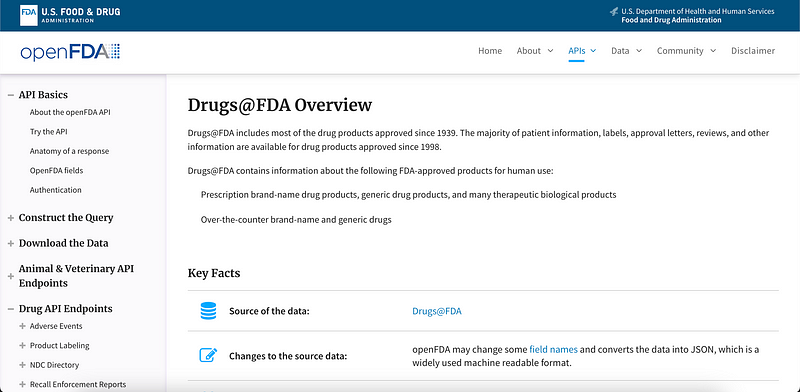
Overview page for the Drugs@FDA API.

Finding the Data

Finding the API link requires some clicking around. (Hint: the best source is NOT clicking Drugs@FDA above but rather going to a page buried under Download the Data in the sidebar.)

The full API link is:

https://download.open.fda.gov/drug/drugsfda/drug-drugsfda-0001-of-0001.json.zip

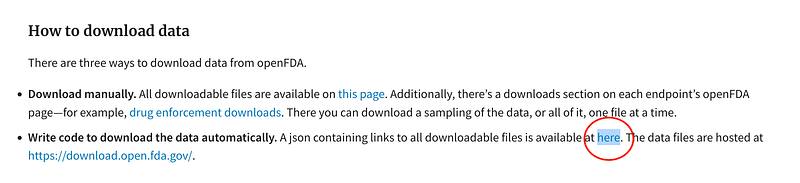
The way we got this was to go to the Downloads page:
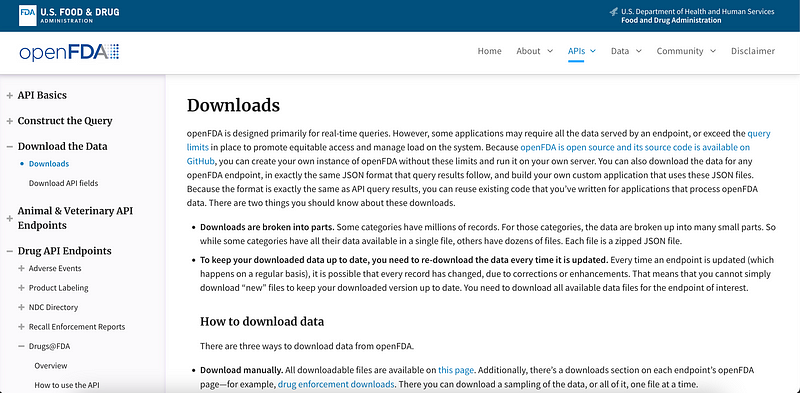
Under How to download data, click “available at here” (circled in red below).
This will show you a JSON-ified list of links for every FDA API endpoint, including Devices, Tobacco, Food, etc. Unroll the JSON by clicking on the little grey triangles to the left of the labels. The Drugs@FDA link is in pink below.
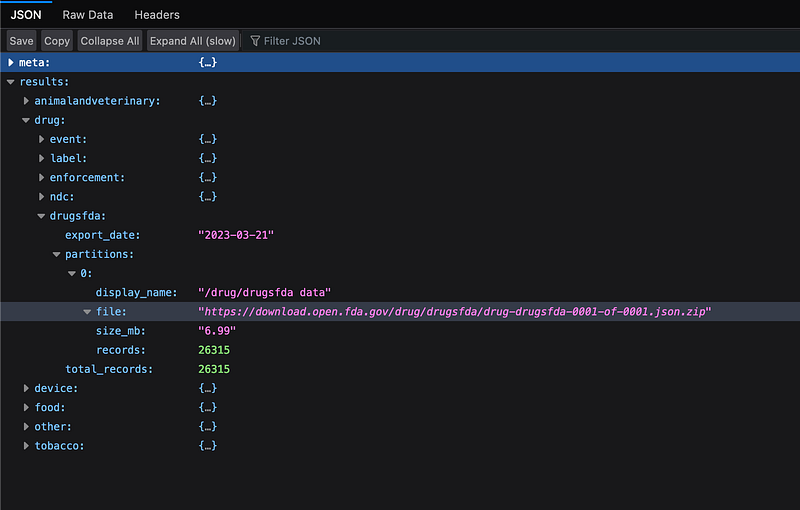
The API link:

https://download.open.fda.gov/drug/drugsfda/drug-drugsfda-0001-of-0001.json.zip

Download the Data: Without Code

You can download the Drugs API data without any code, since it’s just a zip file sitting on one of FDA’s servers.

To get the data, copy and paste the API link into your browser:

https://download.open.fda.gov/drug/drugsfda/drug-drugsfda-0001-of-0001.json.zip

Your browser will automatically download the FDA Drugs data as a zipped JSON file. Just unzip it and then you’ll get a file with all of the drug data in it.
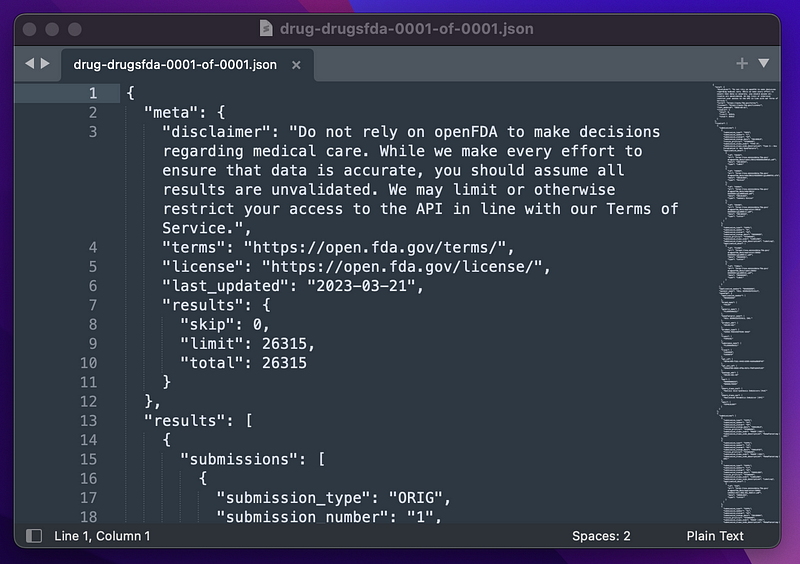
As of March 2023, this JSON file has about 2,998,000 lines, with 26,316 listed drugs.

Download the Data: With Code

We can also get the data from the command line using curl.

Why use code if it’s so easy to download with Chrome or Firefox? Because then we can schedule the download to run whenever we want it to, such as daily or weekly. On Windows, we can use schtasks for this, and on Mac and Linux we can use cron.

First open your command line app (Terminal on Mac or Command Prompt on Windows).

On the command line, type:

curl -o drugs.json.zip https://download.open.fda.gov/drug/drugsfda/drug-drugsfda-0001-of-0001.json.zip

If you’re on Windows, type curl.exe instead of just curl.

Then curl will download the zip file for you on your computer. You can unzip the file to get a JSON file of all of the FDA Drug data.
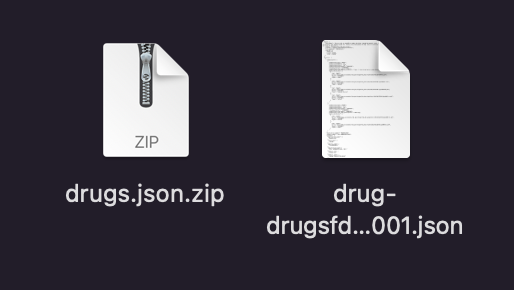
The zipped JSON file and it’s unzipped version on Mac OS.

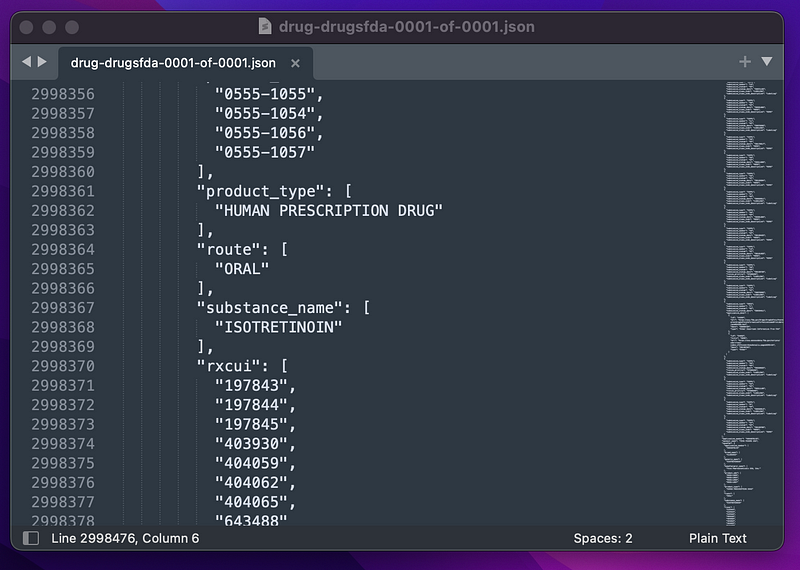
If we scroll through the JSON file, we can see the data on all 26,000 drugs (like isotretinoin), including their route, type, Rx concept unique identifier (rxcui), and more.
Questions and Feedback

If you have questions or feedback, email us at [email protected] or message us on Instagram (@protobioengineering).

If you liked this article, consider supporting us by donating a coffee.

Related Resources

API
Beginner Coding
Medicine
FDA
Biology
Recommended from ReadMedium