
How to Get Ahead of Coinbase Investors with Binance
The content in this article is not intended to be investment advice. It contains a tutorial for the cryptocurrency exchange Binance, alongside some observations about the cryptocurrency market. It does not constitute investment advice in any way.
Coinbase is a great tool. It’s extremely easy to use and quickly moved to the top of the app store amid the cryptocurrency surge of late 2017, introducing millions of people to cryptocurrencies and their potential as an investment tool.
But Coinbase only scratches the surface of the thousands of interesting and potentially lucrative coins out there, from rising stars Ripple, Stellar and Tron to smaller coins like Request Network and Bytom.
The key question is: How do you invest in those coins before they hit larger exchanges like Coinbase?
One answer I found to this question was Binance.
Binance is an easy-to-use exchange for investing in a wide array of cryptocurrencies.
First and foremost — I do not work for Binance, nor do I know of anyone there. I simply found it an easy tool to get started with, and figured I’d share it with others interested in exploring coins beyond what’s offered in Coinbase.
Here’s a quick guide on how to get started:
First, create an account on Binance.
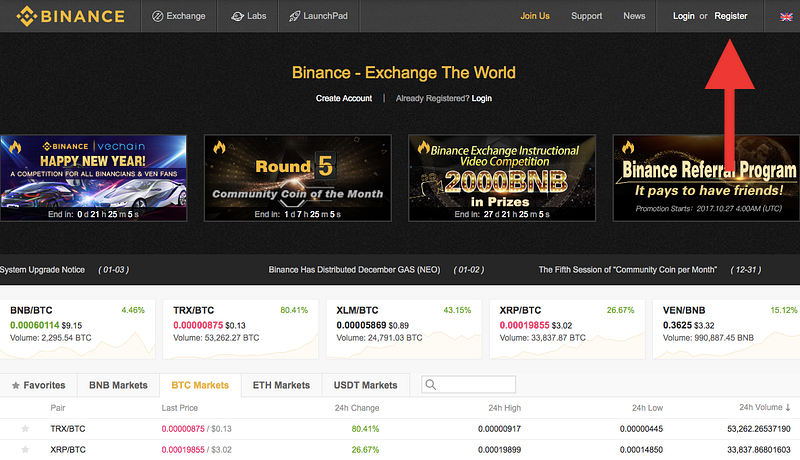
Click the Register button in the top right and follow the instructions to set up your account. I recommend following their instructions for setting up Google Authentication as well.
Next, you’ll need to register on Coinbase if you haven’t already.
You’ll need to buy Litecoin, Bitcoin, or Ethereum in order to send it to your account on Binance.
Note: Litecoin and Ethereum have lower transaction fees than Bitcoin. It’s your choice which coin you choose, but just be aware that when you move them between accounts, you will accrue a small fee (or a larger one if using Bitcoin) for the transaction. Ethereum takes a longer time to send, but Litecoin will accrue a small fee when converting to Bitcoin — you will use either Bitcoin or Ethereum to trade for new coins on Binance.
Purchase the desired amount on Coinbase; we’re now going to send it to Binance.
Sending Cryptocurrencies simply requires an address. This will look like a long jumbled string of numbers, and it should be copy-and-pasted into the Send field in Coinbase. Here’s how to do it:
Go to your Accounts page in Coinbase:
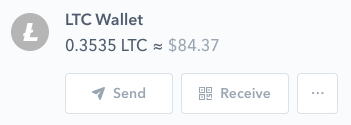
On Coinbase: Click Send . You will then be asked to enter an address, which you can find on Binance:
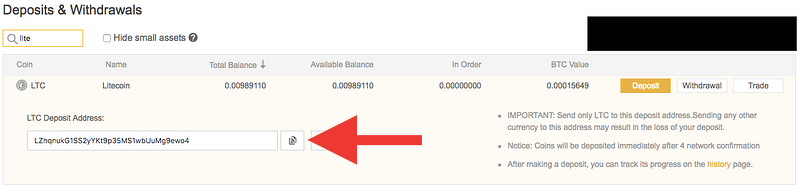
On Binance: Click Deposit. You’ll be presented with a long string of numbers and characters. Copy it exactly and double check that it’s correct and the same currency you’re sending (ie. don’t send Bitcoin to Litecoin, etc).
Return to Coinbase. Paste the address in the line where it says Recipient, then choose the amount you’d like to send. Confirm this and then send it to Binance.
It will take a moment to confirm — don’t panic. Once you receive an email from Coinbase, the transaction will have gone through.
Almost there! You have currency on Binance now, but just one step left…
Now all you need to do is trade for the coin you want on Binance.
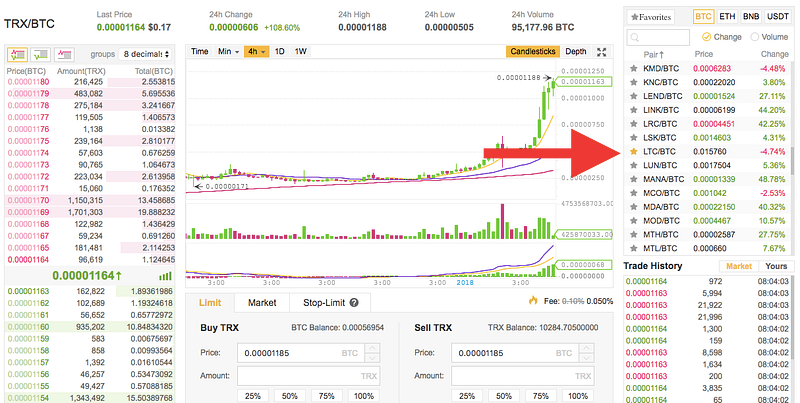
This is the easy part. Go to the exchange and select the coin you want to trade for. Below I’m selecting Litecoin and trading it for Bitcoin — select the exchange on the right and you’ll notice a change below where it says Buy and Sell.
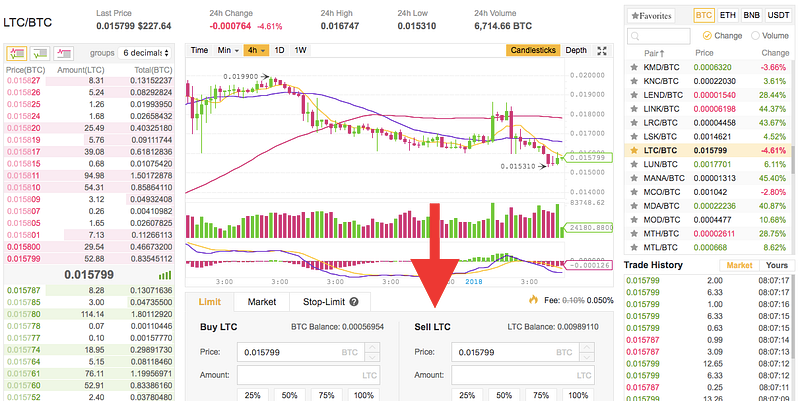
After this, I’m going to trade this Bitcoin I just got for some Ripple (XRP).
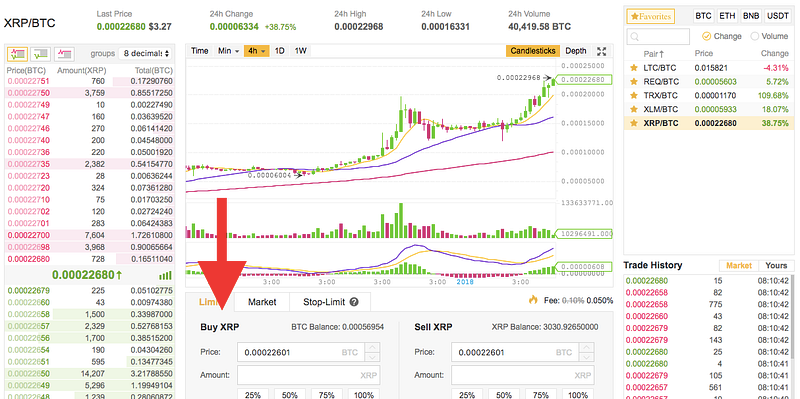
And now I’m done! I can check my accounts under the funds tab, and if I want to exchange it back to USD, I just need to do this in reverse.
Hope this helps, and Happy Hodling!
Once again, this is not investment advice and should not be taken as such. This is meant as a tutorial for the Binance exchange and nothing more. Thanks!