

How to generate Changelog using Conventional Commits
One of the most difficult things in the world, after flushing the cache and giving the names to the variables, is to understand what changes from one version to another in your code. The use of semantic versioning is a de facto standard, especially in opensource libraries. But after only 3 months, how can we remember the differences between version 2.0.1 and 2.0.2 of the our project?
The use of CHANGELOG.mdhas become more than necessary, both to remember what has changed and to inform those who use our code of what has actually changed. But I’m a lazy developer, I will never have the ability to remember what I did at each commit and to remind me on every release to update a file by hand. After googling for hours I found out that the answer I was looking for was right in front of my nose from the beginning. The git’s history contains all the information you need to generate a changelog file automatically!
But, before talking about how to automatically create our changelogs I have to introduce you to the conventional commits
Conventional Commits
The Conventional Commits specification is a lightweight convention on top of commit messages. It provides an easy set of rules for creating an explicit commit history, which makes it easier to write automated tools on top of. This convention dovetails with SemVer, by describing the features, fixes, and breaking changes made in commit messages.
Commits will have a standard structure that serves to describe exactly what happened in that commit:
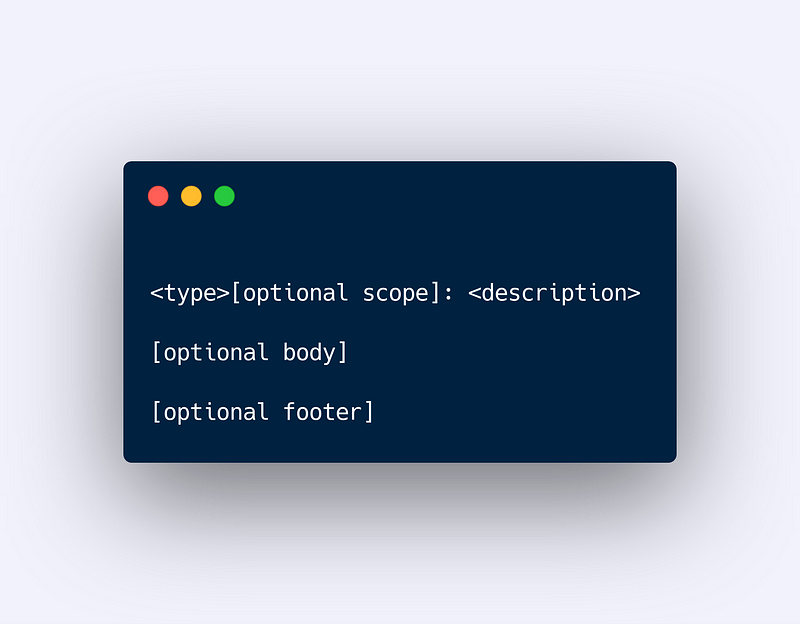
or if you use the short version from your terminal:
git commit -a -m"<type>[optional scope]: <description>"
Every commit has a type that falls into a predefined category, the specific categories are:
feat: introduces a new feature to the codebase (this correlates with aMINORin SemVer es:2.0.0 -> 2.1.0).fix: a bugfix in your codebase (this correlates with aPATCHin semVer es:2.0.0 -> 2.0.1).BREAKING CHANGE: is a total change of your code, this is also can be used with a previous tag likeBREAKING CHANGE: feat: <description>(this correlates with aMAJORin SemVer es:2.0.0 -> 3.0.0).docs: a change in the README or documentationrefactor: a change in production code focused on upgrade code readability and style
The scope specifies what you have changed, preferably in a single word. The description is a one line that specifies what the change is.
In Jobtome we also use other types for the every-day usage like chore:, test: , optimization:
Automatically create your Changelog
One of the tools that use conventional commits is standard-version. Standard-version is an npm package that automatically manages the versioning of our code and creates for us beautiful changelogs full of lots of information.
Using the standard-version package is very simple, after installing it in our dependencies ( npm I --save-dev standard-version ) we just need to add a script in our package.json
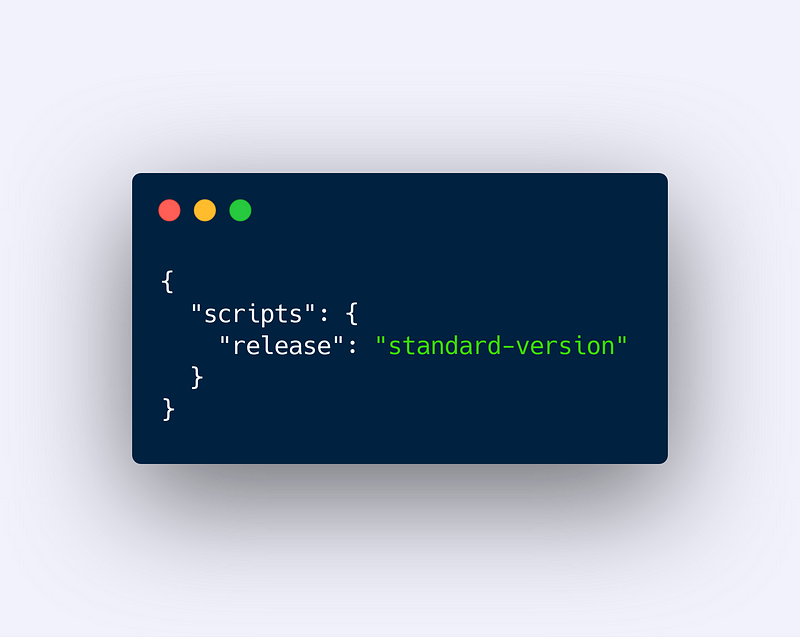
Now all we need to do is just run the release script before publishing our release.
In automatic standard-version, checking the commits made since the last release, will:
- do a version bump (MAJOR, MINOR, PATCH)
- create a git tag that can be pushed with the
--tagsoption - generate a beautiful changelog like this one:
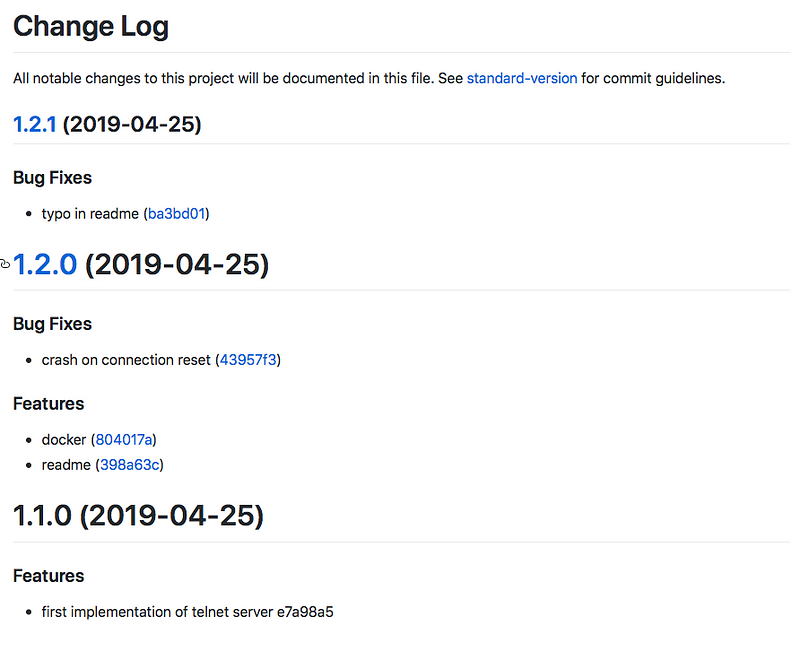

- Link to the specific commit
- Link to the diff of the version
- Division by type of commit
If you want to look better at the changelog of the screenshot above you can find it here:
If you liked the article please clap and follow :) Thx and stay tuned 🚀


