
How to Fix a Rejected Story
And get it published

Writers get frustrated when editors reject their stories. It’s easy to take it out on the publication editor for not recognizing your talent. But there are a lot of reasons to have an article refused. Often it’s the idea doesn’t fit with the publication. Some other causes are grammar, punctuation, and readability errors.
If you’ve written a great article and it’s rejected by a publication, look at the technical aspects of your writing. The old saying is “the devil is in the details”, and it is true of writing. Publications get a lot of submissions. So it’s easy for them to reject a story if it has basic grammar or spelling errors or is difficult to read.
The solution is simple: don’t give them a reason to refuse your story because of technical errors.
Here are the free online tools I use to make sure my stories are free of technical errors.
ProWritingAid checks grammar and spelling errors
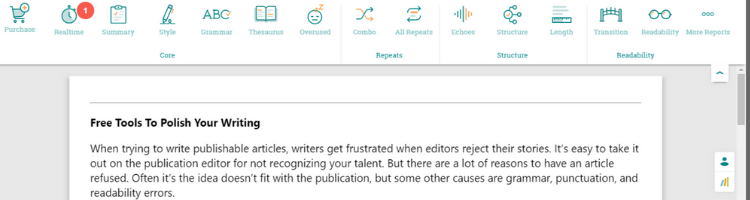
ProWritingAid is my first line of defense against spelling, grammar, and styling mistakes. A lot of writers use Grammarly. But ProWritingAid gives a more in-depth analysis of your writing. It will perform basic spelling and grammar checks, but it also looks for styling problems. There is also a thesaurus, and it checks for overused words, combinations, repeats, and more.
They limit some features in the free version to the first 500 words.
You can use Grammarly with ProWritingAid. I use both to make sure I don’t miss any spelling or grammar mistakes.
Use Sharethrough headline analyzer to write the best headlines
I’ve used Sharethrough and Coschedule. They both do the job well. I like Sharethrough better because it will analyze unlimited titles. Coschedule limits the free version to create 2 titles. If you want to work on several titles, Sharethrough allows you to for free.
Adverbs are not your friend. Adverbless shows where you’ve used them.
In case you don’t know what an adverb is, it is a word that modifies verbs, adjectives, and other adverbs. Most adverbs end in -ly. I wouldn’t call them junk words, but most of the time, your writing suffers because of them. By stripping the adverbs, the sentence is tighter and easier to understand.
Adverbless is simple to use. It’s a barebones program that does only one thing; it checks for adverbs. Once you’ve written your article, copy and past it into Adverbless then hit the “check” button. It’s that easy. It highlights every adverb in yellow.
When I first started using Adverbless, I used a lot of adverbs. Every paragraph had at least one of the little devils. Now I’ll find only a few adverbs in one of my stories. The program has trained me not to use them.
Hemingway makes writing better and clearer
Hemingway checks to make sure my writing is as correct as possible. This simple program uses color-coding to show any adverbs. If you have passive sentences, you’ll see them. The program identifies complex sentences that can be simpler. And it reveals sentences that are hard or very hard to understand.
When writing, it’s best to write to a level that most people can understand. Hemingway gives your story a readability score and tells you if the score is good. If you use “highfalutin” language, the program will show it. This is a reminder that our goal, as writers, is communicating in a clear voice.
Let Read Aloud text to speech voice reader read you your story
The last step in writing a great story is hearing it read. I don’t have anyone to read to me, so I use a chrome extension called Read Aloud. You can tailor the program by changing the voice from male to female and the speed of reading. It also reads in a lot of languages other than English.
Hearing your article read aloud is where you’ll pick up the finer nuances. You’ll hear the cadence of your writing, and you’ll pick up where things don’t fit.
Final thoughts
It’s discouraging to write a story only to have it rejected by a publisher. It isn’t personal. When a story gets refused, there can be many reasons. One reason is it is technically flawed. The good news is there are programs that will take the worst writing and fix its grammar. And they will help with the writing style so it reads better.
ProWritingAid and Grammarly identify spelling, grammar, and styling problems. Sharethrough or Coscheduler will analyze your title. They score it and tell you where it’s weak. You can play with the title on their site until you get it right. Adverbless will help make your writing easier to understand and read. And Hemingway will go over your story and tell you what’s left to fix.
After you’ve done all the checking to make sure your story is the best possible, listen to it. If it sounds good to your ear, there’s only one thing left to do.
Send it out to the world.
Happy writing.


