
CSS
How to Find unused CSS on the website?
Check your unused css with the chrome dev tool.
In this post, I’m telling you to Find unused CSS using a Chrome dev tool with easy steps.
What is Unused CSS?
The simple answer is that we delay that class in a CSS file, But never use it on an HTML File.
Example
Bootstrap frameworks come with dozens of CSS styles you probably don’t need in your Project.
Why should you remove unused CSS?
Your unused CSS increase the CSS file size. But conversely, the unused CSS file size decreases your web performance or Speed.
Secondly, Clean and orderly stylesheets are easier to delete and rewrite.
How to Find unused CSS?
Find Unused CSS in Chrome with Two Way
- Manually
- Run Command
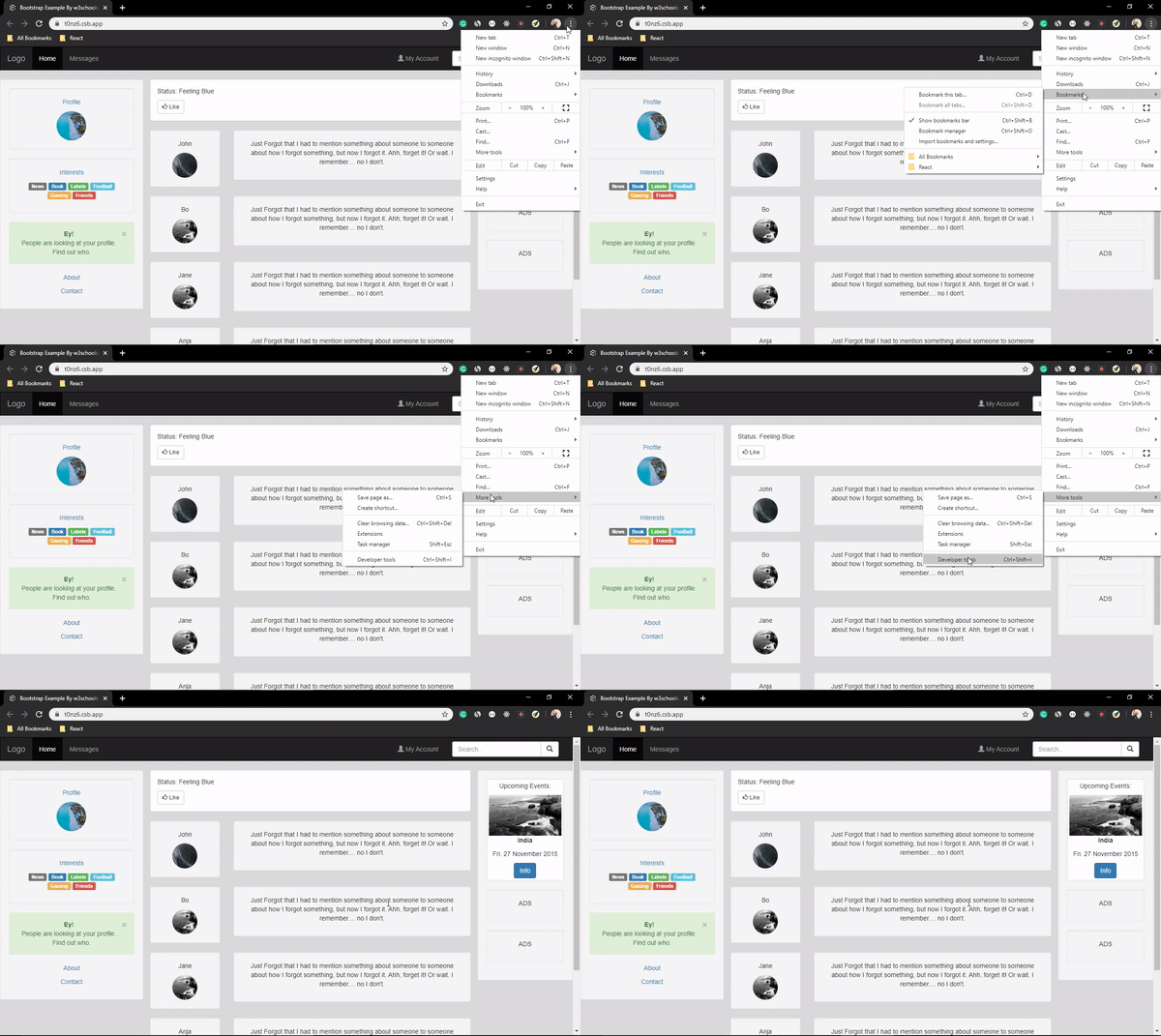
Manually
- Open Chrome DevTools
- Click Three Dots On the Right Side
- Click on the “More Tool” Find Coverage Tab option
- Click On Reload Button
- Select a CSS file from the Coverage tab, which will open the file up in the Sources tab.
- Red Color CSS is Unused, and blue Color CSS is used in HTML files.
Run Command
- Open Chrome DevTools.
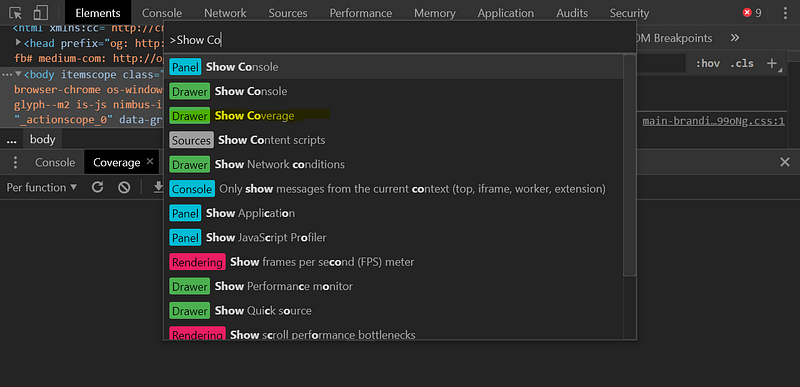
- Open the command menu with:
cmd + shift + p - Type in “Coverage” and click on the “Show Coverage” option
- Click On Reload Button.
- Select a CSS file from the Coverage tab, which will open the file up in the Sources tab.
- Red Color CSS is Unused, and blue Color CSS is used in HTML files.
How to Remove unused CSS?
Many Tools Find you online, Like UnusedCSS, PurgeCSS, and UnCSS. But My personal opinion never is used on small projects. Use on Large projects; take a backup of your Project, then use it.
Note
Never use Bootstrap. This all Npm tools UnusedCSS, PurgeCSS, and UnCSS. Make sure to Customize your Bootstrap, download it Locally and use it.
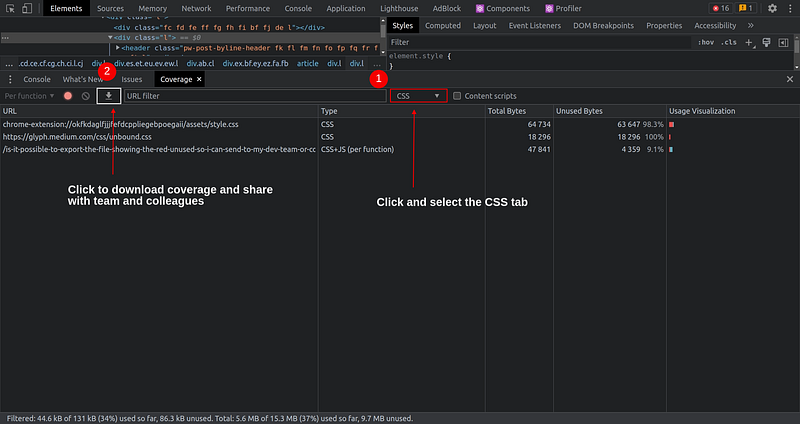
How to download the unused css coverage report?
First, select the CSS tab and then click the download icon button. Your unused css coverage report starts downloading; now you can share it with your friend, team and colleagues.
Read Bootstrap Customization Here
Read More on Medium
Reference
- https://getbootstrap.com/
- https://getbootstrap.com/docs/3.4/customize/
- https://developers.google.com/web/tools/chrome-devtools/coverage/
- https://getbootstrap.com/docs/4.4/getting-started/theming/#sass
Conclusion
I hope you understand How to find unused CSS.
If there are any queries, mistakes, and Suggestions. Please, tell me in the comment box after we update our article.


