
How to Find Out What Topic Your Article Got Curated In
Solving the mysteries behind Medium’s curation process.

There are two main ways to find out in which topics your article was curated by Medium.
You will know if your article was curated because it will say “Chosen for further distribution” underneath its title on your Stats page, like so:
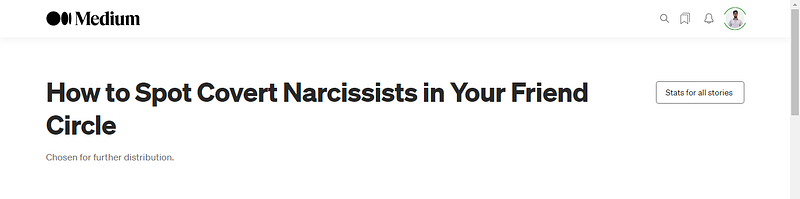
It used to be that Medium also displayed exactly what topics the article was curated in. However, that feature is no more. Now, we have to go look for the topics.
Why would anyone want to know what topic their article was curated in?
It’s simple. Finding out which topics your article was curated in helps you to better understand your target audience and increase your chances of getting curated in the future.
Also, it just feels good to know. With that out of the way, let’s get into the two main ways to find out your article’s curation topics, starting with the simplest.
1. Going On the Medium App
If you go on the Medium app and then click the ‘Search’ button — before you type in anything — you will see a bunch of topics listed underneath.
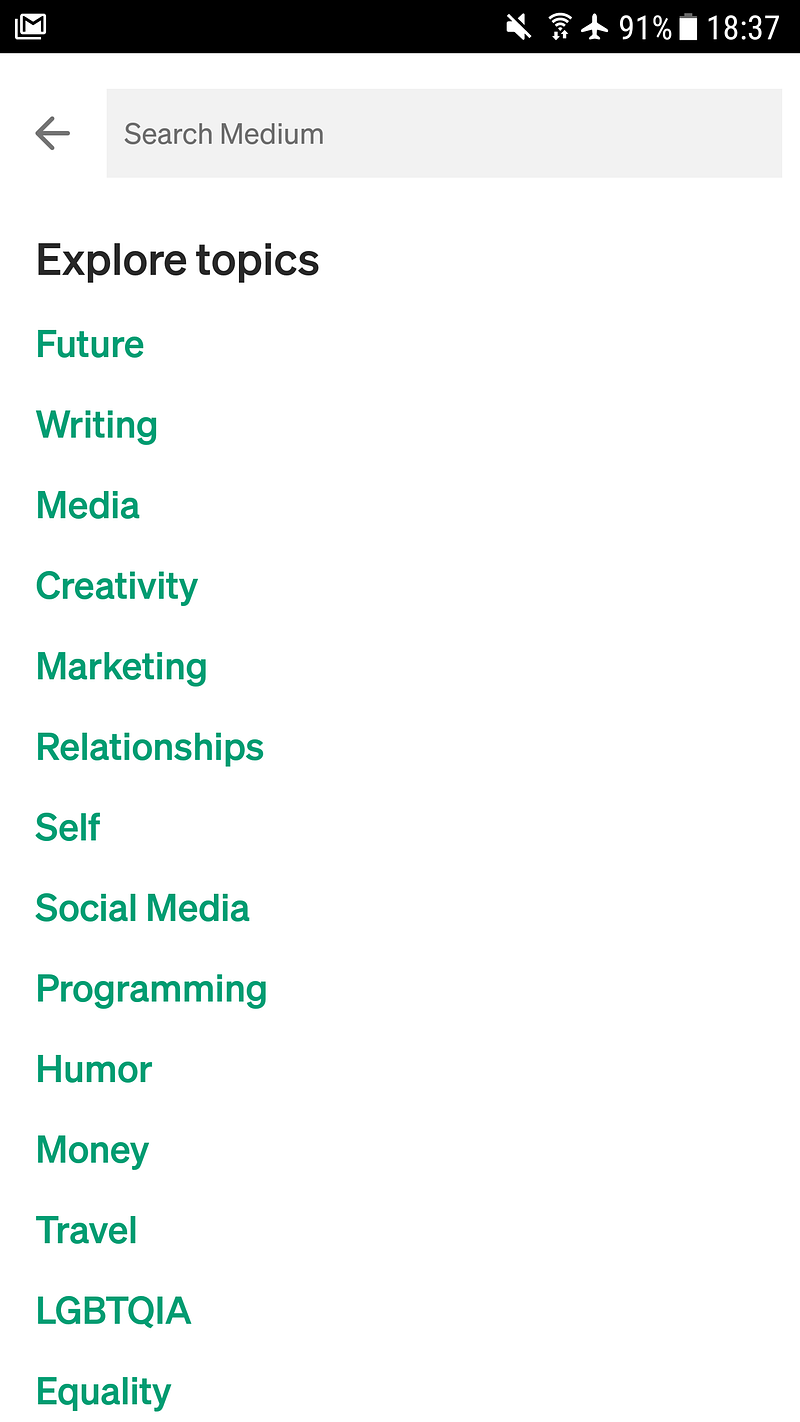
Those are the topics in which one can have their article curated. The list in the screenshot is not complete — there are over 100 topics. Once you have your list, scroll through it and guess where your article should be based on what tags you used and what it was about. For example, if you wrote an article about ‘Relationships’ and also used that tag, then that’s the topic you’ll find the article in if it was curated.
(It should also be noted that curation does not always correspond to the tags you used, but is always congruent with what you wrote about. For example, I know somebody that once got curated in Equality and Racism without actually using those tags in their article.)
Depending on when you check, your article may not be the first one listed in its relevant topic. You may have to scroll down through the articles of the topic you chose before you come across yours.
However, this method has some drawbacks. Aside from the fact that it can be time-consuming, it also makes it very difficult to find out all the topics if your article was curated in several of them. You will have to guess and use trial and error and scroll for over 10 minutes. And yes, it is possible to have the same article curated across multiple topics. I once got double-curated but I know someone who was quadruple-curated.
The second way to find out the topics in which your article was curated is also easy, though the computer code scares some people as they think you have to be a programmer to do this. You don’t. Here’s a simple explanation.
2. Right-Click Your Article and Select ‘Page Source’
The second method involves going to your article in Viewer mode — as opposed to Editor mode — and right-clicking somewhere not on an image, like so:
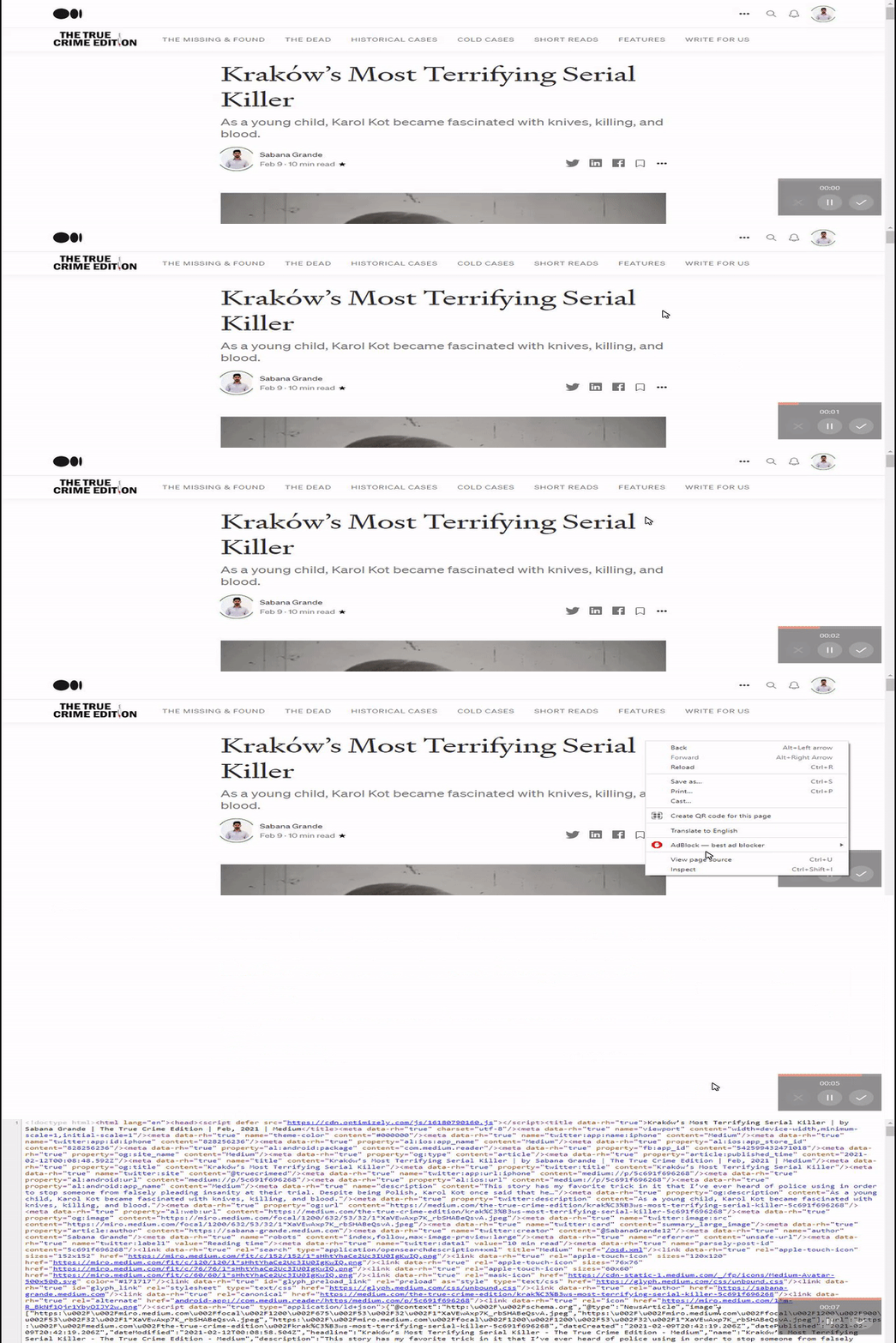
My screen does not have that weird aspect ratio. It’s just how the gif turned out. I’m slightly technologically challenged. Anyway, once you’ve right-clicked, you then select “View Page Source” and you should see a bunch of code pop up.
When that happens, you press and hold your Ctrl or Cmd button (Ctrl if you are using Windows and Cmd if you are on a Mac). While holding this button, press F.
That is known as the Control Find function and it allows you to search the entire text — which in this case is computer code — for whatever you want. You should see a little box open up somewhere on your computer screen like this:
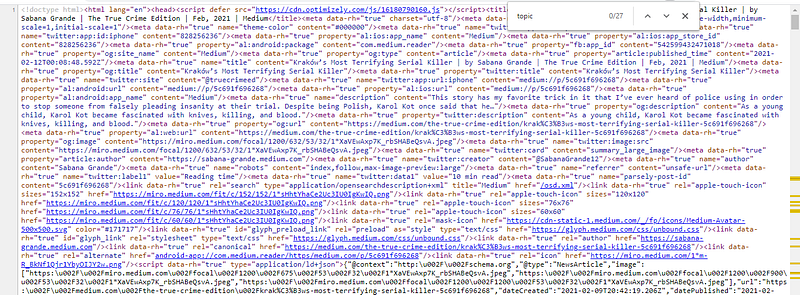
In that box — which in my case shows up in the top-right corner — you need to type in ‘topic’ without the inverted commas and then press Enter on your keyboard. This searches the entire text for every time the word topic was used. Each time you press Enter it brings you to the next mention of the word you typed into the box.
Keep pressing Enter until you see some actual topics listed beside the word ‘topic’.
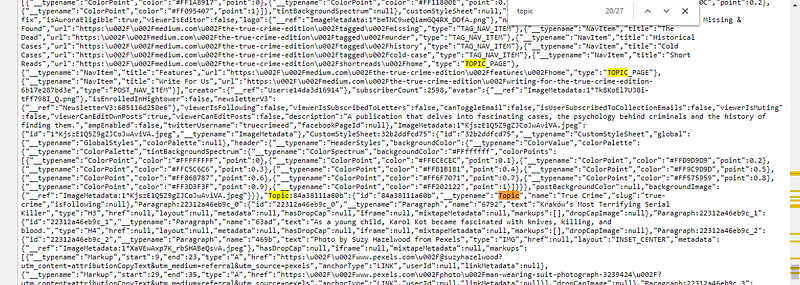
It’s usually near the bottom of the page that you will find a list of the topics the article was curated in, as you can see above. It says “True Crime” near the orange ‘Topic’ and that is what the article was curated in. If your article was curated/ distributed in several topics, they will be all there.
Sometimes, you will find the word ‘topic’ near all the tags you used for your article, so be careful to read the code in the same line to figure out whether this is a curation topic or just a list of the tags you chose for the article.
What Are the Benefits of Curation/ Further Distribution?
The quick answer is: more eyeballs on your article. Medium cannot show everyone every article that is published. Hence, they prioritize curated ones in order for readers to have the best experience.
If your article is curated near the time it was published, the curation seems to have more of a positive effect. Articles that are curated after days or weeks don’t seem to benefit from very many extra views.
Also, curated articles have other unique benefits. They sometimes receive a random second spike of views (weeks after curation) for no particularly good reason and even if they don’t get that, curated articles usually provide you with a trickle of views long after they are no longer shown prominently on your page or the page of a publication.
FAQs
Does my article need to be published in a publication in order for it to be curated by Medium?
- No. But it probably helps with visibility. Curators are human and have to find your article somehow in order to review it for curation.
Do some publications have auto-curation?
- Yes. With some publications that are Medium Partners such as The Writing Cooperative or Mind Cafe, every single article they publish gets Medium curated in at least one topic.
Does erotica get curated?
- No. Erotica never gets curated.
Can I sleep with someone as a bribe in exchange for Medium curation?
- I haven’t tried this yet but if you find out, please let me know as well.
Conclusion
Okay, aside from the last question under FAQs, this article contains everything you need to know about finding out the topics your article was curated in.
Remember that even if you are not currently getting curated by Medium, once your articles do begin to receive curation it will not change anything drastically. So don’t sweat it. Curation doesn’t have the impact it used to have, though it is still a nice privilege to get.