
How to Embed a Dailymotion Video on Medium
2 ways to include Dailymotion videos in your Medium articles
Videos are an easy way to add more engagement to your Medium article. YouTube is king when it comes to online videos, but Dailymotion also has a sizeable audience. According to their website:
Dailymotion attracts 300 million users from around the world, who watch 3.5 billion videos on its player each month.
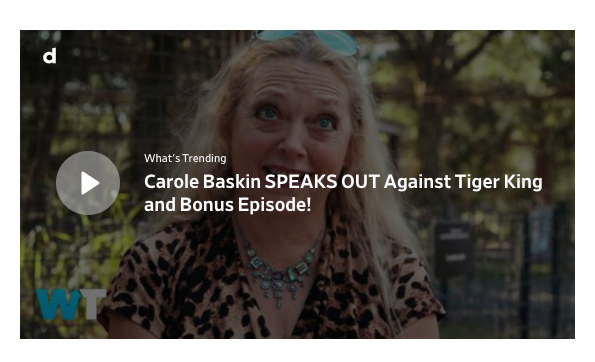
Fortunately, Medium provides an easy way to embed Dailymotion videos directly into your article. Here’s what an embedded Dailymotion video looks like:
Below are two ways you can embed a Dailymotion video on Medium.
Option 1
- Go to Dailymotion.com and find a video that suits the content of your article.
- Once you’ve found the best fitting video, click the share button.
- Click on “Copy link:”. Alternatively, you can copy the link in the address bar.
- Paste the link into your Medium article and hit Enter.
Done! The Dailymotion embed should automatically load into your article within a few seconds.
Option 2 — if Option 1 doesn’t work
If your Dailymotion video doesn’t automatically embed into Medium, follow the steps below:
- Go to the Dailymotion video you want to embed and find the Share button. Copy the link like in Option 1.
- Click the “+” button on an empty line
When you have an empty line while writing on Medium, a “+” button appears to the left:

When you click on it, some options will appear. Click on the “<>” embed button.

Doing this will give you the option to paste a link to embed content into the article.

Paste the link and hit enter and the embedded Dailymotion video should show up within a few seconds.
You should only use this option if hitting Enter doesn’t automatically embed the Dailymotion video.
Below are the supported URL formats for Dailymotion video embeds
http://*.dailymotion.com/video/*
http://*.dailymotion.com/*/video/*
Can I embed a Dailymotion user or profile?
Technically, yes. But a Dailymotion user profile embed looks like a normal hyperlink box on Medium.
Take a look at the Complete List of Embeddable Things on Medium for more ways to make your Medium article more engaging.


