How to Easily Create Amazon Low-Content Books in 90 Minutes or Less (for free!)
Here’s exactly how I built my latest passive income stream…
I’m on a mission to build 12 passive income streams in 12 months this year — one passive income stream a month.
For June, I’m taking on something I’ve thought about and learned about for years: low-content books on Amazon via Kindle Direct Publishing.
What are low-content books?
In a nutshell, it’s a book with no or low content. It can be just about anything. Think journals, planners, notebooks, coloring books, and the list goes on.
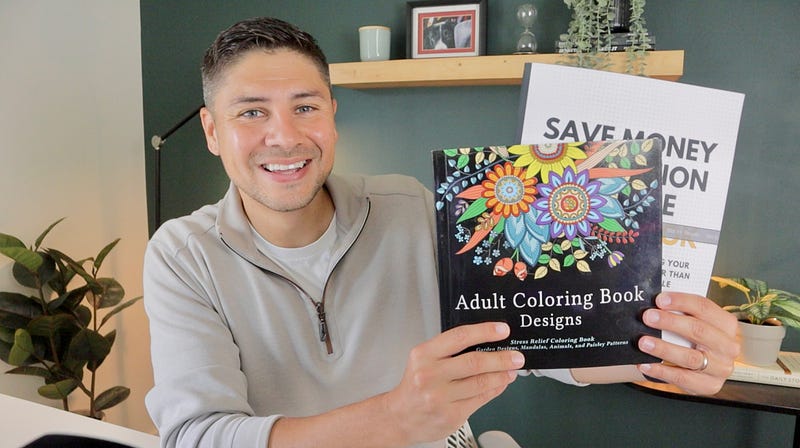
Today I’m going to share my plan and explain how I landed on my low-content book concepts. I’ll also share the resources I’m using to make my low-content books for free and I’ll even show you my first low-content book because it just arrived in the mail the other day.
My Plan
My goal this month is to create and publish 8 low-content books. So far so good. I’ve finished 3 and they are already live on Amazon. What have I made and what else am I making?
In my research, I learned it can be very difficult to break through the noise and get noticed among all the competition on Amazon for low-content books. Making these was very popular 4-5 years ago.
Instead, many creators recommended making content that’s in line with your brand and/or other books: think supplemental material.
With that in mind I reflecting on supplemental material for my 3 self-published personal finance books: The Money Resolution, Money, You Can Hack It, and Save Half, Retire Fast. My first 2 books contain 101 tips and challenges. There’s even a handy one-sheet checklist summary at the very end of each book.
This gave me an idea:
Take the tip list for each book and turn them into a companion notebook. This would give readers of the book a space to take notes, write down ideas, document their personal finance journey, and check off their accomplishments.
How to Create Low-Content Book Interior
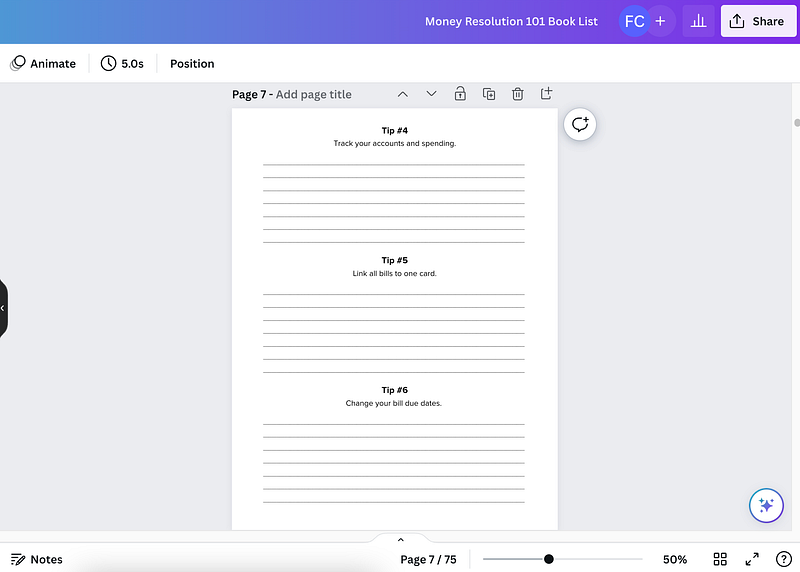
To create these, I decided to put 3 tips per page with room to write below each tip. I also added a blank notes page on the left side for extra writing space.
I used Canva to create the PDF pages and even took advantage of an offer to upgrade to Canva Pro at no charge for 30 days. This gave me more template options, one-click document resizing, and better export options that are great for printing.
Once I made one of these 75-page notebooks, I was able to duplicate it all and quickly edit the 101 tips with minimal work to make the second notebook interior.
How to Make Low-Content Book Covers
Making the notebook covers was a little more challenging but still not difficult. I wanted to keep these free to produce so I committed to making the covers myself, also in Canva.
I came across an old book cover template I designed but never used and decided to modify it. My goal was to give these low-content books a notebook feel so I changed the cover to white with a little texture in the background.
In looking at my size options in KDP I decided to go with 8.5" x 11". That’s the size of printer paper and felt like a notebook size to me. As you’ll see below, I probably could have gone a little smaller.
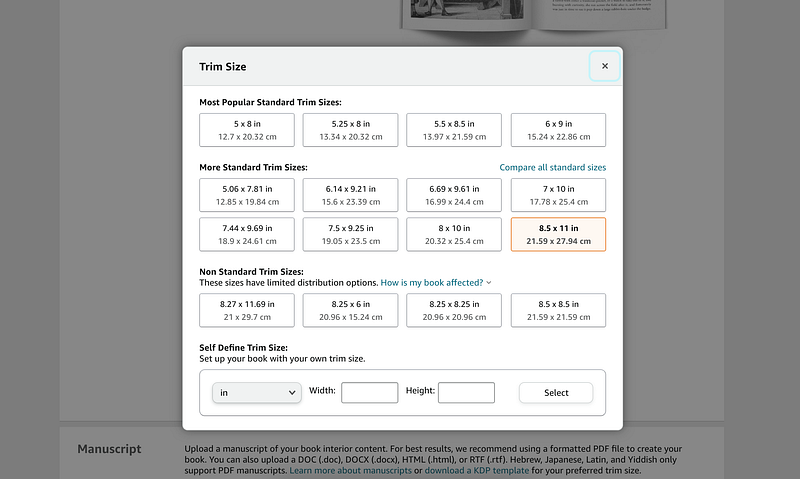
Once done, I needed to resize my cover to meet the exact requirement KDP provided and I quickly pulled together a summary for the back of the book.
Presto. Done!
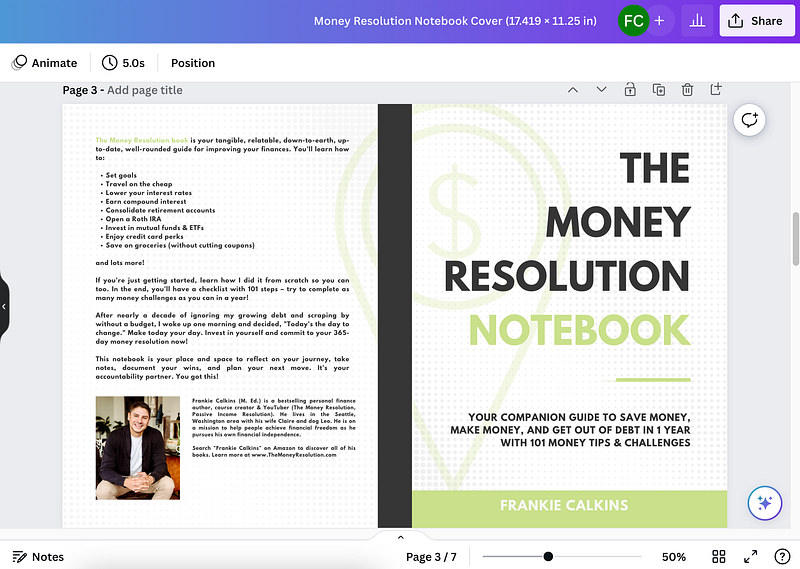
Both of my notebooks look similar overall with subtle nods to the first book on the front like colors and font location.
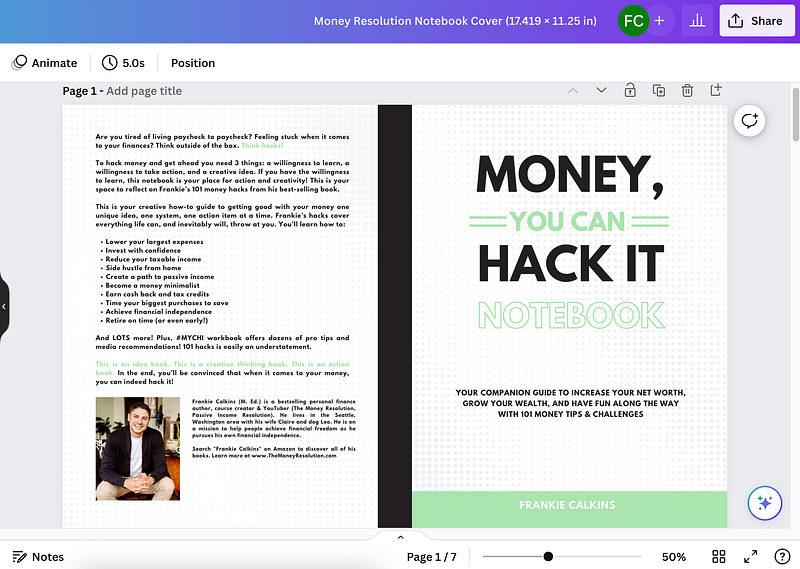
All told I spent around 3 hours making my first notebook. The second notebook took me less than 90 minutes of work to complete because I used the same exact Canva templates.
This 90-minute production time breaks out to 30 minutes on the interior, 30 minutes on the exterior, and 30 minutes on the upload process wihtin KDP.
Amazon KDP Low-Content Book Quality
The third notebook I completed is a companion workbook for my online course Save Money Resolution. I remembered my course has 15 pages that come with it digitally as a workbook but I figured there might be some people out there that would be willing to pay a few bucks to have it all printed for them in a nice bound package.
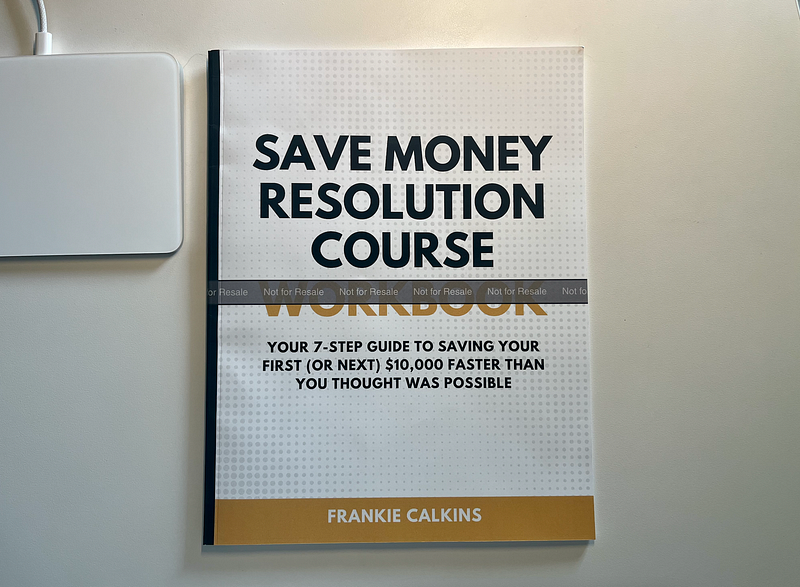
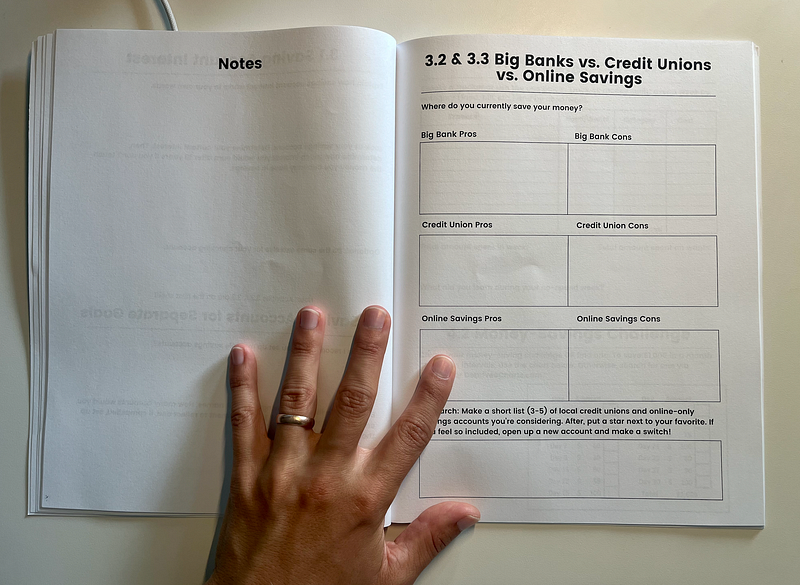
This book you see above is only 35 pages: that’s 15 pages of content, 15 blank pages for notes, and an intro and outro.
I also included a blurb about how to save 25% on my course in the front that shows up on the Amazon “Look Inside” feature — which was intentional…
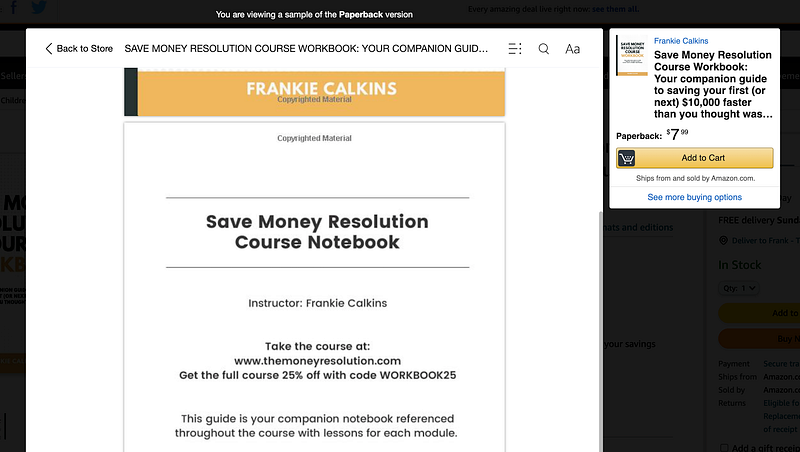
Overall, I’m super happy with how it turned out. The quality is great. I went with blank ink on white pages and matte for the cover finish instead of glossy. The pages are a good thickness so it doesn’t feel cheap.
Amazon does a great job with its Kindle Direct Publishing program. The cover colors look vibrant. The printing is fast.
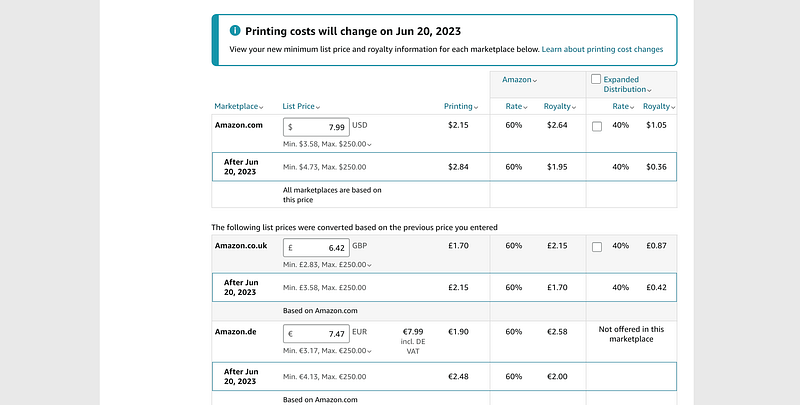
The only downside is printing costs are going up on June 20th so that is going to eat into royalties for these low-content books — but also all books for self-published authors like me, unfortunately.
When I showed the workbook to my wife she was impressed, especially for something I pulled together in 90 minutes. She said it looks exactly like a workbook you’d get in school for a class or course.
Future Low-Content Book Projects
Next for me is to make a notebook for my newest book: Save Half, Retire Fast.
After that, I want to stay in the personal finance space — at least tangentially. For example, here are some ideas I’m considering:
- monthly budget planner
- password book organizer
- spending tracker
- vision board book
- side hustle income tracker
- or a bucket list notebook
Let me know if you have a good idea for me to make next!
I definitely recommend this side hustle because there are a ton of ideas and opportunities. Plus, you can create and publish 2 or 3 in a single day if you’re committed.
It’s best for someone that’s creative and has some basic SEO knowledge so you can stand out from the crowd and show up in search results.
How Much Can You Earn from Low-Content Books?
Don’t get your expectations too high in terms of revenue. It’s a volume play. There are people out there that have published hundreds of no or low-content books, selling just a few copies a month.
On the other hand, I know someone personally that is earning a thousand or more some months passively — so that’s possible as well.
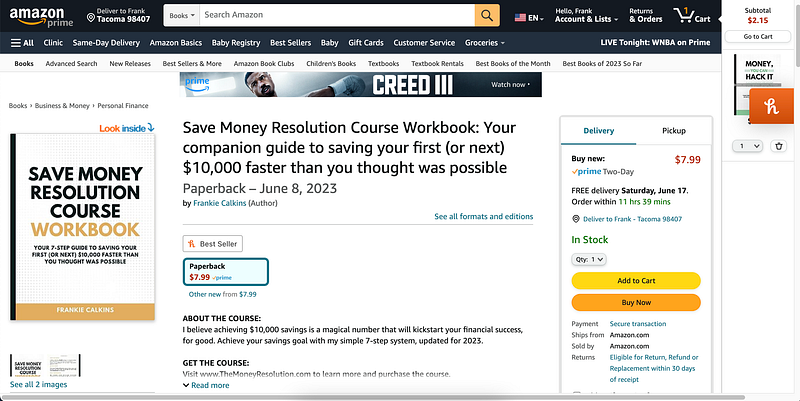
If you’re curious about my results follow to see what happens next! In the meantime, here’s a link to my Amazon author profile in case you want to see everything I make.
In my full 30-day recap article in two weeks, I’ll share a long list of ideas you can steal and I’ll have a lot more to show and tell with more tips to help you out.
Audiobook Giveaway!
Last month I took on making an audiobook and I’m happy to share that it is now live on Amazon for my third book Save Half, Retire Fast. I gave away two copies via a YouTube video. And I decided to give away another copy with today’s article.
To enter to win a copy of my audiobook narrated by yours truly, all you have to do is leave a comment on this article. Any comment will do but I get most excited about questions, virtual high fives, something you learned, or sharing what you’re working on or thinking about doing.
If you want to see how last month’s 30-day passive income project went, check out this article next. It details how I recorded that 7-hour audiobook with tips including how you can earn passive income with your voice even without your own book.
This article contains Amazon affiliate links, which means I may earn a commission if you make a purchase using these links.
Watch the video version of today’s article on YouTube here.
Wait a second. If you want to start writing on Medium yourself and earn money passively you only need a membership for $5 a month. If you sign up with my link, you support me with a part of your fee without additional costs.
Frankie Calkins (M. Ed) is a Digital Marketing Director by day. On nights and weekends, he’s an author, YouTuber, and course creator. He lives in the Seattle, Washington area. Contact: [email protected]