
How to Create a Powerful Landing Page in a Few Hours
4 Best Landing Page Builders Reviewed by a Marketer
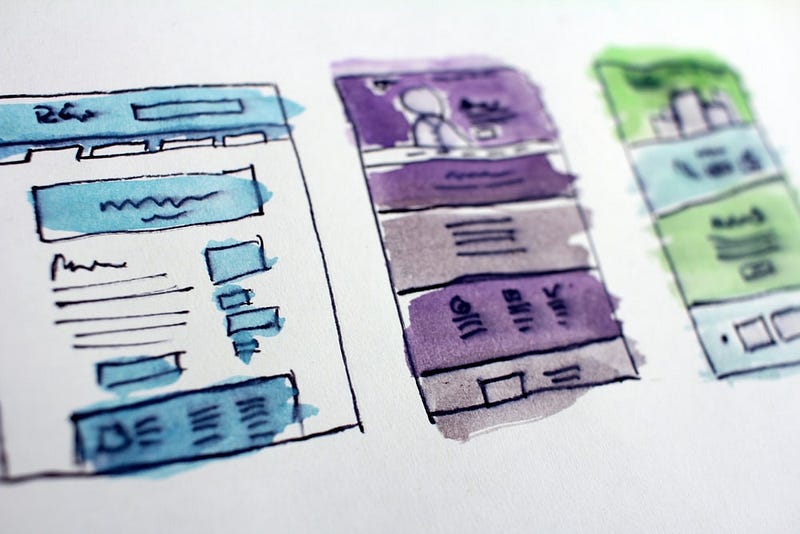
A new landing page requires at least 3 professionals working on it simultaneously — a designer, a developer, and a product manager. This setup is essential for a successful outcome. In most cases, product teams expect a prompt solution, which does not always imply time allocated for coding.
As a marketer, I often need to develop new website pages for A/B testing or advertisement. I have to be flexible enough to replace the copy, design elements, or the landing page itself if it does not perform well.
The conventional coding method is not a solution for me since I do not code. It is not my scope of work, and it is okay; I am not supposed to deal with it. However, time is money. The longer I wait for coding resources from outside, the more time is wasted.
There must be a solution. This is why I want to share my top landing page builders that help me manage my work independently from others.
4 Top Landing Page Builders for Beginners
I know there are a lot of landing page builders available online. However, I can share my expert opinion about the ones I used. Here is my humble list for you to compare various landing page builders.
1. An Intuitive Unbounce Landing Page Builder
Unbounce is an easy and user-friendly drag and drop tool that does not require technical knowledge to master how it works.
I stumbled upon the Unbounce landing page builder when I had to create multiple landing pages for my paid advertisement. If you are a marketing manager, you know how important it is to have a dedicated landing page for your ad campaigns.
I did not have designers and developers to help me create proper landing pages. Thus, I could rely on myself only. Now, I am an Unbounce user for more than 6 months.

It takes up to 4 hours for me to create a fully designed landing page with properly working forms, popups, sticky bars, etc.
Here is what I find useful in terms of Unbounce functionality.
1. You can easily create subdomains using your brand name
As an advertiser, I want to make sure my landing page URLs are clear and user-friendly. URL is what people see first, along with the ad copy and extensions. If it does not help to make the right impression, it might harm your advertisement efforts.
With Unbounce, you can easily create a subdomain for your existing website.
2. Huge design library with landing pages, popups, and sticky bars
I am not an expert in design, either. Thus, it was essential for me to find a tool with many predesigned elements and pages to choose from. This is how an Unbounce design library looks like:
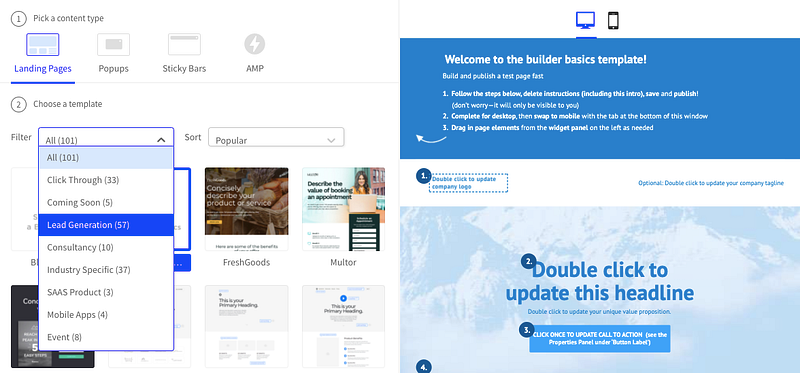
You can select among multiple templates available for websites, popups, and sticky bars. Each category has a filter, where you can see which templates are suitable for various businesses, such as lead generation, consulting services, mobile apps, events, ebooks, etc.
Upon the design selection, Unbounce will load the editor, where you can come up with the URL, edit the landing page copy, replace or add new elements, preview, and publish the page.
3. Easily insert Google Analytics, Hotjar, and Remarketing tags
You can add custom code lines to the page using the “Add new javascript” code line:
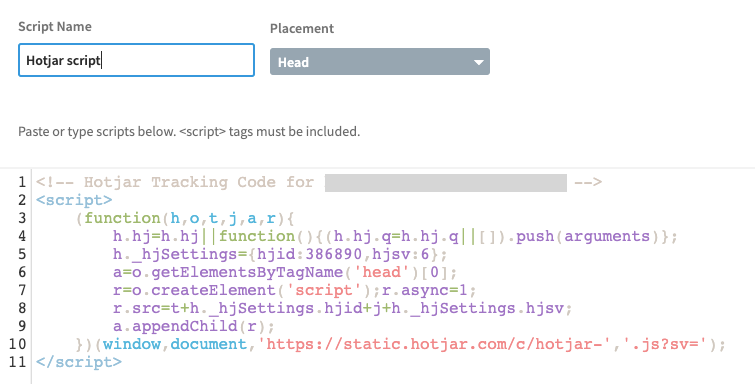
The same logic applies to all tags you might want to add: remarketing, Google Analytics, Google Tag Manager, Hubspot, drip, etc.
I copied the tracking code from Hotjar and added it to the Unbounce. From now on, my pages are being shown and tracked by Hotjar.
4. Integration with multiple online tools
I always use the Unbounce integrations to send notifications and emails to the CRM system. It is a handy functionality that saves time and facilitates the work processes.
Here is the integration library in Unbounce:
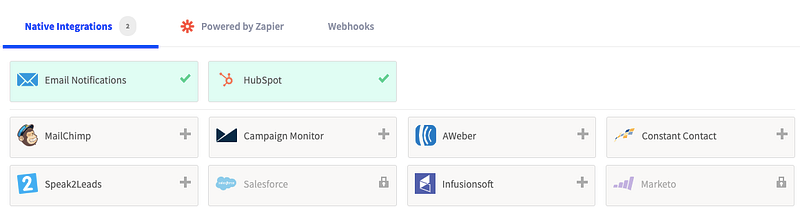
If your tool is not on the list, you can connect it via Zapier.
Important to know
If you create a subdomain for Unbounce pages, they will be considered as a part of your website. They will also be available in the Google index; you can easily check it by using the following query in search:
mysite:sitename.com
The mobile version can differ from the desktop one and might have structure and layout issues. Consider building a separate mobile version for your page if you plan to use it for advertisement.
2. Tilda Landing Page Builder Review
Tilda is an excellent solution for a personal brand page. It has multiple templates and design blocks to choose from. It is easy to use and quite intuitive. What’s even more, it’s free.
It does not cost anything to create one website from the collection of free key blocks. In the free version, your website will be available online via a custom URL, such as websitename.tilda.ws. Besides, the footer will contain the “Made with Tilda” block. You can easily remove these limitations with the paid plan.
It is ideal for individual or small business purposes.
3. Wix website builder review
A complex platform to create, design, and customize your online presence. Wix is more than a landing page builder. It is a platform with CRM functionality, free web hosting, logo maker, email campaigns design functionality, embedded analytics, etc.
Wix is free to use, but the functionality will be limited. You will have to upgrade a plan to get extra storage, connect your domain, remove Wix ads, sell online, and more.
I had a chance to create a medical website on Wix for a client. The functionality is not always intuitive. There are a lot of design templates in Wix to facilitate the whole process. However, I spent time figuring out how to ensure on-page SEO optimization and multilanguage interfaces.
Wix might be a bit complicated for newbies. However, once you learn the functionality, you can quickly build the Wix website with zero coding skills.
I helped a brand new hospital to move its local business online a year ago. We’ve built a website on Wix with basic functionality for just €75. The website has a few pages, but it attracts customers, and the client is happy!
4. Designmodo review
Designmodo is an inexpensive website bootstrap builder for those who already possess intermediate coding skills. The tool offers 300+ predesigned blocks for header, footer, testimonials, contact forms, content blog, team composition, etc.
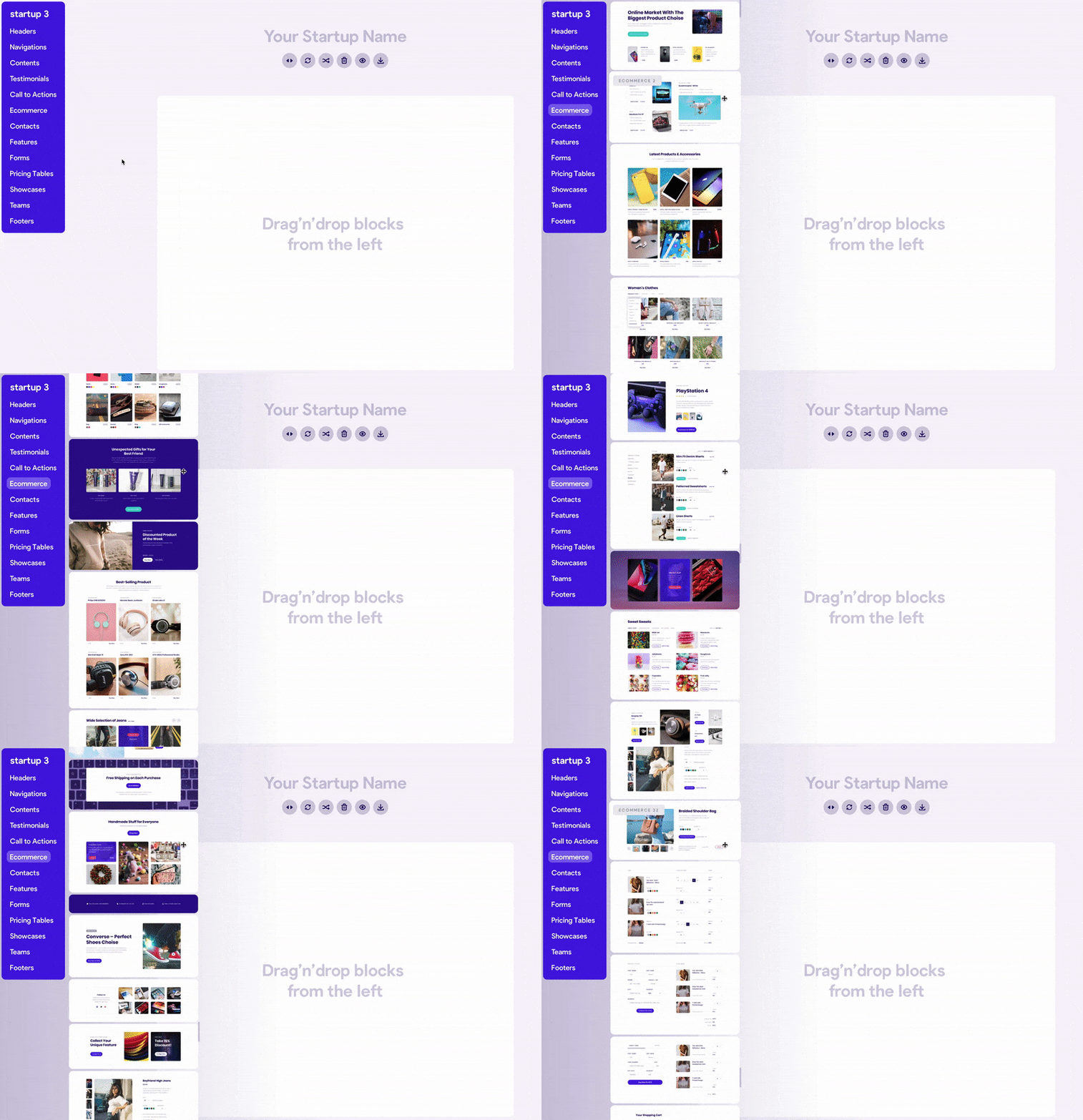
Once you set up a page structure, you can export the code, replace images, content, and you will get a fully working, mobile-friendly landing page. It takes four to five hours to set up a custom landing page. What’s next? Upload the page to your server, and it will go live.
Why Use Landing Page Builders
Time is the most useful resource we have in life. It solely depends on you how effectively you use it.
There are at least 2 ways to manage every case — a conventional and an easy one. The traditional method of website creation is the most reliable one. We’ve been using it for the last 2 decades. However, is it the most effective one? Is there anything else we can use to speed up the work?
If there is a market demand for something, there will be a business solution to cover the empty niche. Website builders are fast and affordable solutions for those who want and need to be online: businesses, entrepreneurs, solopreneurs, bloggers, big corporations, and startups.
Should you need to test multiple landing pages, run ad campaigns, manage content systems, adjust layouts or create an e-commerce website — with drag and drop tools, everyone can now become a creator in a matter of minutes.
Some links I used in the article are affiliate links. It means you will get a special offer for mentioned products or services, while I will get a small commission from your purchase.


