
How to Easily Add Audio to Your Medium Stories
Just Hit Record!
One of the best ways to help your stories stand out on Medium is to add some audio to the mix.
Adding an audio element with your own voice personalizes your story and lets readers get to know you better and helps you forge a stronger bond with them.
It also helps you stand out since most people don’t bother to add this element to their stories.
Now you may be thinking, I can’t do audio, the tech is too hard. But never fear, I’m going to show you how very easy it is and best of all everything is free!
All you need is your phone, the free Rev Voice Recorder app, a free SoundCloud account and a free Canva account.
Here’s how you do it.
- Record yourself on your iPhone or Android phone using the free Rev Voice Recorder app and your wired earphones.
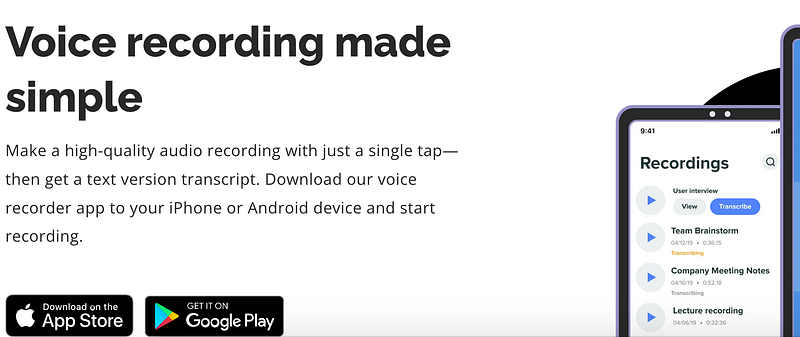
- Save the file and send it to yourself via email. Download the audio file to your computer.
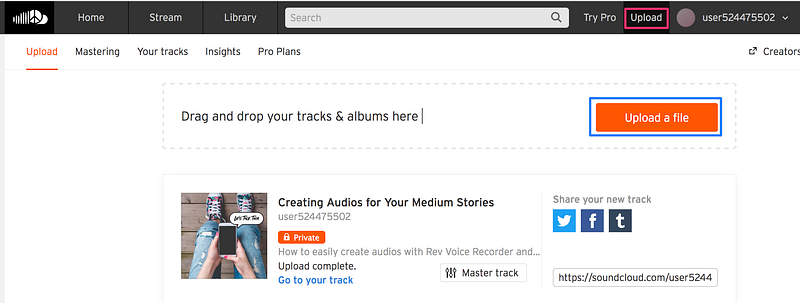
Go to SoundCloud.com and open a free account by selecting Create Account from the top menu.
- Add your audio file by dragging and dropping or click on Upload.
- Add the Basic info for your audio: title, genre and description.
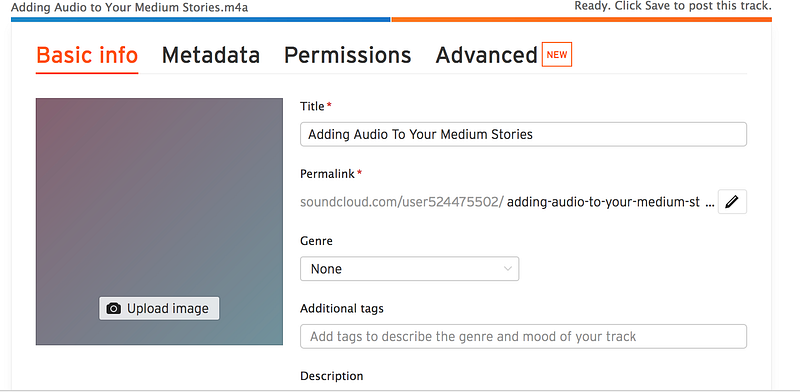
- Upload a cover image (see how to create a cover in Canva below) and then Save your file.
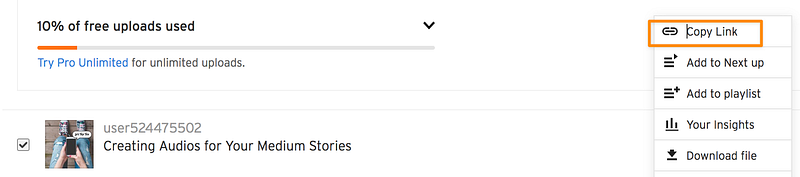
- Copy the Share link and just paste it into your Medium story.
Create a Cover for your audio in Canva.
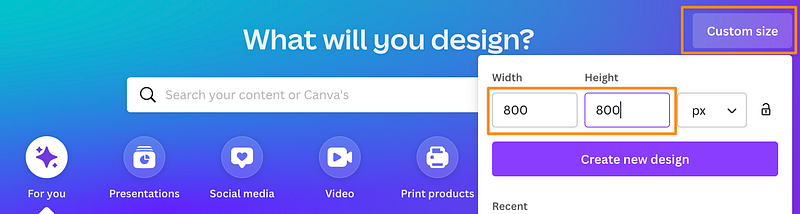
- Create a new custom design for your audio cover sized at 800 x 800 pixels.
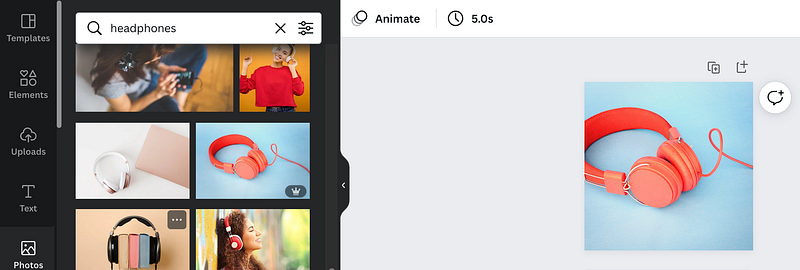
- Select a photo you like by using the search bar to enter keywords.
- Download the image as a .png file.
Example of the finished product
Here’s an audio I recorded for this story as an example for you. Click on the image to listen to my recording.
Final thoughts
You can record all kinds of audios to share in your stories such as:
- audio blogs
- meditations
- visualizations
- affirmations
- daily messages
- your original music and songs
- etc.
You are only limited by your own imagination.
And after you’ve got everything set up, it’s easy to create and share new audio recordings whenever you want.
Key Message: All you need is the courage to take action and step out of your comfort zone.
So just start recording!
Linda Locke is a writer and mentor/teacher. She lives in Southern California in Ventura County by the coast with her husband and lots and lots of books. Want to become more visible as a writer on Medium? Here’s how!
If you liked this story and want to see more of my work, follow me here.


