
How to drastically reduce the number of reads when no documents are changed in Firestore?
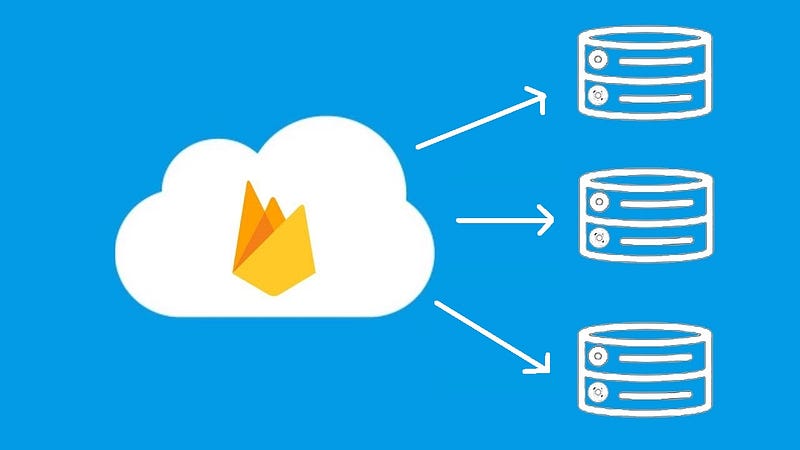
As a constant contributor on Stackoverflow, I’ve seen many questions regarding the way Firestore charges the read operations, so I’ve decided to write this article to provide a little more information. I’ll also explain a workaround that is useful if you want to drastically reduce the number of reads when no documents are changed on the Firebase servers.
Understand the Firestore billing mechanism
When we are using Cloud Firestore, we are charged for the number of reads, writes, and deletes that we perform. In this article, I’ll only talk about the reads. So we are charged with a read operation each time a document in the result set is added or updated. There is also a charge of one document read, even if the query yields no documents. But let’s take a concrete example for a better understanding.
Suppose we have an Android/iOS application for an online store. Each category of products is represented by a collection of documents. Let’s assume we have a collection that contains 50 products. When we perform a query against this collection using a get() call, the price that we’ll have to pay is equal to the number of documents that are returned. Now, there are two situations:
- When the user has internet connectivity and the data will be read from the server. In this situation, the user will have to pay 50 reads.
- When for some reason the user goes offline and the data will be read from the local cache. In this situation, there are no costs. This is possible because, for Android and iOS, offline persistence is enabled by default.
Let’s assume we have the following scenario. A user opens the app and selects the category with 50 products. Obviously, the number of reads that should be paid is 50. The user closes the app, waits a small amount of time while no documents are added or updated on the server, and opens the app again.
What do you think is the number of reads that should be paid?
The answer is 50. You might wonder, why should I pay those 50 reads again, since no documents were added or changed on the server? Well, the answer is quite simple. In order to provide up-to-date data, the Firestore SDK needs to check the online version of the documents against the cached one. That’s the reason why we are charged with new 50 reads, regardless of what exists in the cache or if something is changed or not on the server.
Is there a way we can avoid that?
Sure it is. We can use a SnapshotListener, meaning that we can listen for changes in real-time. Every time something is added or changed on the server, we are charged with one read operation. Basically, we pay 50 reads once we attach the listener and one read for each addition or update of a document. However, if the listener is disconnected for more than 30 minutes, we’ll be charged for reads as if we had issued a brand-new query. In the worst-case scenario, if the listener is disconnected every 31 minutes, we pay 50 reads each time. So this solution is feasible only when the listener is not often disconnected.
Can we reduce the number of reads using get()?
Yes, we can. Starting with the Cloud Firestore version 16.0.0, it was added the ability to control whether Query.get() should fetch data from the server only, or from the cache only. So to answer the question, we need a two-step operation. First of all, we need to add a new property named lastModified of type Date, in each and every document in the collection. When we add a new document or we change an existing one, we should set/update the value of the field with FieldValue.serverTimestamp().
The first step in the operation is to get all the documents in the entire collection. This query is needed because we have to create the local cache first. Let’s get all documents having the newly added document first.
How can we know if the cache was already created or not?
Simply, by performing the query and passing the Source.CACHE as an argument to the get() method. If the query returns no results, it means that the cache was not already created and we have to perform the online version of the query.
Source CACHE = Source.CACHE;
Source SERVER = Source.SERVER;
Query.Direction DESCENDING = Query.Direction.DESCENDING;

FirebaseFirestore db = FirebaseFirestore.getInstance();
CollectionReference shoesRef = db.collection("shoes");
Query lastAddedQuery = shoesRef.orderBy("lastModified", DESCENDING)
shoesRef.get(CACHE).addOnCompleteListener(task -> {
    if (task.isSuccessful()) {
        boolean isEmpty = task.getResult().isEmpty();
        if (isEmpty) {
            shoesRef.get(SERVER).addOnCompleteListener(/* ... */);
        }
    }
});
As soon as the cache is created, there is an important operation that we need to do, we need to find the most recent document that was added to the collection. Once we find that document, we need to store the value of its lastModified field in SharedPreferences (in Android) or any other structure that can allow us to reuse the saved value, the next time we open the app. We do that, so we can perform a query that can return only the documents that are newer than the saved date. Meaning that the next time we perform the query, we’ll only get the documents that are new or the documents that were changed. In this way, we can always refresh the cache with fresh data. The query should look like this:
Query query = shoesRef.orderBy("lastModified", DESCENDING)
                      .whereGreaterThan("lastModified", savedDate);
If nothing is added or changed on the server, the query will return no documents, so we’ll pay only for a single read operation. Obviously, it’s much better than paying 50 reads. Once the query is complete, we can display the data in the UI. Remember, the data is always displayed from the cache. This is considered the second step in the operation.
How about pagination?
When we are not using pagination, we are only saving the value of the lastModified property. However, in the case of pagination, we also need to save the last visible document that was displayed the last time the app was open. It can be a DocumentSnapshot object or why not, any other field type on which we do the ordering. This object should be passed to the endAt() method. In this case, the query should look like this:
Query query = shoesRef.orderBy("lastModified", DESCENDING)
                      .endAt(lastVisibleSavedDocumentSnapshot)
                      .whereGreaterThan("lastModified", savedDate);
So basically we are only interested in the documents that were newly added or updated until the last document that was seen.
As a general conclusion, unless we are offline, or we are explicitly querying the cache, as explained above, we are always charged for all results that come from the Firebase servers.
This is how we can drastically reduce the number of reads by displaying the data in the UI ONLY from the cache.
If you wanna support me, please join me!
#BetterTogether🔥


