
How to deploy your web framework or library to AWS S3 bucket
As you may know AWS S3 buckets can be used for hosting static websites. Setting up such a bucket via the AWS web console takes in retrospect few minutes but there are few steps to take into consideration that sometimes get’s omitted into typical guide thus I hope this guide helps you.
My example is with VueJS but the framework/library you choose plays no difference as all of them have npm build command for deployment and you should get a build or dist directory.
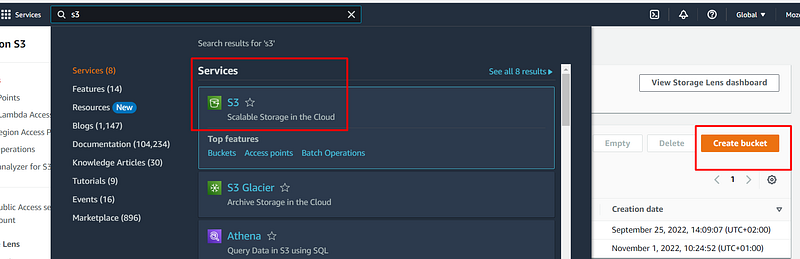
Creating a S3 bucket
If you haven’t created your AWS account yet register here the first year it is free of charge.
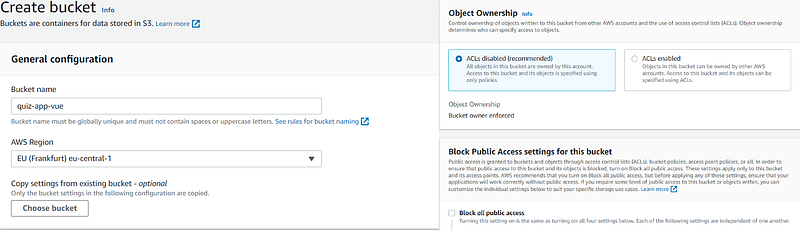
For configurations it’s dead simple:
- Name your bucket
- Select your region
- Object ownership ACL(enable you to manage access to S3 buckets and objects) disable.
- Block Public Access uncheck it
Objects & Properties
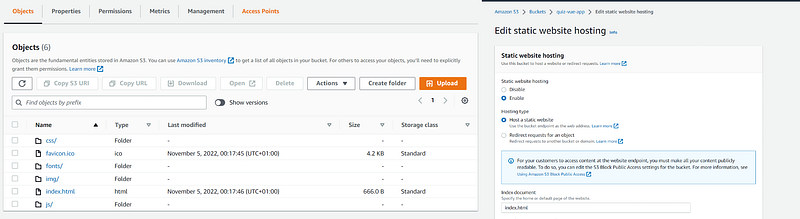
Ones created go to your React, Vue, Angular, Svelte etc web app and run npm build and upload or drag the files in the Objects section.
Next up in properties in the far bottom the index document add index.html.
Permissions
The app will run without setting up permissions but most likely you will run into something like this. 👇
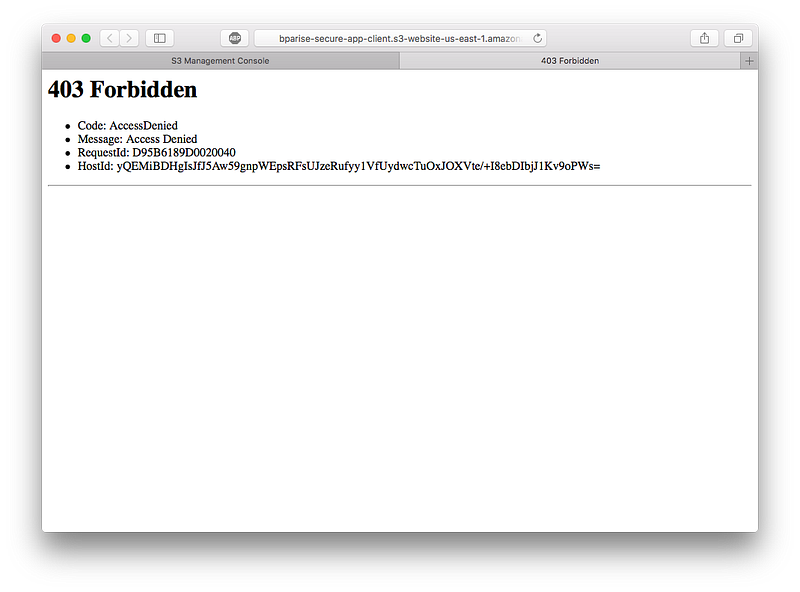
To solve it permission section should be adjusted.
- In the permission section Block public access (bucket settings) unmark it.
- Bucket policy has to be edited based on your bucket name etc and adding allow settings. My S3 bucket policy looks like this.
{
    "Version": "2012-10-17",
    "Statement": [
        {
            "Sid": "PublicReadGetObject",
            "Effect": "Allow",
            "Principal": "*",
            "Action": [
                "s3:PutObject",
                "s3:PutObjectAcl",
                "s3:GetObject",
                "s3:GetObjectAcl",
                "s3:DeleteObject"
            ],
            "Resource": "arn:aws:s3:::quiz-vue-app/*"
        }
    ]
}
In Action section I needed Put, Get etc Objects. You can read more about it here. The Resource section in the value set your S3 bucket name as mine is defined quiz-vue-app. For more info regarding permission's check here.
Identity and Access Management (IAM)
Last up IAM I followed a guide about S3 deployment but it omitted IAM here is why it’s essential to set it up as well.
Loading data from an Amazon Simple Storage Service (Amazon S3) bucket requires an AWS Identity and Access Management (IAM) role that has access to the bucket.

I have set my users as GithubDeploy for automatic deployment with Github Actions but more on that on the next article. IAM gets really powerfull in cases like these. The Action section in the above bucket policy is in relation to IAM for more about it it can be read here. After all is done in the S3 bucket bottom of the properties you will see a external link that should work.
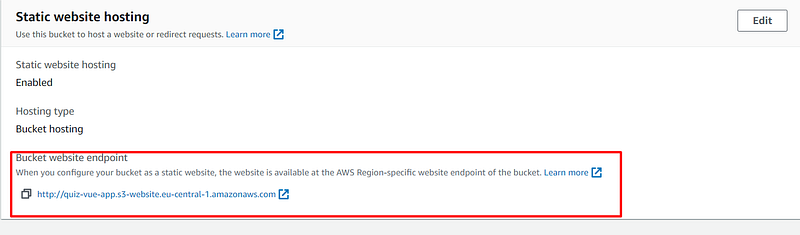
And that’s how it’s done there are other options like AWS Amplify but decided to start simple and slowly increase my knowledge about AWS, DevOps and share it with the community. I plan to get a book to get more insight on AWS as it has fast amount of services and want to simplify it as much as posible. Bellow you can my S3 bucket and luckily its free of charge(for now)!


