
How to Customize Prompts in Readwise Reader to Automate Information Processing?
Combat “information overload” efficiently with this indispensable tool.

Pain Point
If you’re a teacher, student, or professional juggling vast amounts of knowledge, you’re likely familiar with the struggle against information overload.
It’s not merely the sheer volume of information that complicates matters, but also the diversity of types and sources it comes from. This variety often leaves you scrambling to collate, search, and utilize data efficiently while digesting significant amounts daily. Below is an illustration commissioned from AI depicting this challenge of information overload. Do take a moment to reflect on it.

The image poignantly captures the anxiety and helplessness that knowledge workers often experience amid an influx of varied information.
Is there a viable solution to this dilemma?
Tool
Yes, indeed.
Recall my previous guide, “From Highlights to Output: How to Use Readwise to Optimize Your Reading and Note-taking Workflow in One Stop.”
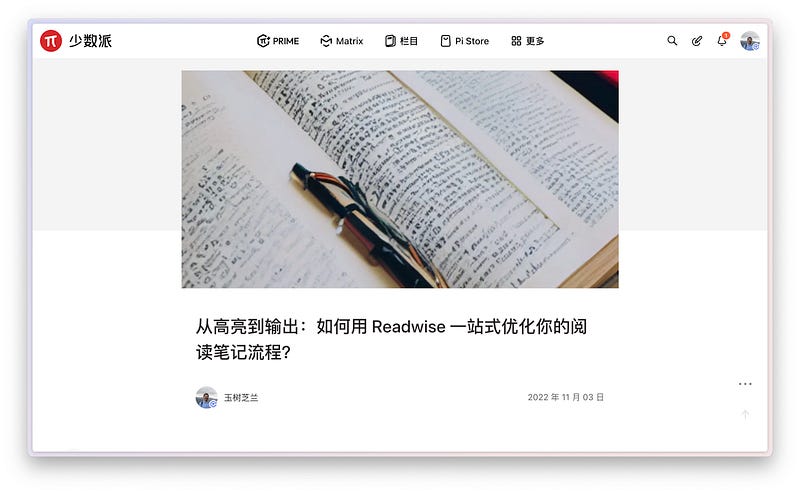
There, I introduced the Readwise app, a fantastic tool that serves as a bridge between absorbing and processing information, thus enhancing workflow efficiency. I’ve been using the Readwise Reader feature to manage various types of new information. Below is a screenshot from Readwise Reader’s left sidebar, illustrating this.
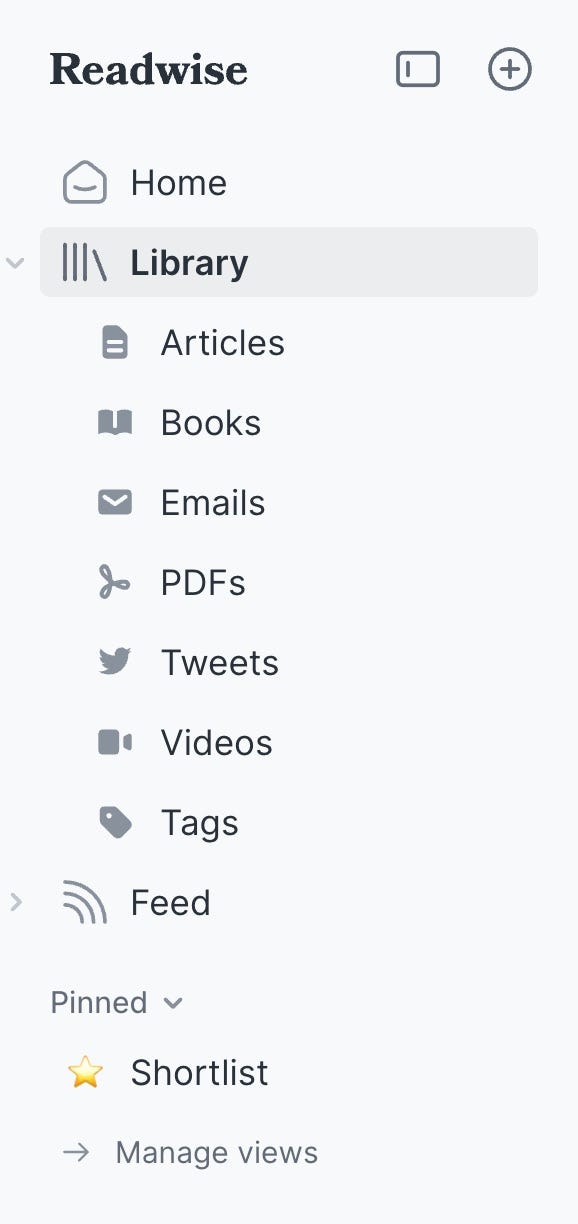
You’ll notice how Readwise Reader categorizes incoming data — the “Articles” section, for instance, automatically sorts articles gathered via Instapaper, Pocket, or Readwise’s own extension.
It efficiently handles various data types, from eBooks and emails to PDFs, and even Twitter feeds and videos. Many users also enjoy the convenience of saving YouTube videos directly to Readwise Reader for gradual consumption.
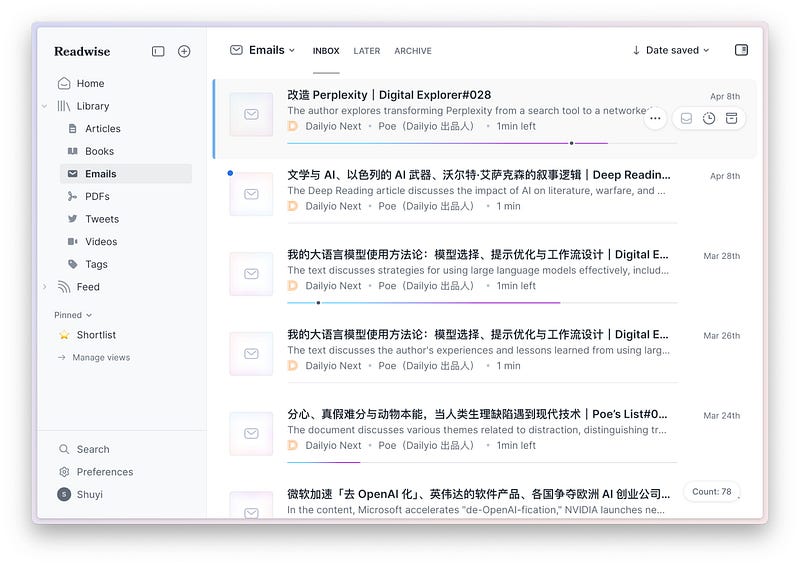
As an example, let’s consider email management. I often receive emails requiring thorough reading, but lack immediate time to address them. I simply forward these to my unique Readwise email address, and they are automatically collected in Readwise Reader.
Below, you can see several emails I’ve recently forwarded, coming from Mr. Zhao Saipo’s Dailyio email subscription.
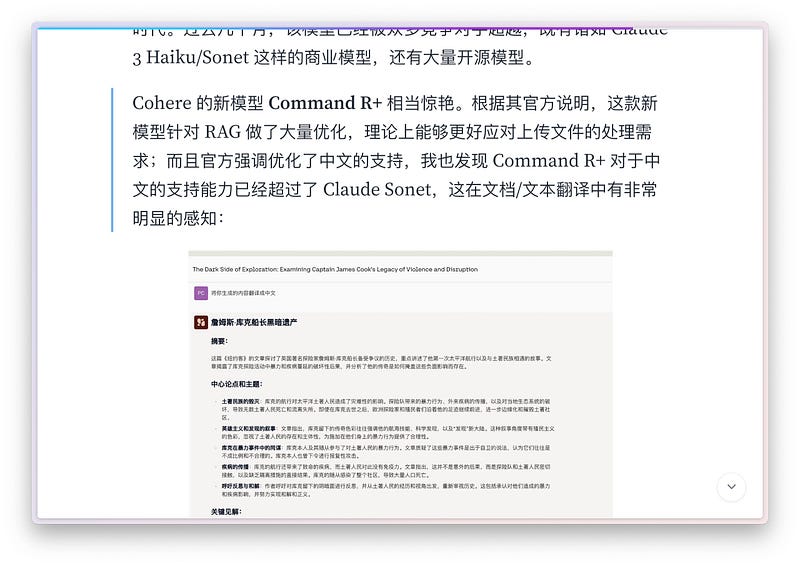
Here’s a snapshot from one of Mr. Zhao’s recent emails discussing Cohere’s new model Command R+.
Understanding grows through active engagement such as highlighting and annotating while reading. Intriguingly, any highlights and annotations you make can be directly synced to your Heptabase, which I often describe as my “second brain.” Heptabase is an essential part of my intellectual toolkit.
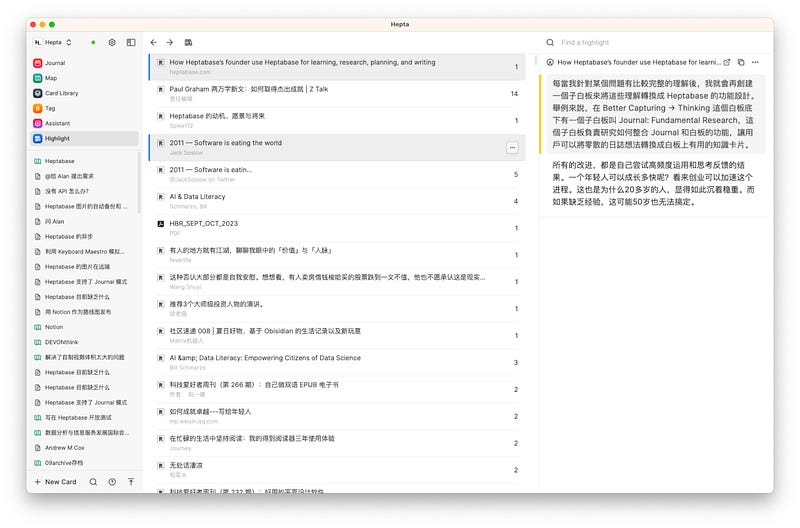
In Heptabase, there’s a section for Highlights where your interactions in Readwise Reader are automatically collected as indexable cards. A single click on any card’s link takes you directly back to the source in Readwise Reader, fulfilling a seamless integration between collection and review. Isn’t it simplistically brilliant?
Regret
However, there was a regret regarding the initial capabilities of Readwise Reader.
Readwise Reader featured a tool called Ghost Reader, intended for AI-driven summarization of articles. Typically, upon adding a document to Readwise Reader, it would generate a summary on the right sidebar. While promising in theory, the Ghost Reader often produced disappointingly brief, unpersonalized summaries predominantly in English, which significantly constrained its utility for many users.
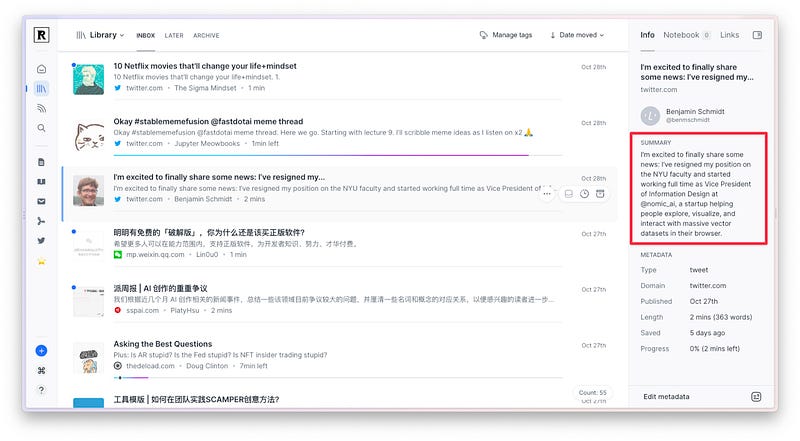
From this visual, you can perceive why users might have been let down by the nascent summary outputs — the brevity and lack of detail undercut the tool’s potential effectiveness.
Update
Nonetheless, Readwise Reader has undergone a recent enhancement. On April 6th, an update notice was emailed to all users, spotlighting a new functionality.
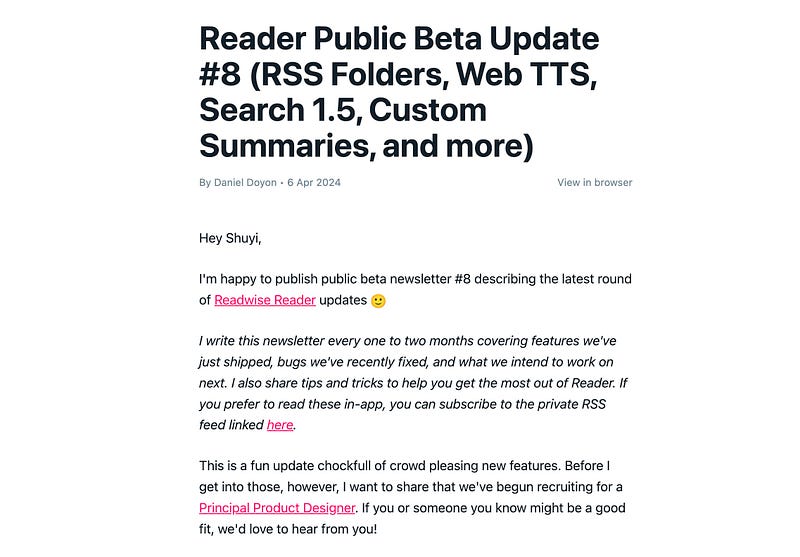
The update heralded the customization of the Ghost Reader summary tool.
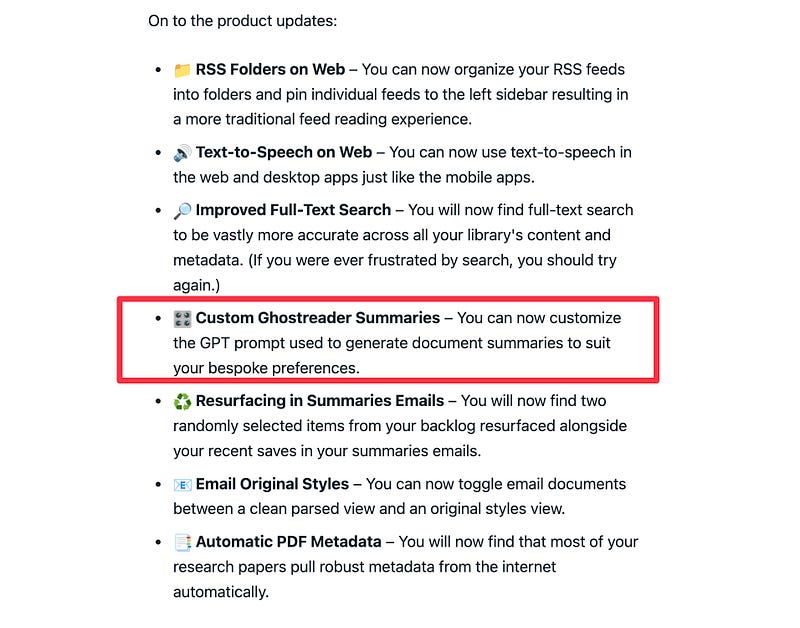
This “customizability” is detailed further within the update email. Readwise Reader now allows users to modify the prompt and also offers a default template as a starting point.
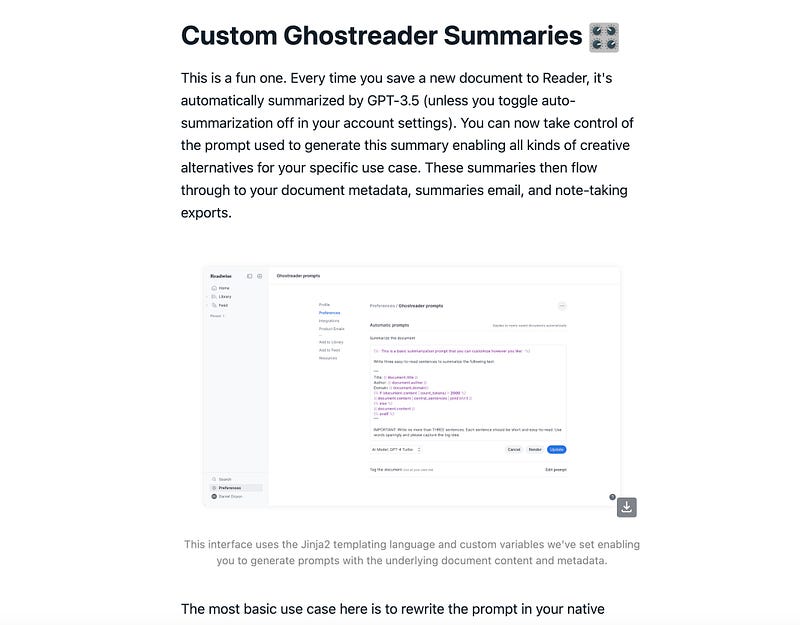
Additionally, the email highlights the option for users to craft prompts in their native language, enhancing accessibility and personal relevance.
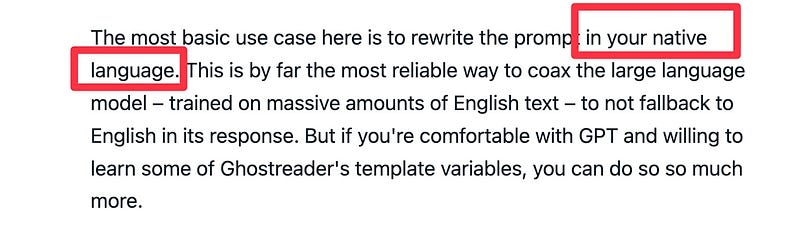
Initially, I wasn’t overly excited — until I noticed the enthusiasm among some colleagues.
Excited
Take Lv Liqing, for example, whose excitement is palpable. He hailed the update as an “epic improvement” for Readwise Reader.

His exuberance piqued my curiosity, prompting me to explore these new settings in Readwise Reader.
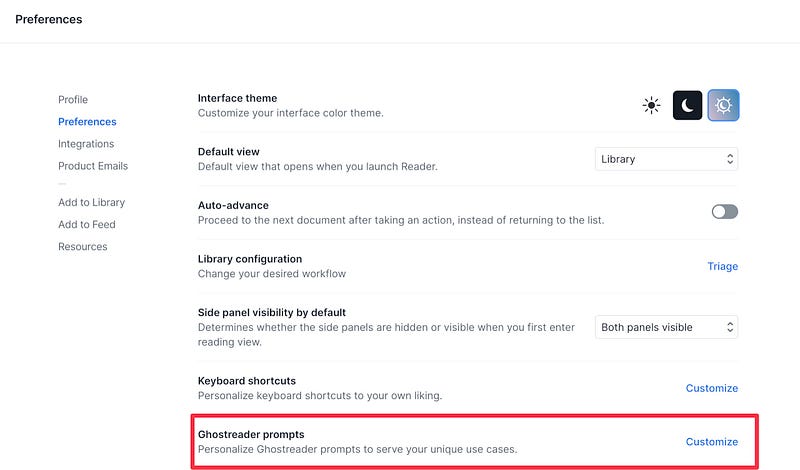
Shown here within the red box is the interface for setting personalized prompts in Readwise Reader.
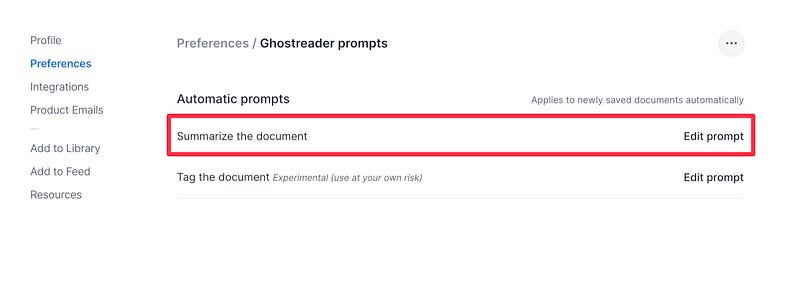
Here, you can see two sections — one for document summary prompts, and another for document tag prompts. The latter is still experimental, so I’ve decided to prioritize the former for now.
Before modifying, I wisely archived the default prompt as a precaution, as shown below.
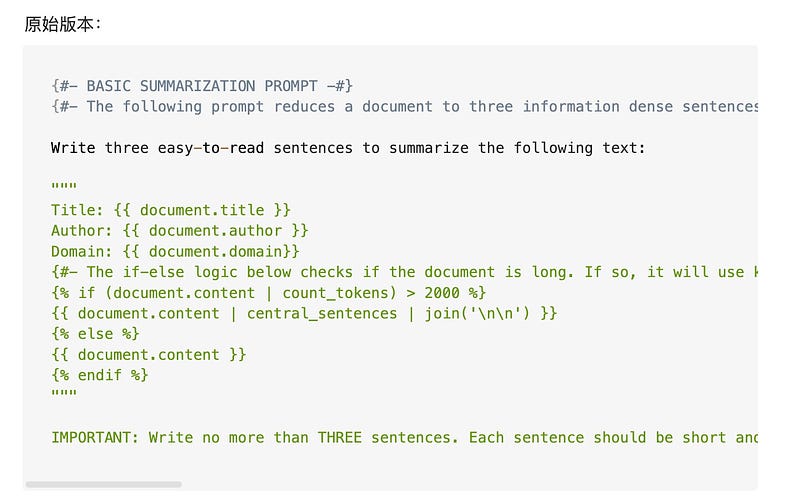
Preserving an original setting before modification is often prudent — it’s akin to having an “undo option” in many digital tools.
After reviewing the initial template, I found it unnecessarily complex and nearly overlooked this key update.
Fortunately, an insightful article soon caught my eye.
Usage
The article, penned by Raymond, focuses on customizing Readwise Reader prompts — a vital tool for personalized data comprehension.
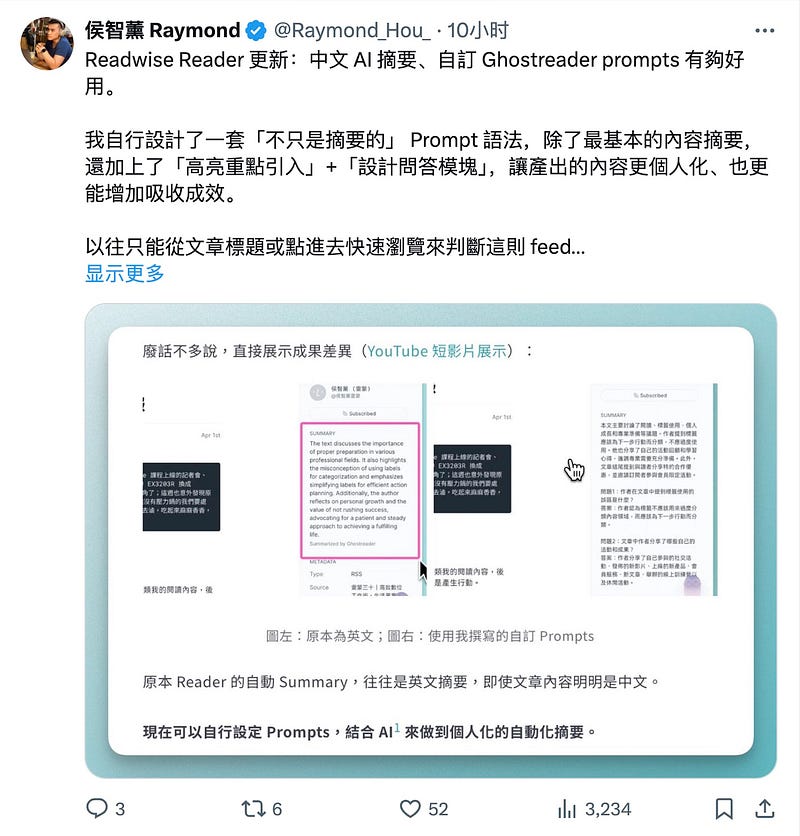
Raymond contrasts the original system-generated summary (brief and largely ineffective) with his detailed, enriched custom version in his preferred language, enhancing clarity and engagement.
The dynamic shift in summary quality inspired me to revisit and refine the prompt settings. Here’s a glance at Raymond’s innovative prompt:
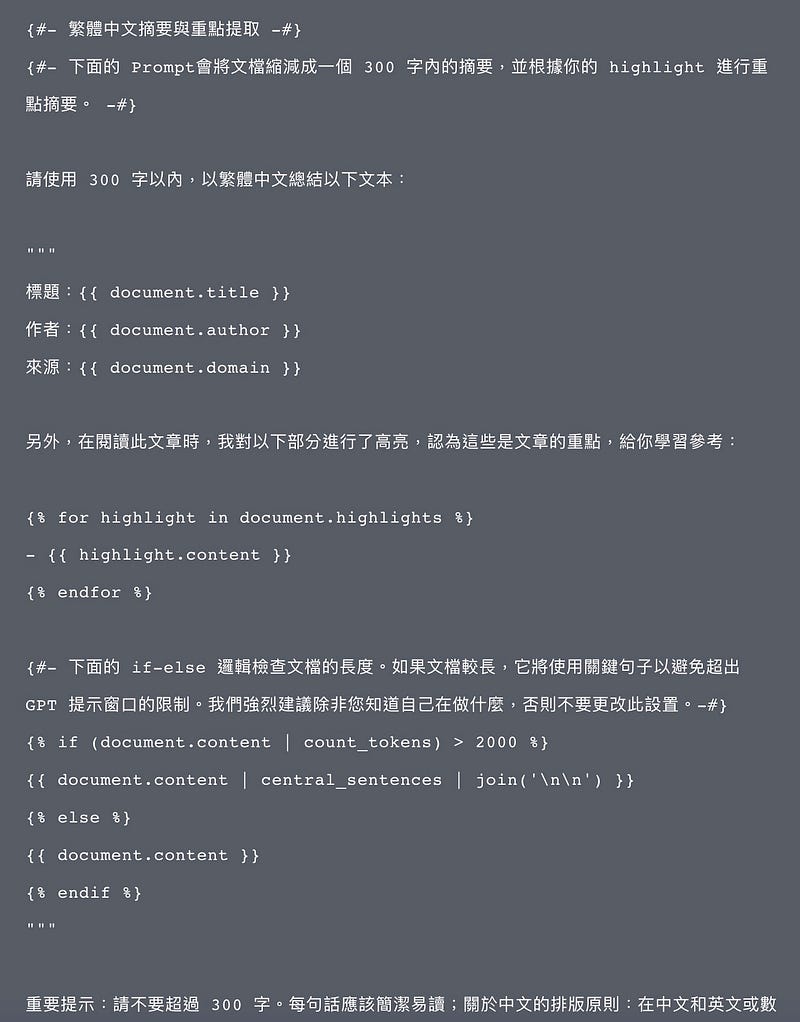
His approach smartly incorporates highlighted content, emphasizing key article themes for a richer reading experience. He suggests:
“While reading this article, I highlighted the following parts, which I believe capture the essence of the content for your reference.”
This prompt structure is particularly effective as it aligns the summary with personalized interpretation and insight, reflecting an individual’s unique perspective.
Given the ease tailored prompts offer, I delegated the adjustments to Claude 3 Opus, an advanced AI, to fine-tune the text to my preferences.
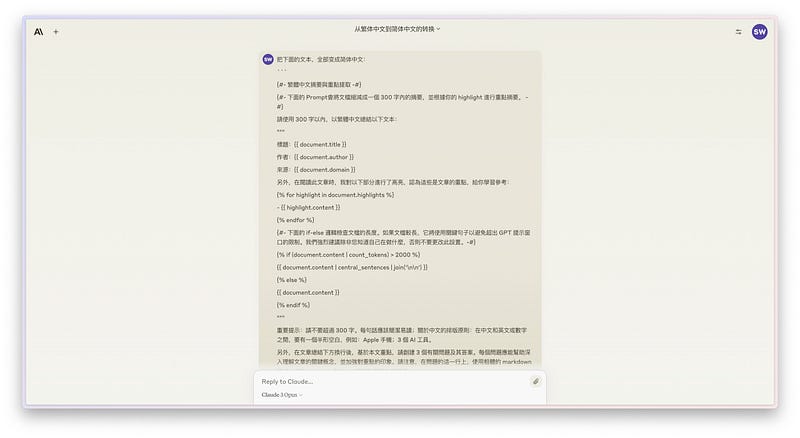
Claude 3 Opus not only adapted the prompt to simplified Chinese but also tweaked certain textual elements, enhancing the prompt’s relevance and precision.
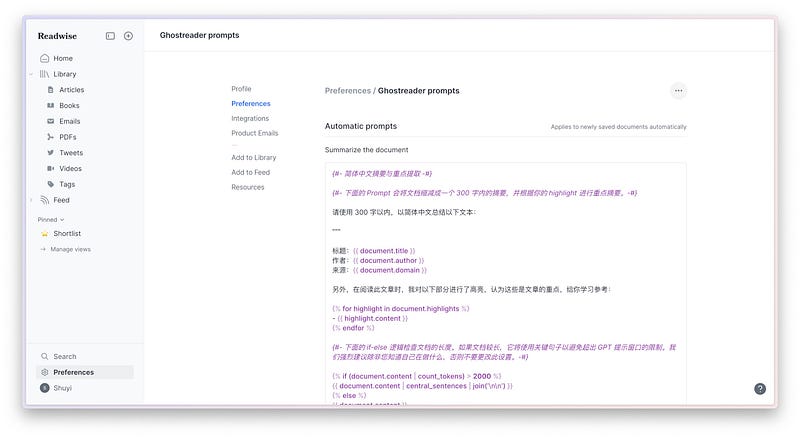
The tailored prompt was seamlessly integrated into Readwise Reader, ready for action.
Test
Now, let’s put it to the test. I revisited an article from a WeChat public account, which I had highlighted previously.
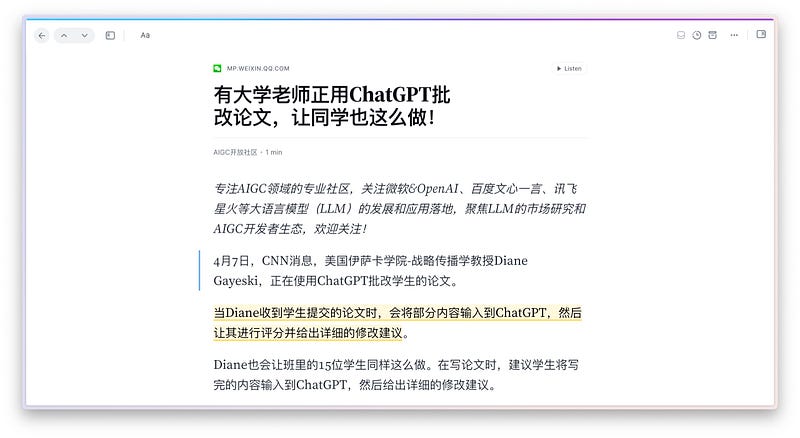
Prior to the customization, Readwise Reader’s summary was superficial:
“ChatGPT is being integrated into teaching”
Clearly inadequate for such a nuanced article. The original summary tool had indeed been underwhelming.
Upon activating the customized summary, the transformation was evident, as illustrated below.
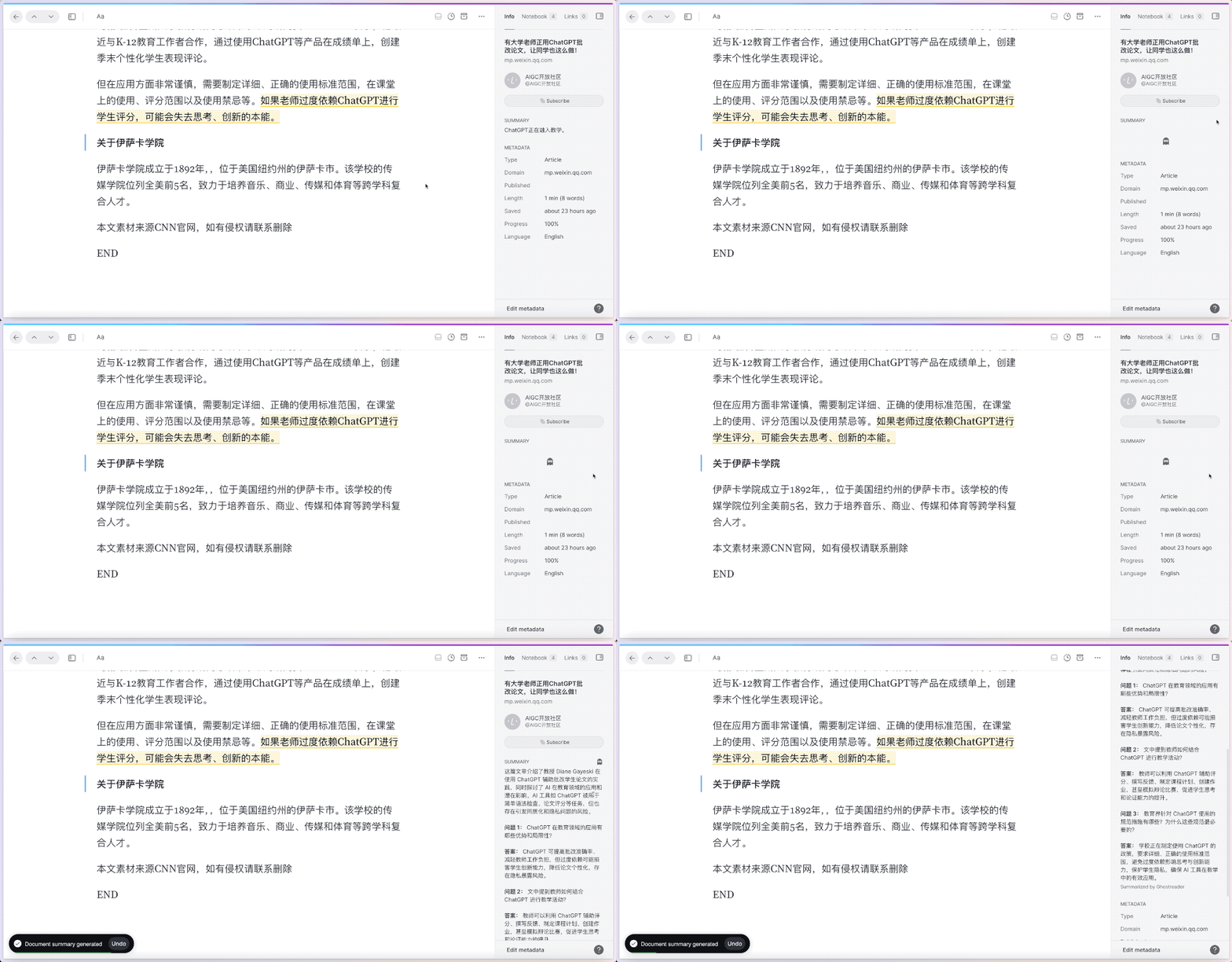
Readwise Reader, applying the revised prompt, produced a far more comprehensive and insightful summary:
“This article explores Professor Diane Gayeski’s innovative use of ChatGPT in student paper assessments, discussing AI’s potential impact and applications within education. ChatGPT aids in tasks ranging from grammar checks to paper evaluations, yet raises concerns regarding uniformity and privacy.”
The enhanced summary delved deeper, posing pertinent questions and providing thoughtful answers based on the article’s content. Here I’ll share just the first of these insightful queries and its response:
Question 1: What benefits and challenges does ChatGPT present in educational settings?
Answer: ChatGPT streamlines grading and reduces faculty workload. However, excessive reliance could stifle creativity, diminish paper uniqueness, and heighten privacy risks.
This Q&A approach not only elaborates on the article’s themes but also aligns closely with the source material, offering a significant improvement in summary quality.
Contrary to concerns about manual engagement, this is no longer a cumbersome process since the recent Readwise Reader update. Once the prompt is set, all subsequently collected documents are auto-summarized upon entry.
Just open, review, and enjoy the enriched insights at your leisure.
Model
A quick note: the default AI model for summarization is ChatGPT 3.5 Turbo, as depicted here.
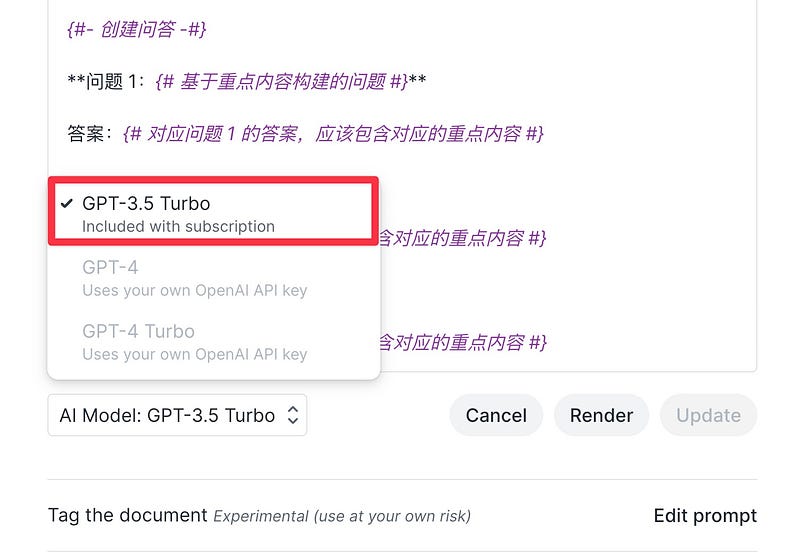
You can opt for the GPT-4 model for potentially superior summarization results, though it requires personal API key access and involves additional costs. GPT-4’s capabilities are notably advanced, but assess the financial commitment before proceeding.
Summary
This latest update to Readwise Reader marks a significant stride forward. The experience shared here, inspired by Raymond’s example, illustrates how customized prompts can align summaries more closely with your specific needs — streamlining and enriching your knowledge absorption process.
For a reference to the updated automatic summary prompt, visit this Notion page.
Consider exploring further and enhancing your reading experience by registering for Readwise with my referral link, which grants an additional month of free use.
Enjoy your journey into AI-assisted reading!
If you find this article useful, please hit the Applaud button.
If you think this article might be helpful to your friends, please share it with them.
Feel free to follow my column to receive timely updates.
Welcome to subscribe to my Patreon column to access exclusive articles for paid users. I will update at least 3 articles per month. The current price is discounted.
To watch video content, please subscribe to my Youtube channel.
My Twitter: @wshuyi
Further Reading
- Too many papers to read? Let AI help you read and analyze
- From Highlights to Output: How to Use Readwise to Optimize Your Reading and Note-taking Workflow in One Stop?
- How to Use AI to Help You Read Papers?
- How to Build a Personal Knowledge Base App in 5 Minutes with Natural Language? My GPTs Builder Attempt
- A Note-taking Tool Works Well, But Some Features Don’t Meet My Needs, What Should I Do?


