
How To Create Stunning Photo Portraits In Midjourney
AI Photorealism Comes To Life
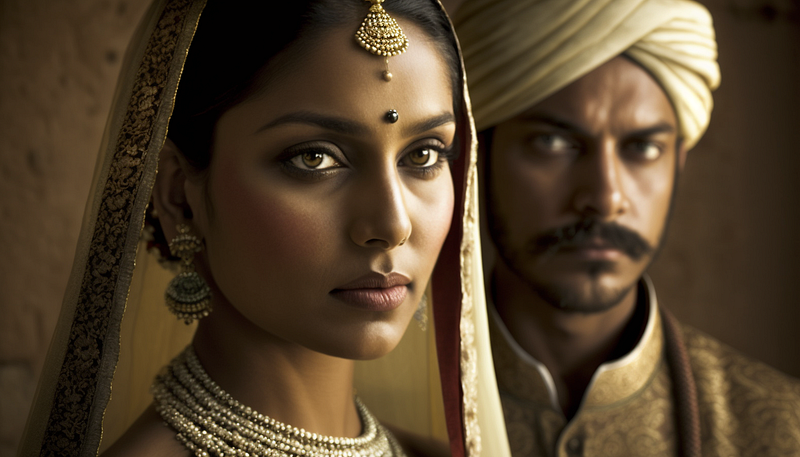
AI-generated photo images can often have an uncanny look about them, especially portraits.
So I’ve been tackling different prompt ideas, and it does feel like Midjourney is getting really close to generating human-like photorealistic portraits.
As I share some of these ideas, I want to call out a helpful prompt resource I used for inspiration which is this Reddit post.
Prompt Crafting Portraits
To start, define the content type with this “portrait of….”
for lighting… I will often use ‘natural lighting’ to push Midjourney to keep it as natural as possible.
Adding camera settings is also an excellent option to capture the photographic quality — 35mm with an f-stop of 1.8 gets the proper depth of field and subtle lighting.
— uplight keeps the photo quality from getting too detailed, we want to keep that soft quality in a photo.
Outdoor Portraits
Here are some examples of outdoor natural lighting.
First Prompt: portrait of a couple sitting on a stoop in the city, smiling, clear facial features, 35mm lens, f/1.8, natural lighting, global illumination — uplight — q 2
Second Prompt: portrait of a teenage girl sitting on a stoop in the city, smiling, clear facial features, 35mm lens, f/1.8, natural lighting, global illumination — uplight — q 2
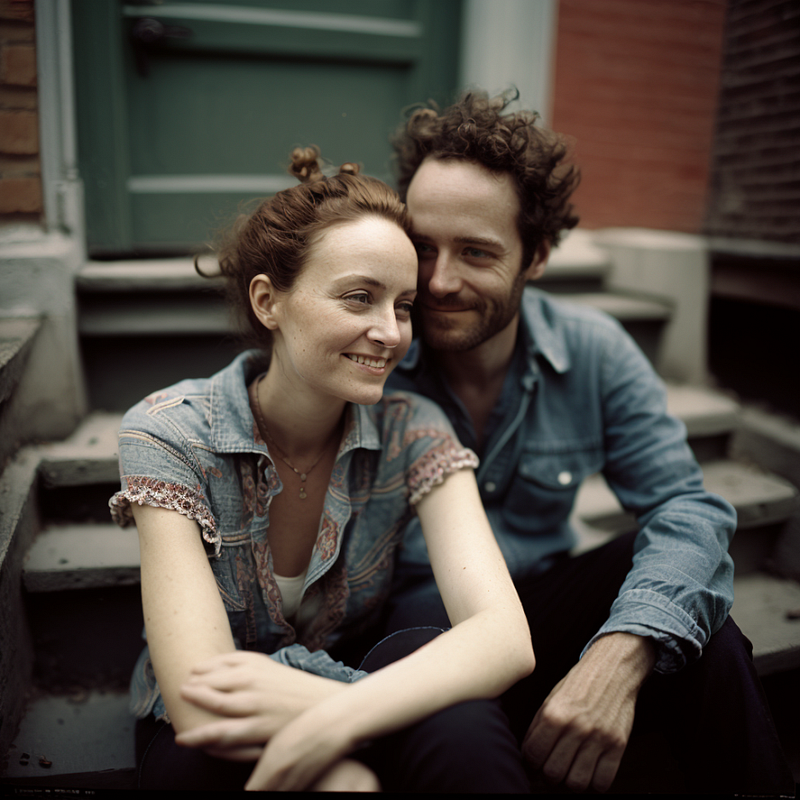
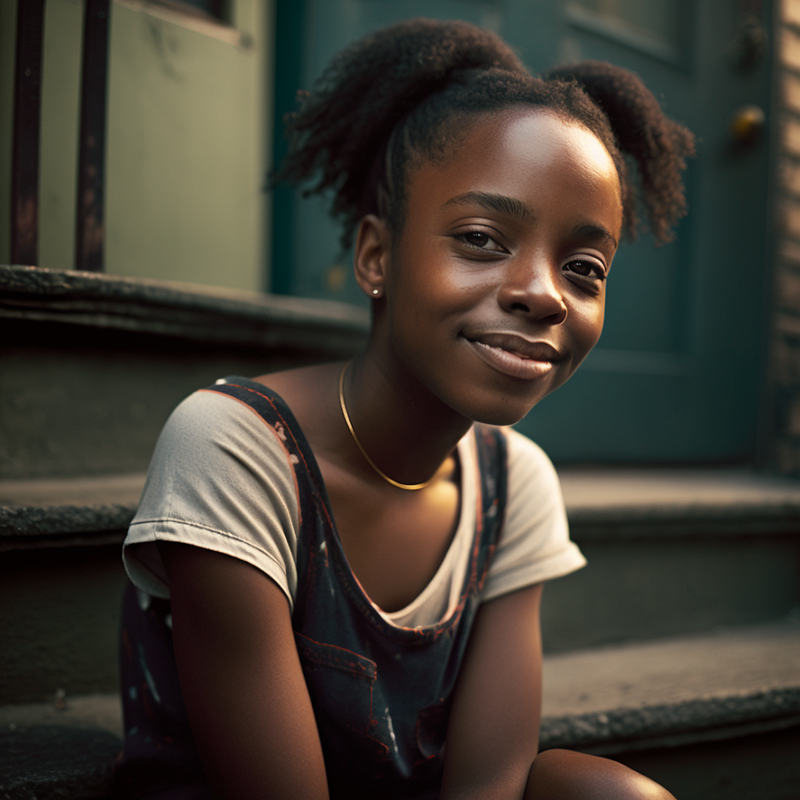
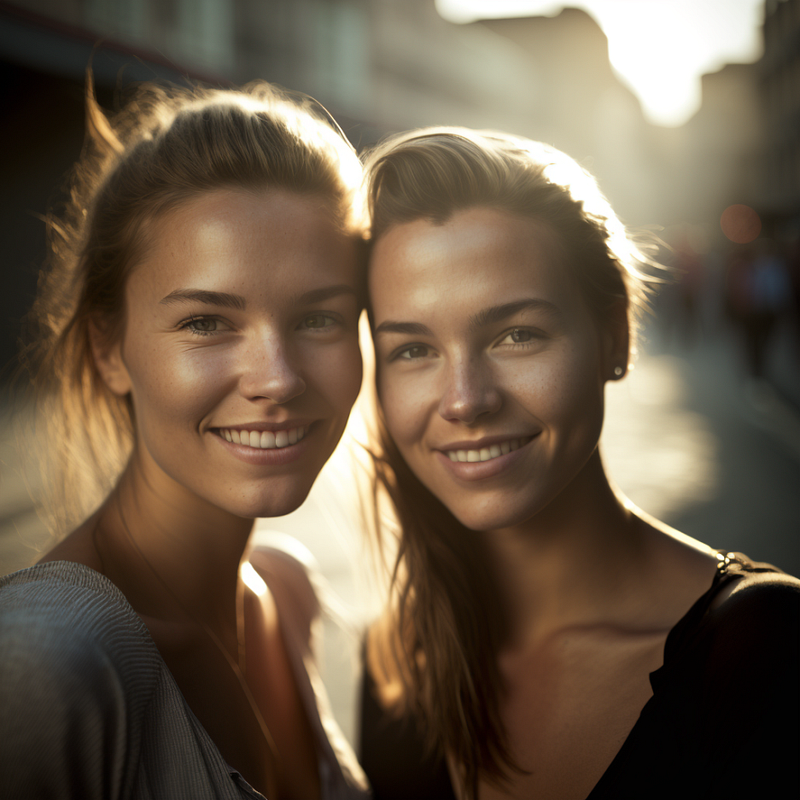
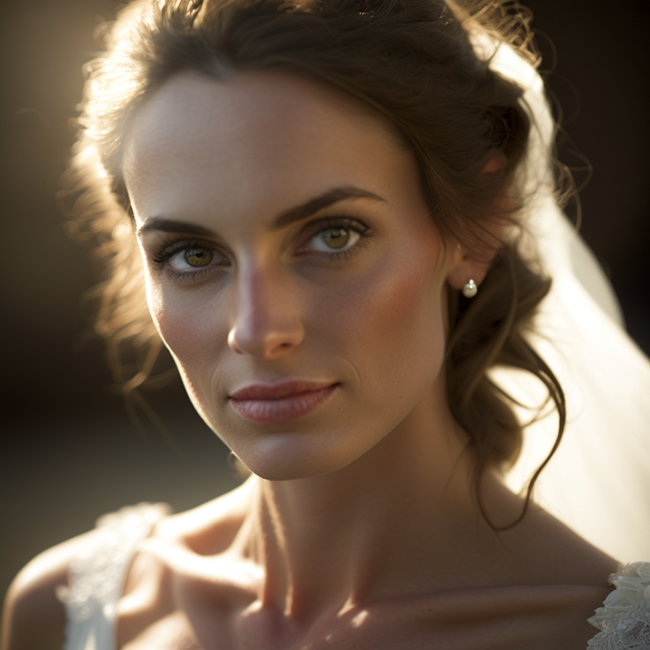
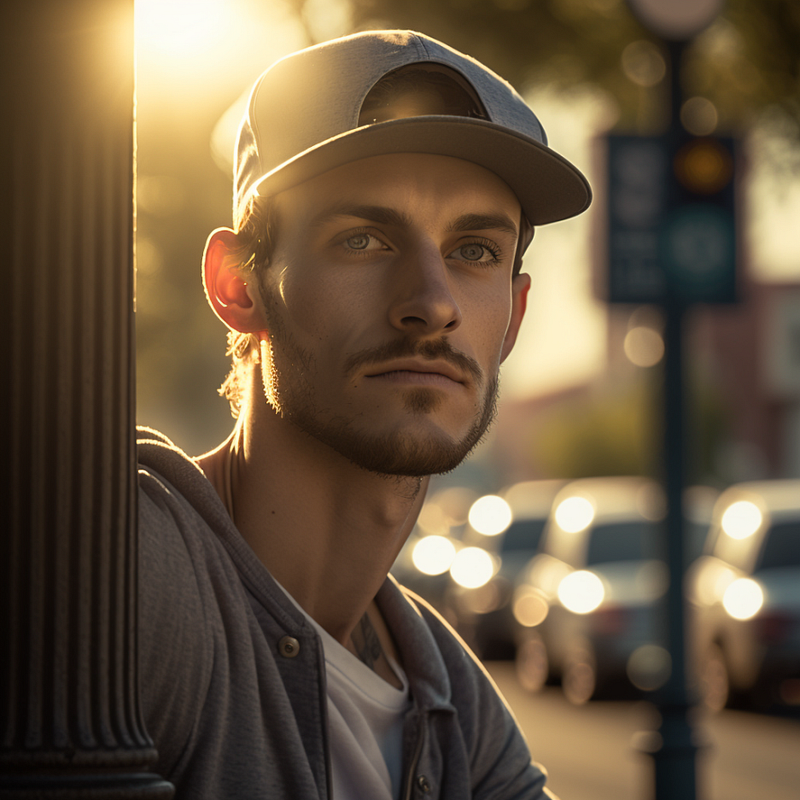
Using natural lighting along with sunlight in the prompt adds a depth of reality for outdoor photos.
First Prompt: portrait of 2 women in the city, smiling, sunlight, clear facial features, 35mm lens, f/1.8, natural lighting — uplight — q 2
Second Prompt: portrait of a bride outside, beautiful sunlight, natural lighting, clear facial features, 35mm lens, f/1.8, — uplight — q 2
Third Prompt: portrait of a guy with a baseball cap leaning on a lightpost, sunlight, clear facial features, 35mm lens, f/1.8, natural lighting — uplight — q 2
Capturing Emotions
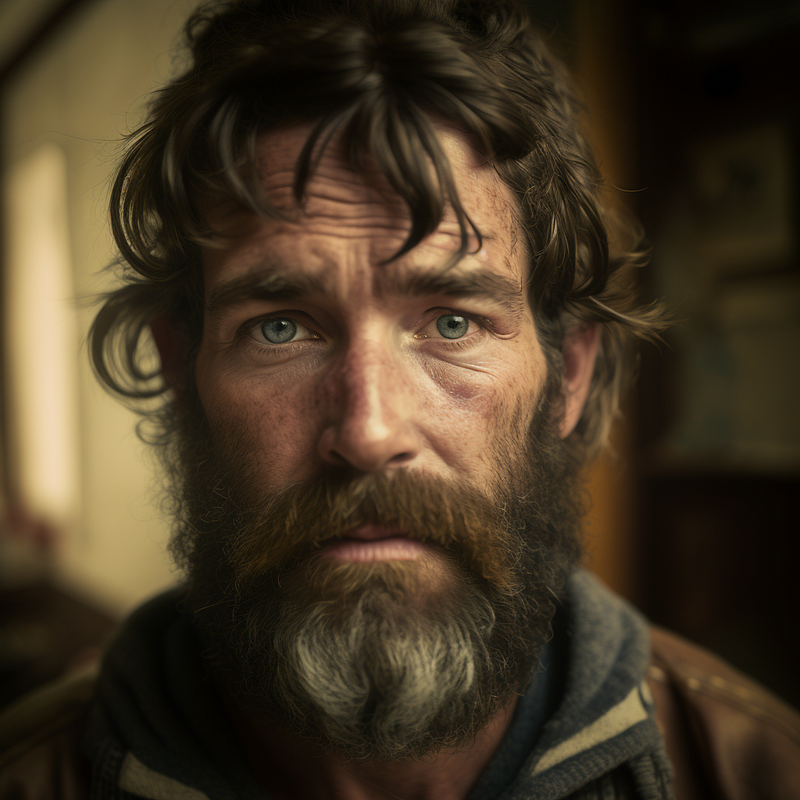
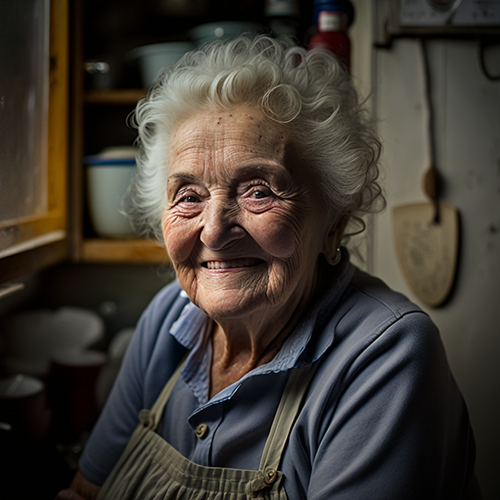
By adding a word to portray an emotion, the photo can create a sense of character.
In the following examples I used “concerned” and “smiling”
First Prompt: portrait of a concerned man with a beard, clear facial features, 35mm lens, f/1.8, natural lighting — uplight — q 2
Second Prompt: portrait of an old woman smiling in her kitchen, natural lighting, clear facial features, 35mm, f/1.8, realistic — uplight — q 2
Illuminated Faces
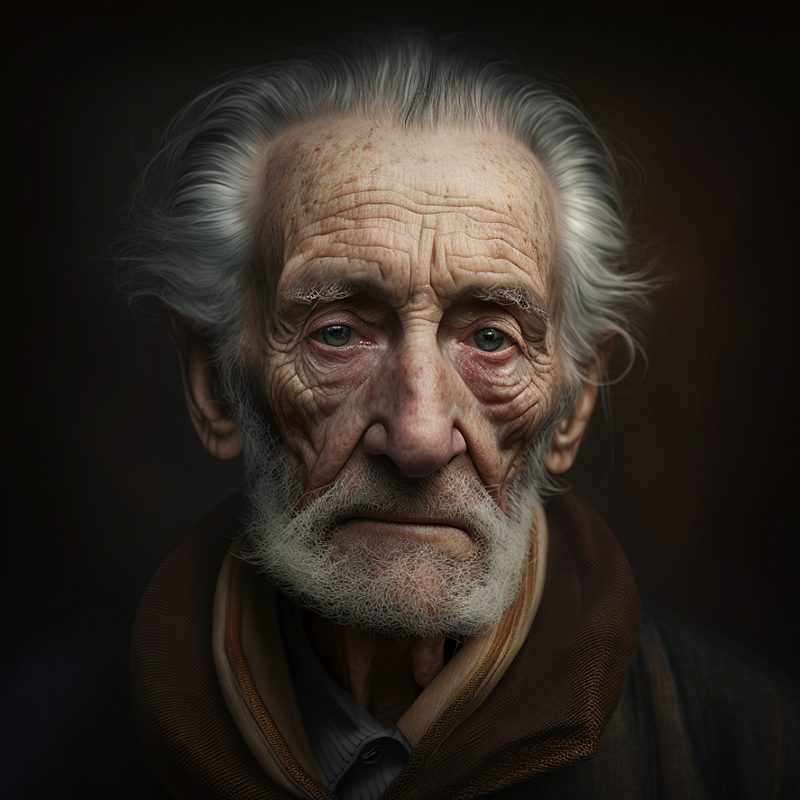
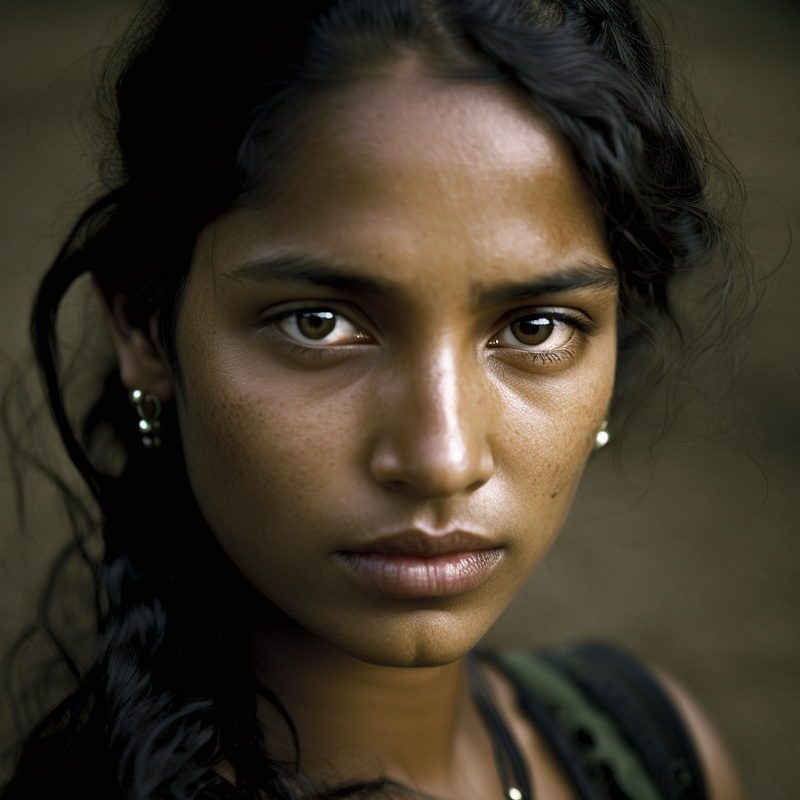
For adding some additional punch to the tone of the faces… a simple phrase of “global illumination” in the prompt does the trick.
First Prompt: portrait of an old man, clear facial features, 35mm lens, f/1.8, accent lighting, global illumination — uplight — q 2
Second Prompt: portrait of an indian woman outside, accent lighting, clear facial features, 35mm lens, f/1.8, global illumination — uplight — q 2
Cinematic Portraits
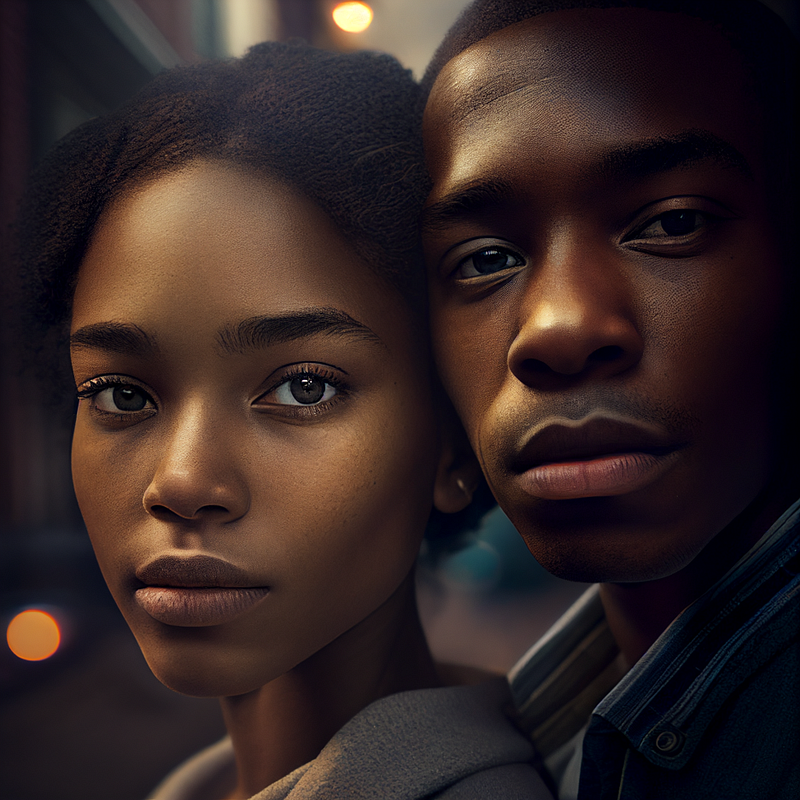
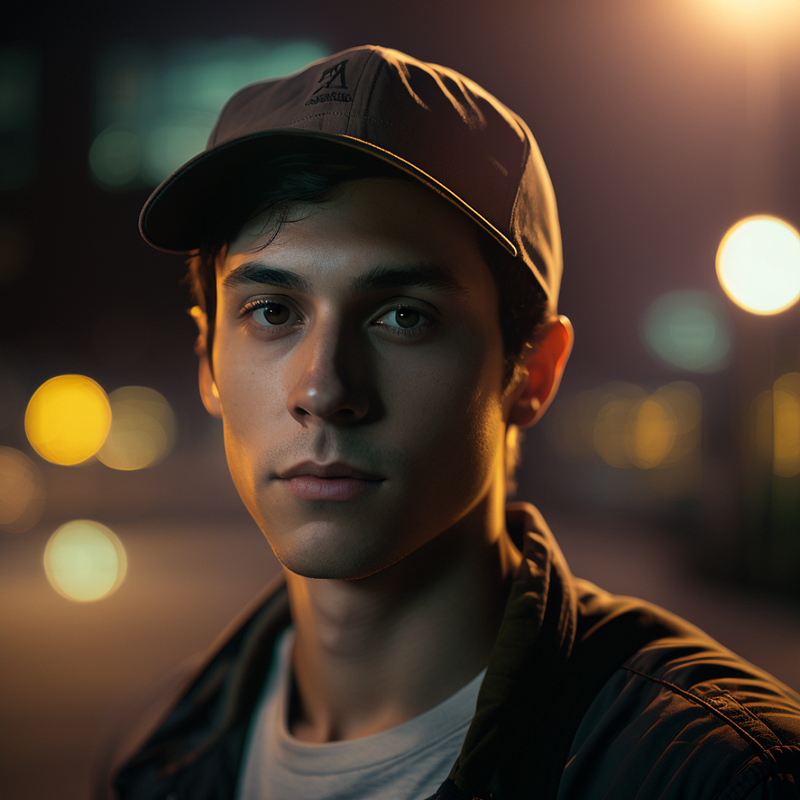
While I typically like to keep the photos as natural as possible, you can add the phrase ‘cinematic’ to get more of a film look to it.
First Prompt: portrait of a couple on the street, clear facial features, Cinematic, 35mm lens, f/1.8, accent lighting, global illumination — uplight
Second Prompt: portrait of a guy wearing a baseball cap on the street, clear facial features, Cinematic, 35mm lens, f/1.8, accent lighting, global illumination — uplight
Final Thought
As you can see, Midjourney has really improved the quality of portrait imagery, something that has been lagging behind in the AI art space.
I hope these prompt ideas are helpful for you to explore more portrait ideas.
If you liked this article, throw out some Medium love… claps, comment, and be sure to follow.
You can also support my work on Medium by becoming a member using this referral link.


