
How To Create Story Collections on Medium
Why is it useful?
Creating a story collection can be useful once you have so many stories that they become difficult to find. This story will be my #203rd story once the two additional ones pending get published. After a while, it can be difficult to find your own stories and recommend them to others. I have stories now that I wrote more than a year ago.
I do not remember all of them.
Creating categories is helpful for you and for your readers to find your work. I write in many different areas and this way I list all of them separately and based on the interest the reader or writer can find my work easily. I created 29 categories since June 2020 on Medium.
You can check them out here:
To create an article with your stories first you have to tag each story and create a name for it. Tag each story in the upper right corner by choosing the bookmark sign.
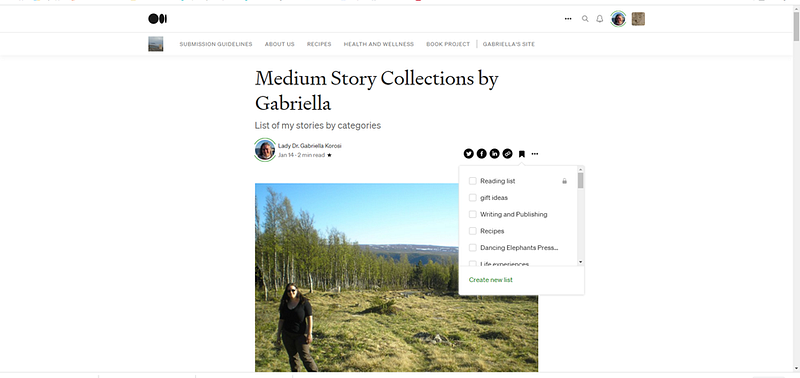
Once each of your stories is tagged you can open and start to write a new article. Write down each title you chose and embed the link to the list below. To get to your article lists you simply go to your main Medium page and click on the bookmark in the upper right corner between search and notification right next to your picture. Once you click on your list your page should look similar to this:
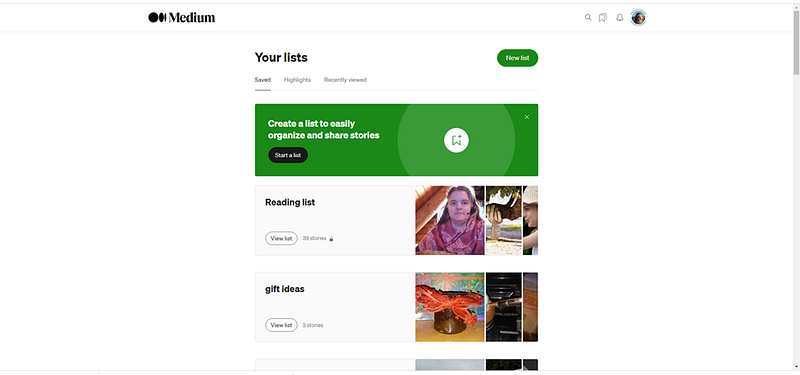
Next, click on each collection and copy and paste your link under the story names.
It takes a little time to tag and name each article into the category and then create this list. The good thing is once it is created it will automatically update as you add articles to your categories. Some of the articles can be in multiple categories.
Pin your list to your profile so people can easily find your work. Please let me know if you have any questions.
I hope you find this article useful, Thank you for reading, Gabriella
More Medium and Writing related articles
Follow me here, Subscribe to the Medium platform here, Buy me a coffee here
My Books are available on my website here, Amazon here and on Barnes and Nobles here


