
How to Create QR Code using Python
In this post, I will show you how to create QR Code using Python.

What is a QR Code?
Often when transacting with digital wallets, we scan the QR Code. Not just any code, QR Code is able to speed up and simplify the transaction process. The existence of a QR Code supports cardless transactions which are now echoed everywhere. Exactly what is a QR Code and how does it work?
QR Code is a matrix code or two-dimensional barcode derived from the word “Quick Response”, where the contents of the code can be deciphered quickly and precisely. QR Code was developed by Denso Wave, a Japanese company published in 1994.
QR Code has two types, namely Static QR Code and Dynamic QR Code.
Steps
- Install qrcode library
pip install qrcode- import qrcode
import qrcode- Basic Usage
img = qrcode.make("Asep Saputra")
img.save("qrcode1.png")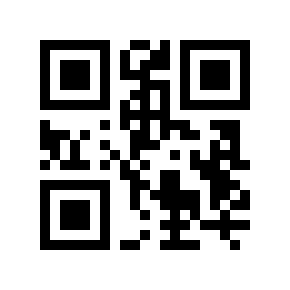
Using make is the simplest way to add data to the QR Code that we will create.
Using make means:
1. setting version parameter to None and
2. setting fit parameter of make to True.
- Medium Usage
If previously we created a QR Code in its default form, in this section we will set the colour of the QR code, version, correction level, box size, border, and background of the QR code that we created.
qr = qrcode.QRCode(version=1, error_correction=qrcode.constants.ERROR_CORRECT_L, box_size=10, border=4)qr.add_data('Some data')
qr.make(fit=True)
img = qr.make_image(fill_color="black", back_color="red")img.save("qrcode2.png")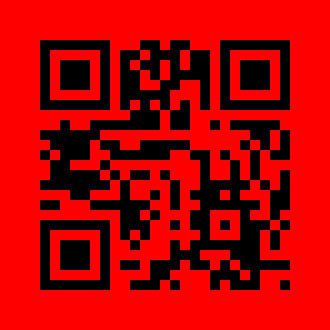
or in giving coloring you can do it with RGB color tuples,
img = qr.make_image(back_color=(255, 195, 235), fill_color=(100, 95, 35))img.save("qrcode2-color.png")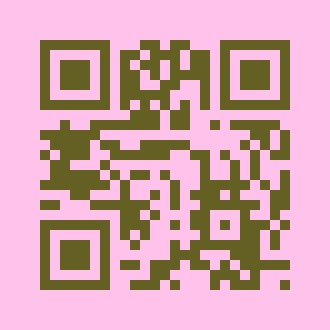
Notes :
— ERROR_CORRECT_L: up to 7% or less errors can be corrected. — ERROR_CORRECT_M: up to 15% or less errors can be corrected. — ERROR_CORRECT_Q: up to 25% or less errors can be corrected. — ERROR_CORRECT_H: up to 30% or less errors can be corrected.
- Advanced Usage
You can style the QR code to be round with the help of StyledPilImage,
from qrcode.image.styledpil import StyledPilImage
from qrcode.image.styles.moduledrawers import RoundedModuleDrawer
from qrcode.image.styles.colormasks import RadialGradiantColorMask
qr= qrcode.QRCode(error_correction=qrcode.constants.ERROR_CORRECT_L)
qr.add_data('Some data')img_1 = qr.make_image(image_factory= StyledPilImage, module_drawer=RoundedModuleDrawer())img_1.save("qrcode3.png")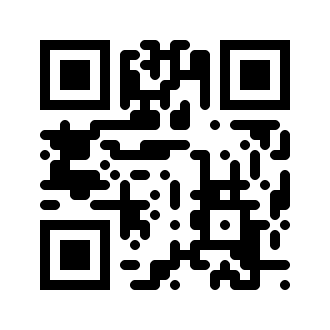
or give coloration by means of Radial Gradient Color Mask,
img_2 = qr.make_image(image_factory=StyledPilImage, color_mask=RadialGradiantColorMask())img_2.save("qrcode4.png")
or place an image in the middle of the QR Code to be created,
img_3 = qr.make_image(image_factory=StyledPilImage, embeded_image_path="python.png")img_3.save("qrcode5.png")
How to read a QR Code?
Become a Member
I hope you like the article, I would highly recommend signing up for Medium Membership.
Your membership fee directly supports me and other writers you read. You’ll also get full access to every story on Medium.
Reference


