

#Next js
How to Create Pages in Next.js?
Learn Next.js Easy And Simple ways #SeriesPart5
Next.js pages are React Component. You create files using of js, .jsx, .ts, or .tsxextension inside the next page’s folders.
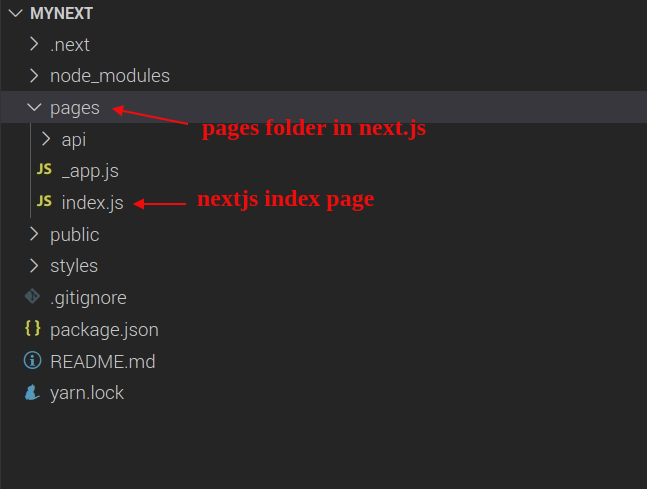
By default, nextjs provide an index.js page in your next app and a custom app in nextjs.
Every page in next.js opens with a specific router path in the web browser. You access a page with the file name.
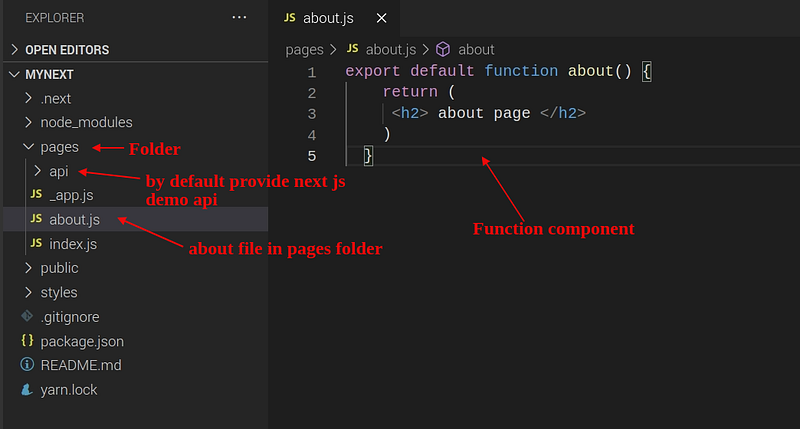
If you create an about page in your nextjs app, create a file in the nextjs pages folder with the about name, and your file extension is .js after you access the about page with the help of the filename.
Inside the about page, you create a functional component and ensure your Function component exports with export default.
Now you are ready to access your about page in a browser.
Dynamic Routes
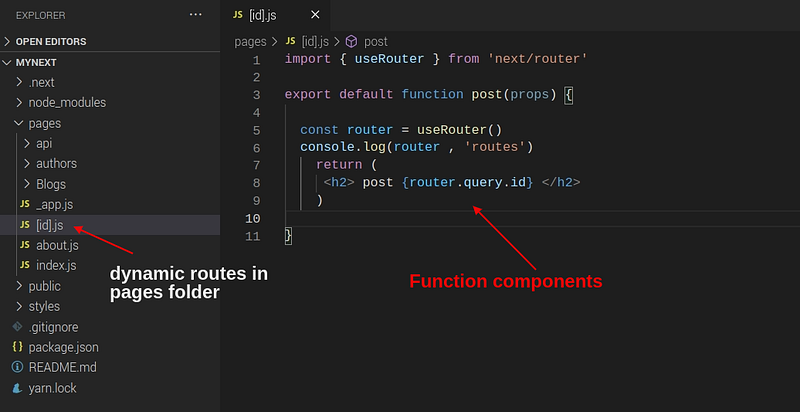
You create dynamic routes very quickly in the next js. You make a new file in the pages folder. Always create dynamic routes help of brackets [ ]. Inside the open and close bracket, you access any value help of the useRouter() hook.
In this example, I create a Dynamic route in my app. in the pages folder. You create only one dynamic route. If you create multiple routes, then use the nested folder technique in-app.
How to access router Dynamic id or data in components?
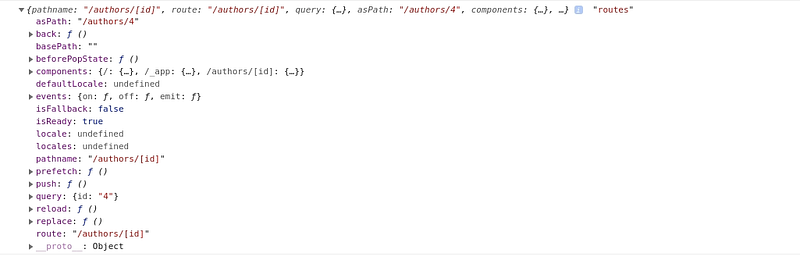
You access route id use for useRouter hook in next js. useRouter hook provides dynamic data or id in your components.
import { useRouter } from 'next/router'export default function post(props) {const router = useRouter()console.log(router , 'routes')return ( <h2> post {router.query.id} </h2> )}
Check output
Nested folder or Nested route
The nested route is a folder structure in next.js. You create a nested folder in your pages folder.
By default, nextjs search index file in the nested folder.
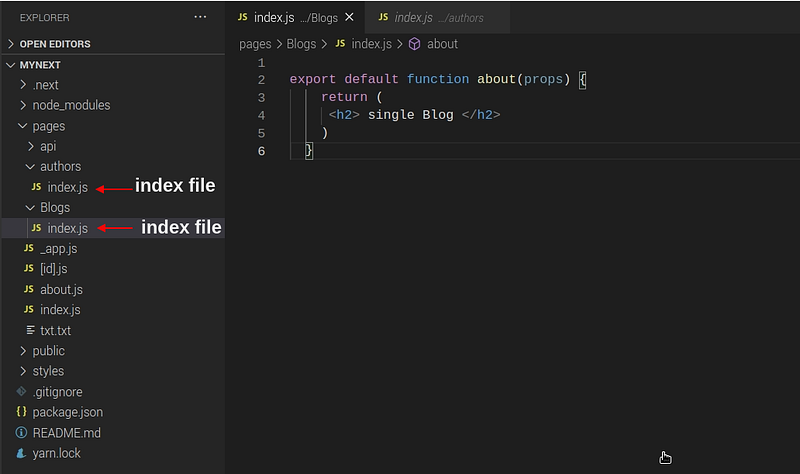
Nested dynamic route
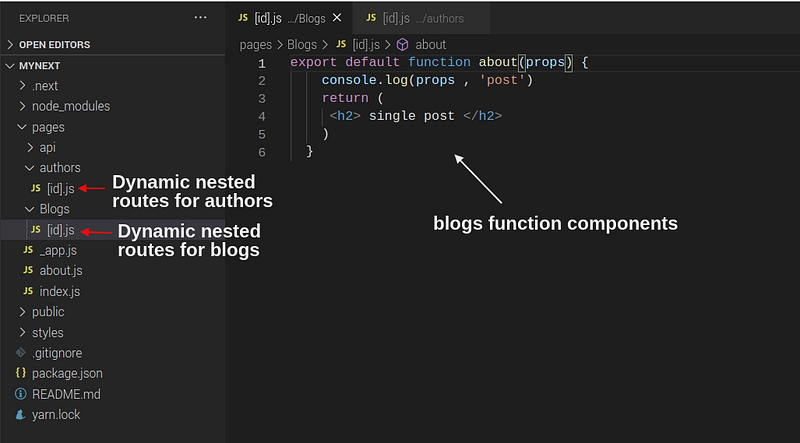
Nested Route also supports dynamic routing in nextjs. In nested, you create a dynamic route using of bracket [ ].
Next.js automatically creates a file path URL in the next js.
In this example, I create two Dynamic routes in my app. first is post-nested dynamic routes, and secondly, I create the author’s nested dynamic route.
First blog route
pages/blogs/[id].jsSecond authors route
pages/authors/[id].jsimport { useRouter } from 'next/router'export default function authors(props) {const router = useRouter()console.log(router , 'routes')return ( <h2> single author </h2> )}
Demo:
Read More
Join our frontend web publication for more updates.
If you have any problems and errors, please feel free to inbox or email me.