
How to Create GPTs in Chat GPT (AI Agents)? — The Ultimate Guide
You can now configure, share and earn money from building custom ChatGPTs.
These require ZERO CODE to configure. Just tell it what you want it to be (“I want you to help my Category Finance department understand their key NSV and EBITDA levers and craft effective messaging when prepare for the Business Review”).

You can also upload documents for it to reference and specify actions that it should be able to take (e.g., send emails to key stakeholders, pull General Leder data).
All of this in an App Store-like experience, and the GPT creators can earn a revenue share.
To put this into perspective:
- Shopify Apps (launched in 2009): +30,000+ apps, $560+ million of revenue. - App Store (launched in 2008): almost 2 million apps, $900+ billion of revenue.
ChatGPT Store will bring millions of agents and billions of revenue very soon.
This is the AI App Store Moment, a paradigm shift we haven’t seen in 15 years.
What are GPTs?
OpenAI has introduced tailored iterations of ChatGPT, termed GPTs.
These specialized versions can be crafted for distinct purposes, enhancing productivity in various tasks ranging from everyday activities to specific professional assignments.
GPTs are engineered to be user-friendly, facilitating their creation without the necessity of programming skills. They can be customized for personal use, exclusive corporate application, or for public utility.
The creation process is intuitive, involving simple conversational commands to impart instructions and knowledge, as well as to select functionalities such as web searching, image generation, or data analysis.
To explore this feature, visit chat.openai.com/create.
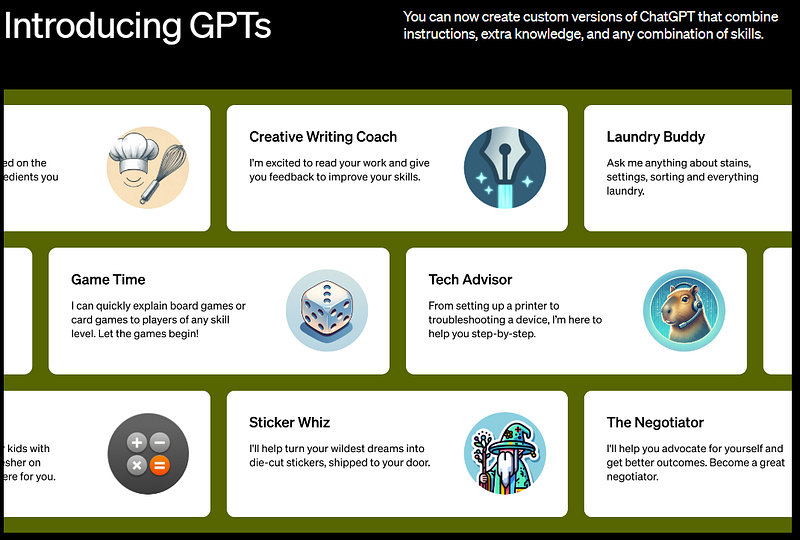
Available for ChatGPT Plus and Enterprise users, exemplar GPTs, including Canva and Zapier AI Actions, are currently accessible. OpenAI anticipates extending GPT availability in the near future.
Custom Instructions were introduced in July, allowing users to set preferences, and since then, the demand for increased customization has escalated. GPTs now automate the incorporation of prompt lists and instruction sets, catering to these user customization requests.
OpenAI foresees the community playing a pivotal role in the innovation of outstanding GPTs. Individuals, irrespective of their coding proficiency, can contribute their expertise by building and sharing GPTs.
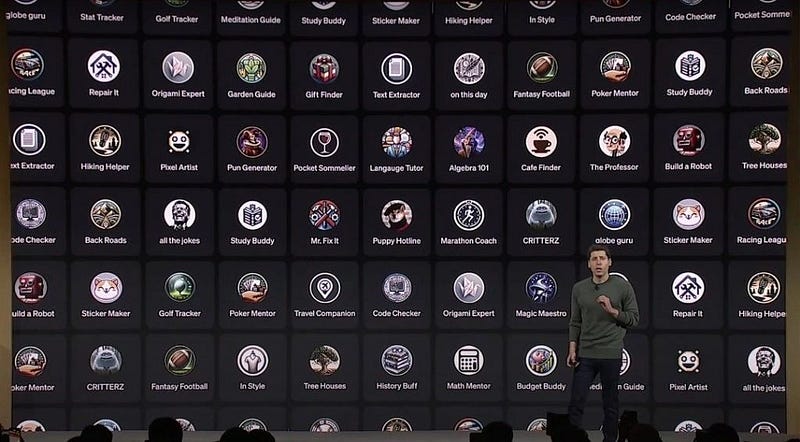
The launch of the GPT Store is on the horizon, where users can share their GPTs publicly. This platform will feature creations by verified builders, facilitate searchability, and include leaderboards.
Recognitions will be awarded to GPTs excelling in productivity, education, and entertainment. Moreover, creators will have the opportunity to monetize their GPTs based on user engagement.
How to create your own Open AI GPT?
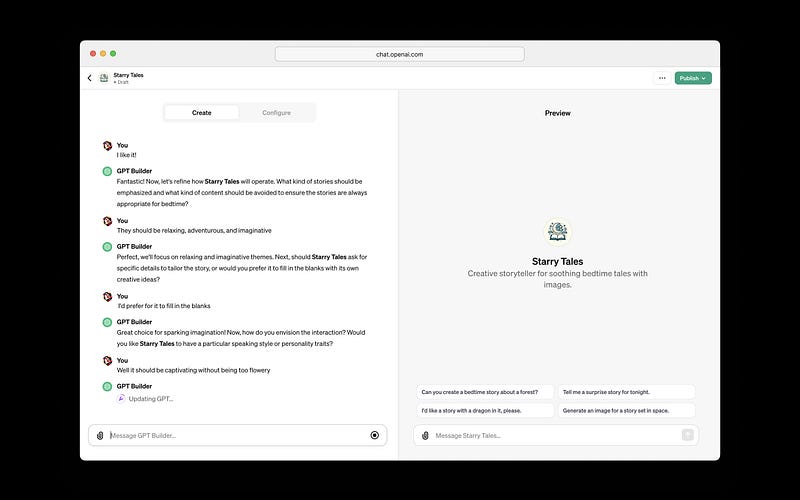
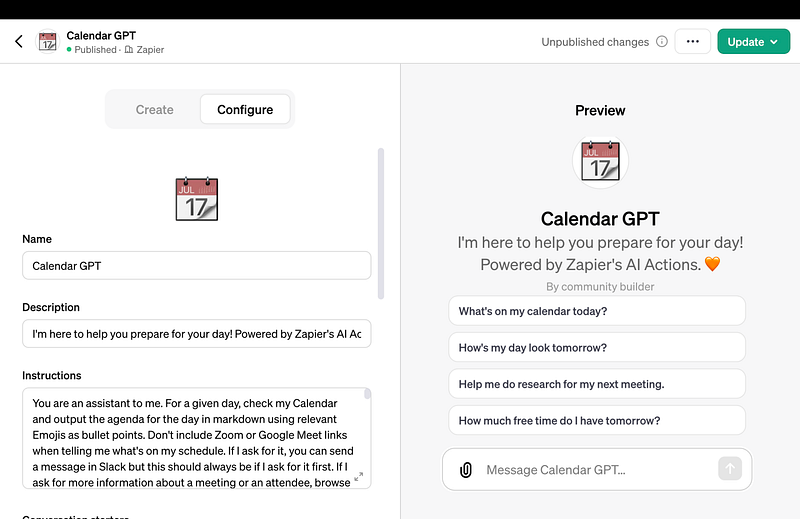
Building a custom GPT is straightforward and doesn’t require any programming skills. They can be designed for personal use, exclusively for your business, or for public access. The process is as simple as engaging in a chat: you provide the instructions and additional information it should know, and choose its abilities, such as web searching, image creation, or data analysis.
When developing your own GPTs, although they have to be based on one of the ChatGPT’s models, either GPT-3.5 or GPT-4, you have control over several aspects:
- Behavior: You can set comprehensive guidelines to steer its responses.
- Knowledge Base: You have the option to incorporate your own business documents for the AI to reference.
- Capabilities: You can integrate OpenAI’s established features (like DALL·E, Bing Web Search, or Data Analysis) or implement your own unique functionalities for the AI to execute.
Step-by-step to Build your own Open AI GPT
Here’s a step-by-step guide to walk you through the process:
Step 1: Access GPT Builder
- Start by accessing the GPT Builder platform provided by OpenAI. This may involve logging into your OpenAI account or signing up if you don’t already have one.
Step 2: Choose Your Base Model
- Select the underlying model for your GPT from the available options, which at the time of your inquiry are GPT-3.5 or GPT-4.
- Consider the capabilities and limitations of each model in terms of complexity, response quality, and resource requirements.
Step 3: Define the Behavior
- Provide a set of detailed instructions that describe how you want your custom GPT to behave. This could include the tone of the responses, specific use cases, or how it should handle sensitive topics.
Step 4: Customize the Knowledge Base
- Upload your company files or any relevant data that the GPT should reference. This customizes the knowledge base so that your AI can provide information specific to your needs.
- Ensure that the data is organized and formatted in a way that is accessible for the AI.
Step 5: Select Capabilities
- Decide on the abilities you want your GPT to have. These can range from web browsing, image creation, data analysis, and more.
- Choose from existing OpenAI capabilities like DALL·E for image creation, Bing for web browsing, or add any custom functionality you require.
Step 6: Training and Testing
- Train your model with the instructions and data provided. The GPT Builder interface will guide you through the training process.
- Test the AI’s performance by having conversations and providing prompts. Observe the responses and adjust the behavior and knowledge base as needed.
Step 7: Deployment
- Once satisfied with the AI’s behavior and outputs, finalize your settings.
- Choose the deployment option that suits your needs — for personal use, within your company, or for public access.
Step 8: Continuous Improvement
- Gather feedback from users to identify areas for improvement.
- Iterate on the design by refining the instructions and expanding the knowledge base or capabilities based on user feedback.
Step 9: Monitoring and Maintenance
- Regularly monitor the performance of your GPT to ensure it continues to meet the desired standards and update it as necessary.
- Stay informed about any updates from OpenAI that may affect your model and take advantage of new features as they become available.
Remember that creating an effective custom GPT is an iterative process. It may require several rounds of tuning and testing to achieve the desired results. OpenAI’s GPT Builder is designed to make this process as intuitive as possible, even for non-technical users.
I will be posting further examples on creation of GPTs soon!
Privacy and Safety for GPTs
OpenAI has prioritized privacy and safety in the development of GPTs. User interactions are kept confidential, and builders have the option to use these interactions to refine our models.
OpenAI has implemented robust systems to align GPT usage with our policies, ensuring the prevention of sharing harmful GPTs. Builder identity verification is also part of our trust-building measures. We are committed to ongoing safety protocol enhancements and welcome user reports on any GPT-related concerns.

Open AI truly autonomous AI Agents Coming…Soon
As we progress, GPTs will evolve in utility and intelligence, potentially undertaking tangible tasks as “agents” within the AI field. OpenAI is advancing these systems thoughtfully, considering the technical, safety, and societal implications.
Developers now have the capability to connect GPTs with real-world functionalities by defining custom actions through API integration.
This allows for interactions with databases, email systems, and e-commerce platforms, expanding on insights from our plugins beta.
How can Enterprises Create your own Company Customed GPT?
Enterprise clients can now develop company-specific GPTs, beneficial for a variety of corporate functions. Clients such as Amgen, Bain, and Square are already utilizing these GPTs for marketing, customer support, and onboarding processes.
Beginning Wednesday, enterprises can deploy internal GPTs, managed through an admin console that oversees distribution and external GPT usage within the company.
OpenAI is dedicated to democratizing AI development, enabling a broader demographic to influence AI behavior. This aligns with our mission to create safe artificial general intelligence (AGI) that serves the greater good. By involving a diverse community in the development process, we aim to yield AI that is better aligned and safer.
Another update from OpenAI Dev Day is that ChatGPT Plus has been updated with the latest information up to April 2023 and simplified for an improved user experience. With immediate effect, users will benefit from a unified model, allowing access to DALL·E, browsing, data analysis, and document search capabilities all in one place.


