avatarNikita sharma

Free AI web copilot to create summaries, insights and extended knowledge, download it at here

2723

Abstract

R.</p><h2 id="e989">Create EMR cluster</h2><figure id="6cde"><img src="https://cdn-images-1.readmedium.com/v2/resize:fit:800/0*EwEHeh91Bi5pDBbl.jpeg"><figcaption></figcaption></figure><h2 id="8023">Go to advanced option</h2><figure id="34c7"><img src="https://cdn-images-1.readmedium.com/v2/resize:fit:800/0*X4gXnd4MFddKzk-e.jpeg"><figcaption></figcaption></figure><p id="5899">After creating cluster, we have to go to advanced setting.</p><h2 id="e977">Software configuration</h2><figure id="dceb"><img src="https://cdn-images-1.readmedium.com/v2/resize:fit:800/0*JemBloTR54_JHaxE.jpeg"><figcaption></figcaption></figure><p id="8b1b">In advanced setting, we have to choose software on which we will work.</p><h2 id="4c47">Hardware</h2><figure id="4e70"><img src="https://cdn-images-1.readmedium.com/v2/resize:fit:800/0*12-ccI_kayi0XrOB.jpeg"><figcaption></figcaption></figure><p id="f973">After setting Software configuration, we have to choose node i.e; master and core depending on purchasing option.</p><p id="e4f1"><b>Note</b> : I’m using spot purchasing option for core node. Spot nodes use bidding and are much cheaper than on-demand nodes.</p><h2 id="7a92">General cluster settings</h2><figure id="bf52"><img src="https://cdn-images-1.readmedium.com/v2/resize:fit:800/0*L39pL3g3C18jXjT7.jpeg"><figcaption></figcaption></figure><h2 id="b63b">Security</h2><p id="505c">In this step, we have to provide the key-pair to login into our EMR cluster. <b>It’s very important</b> that this key-pair must be downloaded in local system else we would not be allowed to login to our EMR cluster.</p><figure id="5e56"><img src="https://cdn-images-1.readmedium.com/v2/resize:fit:800/0*bP2wvRQeVrI636K4.jpeg"><figcaption></figcaption></figure><p id="c2d4">We can now see our cluster will start in a few minutes.</p><figure id="a9a2"><img src="https://cdn-images-1.readmedium.com/v2/resize:fit:800/0*Z8Yd_XZUPMFlmVMD.jpeg"><figcaption></figcaption></figure><p id="6ddc">Now, finally our cluster is ready to use.</p><figure id="6136"><img src="https://cdn-images-1.readmedium.com/v2/resize:fit:800/0*QSxe3CHWgp8Vw7fi.jpeg"><figcaption></figcaption></figure><h2 id="cbb8">Login to EMR cluster</h2><p id="64d3">Now we can login our cluster via terminal.</p><blockquote id="5e95"><p><i>ssh -i <path/to/ssh-key.pem> hadoop@<ip address of master node></i></p></blockquote><p id="b03d"><b>Note</b>: You can get the ip address of the master node from the AWS web console in the hardware section.</p><p id="2d68">Also, <b>Note</b>: If you get permission denied, it might be worth checking the permission of the pem file. The permission level should be 400 for the pem file. You can use below command to fix the permissions.</p><bl

Options

ockquote id="b05d"><p><code><i>chmod 400<path/to/ssh-key.pem></i></code></p></blockquote><figure id="9ff2"><img src="https://cdn-images-1.readmedium.com/v2/resize:fit:800/0*cTjypI8Rq84hV2uj.jpeg"><figcaption></figcaption></figure><figure id="866d"><img src="https://cdn-images-1.readmedium.com/v2/resize:fit:800/0*aEDeaJ92Wgy7bT06.jpeg"><figcaption></figcaption></figure><h1 id="e80c">Use Hive and Spark on our cluster</h1><figure id="5f14"><img src="https://cdn-images-1.readmedium.com/v2/resize:fit:800/0*zsiledJo_ScxSbRt.jpeg"><figcaption></figcaption></figure><figure id="b052"><img src="https://cdn-images-1.readmedium.com/v2/resize:fit:800/0*RKkf34znpf1Ghw6w.jpeg"><figcaption></figcaption></figure><p id="8dbc">Finally we are ready to use our cluster via spark/ hive.</p><h1 id="da1a">Access Zeppelin</h1><p id="11d0">Now lets access Zeppelin via browser. The list of all the EMR web interfaces can be found here — <a href="https://docs.aws.amazon.com/emr/latest/ManagementGuide/emr-web-interfaces.html">EMR web interfaces</a>.</p><p id="5a0d">So we can access Zeppelin at –</p><div id="39ae"><pre><span class="hljs-symbol">http:</span><span class="hljs-comment">//<master-ip-address>:8890/</span></pre></div><p id="2c27">The master IP address can be found from the EMR web interface:</p><figure id="6e32"><img src="https://cdn-images-1.readmedium.com/v2/resize:fit:800/0*Vq8G6YPs0eQ-SQmZ.jpeg"><figcaption></figcaption></figure><p id="e178">If the page doesn’t load up, or, you’re having issues with accessing Zeppelin via the web interface, we would need to open up a tunnel to the EMR cluster. Please refer to this blog post to <a href="https://confusedcoders.com/general-programming/random/tunnel-all-cluster-ports-on-local-port-via-browser">tunnel into the EMR cluster</a>.</p><p id="3bac">If you tunnel in, you would have to use this command for ssh’ing into the cluster:</p><blockquote id="44e8"><p><i>ssh -D 9999 -i </path/to/ssh-key.pem> hadoop@<ip address of master node></i></p></blockquote><p id="4c22">You should now be able to access Zeppelin via your browser at</p><blockquote id="6a41"><p><i>http://<master-ip-address>:8890/</i></p></blockquote><figure id="deba"><img src="https://cdn-images-1.readmedium.com/v2/resize:fit:800/0*sfOPrJ70H-N_JPwK.jpeg"><figcaption></figcaption></figure><p id="62a8">Thats all for this post. In the next part we will create tables to analyze Kaggle dataset. Hope this post was helpful.</p><p id="32a2">Cheers.</p><p id="1352"><i>Originally published at <a href="https://confusedcoders.com/data-engineering/how-to-create-emr-cluster-with-apache-spark-and-apache-zeppelin">confusedcoders.com</a> on October 28, 2018.</i></p></article></body>

Part 2: How to create EMR cluster with Apache Spark and Apache Zeppelin

This is part-2 of the blog series — How to analyze Kaggle data with Apache Spark and Zeppelin. In the first part we saw how to copy Kaggle data to Amazon S3. We would now like to analyze our data on EMR. I’m choosing Spark and Zeppelin for this task.

What is EMR ?

Amazon EMR provides a managed Hadoop framework that makes it easy, fast, and cost-effective to process vast amounts of data across dynamically scalable Amazon EC2 instances. You can also run other popular distributed frameworks such as Apache Spark, HBase, Presto, and Flink in Amazon EMR, and interact with data in other AWS data stores such as Amazon S3 and Amazon DynamoDB.

Learn more about Amazon EMR here.

What is Apache Spark ?

Apache Spark is a unified analytics engine for large-scale data processing. Apache Spark achieves high performance for both batch and streaming data, using a state-of-the-art DAG scheduler, a query optimizer, and a physical execution engine.

Learn more about Apache Spark here.

What is Apache Zeppelin ?

Apache Zeppelin interpreter concept allows any language/data-processing-backend to be plugged into Zeppelin. Currently Apache Zeppelin supports many interpreters such as Apache Spark, Python, JDBC, Markdown and Shell. Especially, Apache Zeppelin provides built-in Apache Spark integration. You don’t need to build a separate module, plugin or library for it.

Learn more about Apache Zeppelin here.

Steps to create EMR Cluster

Login to AWS web console
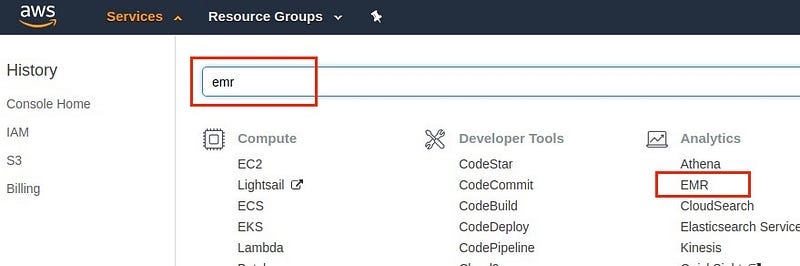
Go to Amazon web console and search for EMR.

Create EMR cluster
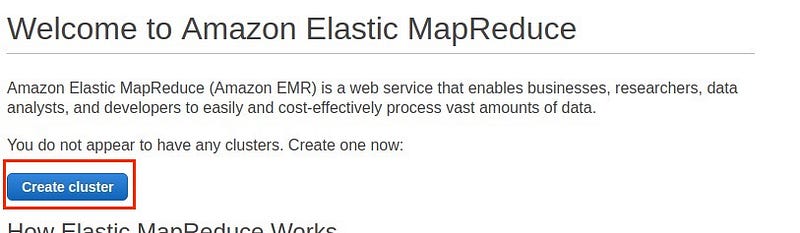
Go to advanced option

After creating cluster, we have to go to advanced setting.

Software configuration
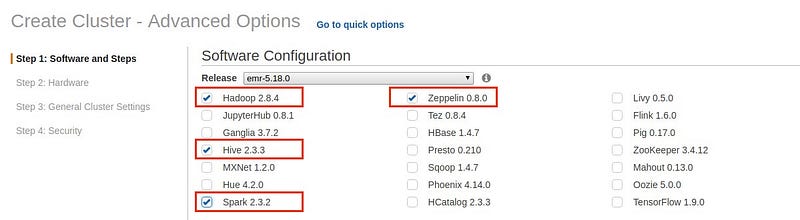
In advanced setting, we have to choose software on which we will work.

Hardware
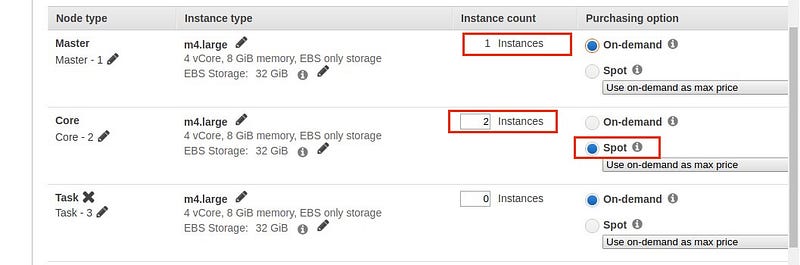
After setting Software configuration, we have to choose node i.e; master and core depending on purchasing option.

Note : I’m using spot purchasing option for core node. Spot nodes use bidding and are much cheaper than on-demand nodes.

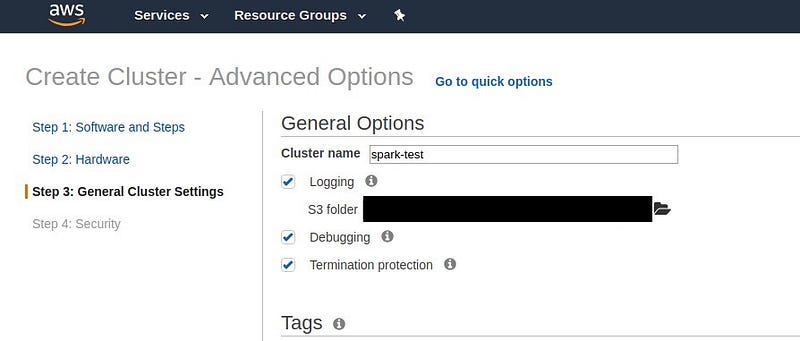
General cluster settings
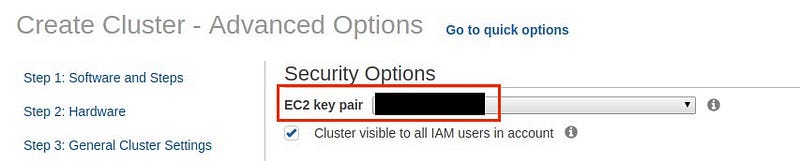
Security

In this step, we have to provide the key-pair to login into our EMR cluster. It’s very important that this key-pair must be downloaded in local system else we would not be allowed to login to our EMR cluster.
We can now see our cluster will start in a few minutes.
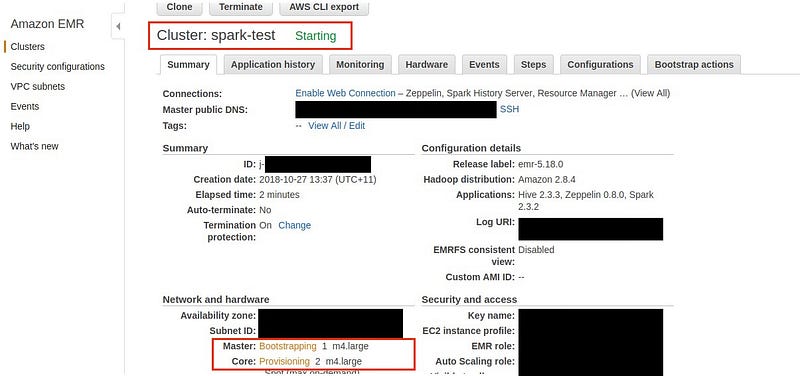
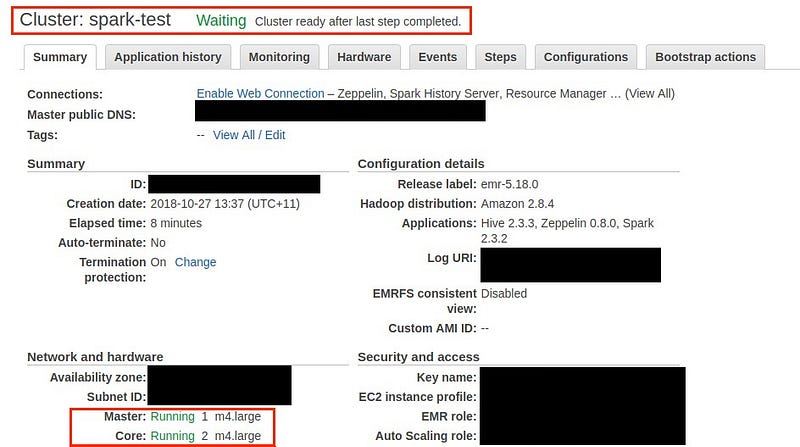
Now, finally our cluster is ready to use.
Login to EMR cluster

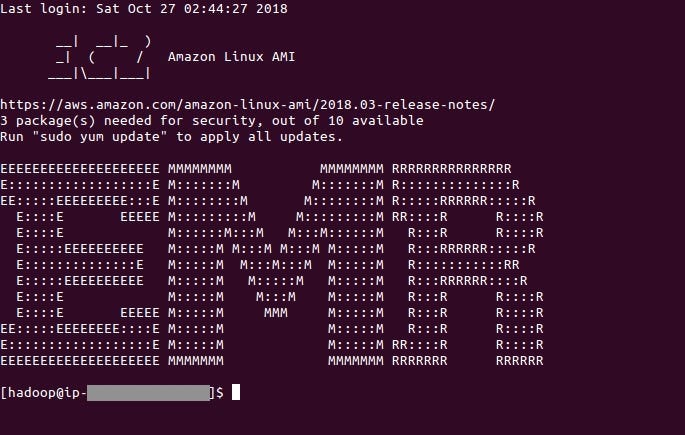
Now we can login our cluster via terminal.

ssh -i <path/to/ssh-key.pem> hadoop@<ip address of master node>

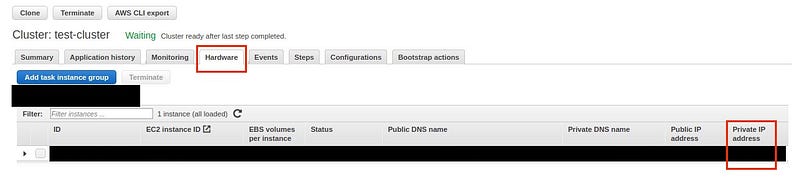
Note: You can get the ip address of the master node from the AWS web console in the hardware section.

Also, Note: If you get permission denied, it might be worth checking the permission of the pem file. The permission level should be 400 for the pem file. You can use below command to fix the permissions.

chmod 400<path/to/ssh-key.pem>

Use Hive and Spark on our cluster

Finally we are ready to use our cluster via spark/ hive.

Access Zeppelin

Now lets access Zeppelin via browser. The list of all the EMR web interfaces can be found here — EMR web interfaces.

So we can access Zeppelin at –

http://<master-ip-address>:8890/

The master IP address can be found from the EMR web interface:
If the page doesn’t load up, or, you’re having issues with accessing Zeppelin via the web interface, we would need to open up a tunnel to the EMR cluster. Please refer to this blog post to tunnel into the EMR cluster.

If you tunnel in, you would have to use this command for ssh’ing into the cluster:

ssh -D 9999 -i </path/to/ssh-key.pem> hadoop@<ip address of master node>

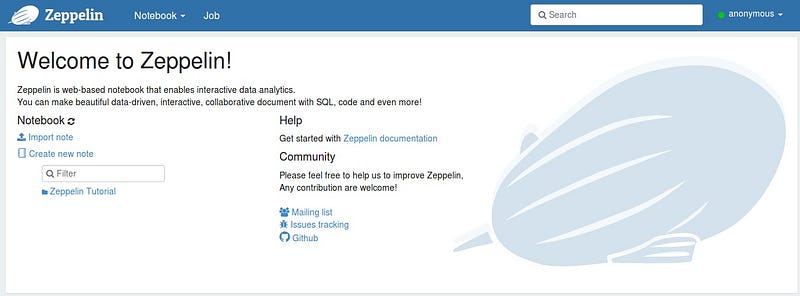
You should now be able to access Zeppelin via your browser at

http://<master-ip-address>:8890/
Thats all for this post. In the next part we will create tables to analyze Kaggle dataset. Hope this post was helpful.

Cheers.

Originally published at confusedcoders.com on October 28, 2018.

Apache Spark
Emr
Apache Zeppelin
Kaggle
Recommended from ReadMedium