avatarMichael King

Free AI web copilot to create summaries, insights and extended knowledge, download it at here

2775

Abstract

de>). However, it’s important to note that if you’re using Midjourney version 4 (Prompt suffix: <code>--v 4</code>), it doesn’t support the 16:9 ratio.</p><p id="3c5b">So, if you’re looking to create widescreen images, you’ll need to specify version 3 (Prompt suffix: <code>--v 3</code>) for your image generation. With that being said, let’s move on to using Midjourney to create amazing background images for your presentations.</p><h1 id="0e31">Fundamentals of Color Psychology</h1><p id="4af7">When it comes to creating the perfect background image for your PowerPoint presentation, color plays a huge role. The colors you choose can have a big impact on how your audience perceives your message. Here are 7 popular colors and their impact on viewers based on color psychology:</p><ul><li><b>Blue</b>: Blue is a calming and professional color that evokes feelings of trust and reliability. It’s a great choice for business presentations or anything related to finance or technology.</li></ul><p id="c992">Prompt: <code><b>modern PowerPoint background image, manufacturing theme, no text, large white rectangle in the center , image only , with blue aspects, --v 4 --ar 3:2</b></code></p><figure id="3b9e"><img src="https://cdn-images-1.readmedium.com/v2/resize:fit:800/1*pAgk1e0FRiaQFQWLeiCV6A.png"><figcaption>Midjourney prompted by Michael King</figcaption></figure><ul><li><b>Green</b>: Green is associated with nature and growth. It’s a soothing color that can help to create a sense of balance and harmony.</li></ul><p id="219c">Prompt: <code><b>natural PowerPoint background image, charity theme, no text, large white rectangle in the center , image only , with green aspects, --v 4 --ar 3:2</b></code></p><figure id="552f"><img src="https://cdn-images-1.readmedium.com/v2/resize:fit:800/1*MusglThKnxASO1ErZ2AvYQ.png"><figcaption>Midjourney prompted by Michael King</figcaption></figure><ul><li><b>Yellow</b>: Yellow is a cheerful and upbeat color that can help to create a sense of positivity and optimism.</li></ul><p id="4122">Prompt: <code><b>futuristic PowerPoint background image, celebration theme, no text, large white rectangle in the center , image only , with yellow aspects, --v 4 --ar 3:2</b></code></p><figure id="b07d"><img src="https://cdn-images-1.readmedium.com/v2/resize:fit:800/1*nFJcqxXmwDu_ilfNaoIhhg.png"><figcaption>Midjourney prompted by Michael King</figcaption></figure><ul><li><b>Red</b>: Red is a powerful and attention-grabbing color that can be used to create a sense of urgency or importance.</li></ul><p id="8a9e">Prompt: <code><b>ultramodern PowerPoint background image, sports competition theme, no text, large white rectangle in the center , image only , with red aspects, --v 4 --ar 3:2</b></code></p><figure id="001f"><img src=

Options

"https://cdn-images-1.readmedium.com/v2/resize:fit:800/1*D6o9TO2lVlvYTHOwnX2uMg.png"><figcaption>Midjourney prompted by Michael King</figcaption></figure><ul><li><b>Purple</b>: Purple is a royal color that can be used to create a sense of luxury and elegance.</li></ul><p id="570c">Prompt: <code><b>classic PowerPoint background image, luxury and elegant theme, no text, large white rectangle in the center , image only , with purple aspects, --v 4 --ar 3:2</b></code></p><figure id="3d02"><img src="https://cdn-images-1.readmedium.com/v2/resize:fit:800/1*syLKR5v5WrJXh4gti07PxQ.png"><figcaption>Midjourney prompted by Michael King</figcaption></figure><ul><li>Black: Black is a sleek and sophisticated color that can be used to create a sense of mystery and elegance.</li></ul><p id="2240">Prompt: <code><b>abstract PowerPoint background image, mystery theme, no text, large white rectangle in the center , image only , with strong black aspects, --v 4 --ar 3:2</b></code></p><figure id="60dc"><img src="https://cdn-images-1.readmedium.com/v2/resize:fit:800/1*vRx32TD97NAryhRojp_Yeg.png"><figcaption>Midjourney prompted by Michael King</figcaption></figure><p id="f4da">When choosing the colors for your background image, consider the message you want to convey and what emotions you want to evoke in your audience. Midjourney AI Image Generator allows you to customize the colors of your background images to suit your needs, making it easy to create the perfect image to complement your presentation.</p><p id="098f">Midjourney AI Image Generator is a fantastic tool for creating amazing background images for your PowerPoint presentations. With its easy-to-use interface and powerful AI technology, it makes it simple to generate unique, high-quality images that will elevate the look of your slides. Whether you’re a student, a professional, or a business owner, this tool is perfect for anyone looking to make their presentations more visually appealing.</p><p id="04da">I hope this article has been helpful in showing you how to use Midjourney AI Image Generator to create amazing background images for your PowerPoint presentations.</p><p id="ce60">If you want more tips and tricks on how to improve your presentations, be sure to <b>follow my channel and join my newsletter</b>. I’ll be sharing more helpful content on this topic and other related topics to help you take your presentations to the next level. <b>Thanks for reading!</b></p><blockquote id="3a9f"><p>And if you’re feeling particularly generous, <b>you could buy me a coffee</b> at <a href="http://www.buymeacoffee.com/kingmichael"><b>www.buymeacoffee.com/kingmichael</b></a>. Your support would greatly help in keeping me motivated and writing articles that you love.</p></blockquote></article></body>

How to Create Amazing PowerPoint Background Images with Midjourney AI Image Generator

Are you tired of using the same old, boring PowerPoint backgrounds for your presentations? Want to make your slides stand out and impress your audience? Look no further than Midjourney AI Image Generator.

I have personally used this tool to create stunning background images for my presentations and the results have been amazing. The AI technology used by Midjourney makes it incredibly easy to generate unique, high-quality images that will elevate the look of your slides.

In this article, I will be sharing my step-by-step guide on how to use Midjourney AI Image Generator to create amazing PowerPoint presentation background images. Whether you’re a student, a professional, or a business owner, this tool is perfect for anyone looking to make their presentations more visually appealing. So, let’s get started!

Before we dive into using Midjourney AI Image Generator, let’s go over some basic requirements for background images in Microsoft PowerPoint presentations. Depending on your screen ratio, you can use an aspect ratio of 3:2 (Prompt suffix: --ar 3:2) which is the default configuration or you can choose a widescreen ratio of 16:9 (Prompt suffix: --ar 16:9). However, it’s important to note that if you’re using Midjourney version 4 (Prompt suffix: --v 4), it doesn’t support the 16:9 ratio.

So, if you’re looking to create widescreen images, you’ll need to specify version 3 (Prompt suffix: --v 3) for your image generation. With that being said, let’s move on to using Midjourney to create amazing background images for your presentations.

Fundamentals of Color Psychology

When it comes to creating the perfect background image for your PowerPoint presentation, color plays a huge role. The colors you choose can have a big impact on how your audience perceives your message. Here are 7 popular colors and their impact on viewers based on color psychology:

  • Blue: Blue is a calming and professional color that evokes feelings of trust and reliability. It’s a great choice for business presentations or anything related to finance or technology.

Prompt: modern PowerPoint background image, manufacturing theme, no text, large white rectangle in the center , image only , with blue aspects, --v 4 --ar 3:2
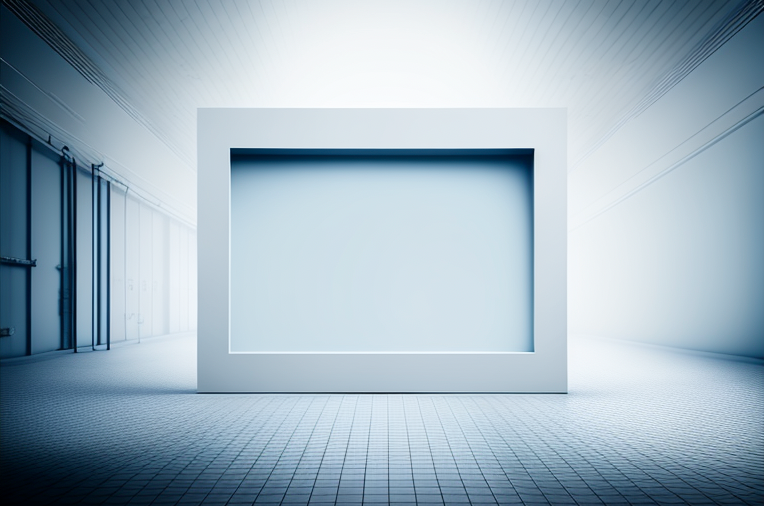
Midjourney prompted by Michael King
  • Green: Green is associated with nature and growth. It’s a soothing color that can help to create a sense of balance and harmony.

Prompt: natural PowerPoint background image, charity theme, no text, large white rectangle in the center , image only , with green aspects, --v 4 --ar 3:2
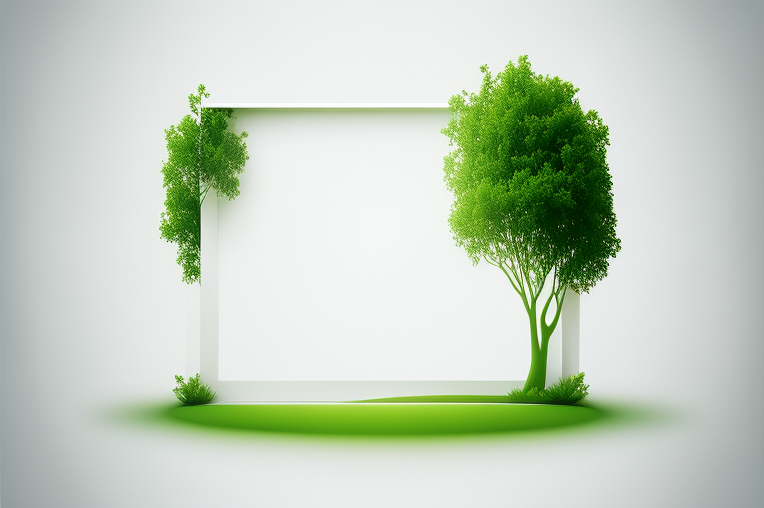
Midjourney prompted by Michael King
  • Yellow: Yellow is a cheerful and upbeat color that can help to create a sense of positivity and optimism.

Prompt: futuristic PowerPoint background image, celebration theme, no text, large white rectangle in the center , image only , with yellow aspects, --v 4 --ar 3:2
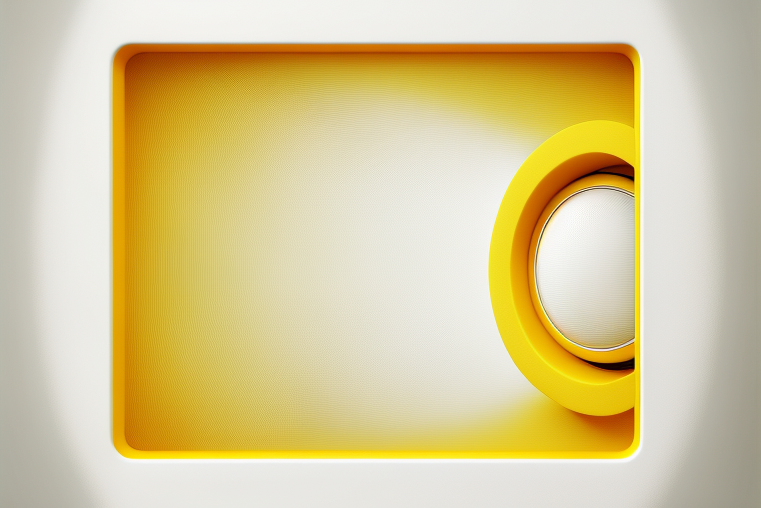
Midjourney prompted by Michael King
  • Red: Red is a powerful and attention-grabbing color that can be used to create a sense of urgency or importance.

Prompt: ultramodern PowerPoint background image, sports competition theme, no text, large white rectangle in the center , image only , with red aspects, --v 4 --ar 3:2

Midjourney prompted by Michael King
  • Purple: Purple is a royal color that can be used to create a sense of luxury and elegance.

Prompt: classic PowerPoint background image, luxury and elegant theme, no text, large white rectangle in the center , image only , with purple aspects, --v 4 --ar 3:2
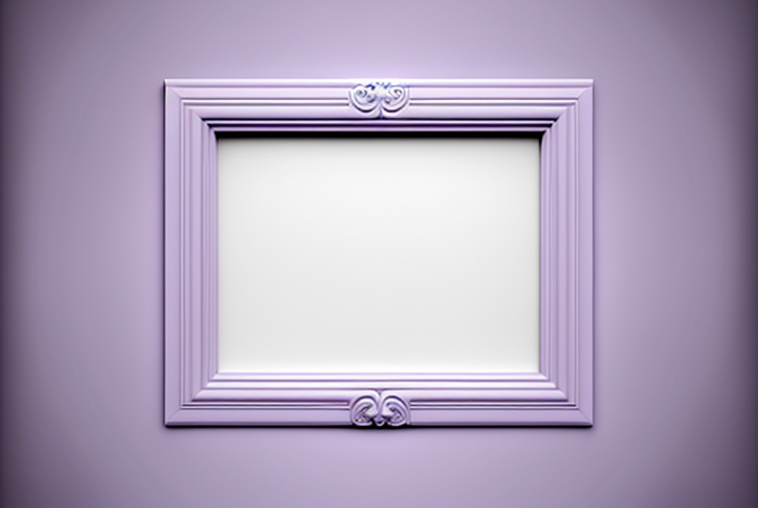
Midjourney prompted by Michael King
  • Black: Black is a sleek and sophisticated color that can be used to create a sense of mystery and elegance.

Prompt: abstract PowerPoint background image, mystery theme, no text, large white rectangle in the center , image only , with strong black aspects, --v 4 --ar 3:2
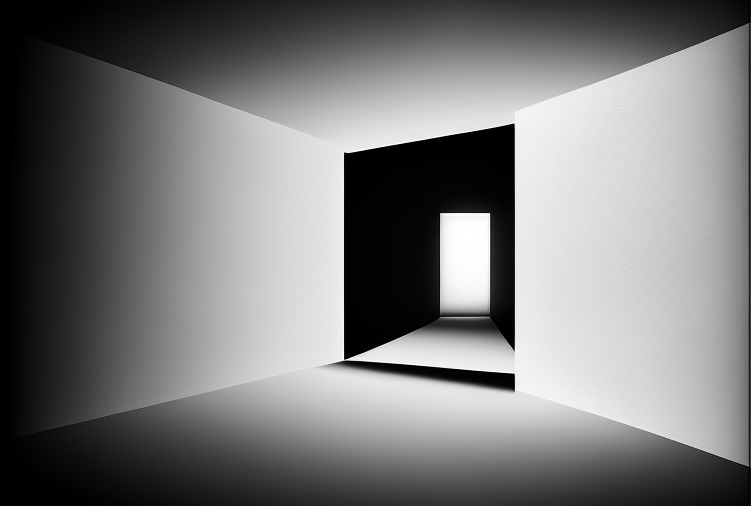
Midjourney prompted by Michael King

When choosing the colors for your background image, consider the message you want to convey and what emotions you want to evoke in your audience. Midjourney AI Image Generator allows you to customize the colors of your background images to suit your needs, making it easy to create the perfect image to complement your presentation.

Midjourney AI Image Generator is a fantastic tool for creating amazing background images for your PowerPoint presentations. With its easy-to-use interface and powerful AI technology, it makes it simple to generate unique, high-quality images that will elevate the look of your slides. Whether you’re a student, a professional, or a business owner, this tool is perfect for anyone looking to make their presentations more visually appealing.

I hope this article has been helpful in showing you how to use Midjourney AI Image Generator to create amazing background images for your PowerPoint presentations.

If you want more tips and tricks on how to improve your presentations, be sure to follow my channel and join my newsletter. I’ll be sharing more helpful content on this topic and other related topics to help you take your presentations to the next level. Thanks for reading!

And if you’re feeling particularly generous, you could buy me a coffee at www.buymeacoffee.com/kingmichael. Your support would greatly help in keeping me motivated and writing articles that you love.

Technology
Midjourney
Art
Design
Artificial Intelligence
Recommended from ReadMedium