
How to Create a Full Autocomplete Search Application with Elasticsearch and NestJS
Part 1: How to setup Elasticsearch on your PC
Elasticsearch is a distributed, RESTful search and analytics engine that can handle an expanding range of use cases. It offers a full-text search engine with a multitenant capability, an HTTP web interface, and schema-free JSON documents, all with simple installation.
Elasticsearch is a search engine based on the Lucene library. It provides a distributed, multitenant-capable full-text search engine with an HTTP web interface and schema-free JSON documents. Read more
In this article, I will be walking you through how to setup elasticsearch on your PC.
How to setup, install and configure Elasticsearch for Mac
In order to download Elasticsearch, goto Elasticsearch Download Page, select the respective operating system and click on the download button as shown below:
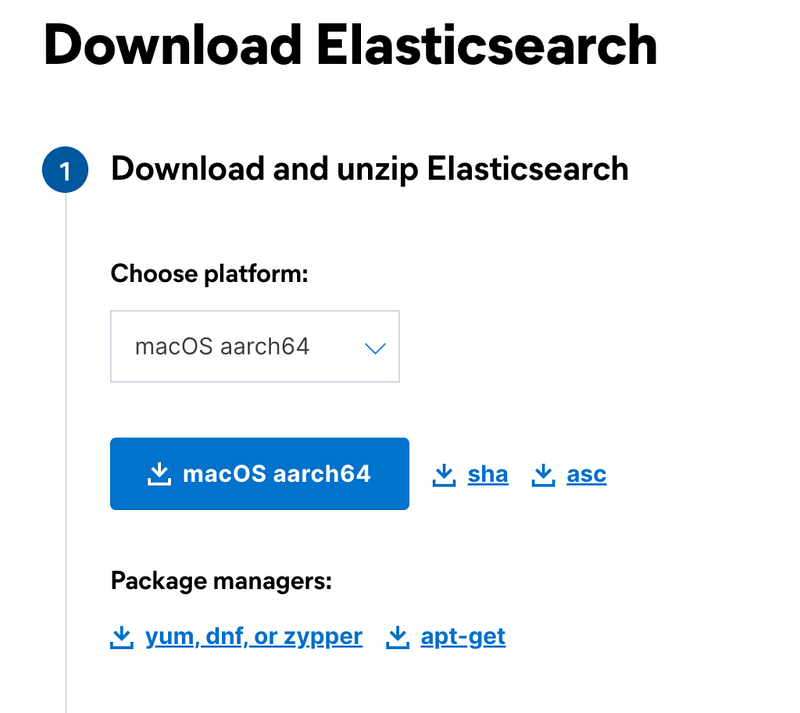
After downloading, extract the compressed file using the command below
$ tar -xzvf elasticsearch-8.4.1-darwin-aarch64.tar.gzConfiguring Elasticsearch
After extracting elasticsearch, depending on your use case, you may want to configure elasticsearch to suit you. You can take a look at the config file using the command below:
$ vi elasticsearch-8.4.1/config/elasticsearch.ymlCluster: You can have multiple nodes in your cluster, in order to do this, you need to ensure that the cluster name on your nodes matches.
# -------------------------------- Cluster ----------------------------------
#
# Use a descriptive name for your cluster:
#
cluster.name: air-elastic
#
Node: This is an identifier for the individual nodes in your cluster
# -------------------------------- Node ----------------------------------
#
# Use a descriptive name for your cluster:
#
node.name: airscholar-node
#
For other configurations, check elasticsearch.yml to fine tune the configs to suit your use case.
Starting up Elasticsearch
In order to start up elasticsearch engine use the command below:
$ bin/elasticsearchWhen starting up elasticsearch for the first time, you will be presented with a password that needs to be changed
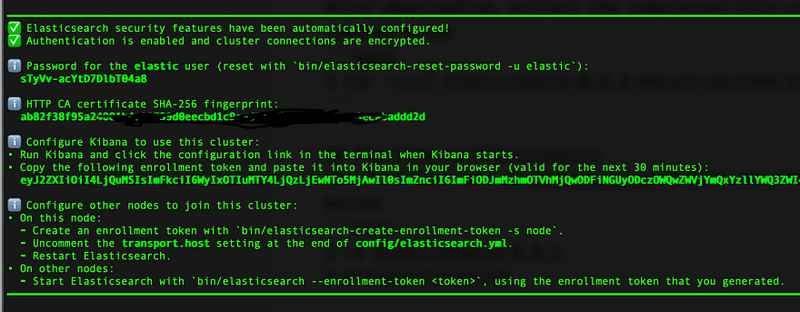
Changing your password for the first time
You should change your password after starting up the elasticsearch for the first time, of course, you can do that using this command:
bin/elasticsearch-reset-password -u elastic
NOTE: ENSURE YOU KEEP YOUR ELASTIC PASSWORD SAFE, IT WILL BE REQUIRED IN ORDER TO CONNECT TO ELASTICSEARCH
Testing Elasticsearch
In your browser, goto https://localhost:9200 or the specified hostname and port in your elasticonfig.yml.
You will be asked for username (elastic) and password (the password you changed to when starting elasticsearch for the first time)
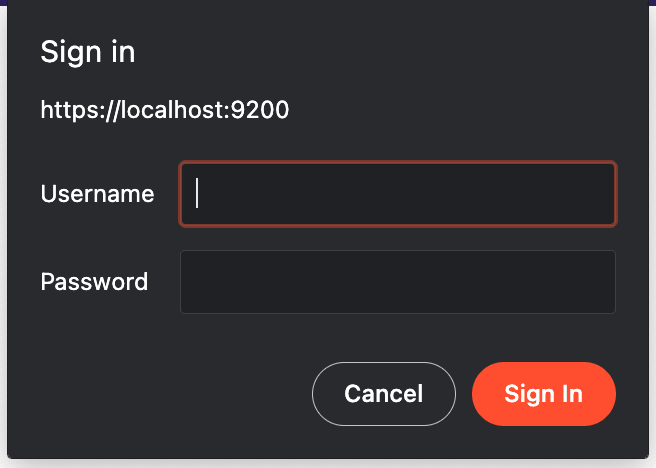
You should see something like this.
{
  "name" : "airscholar-node",
  "cluster_name" : "air-elastic",
  "cluster_uuid" : "7g3LmMYFRmyxTyR6ZI-b7A",
  "version" : {
    "number" : "8.4.1",
    "build_flavor" : "default",
    "build_type" : "tar",
    "build_hash" : "2bd229c8e56650b42e40992322a76e7914258f0c",
    "build_date" : "2022-08-26T12:11:43.232597118Z",
    "build_snapshot" : false,
    "lucene_version" : "9.3.0",
    "minimum_wire_compatibility_version" : "7.17.0",
    "minimum_index_compatibility_version" : "7.0.0"
  },
  "tagline" : "You Know, for Search"
}
If you have any challenge setting up elasticsearch, feel free to drop a comment, I will try to respond. You can also check official elasticsearch documentation for a more detailed information about elasticsearch.
Summary
Congratulations our elasticsearch guru, you made it! 😊
Now that elasticsearch is up and running, your Elasticsearch node should be completely functional. The process is pretty much the same if you have multiple nodes and you do not have to worry about the nodes in your cluster because elasticsearch fully supports automated routing and load balancing.
Thanks for reading!
In the next article, I will walk you through how to setup and connect your NestJs application with Elasticsearch. Stay tuned!
More content at PlainEnglish.io.
Sign up for our free weekly newsletter. Follow us on Twitter, LinkedIn, YouTube, and Discord.
Interested in scaling your software startup? Check out Circuit.


