
How to Create a Discord Bot to Download Midjourney Images Automatically: Python Step-by-Step Guide
Are you ready to dive into the exciting world of Python programming and automation? Because I certainly am! Today, I’m thrilled to share with you a step-by-step guide on how to create a Discord bot using Python that will automatically download AI generated Midjourney images for you.
Whether you are a seasoned programmer or just starting out, this guide will provide you with all the necessary tools to create your very own bot and streamline your image downloading process. So, let’s get cracking!
This guide is going to be your ultimate resource for creating your very own Discord bot using Python. It’s going to be divided into three sections, each of which is crucial for building a successful bot.
In the first section, I’ll be covering how to create a private Discord server. This will involve setting up your server, inviting members, and ensuring that your server is secure.
In the second section, I’ll delve into the nitty gritty details of configuring your Discord bot and enabling permissions. I’ll provide you with a step-by-step guide on how to set up a bot account, and I’ll show you how to grant it the necessary permissions.
Finally, in the third section, I’ll be exploring how to write a Python script for automating the download of midjourney images. This is where things start to get really exciting! You’ll get to put your programming skills to the test and create a bot that can handle your image downloading process automatically.
Are you ready to get started? Great! Let’s dive right in.
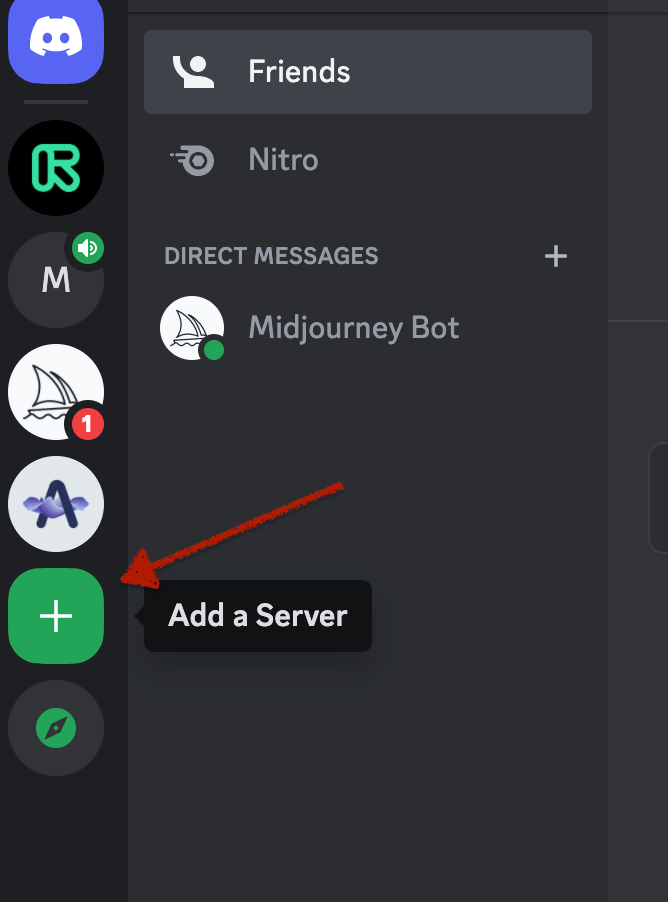
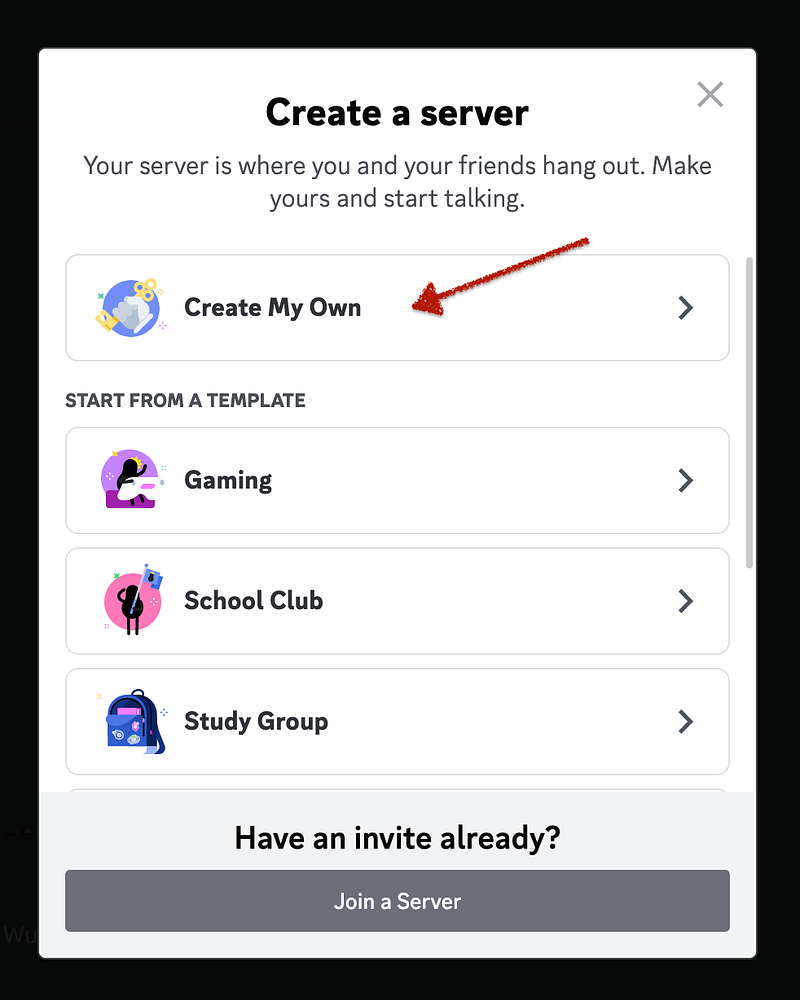
Open Discord App and click on “Add a Server”
Click on “Create my Own”
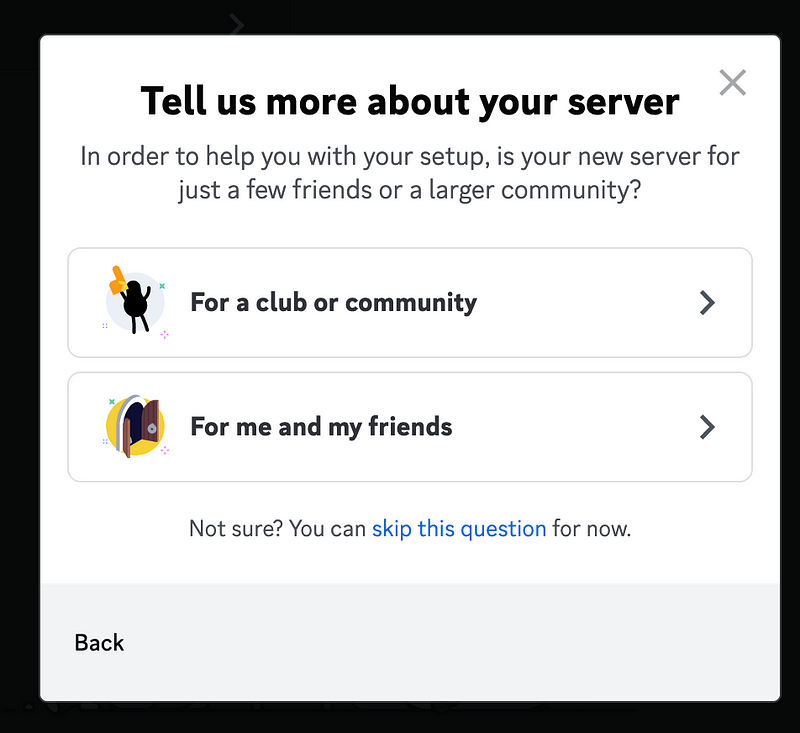
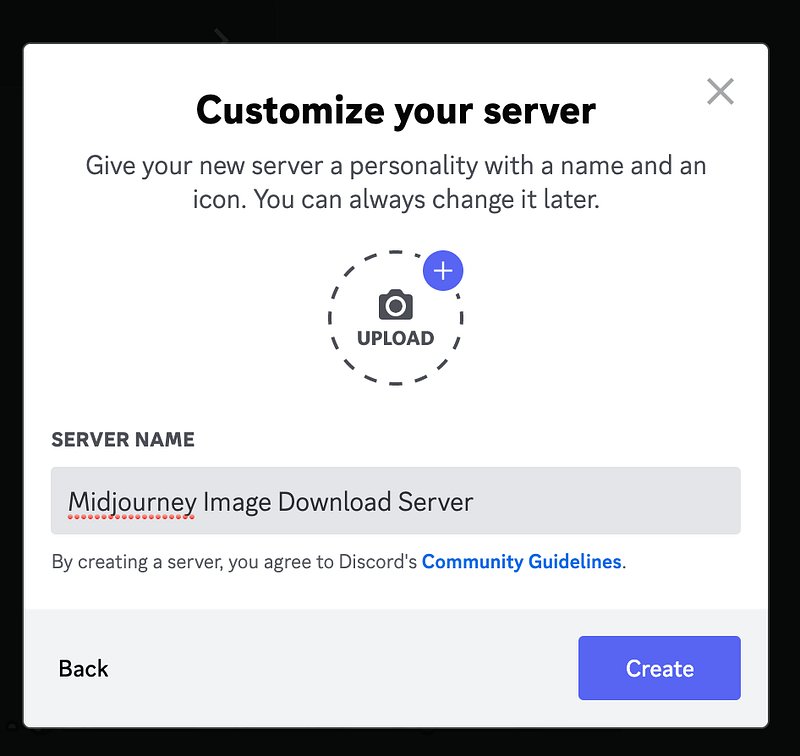
Select “For me and my friends“
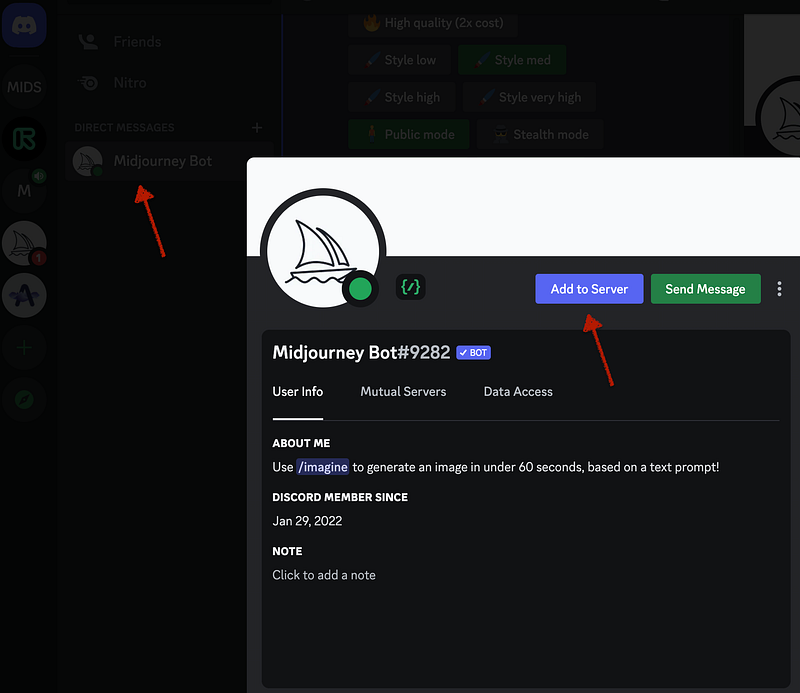
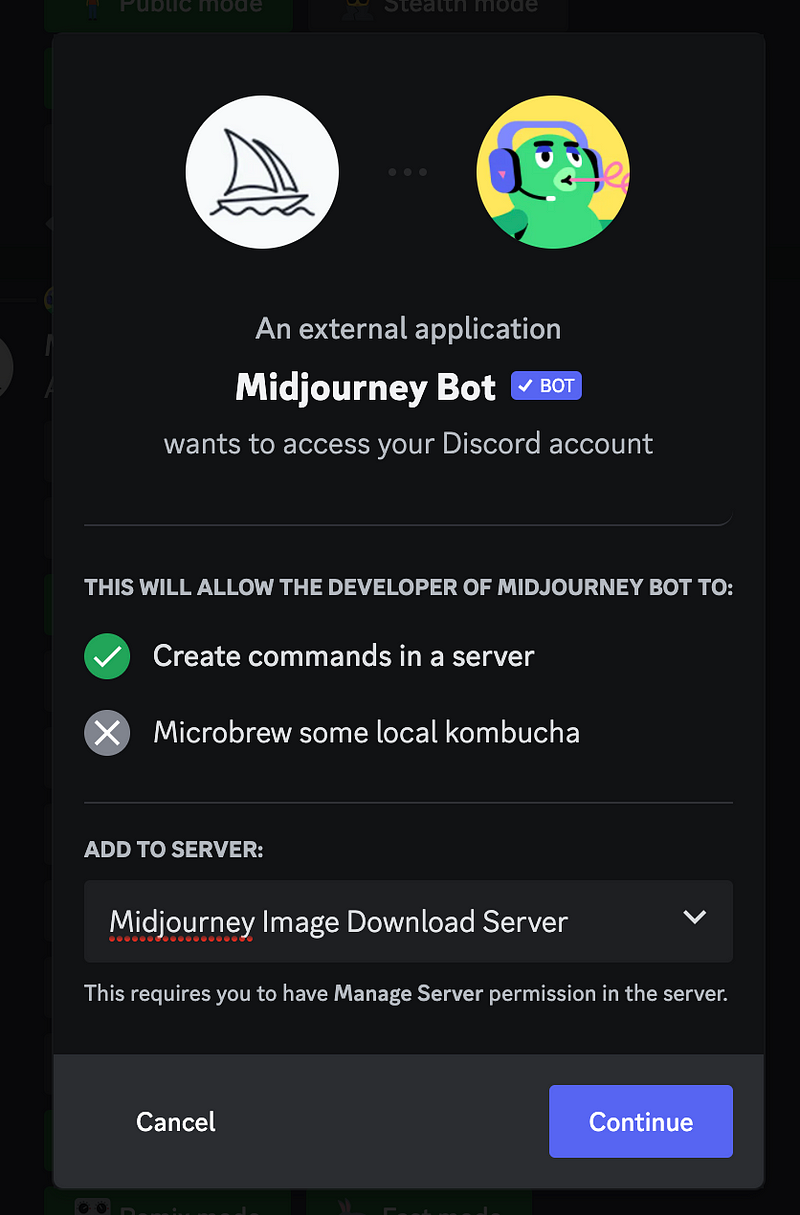
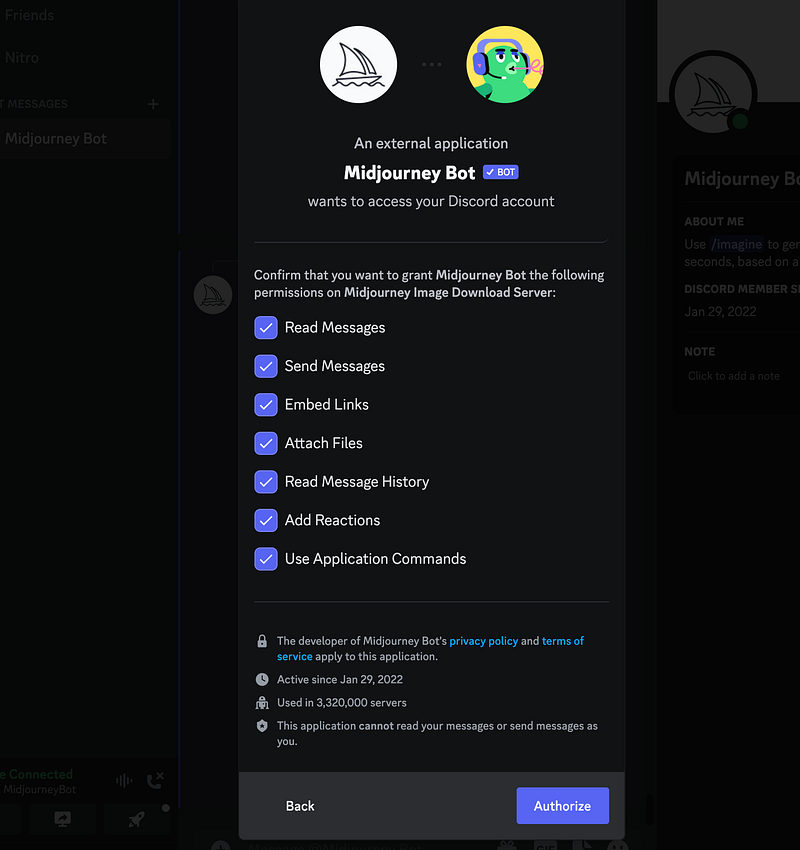
Now go to direct messages in Discord App and rightclick on Midjourney Bot name, then select Profile. Click on “Add to Server”
Select the newly created server and Authorize.
Let continue with the second part!
Login to the https://discord.com/developers/applications and create an application in Discord Developer portal.
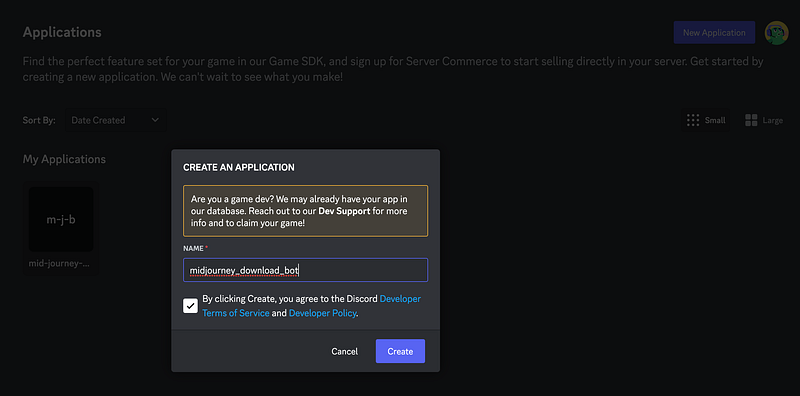
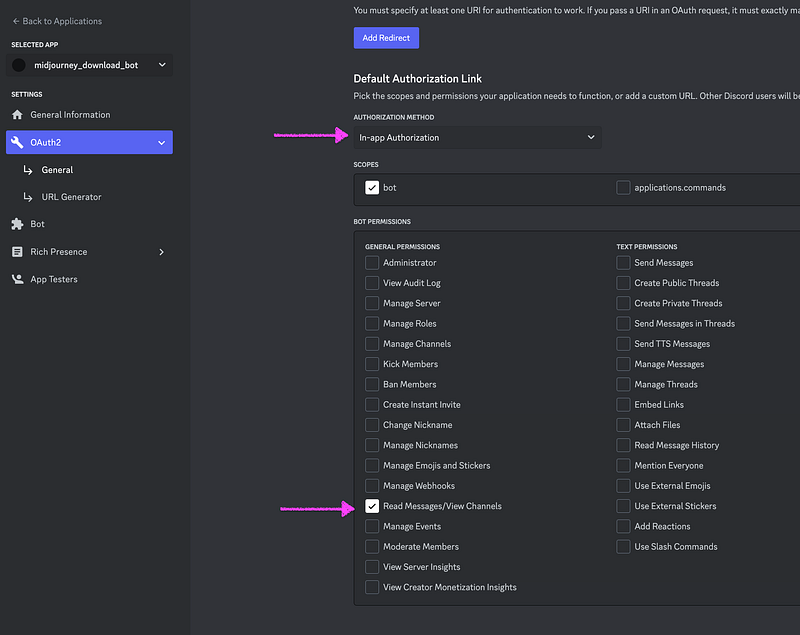
Go to OAuth2 → General and change Authorization method to In-app Authentication. Select bot scope, and tick Read Messages/View Channels under bot permissions.
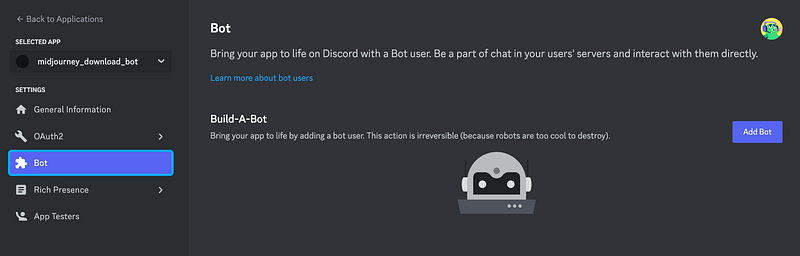
Go to Bot, and click on Add Bot
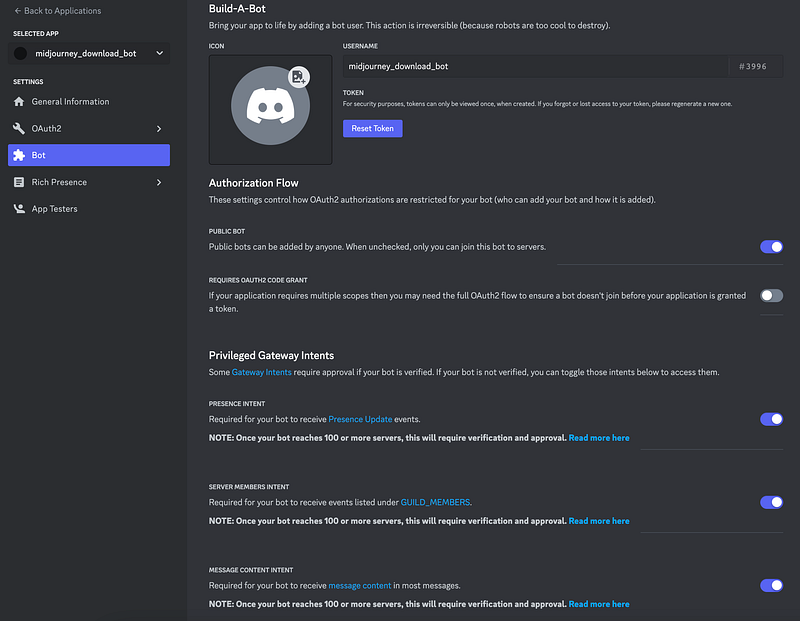
Use the toggles configuration shown below.
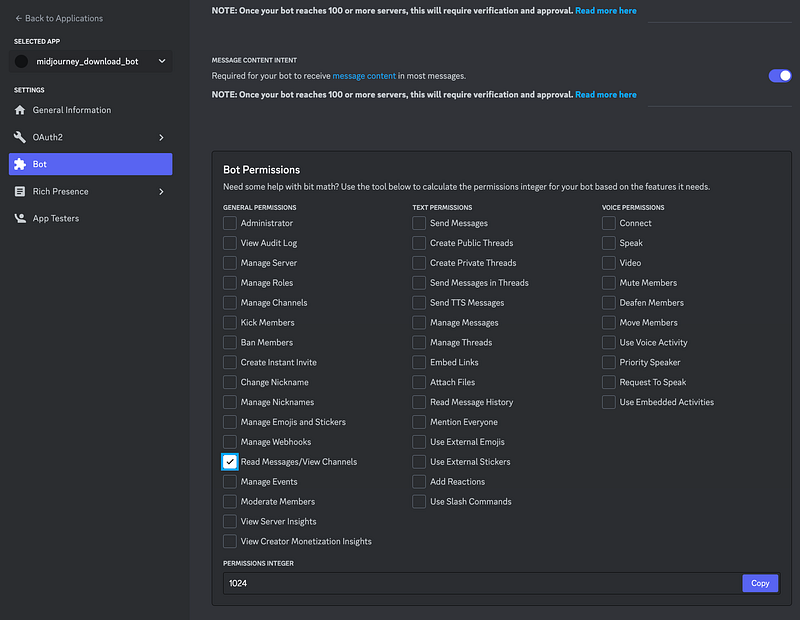
Enable Read Messages\View Channels permissions
Reset/View Token and save it in secure space
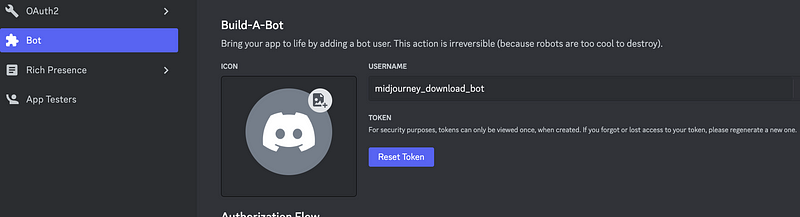
Go to OAuth2 again and go to URL Generator. Tick “bot” and ‘Read Messages/View Channels”
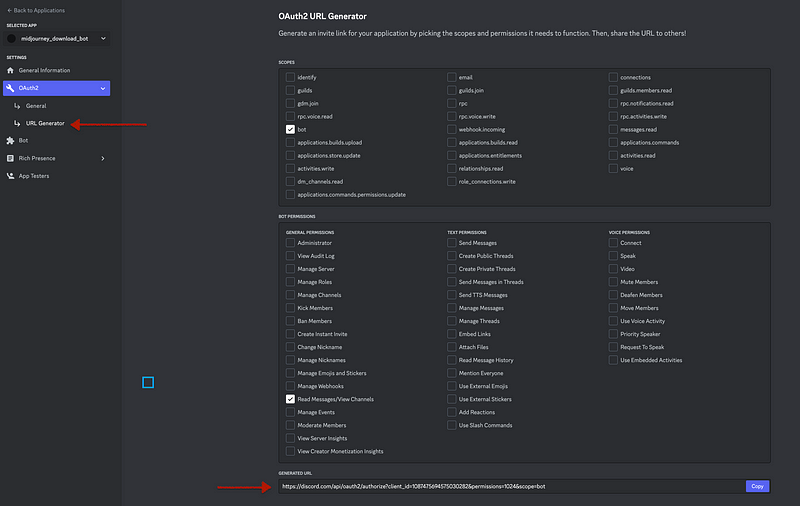
Open the URL shown at the bottom and select your Midjourney Server
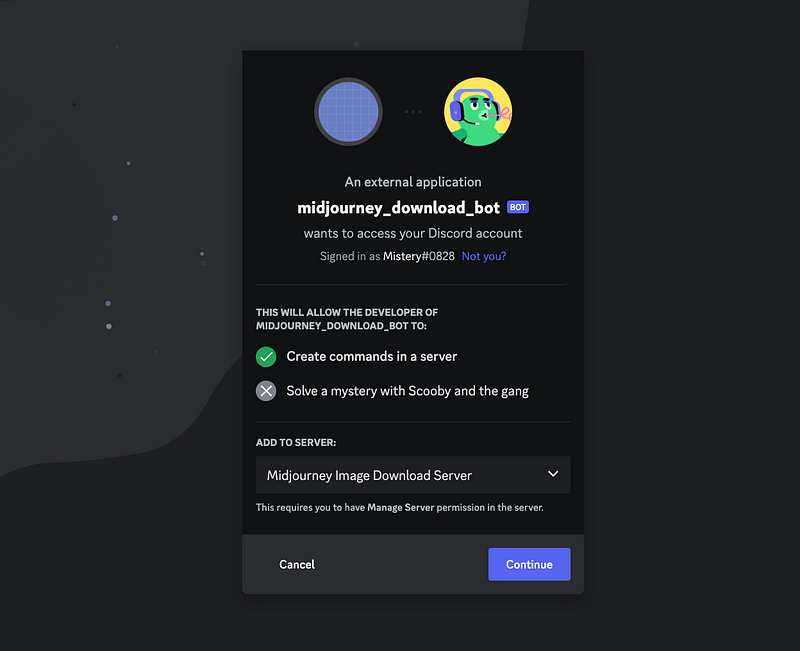
That’s it second part is complete, let’s continue with Python script!
Alright, let’s dive deeper into the third section where we’ll create the Python script for automating the download of Midjourney generated AI images. This script will connect to the Discord API and read incoming messages from the specified Discord server. If the incoming message contains an image, the script will download the image and in case it is a preview grid image from Midjourney, it will split it into 4 individual images, and then save all the resulting images in your output folder.
Here’s a more detailed rundown of what the script does:
1. Connects to the Discord API using your bot token and listens for incoming messages from your specified server. 2. When a message is received, the script checks whether it contains an image. If it does, the script identifies it as a mid-journey preview grid image. 3. If the image is a preview grid image, the script splits it into four individual images using Python’s Image Library (PIL). 4. Then, the script saves all the resulting images in your output folder.
Let’s get started and create your Discord Python bot today!
Python Prerequisites:
To install the required libraries for this Python script, you can use pip. Open your terminal or command prompt and run following command:
pip install discord.py python-dotenv Pillow requestsPython Code:
import discord
from discord.ext import commands
import requests
from dotenv import load_dotenv
from PIL import Image
import os

discord_token = "PASTE_YOUR_DISCORD_BOT_TOKEN"

load_dotenv()
client = commands.Bot(command_prefix="*", intents=discord.Intents.all())

directory = os.getcwd()
print(directory)

def split_image(image_file):
    with Image.open(image_file) as im:
        # Get the width and height of the original image
        width, height = im.size
        # Calculate the middle points along the horizontal and vertical axes
        mid_x = width // 2
        mid_y = height // 2
        # Split the image into four equal parts
        top_left = im.crop((0, 0, mid_x, mid_y))
        top_right = im.crop((mid_x, 0, width, mid_y))
        bottom_left = im.crop((0, mid_y, mid_x, height))
        bottom_right = im.crop((mid_x, mid_y, width, height))

        return top_left, top_right, bottom_left, bottom_right

async def download_image(url, filename):
    response = requests.get(url)
    if response.status_code == 200:

        # Define the input and output folder paths
        input_folder = "input"
        output_folder = "output"

        # Check if the output folder exists, and create it if necessary
        if not os.path.exists(output_folder):
            os.makedirs(output_folder)
        # Check if the input folder exists, and create it if necessary
        if not os.path.exists(input_folder):
            os.makedirs(input_folder)

        with open(f"{directory}/{input_folder}/{filename}", "wb") as f:
            f.write(response.content)
        print(f"Image downloaded: {filename}")

        input_file = os.path.join(input_folder, filename)

        if "UPSCALED_" not in filename:
            file_prefix = os.path.splitext(filename)[0]
            # Split the image
            top_left, top_right, bottom_left, bottom_right = split_image(input_file)
            # Save the output images with dynamic names in the output folder
            top_left.save(os.path.join(output_folder, file_prefix + "_top_left.jpg"))
            top_right.save(os.path.join(output_folder, file_prefix + "_top_right.jpg"))
            bottom_left.save(os.path.join(output_folder, file_prefix + "_bottom_left.jpg"))
            bottom_right.save(os.path.join(output_folder, file_prefix + "_bottom_right.jpg"))

        else:
            os.rename(f"{directory}/{input_folder}/{filename}", f"{directory}/{output_folder}/{filename}")
        # Delete the input file
        os.remove(f"{directory}/{input_folder}/{filename}")

@client.event
async def on_ready():
    print("Bot connected")

@client.event
async def on_message(message):
    for attachment in message.attachments:
        if "Upscaled by" in message.content:
            file_prefix = 'UPSCALED_'
        else:
            file_prefix = ''
        if attachment.filename.lower().endswith((".png", ".jpg", ".jpeg", ".gif")):
            await download_image(attachment.url, f"{file_prefix}{attachment.filename}")

client.run(discord_token)And that’s it! By following this guide, you should now have a fully functioning Discord bot that automates the download of Midjourney generated AI images. I hope you found this guide helpful and that you’ve enjoyed learning how to create your own bot.
If you have any questions or comments about the guide, feel free to leave them in the comments section below. And if you want to see more guides and tutorials on programming and automation, be sure to follow my channel and give me some claps if you liked this article. Your support motivates me to keep creating helpful content for you all.
Thank you for reading and happy coding!
Update:
Zen Monk has raised a valid question on how can you use this bot, and I’ve updated the Python script to enable the download on historical images. In order to download X amount of images, you need to start the Python script below and send a following message to your Discord channel
history:50By using the command above, Python script will download the 50 most recent images from Midjourney. And you can change the number to suit your requirements.
Python Code:
import discord
from discord.ext import commands
import requests
from dotenv import load_dotenv
from PIL import Image
import os

discord_token = "PASTE_YOUR_DISCORD_BOT_TOKEN"

load_dotenv()
client = commands.Bot(command_prefix="*", intents=discord.Intents.all())
directory = os.getcwd()
print(directory)

def split_image(image_file):
    with Image.open(image_file) as im:
        # Get the width and height of the original image
        width, height = im.size
        # Calculate the middle points along the horizontal and vertical axes
        mid_x = width // 2
        mid_y = height // 2
        # Split the image into four equal parts
        top_left = im.crop((0, 0, mid_x, mid_y))
        top_right = im.crop((mid_x, 0, width, mid_y))
        bottom_left = im.crop((0, mid_y, mid_x, height))
        bottom_right = im.crop((mid_x, mid_y, width, height))
        return top_left, top_right, bottom_left, bottom_right

async def download_image(url, filename):
    response = requests.get(url)
    if response.status_code == 200:

        # Define the input and output folder paths
        input_folder = "input"
        output_folder = "output"

        # Check if the output folder exists, and create it if necessary
        if not os.path.exists(output_folder):
            os.makedirs(output_folder)

        # Check if the input folder exists, and create it if necessary
        if not os.path.exists(input_folder):
            os.makedirs(input_folder)
        with open(f"{directory}/{input_folder}/{filename}", "wb") as f:
            f.write(response.content)
        print(f"Image downloaded: {filename}")
        input_file = os.path.join(input_folder, filename)

        if "UPSCALED_" not in filename:
            file_prefix = os.path.splitext(filename)[0]
            # Split the image
            top_left, top_right, bottom_left, bottom_right = split_image(input_file)
            # Save the output images with dynamic names in the output folder
            top_left.save(os.path.join(output_folder, file_prefix + "_top_left.jpg"))
            top_right.save(os.path.join(output_folder, file_prefix + "_top_right.jpg"))
            bottom_left.save(os.path.join(output_folder, file_prefix + "_bottom_left.jpg"))
            bottom_right.save(os.path.join(output_folder, file_prefix + "_bottom_right.jpg"))
        else:
            os.rename(f"{directory}/{input_folder}/{filename}", f"{directory}/{output_folder}/{filename}")
        # Delete the input file
        os.remove(f"{directory}/{input_folder}/{filename}")

@client.event
async def on_ready():
    print("Bot connected")

@client.event
async def on_message(message):
    print(message.content)
    for attachment in message.attachments:
        if "Upscaled by" in message.content:
            file_prefix = 'UPSCALED_'
        else:
            file_prefix = ''
        if attachment.filename.lower().endswith((".png", ".jpg", ".jpeg", ".gif")):
            await download_image(attachment.url, f"{file_prefix}{attachment.filename}")


    # use Discord message to download images from a channel history, example: "history:50"
    if message.content.startswith("history:"):
        download_qty = int(message.content.split(":")[1])
        channel = message.channel
        async for msg in channel.history(limit=download_qty):
            for attachment in msg.attachments:
                if "Upscaled by" in message.content:
                    file_prefix = 'UPSCALED_'
                else:
                    file_prefix = ''
                if attachment.filename.lower().endswith((".png", ".jpg", ".jpeg", ".gif")):
                    try:
                        await download_image(attachment.url, f"{file_prefix}{attachment.filename}")
                    except:
                        time.sleep(10)
                        continue

client.run(discord_token)


