
How to Craft the Perfect Daybook to Handle Notes, Projects, and Life
Start with something good enough, then make it truly yours

I’m not, by nature, an organized person, and I never have been.
In the third grade, my report card read “needs improvement” for Organization.
In grade school, I almost flunked a semester of history because of “study folder checks.”
After college, I tried to follow a few systems to the letter to fix the problem: Getting Things Done (GTD), daily-weekly goals, hour-tracking, the A+ Student system, and bullet journaling to name a few. Yet I always ran into similar problems:
- Some parts would be immediately useful, and others seemed like a lot of work for little benefit.
- They were often too complicated for me at that moment. With enough practice, I could make them a seamless part of my daily life. Still, when life’s meteors hit, they were creating more work than they saved, so these practices were the first thing to go, and with them went my trust that they were worth my time.
- Even those that did seem to help for a time didn’t grow with me. As my needs changed, often rapidly, trying to make them fit created more friction than freedom.
Three years ago, I recognized a common theme through most of them — they centered around a tool you keep at hand. It wasn’t always a ‘planner’ per se. In GTD, it was a ‘capture system’ for quick ideas. In the A+ student method, it was a single sheet of paper with the day’s schedule.
Whatever the design, they were all examples of daybooks, and because I’d had some success with one while I was a Naval officer, I decided to reboot my effort there. Two years later, I had developed a system that works for me- a “Perfect Daybook,” that has anchored all the pieces of my schedule, captured my tasks and projects, and brought organization to my naturally disorganized day.
The act of crafting a Perfect Daybook takes only a few hours, but the process brings mindfulness and attention to your schedule that will play out over years.
Start with something good enough
For me, this was my ‘wheelbook.’ A near-universal practice in the Navy, a wheelbook is a small to medium-sized notebook that would fit in the deep pockets of Navy coveralls and an organization system for how to use it.
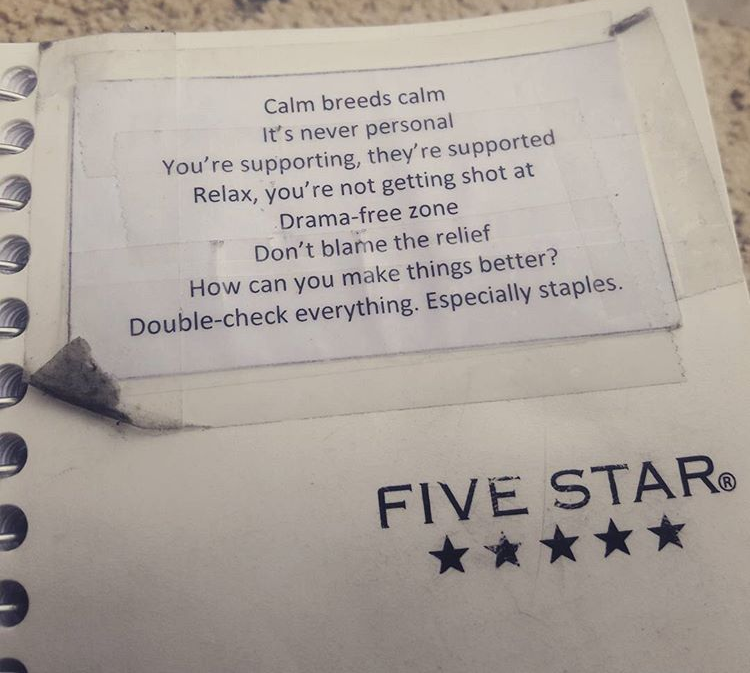
Meeting notes, brainstorms, and tasks went into the notebook in chronological order. I distinguished tasks with checkboxes but kept everything else freeform and flexible. When everything on a page was handled or irrelevant, I’d tear it out of the wheelbook and shred it so I wouldn’t have to skip through pages of irrelevant information. Occasionally, I’d go back and ‘capture’ every incomplete task to the most recent ‘working’ page as a form of housekeeping.
Give it time to understand where it is and isn’t useful
A salty old Chief once told me never to trust a sailor who didn’t carry a wheelbook. After a few years of using them, I understood why. The small size and flexible design were invaluable for capturing the thousand random inputs that arise in the daily life of a junior ship driver: drive-by taskers, impromptu meeting notes, study session highlights, and whatever else may come.
However, even while I was still in the service, it had its gaps. The small size meant I’d burn through three or four pages a day at times. It was ungainly at scheduling future events, the pages themselves became chaotic, and I inevitably missed things.
After transitioning to the civilian world, it didn’t match at all. Without a Plan of the Day scheduling my life for me, and since I could always keep resources and notes at hand on my smartphone with Evernote and various apps, it became clear what the wheelbook simply couldn’t handle what I wanted it to do.
Treat each new effort as an experiment
After a few years without a wheelbook, it was clear that I needed something more than just Google Calendar and my steel wool brain.
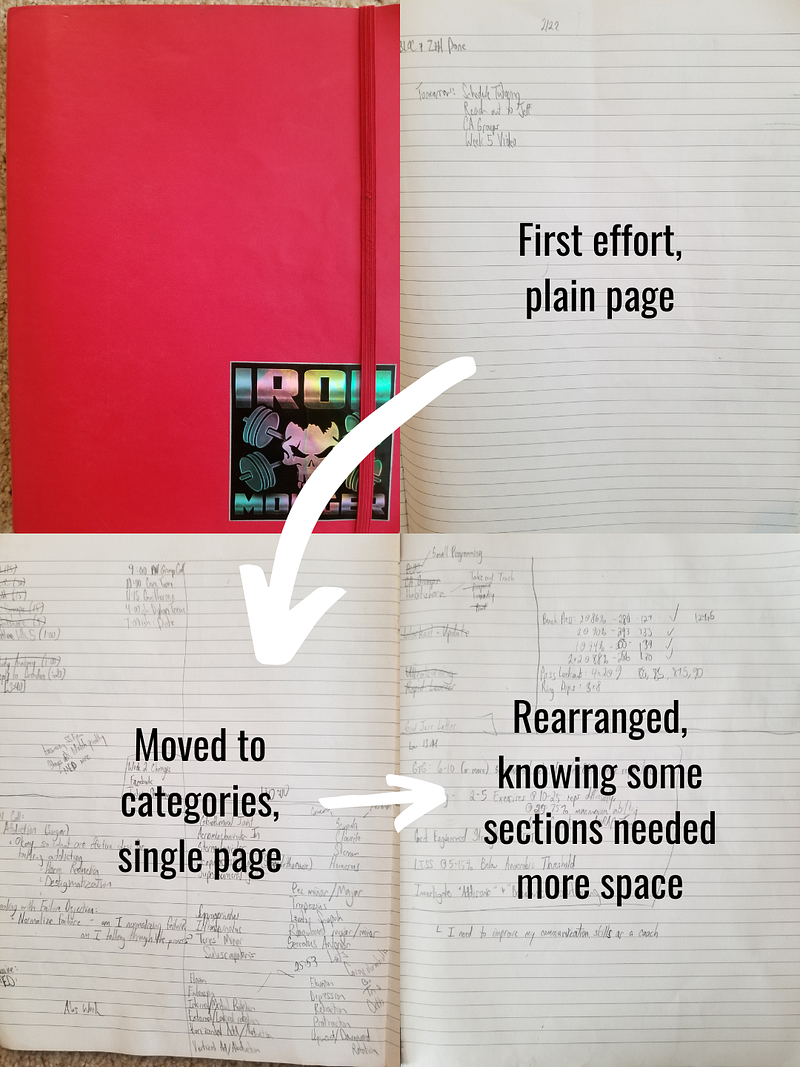
My next effort was The Red Book. Since I needed something that could capture my daily tasks, schedule, and bigger-picture brainstorming on the fly, I selected a bigger notebook and, at the start, left it clear. Each day, I wrote in it whatever I wanted it to do: my daily habit reminders, scheduled events, my workout plan, brainstorms for articles, whatever came to mind.
Most of these uses didn’t stick.
- I found something better for my daily habits (the Habitshare app)
- For story ideas, it was easier to jot down the title, subtitle, and a note or two in Medium directly.
- For my daily schedule, the freeform page wasn’t quite right at first.
But some things were beneficial:
- Moving my workout plan from a separate notebook to my daybook was a big win as a reminder both to do it and to upload the videos to my coach.
- I learned how much space I needed on the page for notes, tasks, and workouts.
- It started to fit into my daily morning routine.
So I started drawing pre-lines on the page to stay visually more organized. Each change taught me something about what worked and what didn’t that I could easily modify in the freeform format.
Don’t work towards a ‘perfect product,’ but stay informed by other ideas
Earlier, I mentioned the challenge I had adopting systems like GTD and others wholesale, especially on my own.
They weren’t a perfect fit, but I didn’t abandon them entirely, and I’d encourage you to learn about different systems for a few reasons.
- They may work for you outright. In that case, lucky you!
- Even when the system didn’t work wholesale, I often borrowed pieces and methods and integrated them into my daybook.
- Often, the designers of these systems do a great job of describing what didn’t work from experience. Even if I still try it (I’m pretty stubborn, if I’m honest), when I encounter struggles prophesied in these books, it’s easier to let it go.
After several months with The Red Book, I felt like I had a firm grasp of what it could and couldn’t do, and I had some ideas I wanted to implement from authors that inspired me. So I created a book of my own, incorporating elements from each, and filled it with enough pages to get me through three months.
Build course-correction into your design
I chose to limit the daybook to only three months both for practical reasons — one quarter was already 50 pages — as to force a cycle of reflection.
Borrowing from Colonel Jonathan Boyd’s concept of the OODA loop (Observe, Orient, Decide, Act), creating the daybook is an action. Over the three months, I’d observe myself, the daybook, and my daily needs. In reflection, I orient myself to the conditions that aren’t being met, decide how to change the book, and reprint it for the next quarter. That led to changes like these:
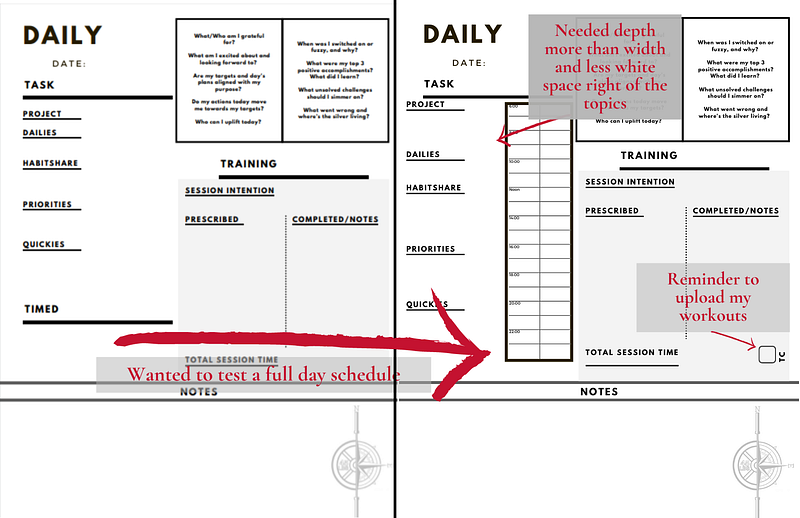
Also, the very first two pages of the planner cover my overarching life goals and specific goals and hopes for the quarter.
The act of having to recopy my mission, values, and purpose had its unique value as reflective time and has helped to keep me on track through a pandemic and chaos at large.
Tools and tactics from my planner journey
If you’re interested in doing something similar, here are the steps you could take to create your own Perfect Daybook:
- Start by buying a cheap notebook of the right size for your needs. If you want it to go everywhere you go, you’ll likely need an A7 or A6-sized notebook (3" X 4" or 4" X 6", respectively). If you want it to capture more and don’t need it to fit in a pocket or purse, I recommend something B5 (7" X 10") or larger.
- Start freeform. Use it to solve problems — don’t invent problems for it to solve. What do you need to remember, record, write, draw, or capture on the go?
- After a trial period, look for repeat patterns and plan on your next iteration.
- Design a first-run of your Perfect Daybook template by reflecting what you learned from your previous experiment. I mapped it in the Canva software with simple lines and boxes. I’ve included my current template here to provide an example and some basic shapes to manipulate, and the free version can likely meet your needs.
- With your template, start by creating a template for each page type. For me, this is daily, weekly, quarterly, an overarching vision page, and some best practice note pages for reminders. Templating the days before you put it all together will save lots of time if you need to make edits before the final print.
- Let it simmer for at least a day, but no longer than a week. This gives you time to consider changes you want to make without stalling the project into oblivion.
- Copy and organize the template pages until you have the full document ready to print. Save it as a PDF. Print each template page once for a print-test before you print the whole thing. Canva allows up to 50 pages, so for a full quarter, you have to create two documents (my original strategy) or use Adobe Acrobat DC or similar software which would allow you to copy and duplicate PDF pages.
- I found the cheapest and most straightforward option was to print the pages at home (or at the library), then go to an office supply store for binding with a front and back cover to protect the pages. The whole project came in at under ten dollars.
- Use the daybook until you reach its end, rinse, and repeat.
Don’t stop there
I used this approach with my daybook to help me use my day most effectively, in line with my purpose and mission, and in the process, I learned how better to use the organizational systems that I was failing with in the first place.
But this mentality of iterative design applies well beyond the Perfect Daybook. I use it with my strength training clients and mentees for a variety of tasks:
Building a website? Find a good-enough service and start. Writing for Medium? Write your first post and click “Publish.” Want to get stronger? Start with a basic program at a reasonably light weight and lift.
To borrow from James Clear, the author of Atomic Habits, you can’t optimize a habit you don’t have. Start with something — anything. Make it better. Make it yours. And after many iterations, you might just have something perfect.