avatarIndigo

Free AI web copilot to create summaries, insights and extended knowledge, download it at here

2068

Abstract

ing with other R4R members’ articles. This also made them aware that their article was likely to receive more exposure.</p><p id="e812"><b>Yet, I received numerous comments informing me that they did not receive a notification.</b></p><figure id="7315"><img src="https://cdn-images-1.readmedium.com/v2/resize:fit:800/1*MOcWa4AAP95V4E2DBIzjJA.png"><figcaption></figcaption></figure><figure id="6a8c"><img src="https://cdn-images-1.readmedium.com/v2/resize:fit:800/1*ZVIV3r2x6lIKJgXx1xMAFg.png"><figcaption></figcaption></figure><figure id="0a29"><img src="https://cdn-images-1.readmedium.com/v2/resize:fit:800/1*-jauZWALBpWjYrzTKDmakg.png"><figcaption></figcaption></figure><p id="99e3"><a href="undefined">Logan Silkwood</a> <a href="undefined">Alexandria Roswick</a> <a href="undefined">Carlo Zeno</a>. I APOLOGISE.</p><p id="1ba5">It had nothing to do with their notification settings!</p><p id="be48">I’ve since discovered… <b>I was tagging incorrectly.</b></p><figure id="d7ac"><img src="https://cdn-images-1.readmedium.com/v2/resize:fit:800/0*wPfFSQ5HzCsOG6oZ"><figcaption>Photo by <a href="https://unsplash.com/@matscha?utm_source=medium&amp;utm_medium=referral">Daniela Holzer</a> on <a href="https://unsplash.com?utm_source=medium&amp;utm_medium=referral">Unsplash</a></figcaption></figure><h2 id="a3ac">Method 1 of Tagging (NO Notification)</h2><p id="97b4">This is how I’ve been tagging my fellow Medium writers:</p><p id="afbd">I open their medium profile page. I copy and paste their medium profile link from the address bar. I then write their name on my drafted post. I highlight the written name. I click on the small paperclip. I paste in their web address. I press enter.</p><p id="8722"><i>Who else uses this method to tag?</i></p><p id="861c"><b>Well… I’ve now learned that this method does NOT notify the user that you have tagged them in your article.</b></p><h2 id="baa6">Method 2 of Tagging:</h2><p id="d3ef">If your intention is for the user to<b> receive a notification</b> that you’ve tagged them in your article… these are the steps you f

Options

ollow.</p><ol><li>Click the “@” key on your laptop.</li><li>The font will change to the colour green. Then, simply type in the name of the user you wish to tag.</li><li>A drop-down menu will appear, and all you have to do is click on their name!</li></ol><p id="1796">I am now aware and will not make this mistake again, because more often than not, I am tagging someone for good reason. And my intention is for them to receive the notification.</p><p id="eff3">I am not mindlessly tagging random users.</p><p id="f244">If you wish to reference someone’s Medium profile, but you do not want to bother them with a notification, then method 1 will come in handy of course!</p><p id="939a">So I have to ask.</p><p id="f46d">Is this new learning for you?</p><p id="2629">Or did you already know about the 2 methods of tagging?</p><figure id="3d91"><img src="https://cdn-images-1.readmedium.com/v2/resize:fit:800/0*xM2F_v1sum7vM29-"><figcaption>Photo by <a href="https://unsplash.com/@guitarist321?utm_source=medium&amp;utm_medium=referral">Chris Ainsworth</a> on <a href="https://unsplash.com?utm_source=medium&amp;utm_medium=referral">Unsplash</a></figcaption></figure><blockquote id="21e2"><p><b>Medium is a great platform to write and share your stories. If you’re interested in joining Medium, <a href="https://medium.com/@IndigoV/membership">here’s my affiliate link </a>for you to get started!</b></p></blockquote><div id="e903" class="link-block"> <a href="https://medium.com/@IndigoV/membership"> <div> <div> <h2>Join Medium with my referral link - Indigo</h2> <div><h3>As a Medium member, a portion of your membership fee goes to writers you read, and you get full access to every story…</h3></div> <div><p>medium.com</p></div> </div> <div> <div style="background-image: url(https://miro.readmedium.com/v2/resize:fit:320/0*3eezjX4owLb5hOmR)"></div> </div> </div> </a> </div></article></body>

How To CORRECTLY Tag Someone On Medium!

I’m an idiot. I’ve been doing it wrong this whole time.
Photo by Andrea De Santis on Unsplash

Tagging a fellow Medium user might be general knowledge for the majority of you. So I feel like a bit of an idiot writing this.

BUT…

Did you know that there are TWO ways of tagging users on Medium?

Yes? You knew this already? OK. I’ll see myself out then.

If your answer is no, then please keep reading. And let me know in the comments if you weren’t aware of this too. It will make me feel better, haha.

OK, so. The method you use to tag users on Medium will determine whether or not they receive a notification.

Method 1: The user you are tagging does NOT receive a notification. Method 2: The user you are tagging DOES receive a notification.

Some of you may already know, I started a ‘Read for Read’ club. Click here if you’d like to join. We have over 40 dedicated members now, woohoo!

And through this ‘Read for Read’ club, I posted four separate articles, containing a list of approximately 10 articles in each (articles written by members a part of the club).

In these articles, I tagged all relevant writers who were referenced in that particular ‘Read for Read’ club list.

This ensured that they were aware of the ‘Read for Read’ list being ready, enabling them to begin engaging with other R4R members’ articles. This also made them aware that their article was likely to receive more exposure.

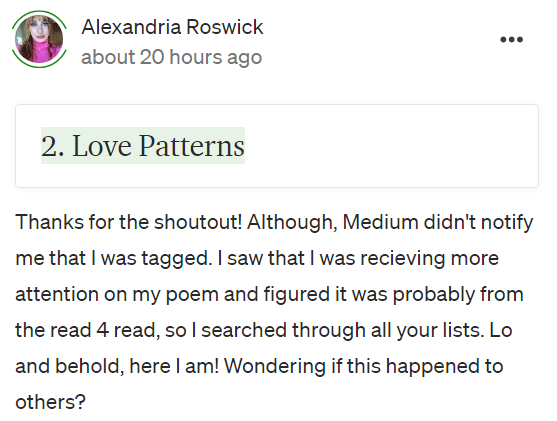
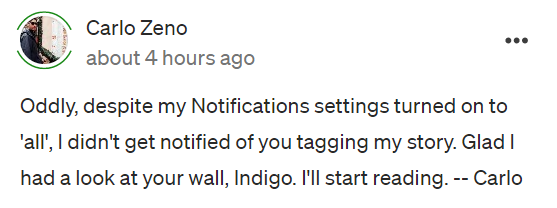
Yet, I received numerous comments informing me that they did not receive a notification.
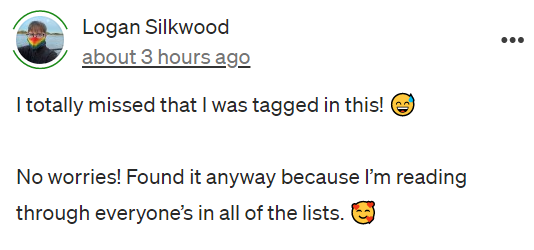
Logan Silkwood Alexandria Roswick Carlo Zeno. I APOLOGISE.

It had nothing to do with their notification settings!

I’ve since discovered… I was tagging incorrectly.

Photo by Daniela Holzer on Unsplash

Method 1 of Tagging (NO Notification)

This is how I’ve been tagging my fellow Medium writers:

I open their medium profile page. I copy and paste their medium profile link from the address bar. I then write their name on my drafted post. I highlight the written name. I click on the small paperclip. I paste in their web address. I press enter.

Who else uses this method to tag?

Well… I’ve now learned that this method does NOT notify the user that you have tagged them in your article.

Method 2 of Tagging:

If your intention is for the user to receive a notification that you’ve tagged them in your article… these are the steps you follow.

  1. Click the “@” key on your laptop.
  2. The font will change to the colour green. Then, simply type in the name of the user you wish to tag.
  3. A drop-down menu will appear, and all you have to do is click on their name!

I am now aware and will not make this mistake again, because more often than not, I am tagging someone for good reason. And my intention is for them to receive the notification.

I am not mindlessly tagging random users.

If you wish to reference someone’s Medium profile, but you do not want to bother them with a notification, then method 1 will come in handy of course!

So I have to ask.

Is this new learning for you?

Or did you already know about the 2 methods of tagging?

Photo by Chris Ainsworth on Unsplash

Medium is a great platform to write and share your stories. If you’re interested in joining Medium, here’s my affiliate link for you to get started!

Illumination
Tagging
Writing
Reading
Readinglist
Recommended from ReadMedium