
How to Consolidate Excel Files using Python for Finance Professionals — A beginners guide
For us finance professionals, data is king, and the ability to efficiently consolidate data from multiple Excel files can be a game-changer.
While Excel itself offers tools for data consolidation, they can be time-consuming and prone to errors, especially when dealing with large datasets.
I remember that on one of my first jobs in Finance, a big part of my job was receiving different Excel files from various functions, departments and geographies and then having to consolidate all of them into one file in a way that made sense. After many hours of manual consolidation of files, then I could really start my job at analysing financial data.
And I had to repeat the process every month!
Until I learnt about Python, and how easy was to handle that.
In this article, I’ll show you how to consolidate Excel files using Python in Google Colab, catering specifically to beginners in finance.
Why Consolidation in Python?
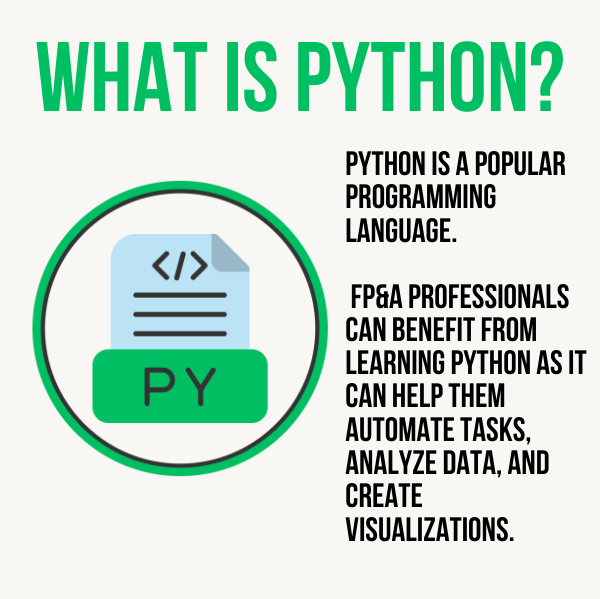
Python is a versatile and powerful programming language that offers numerous libraries and tools for data manipulation, making it an ideal choice for finance professionals. Here are some reasons why consolidating Excel files in Python is easier and faster:
- Automation: Python allows you to automate the process of consolidating data, reducing the risk of human error.
- Scalability: Python can handle large datasets more efficiently than Excel, which can slow down or even crash when working with extensive data.
- Flexibility: Python gives you greater control over data transformations and can handle files with varying structures and column names.
- Reproducibility: Python code can be easily documented and shared, ensuring that consolidation processes are consistent and well-documented.
Now, let’s dive into the step-by-step process of consolidating Excel files using Python.
Step-by-Step Guide
1. Setting Up Google Colab
Assuming you have a Google account, go to Google Colab. Create a new notebook and select Python as the runtime type.
2. Importing Libraries
In a code cell, import the necessary libraries:
import pandas as pd
3. Loading Excel Files
Upload your Excel files to Google Colab or provide their URLs. To load an Excel file, you can use the following code:
file_path = 'your_file.xlsx'  # Replace with your file path
df = pd.read_excel(file_path)
We explain these steps in more depth in our FREE Youtube Course!
4. Concatenating DataFrames
If you have multiple Excel files to consolidate, read them into separate DataFrames and then concatenate them using pd.concat():
dfs = []  # Create an empty list to store DataFrames

# Load and append each file
for file_path in file_paths:
    df = pd.read_excel(file_path)
    dfs.append(df)

# Concatenate all DataFrames
consolidated_df = pd.concat(dfs, ignore_index=True)
5. Handling Different Structures and Column Names
To handle files with different structures or column names, you can rename columns or select specific columns as needed:
# Rename columns if necessary
consolidated_df.rename(columns={'old_name': 'new_name'}, inplace=True)

# Select specific columns
consolidated_df = consolidated_df[['Column1', 'Column2', 'Column3']]
6. Handling Missing Rows and Irregular Starting Points
If your files have missing rows or don’t start from cell A1, you can adjust the DataFrame as follows:
# Handle missing rows
consolidated_df = consolidated_df.dropna()

# Reset the index if needed
consolidated_df.reset_index(drop=True, inplace=True)
Next Steps
Congratulations! You’ve successfully consolidated Excel files using Python in Google Colab. Here are some next steps to further enhance your skills as a finance professional:
- Advanced Data Analysis: Learn how to perform advanced data analysis and visualization in Python using libraries like NumPy, Matplotlib, and Seaborn.
- Time Series Analysis: Explore time series analysis techniques to work with financial data, including stock prices and economic indicators.
- Machine Learning: Dive into machine learning to develop predictive models for financial forecasting and risk assessment.
- Automate Workflows: Extend your Python skills to automate other finance-related tasks, such as portfolio optimization or financial report generation.
- Data Sources: Explore various data sources like APIs and databases to access real-time financial data.
Remember, Python provides finance professionals with a powerful toolset for data consolidation and analysis.
By mastering these skills, you can streamline your workflow, reduce errors, and gain valuable insights from your financial data.
Happy coding!