
How to Choose Which iPad to Buy in 2020
The Mini, the Air, the Pro, or just the plain old iPad?
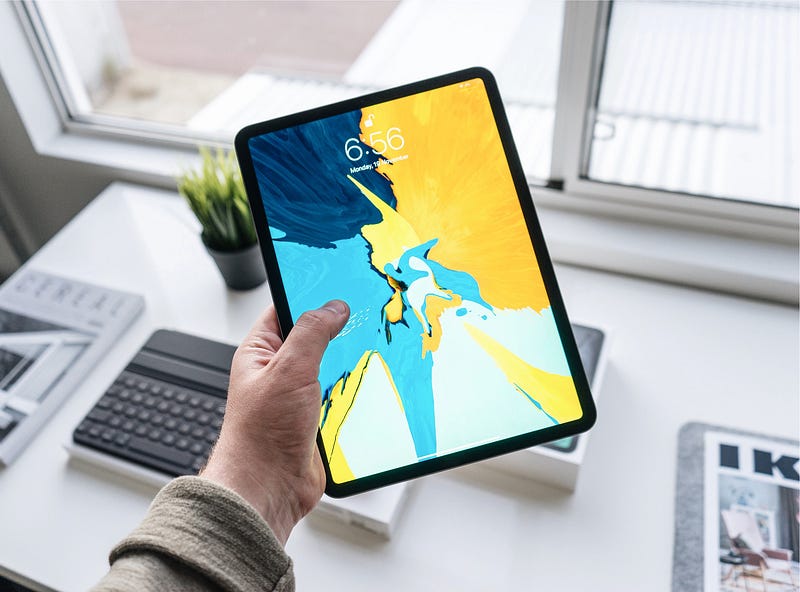
Gone are the days when Apple only offered one iPad.
Right now, there are four different iPad models, each with their own screen size and capabilities. Before we dive into which iPad is best for your use, here’s an explainer of the lineup today.
The Lineup
iPad Mini ($399)
As the name suggests, the mini is the smallest of the bunch with a screen size of 7.9". Don’t let its small size fool you, though: it has the capable A12 chip, which means super-speedy browsing, media playback, and gaming. Plus, it supports the Apple Pencil and comes with 64GB of storage.
iPad ($329)
The cheapest model available, the regular iPad has a 10.2-inch screen and gives you most of the capabilities of the other models, but with a slower A10 chip and a less fancy screen. The iPad still supports the Apple Pencil, but because the screen is formed of a thicker glass layer, the Pencil experience isn’t as magical as the other models. The $329 model comes with 32GB of storage.
iPad Air ($499)
The iPad Air is a sleeker and faster version of the regular iPad. It touts the speedy A12 chip, a 10.5-inch screen, and starts with 64GB of storage. The screen is similar to the iPad Mini’s; it is fully laminated so using the Apple Pencil feels like you are using a real pen. The larger screen size makes the iPad Air perfect for use with Apple’s Smart Keyboard Accessory, and positions the Air as a challenger to the conventional laptop, especially for students.
iPad Pro ($799/$999)
The iPad Pro is the ultimate iPad and Apple’s vision for the next generation of tablets, with squared-off edges and thin bezels. There are 2 sizes of iPad Pro available, an 11-inch model ($799) and a 12.9-inch model ($999). Both Pro models start with 128GB of storage and use the blisteringly fast A12Z chip. There is no home button or Touch ID; Apple has instead opted for Face ID. Both models boast excellent displays, with buttery smooth 120hz refresh rates, and the extra real estate allows the iPad Pro to use Apple’s new Magic Keyboard. There is support for the Apple Pencil 2nd Generation, which magnetically attaches to the side of the iPad Pro when not in use and wirelessly charges. The back of the iPad sports 2 cameras and a LIDAR sensor for AR experiences.
Which iPad should I buy?
I’m on a budget
- If you aren’t too worried about impressive chips or big screens, the 10.2-inch iPad is your best bet, especially if you want to buy new from Apple’s current range. At the moment, they start at $249 new if you shop around.
- If you are a student, consider visiting Apple’s educational store, and checking if you can pick an iPad up cheaper on there.
- Consider buying a refurbished older iPad. Make sure you find out if the chip used in the iPad is at minimum the A8 or higher. Less than that and you won’t get the latest iPadOS software.
- If you are especially thrifty, consider looking on online auction sites like eBay to snag a deal. You can often find iPads for under $200. Be careful, though, as it is easier to get scammed on sites like these than when you buy from a traditional retailer.
- Think about trading in old iPads with Apple or other trade-in companies to recoup some of the cost of a new iPad.
I love to draw
- The Apple Pencil is perfect for drawing and elevates the iPad to a magical artistic experience.
- All the current iPad models support the Apple Pencil. The Pro models support the 2nd Generation Apple Pencil, and the others support the 1St Generation Pencil.
- If you love to draw and have the budget, consider buying one of the Mini, Air or Pro models. These models have laminated displays which just means the glass feels less thick, and the distance between the pencil and the pixels is reduced. The experience feels more ‘real’ on these laminated displays than on the regular iPad display.
- If you are ready to spend plenty to get the best drawing experience, the Pro is your best option. It has a silky smooth 120hz display which means drawing is more responsive. Plus, the Pro models use the 2nd Generation Apple Pencil which means the Pencil can magnetically charge on the side of the iPad.The larger 12.9-inch model gives you a huge canvas, whilst the 11-inch is more portable, like a notebook.
I want a laptop replacement
- If you require a laptop-like experience for work or school, all of the iPads offer apps from software giants like Microsoft and Adobe. Note that these experiences aren’t identical to PC or Mac, and if you are a Pro-level user, these differences can be frustrating.
- For most people, any of the iPads can become a laptop replacement for light workflows, but for heavier loads, I’d recommend the Air and the Pro models. These use faster chips than the regular iPad and offer more screen real estate than the iPad Mini.
- For those who need to type a lot, a good keyboard is a must. The regular iPad, the Air, and the Pro models all offer support for Apple’s smart keyboard range. These keyboard cases offer a markedly better typing experience than tapping on the glass iPad screens.
- If you want to go all out, the Pro models are also compatible with Apple’s expensive new Magic Keyboard cases. This accessory offers a ‘proper’ backlit keyboard, similar to that on a Mac, plus a trackpad.
I need a lot of storage for photos, videos or apps
- Apple’s range of iPad models offers a lot of versatility. If you are interested in storing large amounts of photos or videos, you may require more than the 32GB iPad offers, and you have several options.
- One of your options is picking a higher storage tier of the iPad model you want. For example, Apple offers a 32GB and 128GB storage variant of the regular iPad. If you plan to download lots of apps or need space for photo and video, the 128GB would be your best choice here.
- Another option is picking the Air or the Mini. Both these models start with 64GB of storage, which may be enough for you if you plan to download a few apps and keep your small photo library on your iPad. If you need more than 64GB, the Air and the Mini each offer a 256GB version.
- If you need even more than 256GB, the Pro models deliver. The iPad Pros start with 128GB of storage, which is plenty for most people, but not necessarily enough for ‘Pro’ users who may edit video, or have huge app libraries. For these users, the Pro range offers 256GB, 512GB, and 1TB versions, which offer you more storage flexibility.
I like to travel
- If you want a diminutive iPad for traveling, the iPad Mini is an excellent choice. It has the chip to power through almost anything you throw at it, but can be easily stowed away in a bag, and is exceptionally light.
- If you require an iPad that will serve as a laptop replacement whilst you travel, consider the 11 inch iPad Pro. Although it has a larger screen than the Mini, the regular iPad, and the Air, it packs it into a small form factor because of its small bezels. Plus, compared to a laptop, the iPad Pro 11 inch is extremely lightweight and thin.
I use social media or watch videos
- If you plan to use your iPad to mainly visit social media sites or watch videos, you may not need the processing power that the more expensive models offer. The regular iPad is likely to be suitable for your needs.
- The iPad mini is another good choice because it isn’t much more expensive but offers a social media experience that is faster than the regular iPad’s.
I write lots of emails
- If you need to type out a lot of emails, the regular iPad, Air or Pro models all offer keyboard accessories that might be a good solution.
- The Pro offers an even better typing experience than the other models if you choose to buy it with the Magic Keyboard Case.
I want an iPad for my kids
- If you need an iPad for children, especially small kids, the most important accessory to buy is a rugged case.
- As for the iPad itself, consider either the regular iPad or a second hand used model from an online auction site. iPads with an A8 chip or newer can often be found at a great price and most kids won’t notice the slight drop in performance.
I love gaming
- If you love mobile gaming, consider the Mini, Air, or Pro models. These all are based on the A12 chip design, which provides excellent gaming performance. The regular iPad has the A10 chip which will be plenty for most games but won’t be as smooth as the other models in intensive game sessions.
- The iPad Pro provides further benefits over the over models as it uses the A12Z variant chip, which means better gaming performance than the Air and Mini. Plus, the Pro models use 120hz displays which are excellent for more competitive games because they make gameplay smoother and allow for quicker reaction times.
- If you are interested in AR gaming, the Pro again is your best bet: it has a LIDAR sensor which translates to accurate and instantaneous AR experiences.
I want capable cameras
- All of the iPad models offer front and rear-facing cameras, but there are a few differences between them.
- Firstly, the regular iPad only provides a 1.2MP front-facing camera, which means video calls and selfies won’t be as polished as the 7MP experience on the other models.
- Secondly, the iPad Pro offers a far better rear camera experience than the other models. You get a 12MP and a 10MP ultra-wide shooter on the back, unlike the other models which sport single 8MP cameras. This means that if you are interested in taking photos or videos on your iPad, the iPad Pro is your best choice.
- Finally, the iPad Pro offers 4K video recording, unlike the other models which offer 1080p recording. Plus, the ultra-wide lens offers a new recording view that the other models don’t offer.
I want the best
- If you are interested in editing video, photos, or using more professional software, the iPad Pro is probably your best choice.
- The iPad Pro offers a smoother and faster experience than the other models and is certainly the ultimate iPad experience.
- If you want the best, but aren’t excited about spending a small fortune, consider buying refurbished 2018 iPad Pros. They are often $150+ cheaper than the 2020 iPad Pro models but offer a very similar experience. They lack the LIDAR sensor and use a slightly less powerful variant chip, but essentially the 2018 and 2020 models feel the same to use. Plus, the 2018 model supports the new Magic Keyboard accessory.
I hope you have found this guide informative. Let me know which one you choose! ~ Tom
This article contains affiliate links to support my writing.