How to Choose a Data Annotation Tool?
AI-Tools & Tips
So, you’re looking to start working on a new project or launch a new product that is built using an AI/ML model, and as you probably know already you will need data … a lot of it and now you quickly realize that not only finding high-quality training data but also data annotation will be some of the challenging aspects of your project. “The success of your AI and ML models is as good as the data you use to train them”. The precision you apply to data aggregation, labeling, and identification is, therefore quite important and shouldn’t be neglected!
Once you have the data, the most important question now is which data annotation tool should you use? or where do you go for the best data annotation and labeling services for AI and machine learning projects? This article is entirely about data annotation, and I will try to cover with it the following points: what the process is, why it is inevitable, the crucial factors that you should consider when starting the process of data annotation, and much more.
- Data Annotation: The Basics
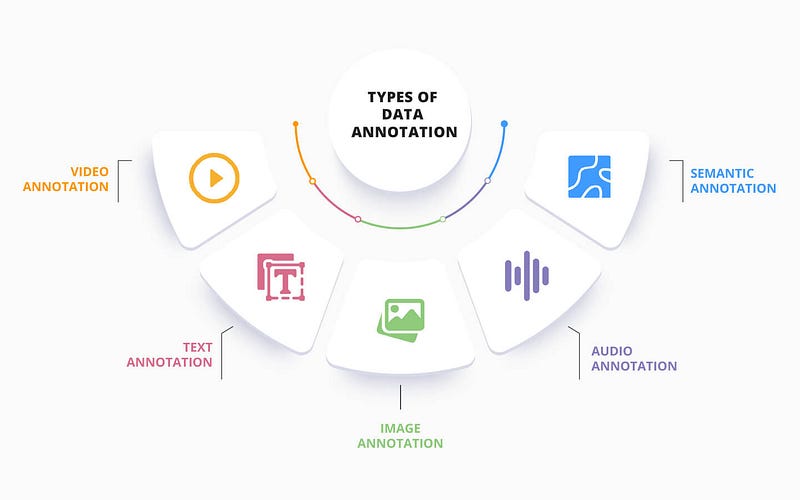
- The Different Types of Data Annotation
- Tools and Techniques for Data Annotation
- Getting Started with Data Annotation
- The Importance of Data Annotation
The Basics!
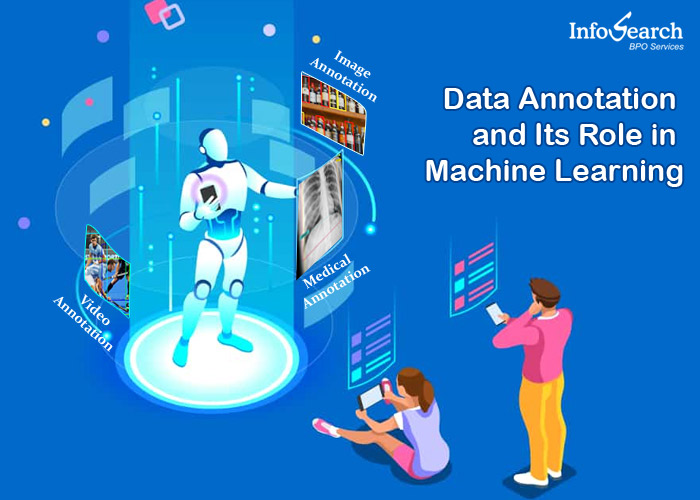
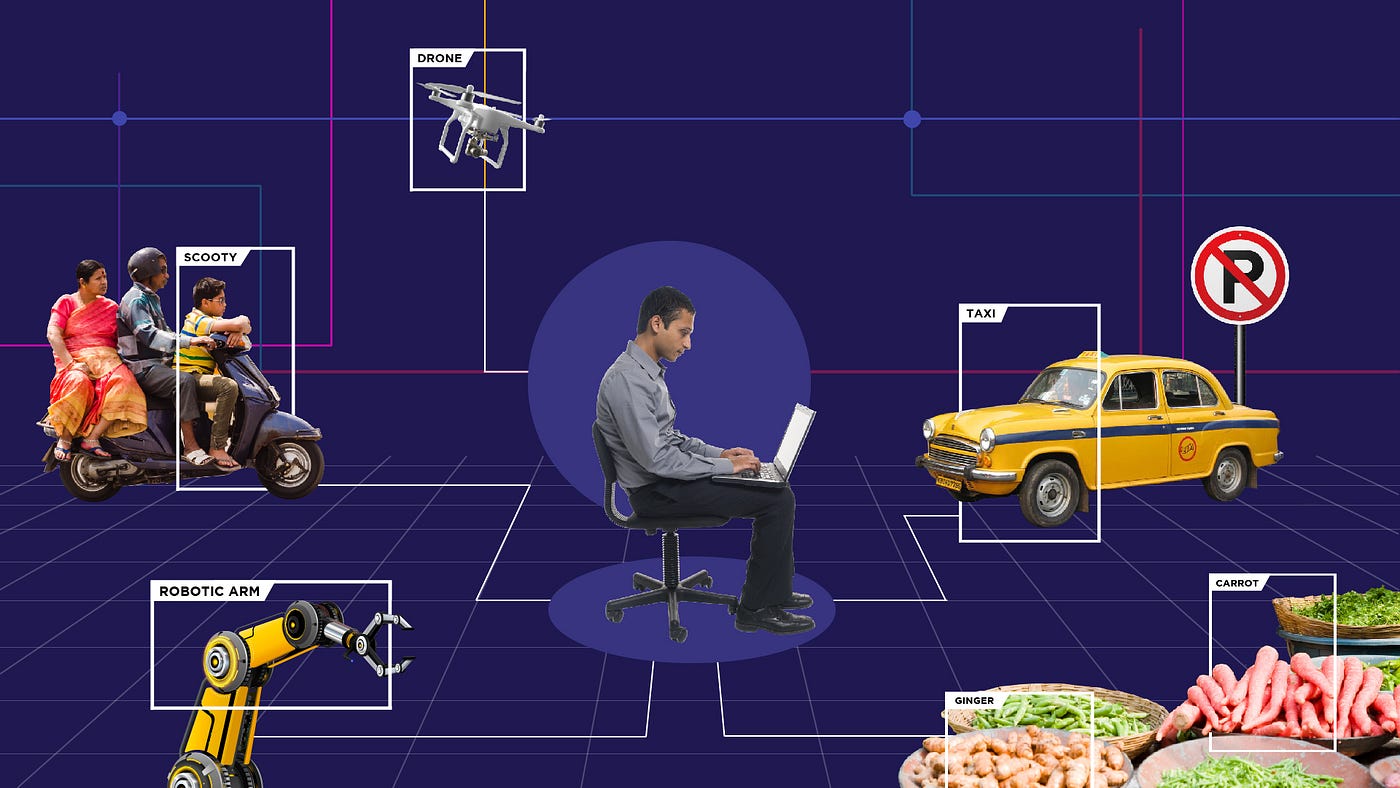
Have you ever wondered what machine learning is and how data annotation plays a role in it? Data annotation involves marking or identifying components to support machine learning (e.g., just labeling images image 1 -> cat, image 2 -> dog, etc).
The basic principle of machine learning is that computer systems and programs improve their performance by seeing more and more concrete examples of what should be done in a way that resembles human cognitive processes (learning by experience), without direct human aid or intervention. They become self-learning machines that get better at their tasks with more practice, much like humans. Of course, this practice is achieved and considered good by analyzing and interpreting more (and better) training data.
What is Data Annotation?
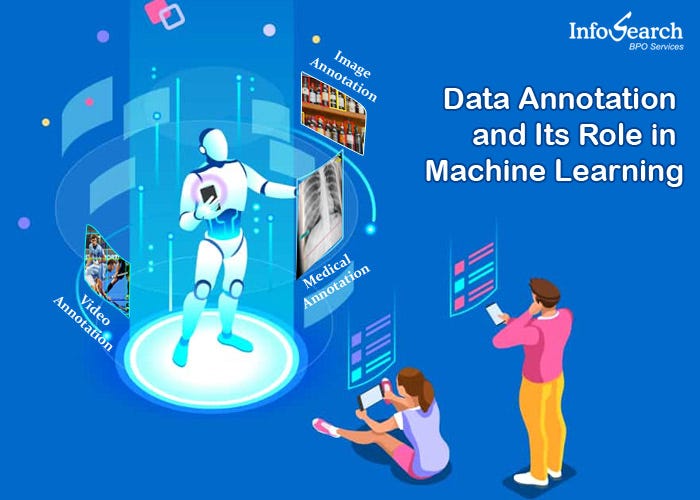
So, what is exactly “Data Annotation”? Data annotation in machine learning refers to the process of labeling data to show the desired outcomes that your machine learning model should predict. It involves marking a dataset with the qualities you want your AI system to learn and recognize, through methods such as tagging, transcribing, or processing. This process is crucial for training AI models, enabling them to accurately comprehend various types of data, such as images, point-clouds, audio files, video sequences, or text.
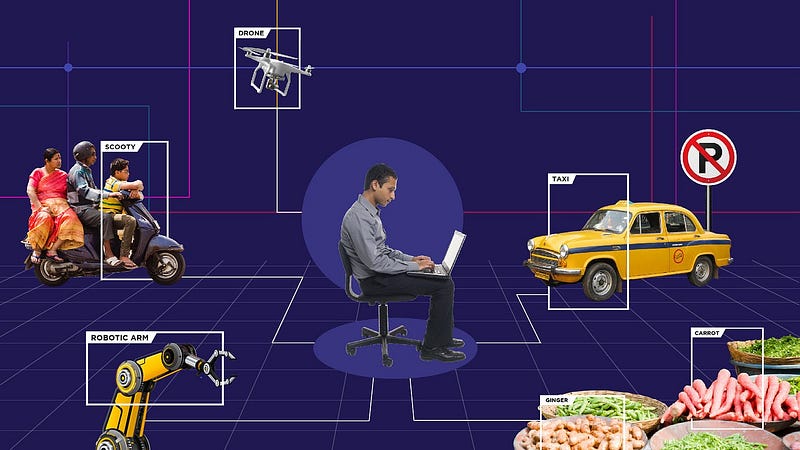
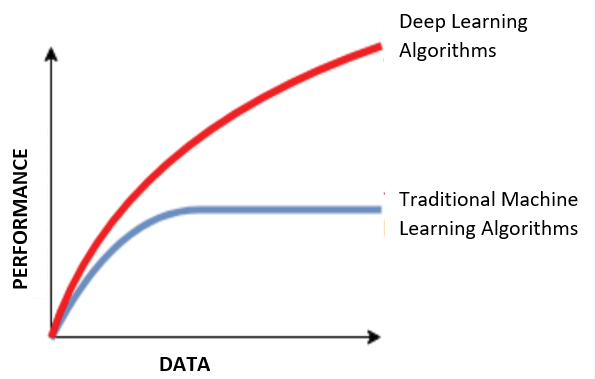
In supervised learning (a common approach in machine learning where algorithms learn from labeled examples), data annotation is particularly critical as the more labeled data is introduced into the model, the better the performance of the model is compared to traditional ML algorithms.
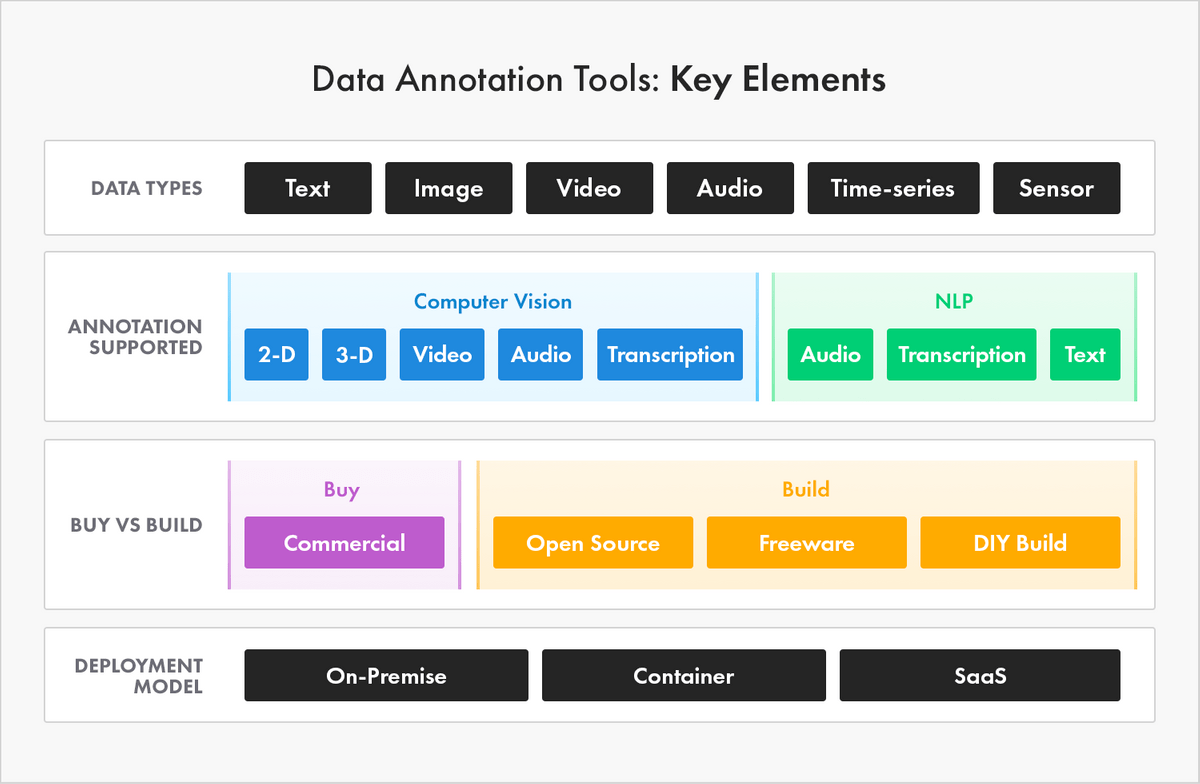
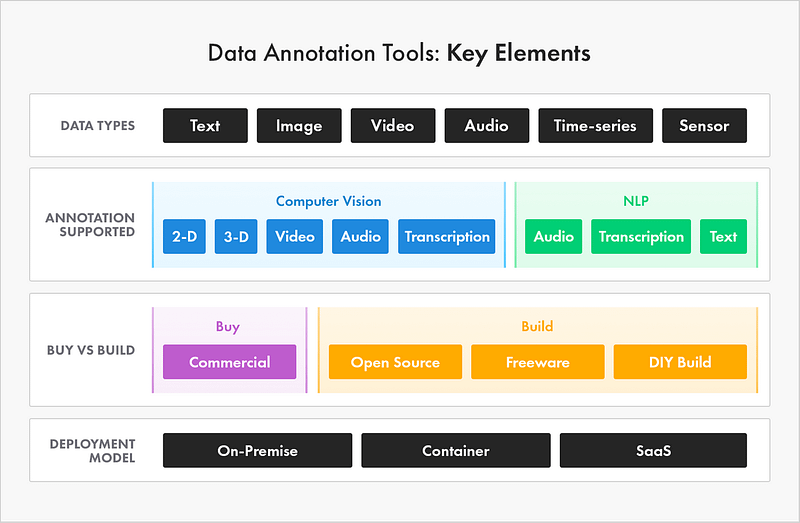
And in order to get the labeled data you need you will need to use a Data Labeling/Annotation Tool, which is in simple terms a platform or portal that allows you or another member of your team (beginners, specialists, and experts) to annotate, tag, and label datasets of different types. The tool could be an on-site or cloud-based solution. So, you have the choice between using a custom tool, free/open source one, or even relying on an external vendor to perform complex annotations. Depending on the tool used you might be able to handle different types of data e.g., image, text, audio, point-cloud, and video …
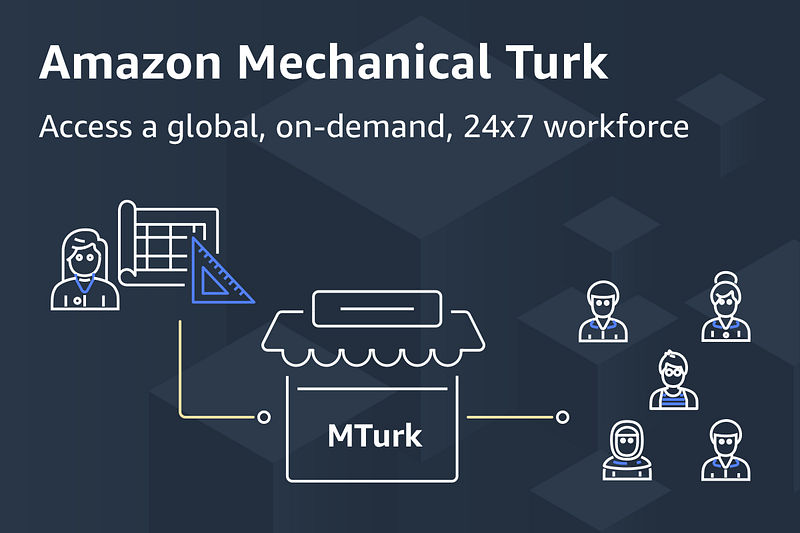
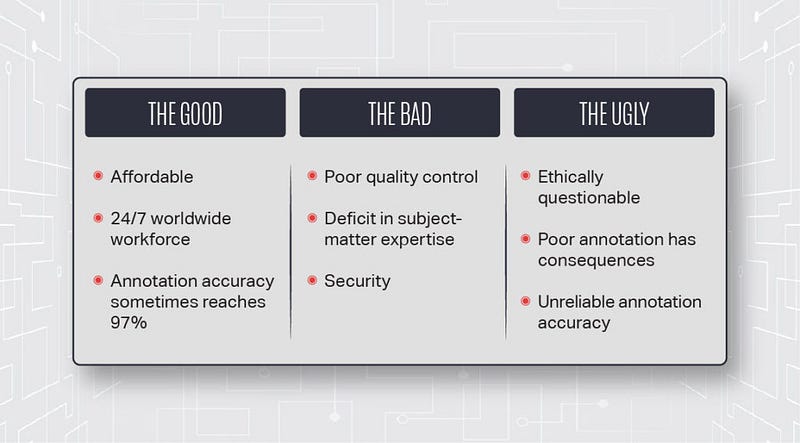
Various methods are available for data annotation, including crowdsourcing platforms like Amazon Mechanical Turk, where individuals can label data for you for a fee. Alternatively, you can utilize manual annotation tools to label data on your own. However, data annotation can be a challenging and costly process. It can be time-consuming to complete and finding individuals skilled in data annotation may be difficult. Additionally, ensuring the accuracy of annotated data can be a daunting task. So, you will have to do some analysis to decide which option suits you best.
Choosing the Right Data Annotation Tool
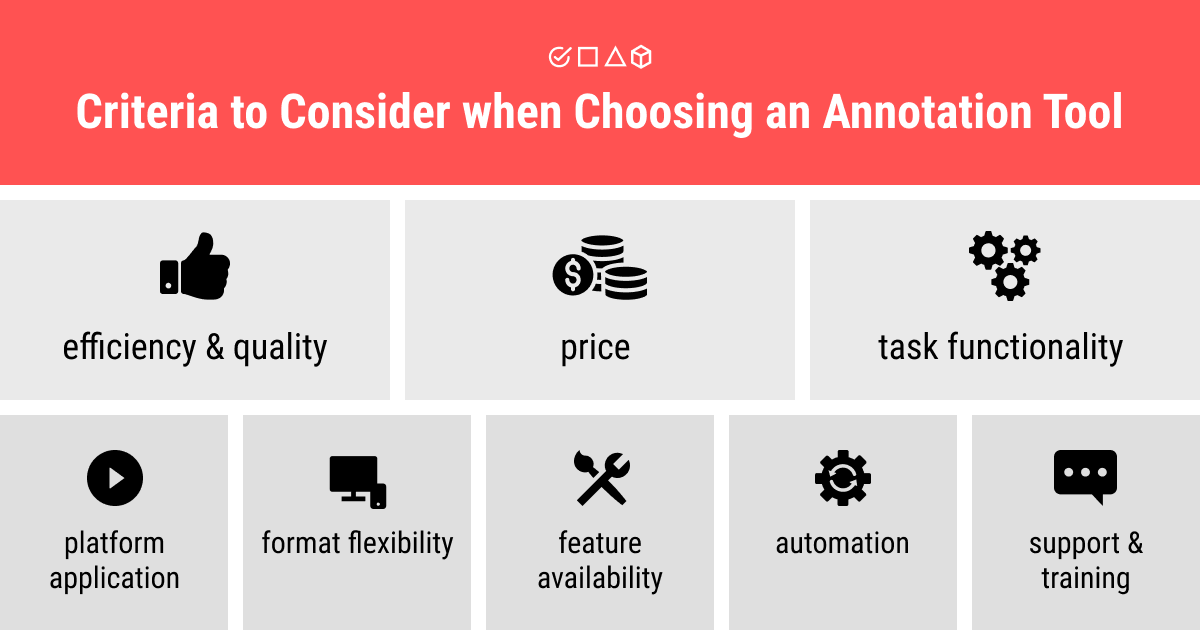
Choosing the appropriate data annotation tool is vital for the accomplishment of your AI/ML projects. Several factors need to be taken into account when deciding on which tool to use:
- Data Type Compatibility: Ensure that the tool supports the data types you are working with, such as images, videos, text, or audio.
2. Annotation Flexibility: Look for a tool that offers multiple annotation types and is customizable to suit your specific project needs.
3. Collaboration Features: If you have a team working on data annotation, find a tool that allows for easy collaboration and sharing of labeled data.
4. Quality Control: Check if the tool provides mechanisms for quality control and validation of annotations to ensure accuracy.
5. Scalability: Consider the tool’s ability to handle large-scale data annotation, especially if your project requires a significant amount of labeled data.
6. Integration Capabilities: If you plan to integrate the tool into your existing AI workflow, make sure it supports integration with your AI development environment.
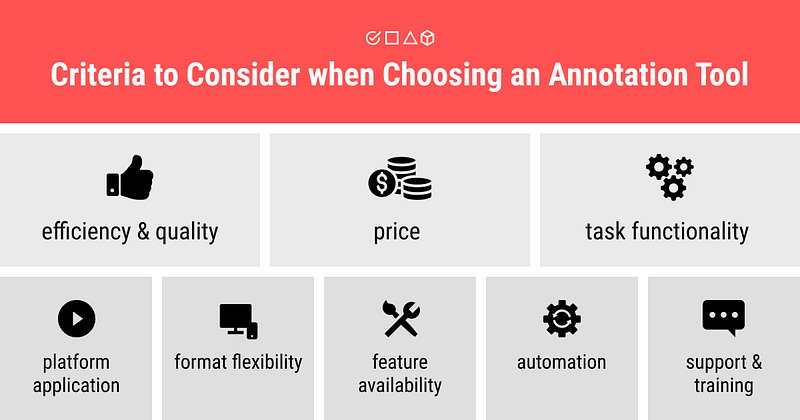
Some other important features to look out for include data set Management, Quality Control, and Security.
Tips for Choosing a Data Annotation Tool:
When choosing a data annotation tool, start by (1) determining your concrete use case and what you need to achieve its goals. This involves considering the type of data you will need to annotate and your workflow procedures, which will guide your selection of the appropriate tool. Some tools are designed for labeling text, images, or videos, while others can handle multiple data types. It is crucial to choose a tool that aligns with your objectives.
Next, evaluate your (2) quality control requirements. You should assess how you want to measure and control the quality of annotations. Many commercial tools come with quality control features that can analyze, provide feedback, and correct activities.
Finally, consider (3) the workforce training needed. If you plan to annotate data in-house, through external contractors, crowdsource, or a third-party provider, make sure your team has access to and receives training on the chosen data annotation tool. Specific instructions should also be provided for your use case to ensure the annotations meet your objectives.
Another decision to make once you have chosen the tool to use is how to do the actual annotation. And for this, you have three possible options:
- Manual annotation: is the process of labeling data by hand. This is the most accurate way to do data annotation, but it can be time-consuming and expensive.
- Crowdsourcing: is the process of outsourcing data annotation tasks to a large number of people. This is a cost-effective way to do data annotation, but it can be difficult to ensure that the data is annotated accurately.
- Semi-automated annotation: is the process of using a combination of manual and automated techniques to label data. This is a good way to get the accuracy of manual annotation with the efficiency of crowdsourcing.
Data Annotation Tools
Et voila, we are there or you are here ;) now that you know and have all this knowledge about data annotation, what it is? why it is important? how to do it? etc … here comes the crucial question: “What are the available tools/services that you can choose from actually?” To answer this one, I have compiled a list of some of the available tools I came across during my journey working on ML/DL projects (which is btw still ongoing), starting with the free tools of course:
1) Computer Vision Annotation Tool (CVAT):
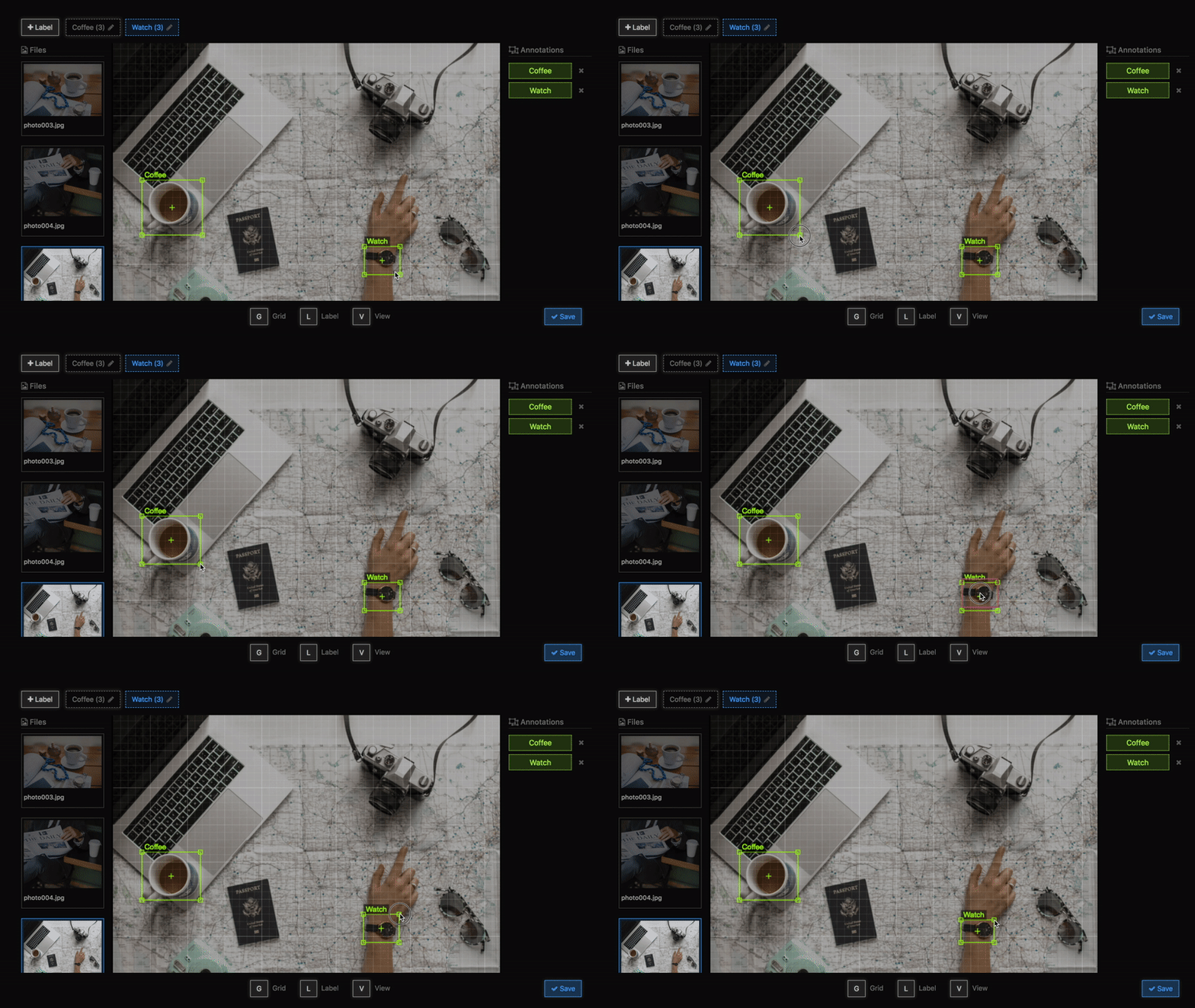
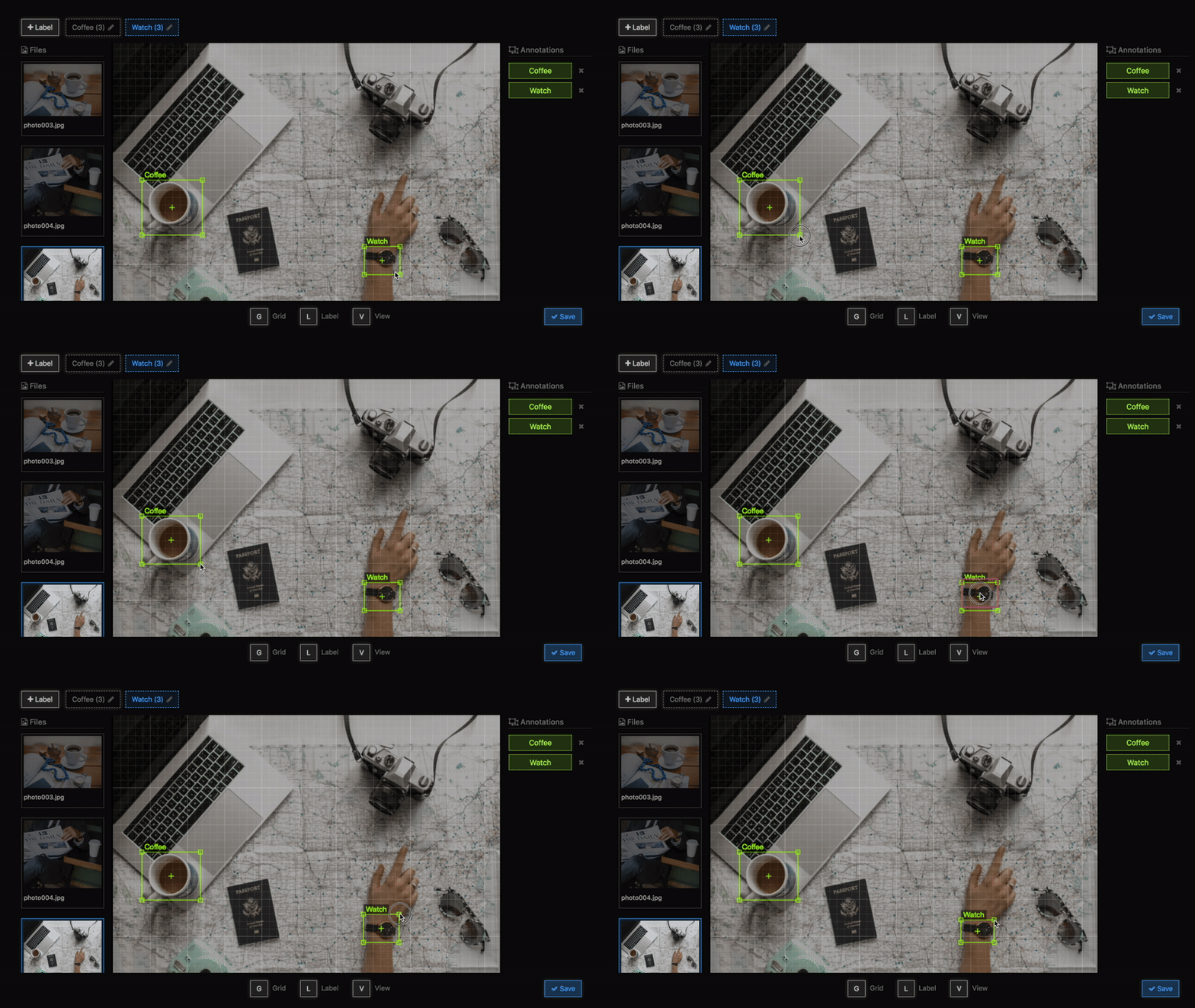
CVAT is a free and open-source online annotation tool used for annotating image and video data for computer vision algorithms. It offers a user-friendly dashboard with task lists, keyframe shape interpolation, shortcuts for essential activities, and support for object identification, image classification, and image segmentation tasks. (the one I am using currently)
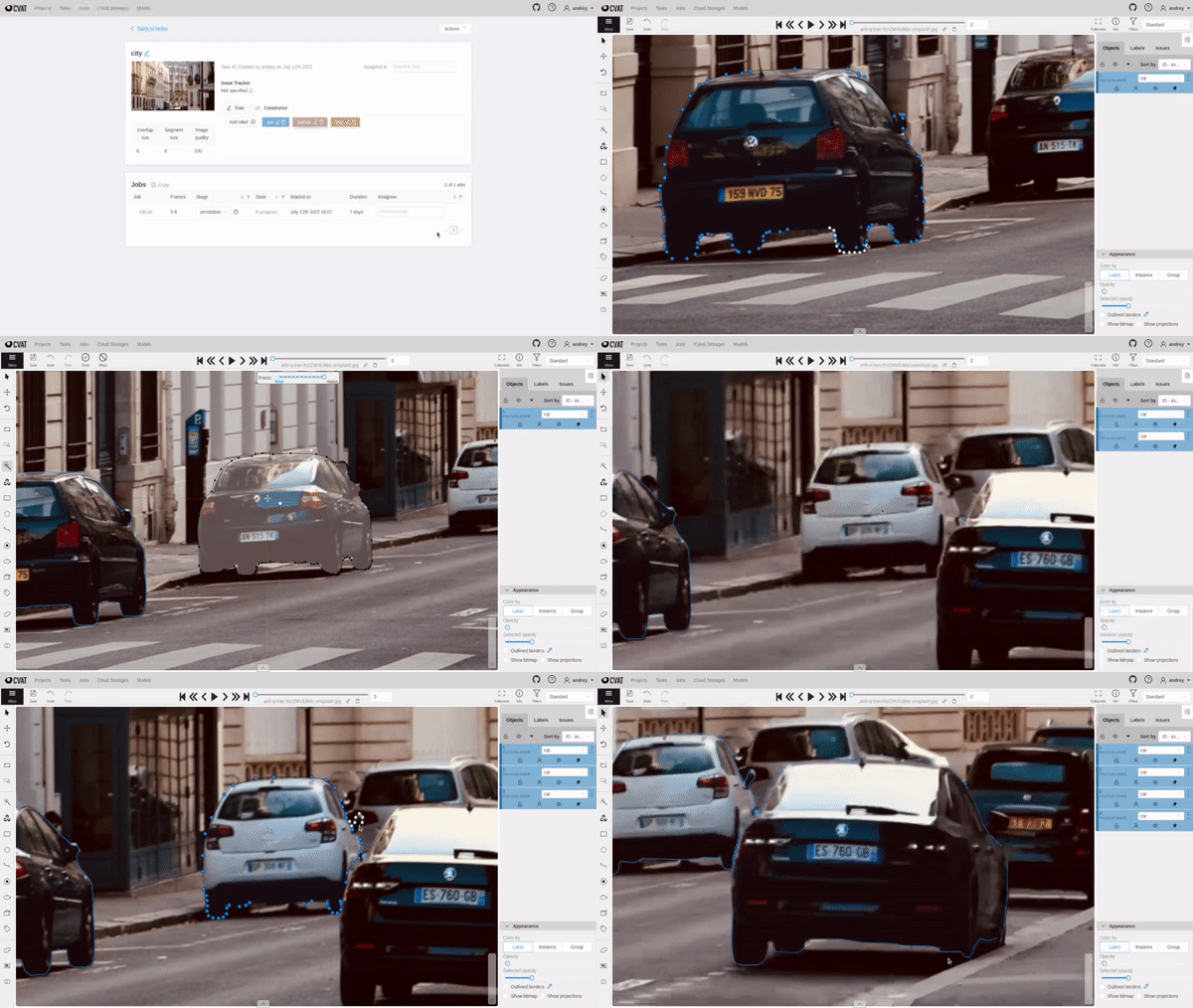
As this one is a free tool that you can also use locally on your own PC, here is a full tutorial about it and how you can use it
In addition to being free, and open-source CVAT offers a feature-rich toolkit for your manual annotation needs, features like:
- Collaborative work: share work easily between team members with their task system
- No install software: web-based solution
- Annotation interpolation: interpolate annotations between multiple video frames
- NN automatic detection: run trained models on your data as a first annotation pass
- CV/NN enhanced annotation tools: define masks easily thanks to OpenCV-based edge finder or SAM NN
- Wide variety of shapes: full list here
Installation: Requirements => Ubuntu OS; Docker; and Docker Compose. (If you are not familiar with Docker check out this article, after you finish reading this one of course :).
You can find the official installation guide here. The installation is quick and simple as it uses docker:
git clone https://github.com/opencv/cvat
cd cvat
docker compose up -d
After downloading/compiling/start of the different containers, your CVAT server should be up and running. But before being able to start annotating, you need to create an admin user with the following line and follow the instructions:
docker exec -it cvat_server bash -ic 'python3 ~/manage.py createsuperuser'You can now log in using those credentials at http://localhost:8080 (Google Chrome is recommended by CVAT developers). CVAT is an ever-evolving tool hosted under OpenCV’s banner. It is open source and free for even commercial usage.
- https://www.cvat.ai/
- https://github.com/opencv/cvat
- https://opencv.github.io/cvat/docs/manual/
- https://youtube.com/playlist?list=PLfYPZalDvZDLvFhjuflhrxk_lLplXUqqB
2) Kili Technology:
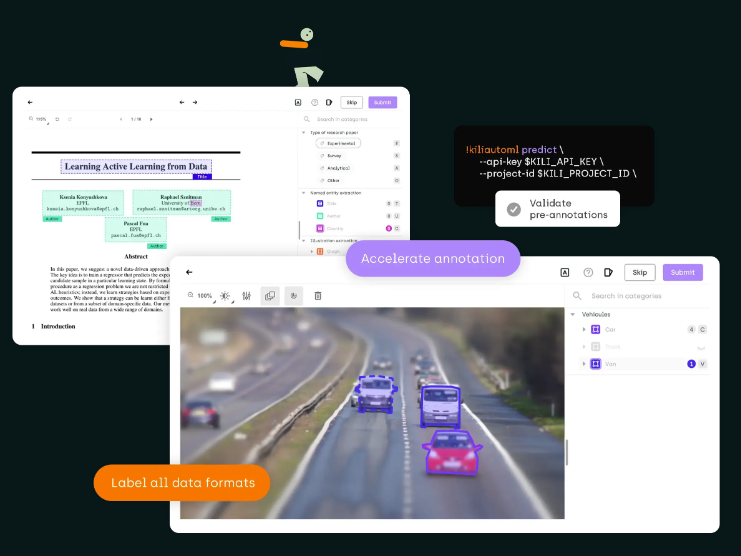
Kili Technology is a labeling platform for training data that simplifies data operations and accelerates the creation of reliable AI models. It offers three plans, including a free plan with limitations, and supports up to 5 users and 1000 annotations per month. It also provides paid plans with additional annotations and access to the external workforce.
3) Labelstudio:
Labelstudio is a flexible data labeling tool suitable for various data types, including computer vision, natural language processing, speech, voice, and video models. (I am currently exploring and testing this tool because I am sometimes working on Windows)
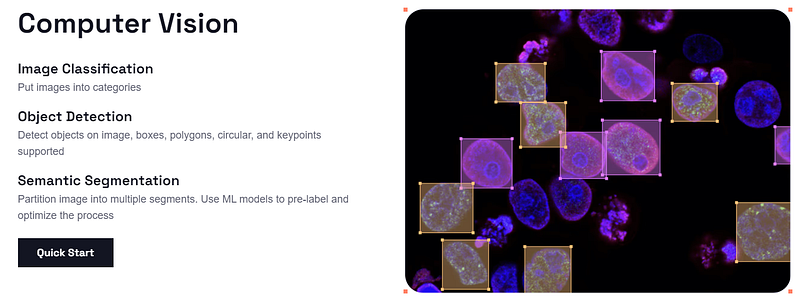
Here is a list of paid data annotation tools:
1) Labelbox:
Labelbox is a data training platform designed to enhance your training data iteration loop. It allows data annotation, model performance diagnostics, and task prioritization based on results. By leveraging automated labeling advancements, you can reduce annotation costs and build more efficient models faster.
Unlock your data. Unleash your AI. The most valuable asset for fueling AI breakthroughs is your data. Supercharge how you build intelligent applications by gaining a better understanding of your data and harnessing what drives model performance. (official website)
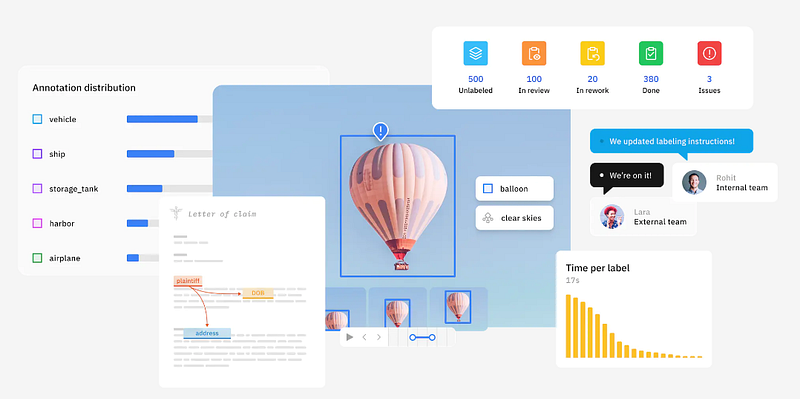
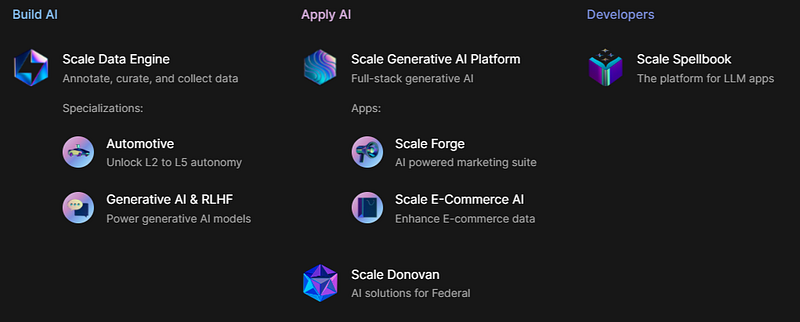
2) Scale:
Scale is a data platform that supports the annotation of large volumes of 3D data from sensors, images, and videos. Its advanced APIs for LiDAR, images, videos, and NLP annotations empower machine learning teams to focus on building differentiated models instead of data labeling.
Make the best models with the best data. Scale Data Engine leverages your enterprise data, and with Scale Generative AI Platform, safely unlocks the value of AI. (Official website)
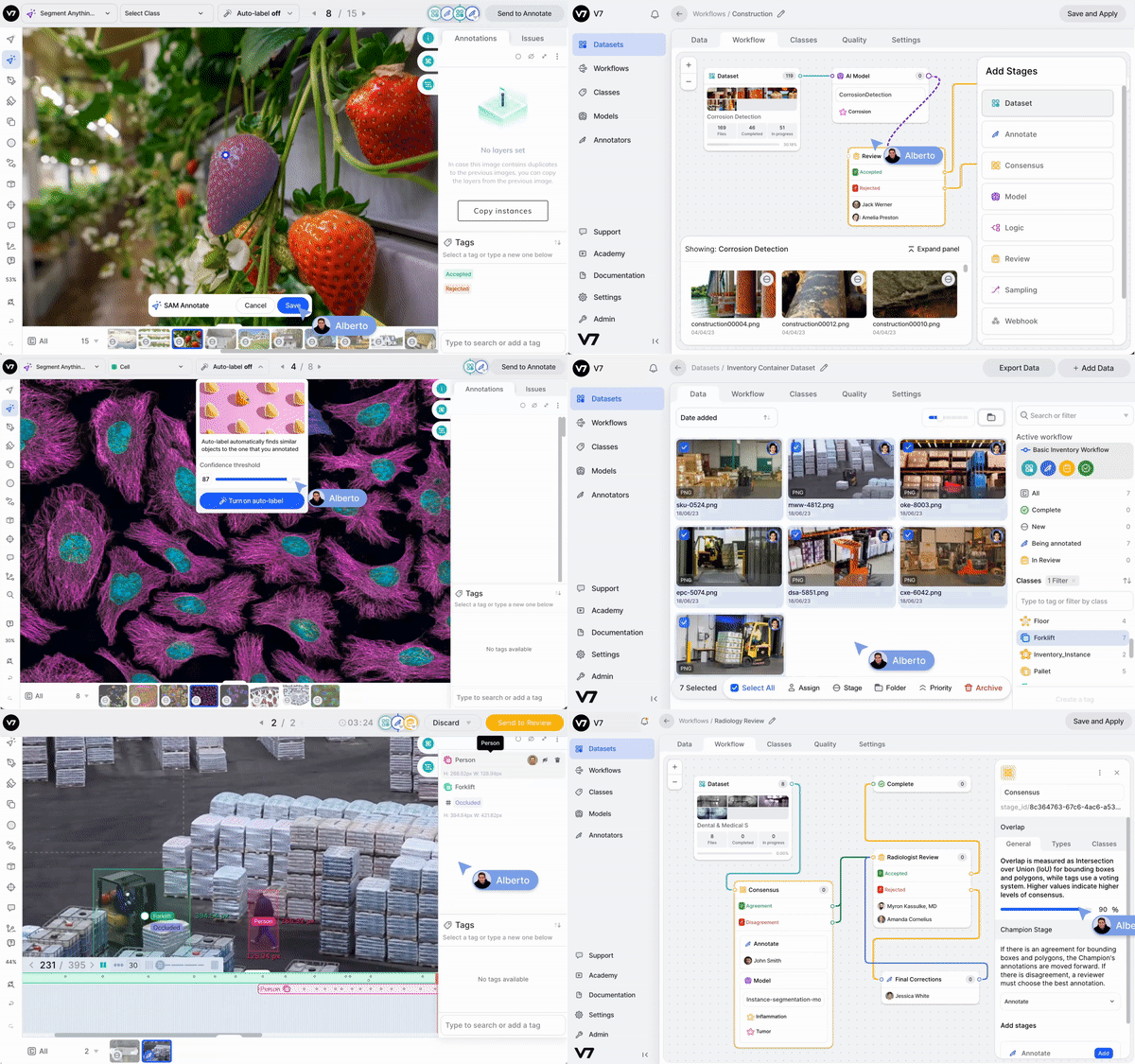
3) V7:
V7 is an automated annotation platform that combines dataset management, image and video annotation, and autoML model training for automatic labeling tasks. It supports various data formats, including images, videos, medical data, microscopy images, PDFs, and document processing.
4) Appen
A complete solution for AI training data sourcing, preparation, and model evaluation. Annotate images, text, videos, point clouds, and audio with state-of-the-art technology. Text-labeling tools like Named-Entity Recognition (NER) and speech labeling are also supported.
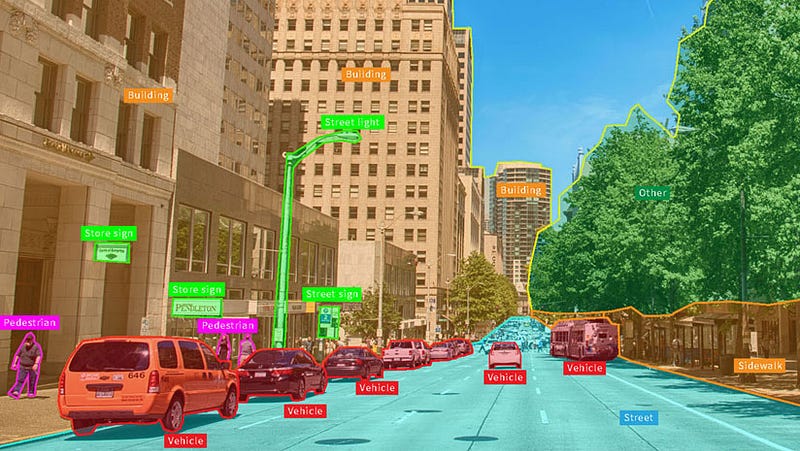
5) Supervisely
Unified OS/Platform for computer vision. Develop AI faster and better with on-premise, enterprise-grade end-to-end solutions for every task: from labeling to building production models. (Official website)
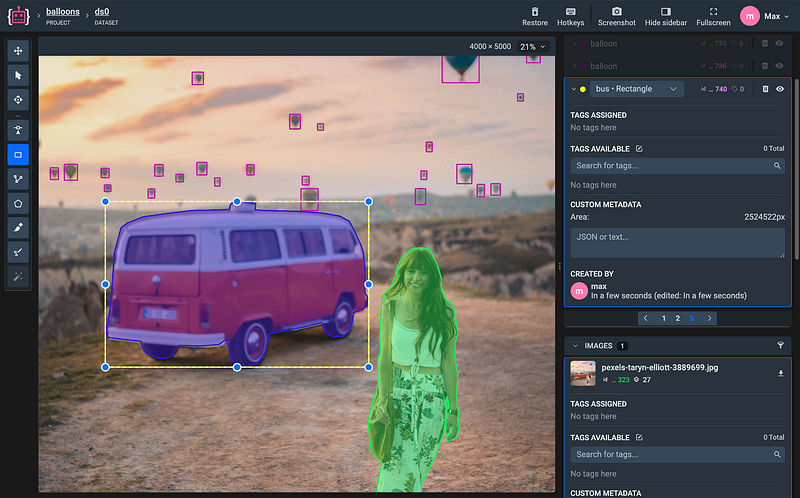
6) Isahit
Request a Qualified On-demand Workforce for all your AI & digital projects. Do it ethically. (Official website)
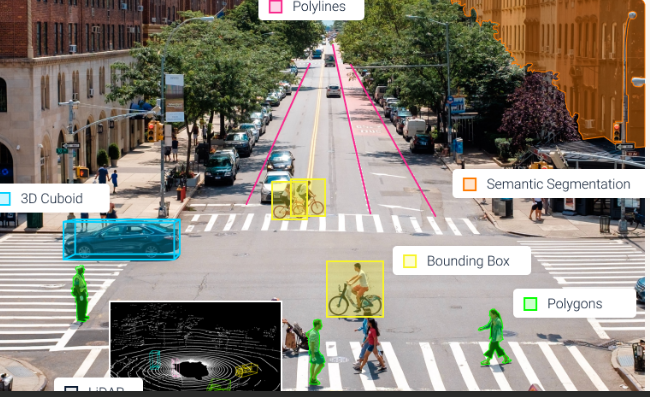
7) KeyMakr
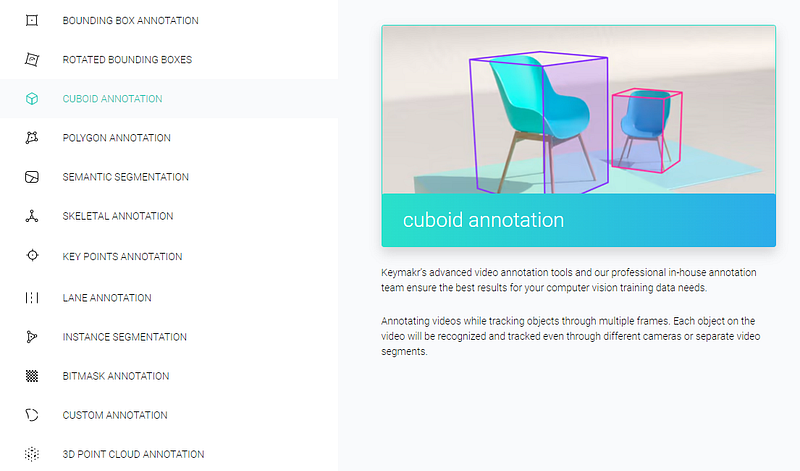
8) DateLoop
Covering the entire data management cycle, from data labeling, automating data ops, deploying production pipelines, and weaving the human-in-the-loop. (Official website)
9) Toloka
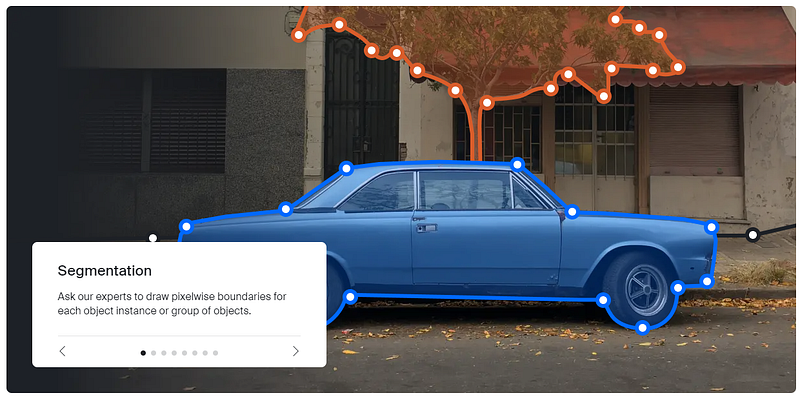
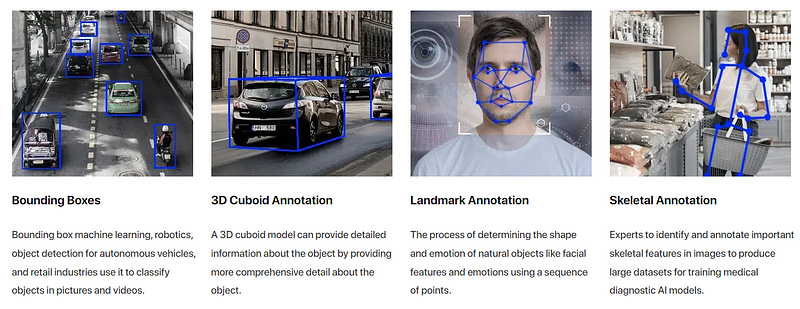
Label images and videos and take full control of your training data. Our platform supports annotation for image classification, semantic segmentation, object detection and recognition, and instance segmentation. Labeling tools include bounding boxes, polygons and keypoint annotation. (Official website)
10) Superannotate
11) LinkedAI

12) Basic-AI
13) Mindy-Support
14) Anolytics
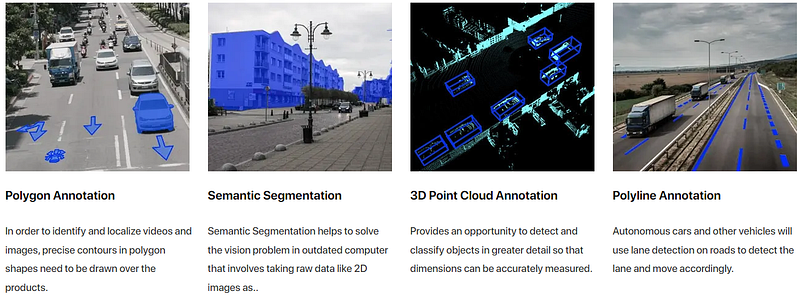
and more like LabelMe, segments.ai, and Matlab toolbox: The Image Labeler app, and more and more

Conclusion
In conclusion, data annotation is a critical process in training AI and ML models to achieve accurate and reliable results. The right data annotation tool can significantly impact the success of your AI project(s)/product(s), ensuring that your models learn from high-quality, labeled data.
The sophistication and functionality of your data annotation tool significantly impact your data workflow, quality control, and overall efficiency. So, before choosing a tool, thoroughly evaluate its features and ensure it meets your specific needs and expectations.
Outsourcing data annotations to competent and ethically engaged external providers, can empower your AI projects and generate positive social impact among annotators. So, keep that in mind and add it to your criteria when choosing an annotation tool.

If you’re new to data annotation, here are some tips to help you start. First, keep in mind that it’s best to work with a small dataset initially to get familiar with the process and detect any possible problems. Second, use a simple annotation tool that’s easy to use to save time and effort. Lastly, if you need help, reach out to a data annotation expert who can offer useful advice on the right tools and techniques for your project. And with all of that talk about data annotation, we have reached finally the end of this article for today, and as usual, we end it with a quote, this time from “Henry Ford” an American industrialist, business magnate, and founder of Ford Motor Company, and chief developer of the assembly line technique of mass production.
“There is no person living who isn’t capable of doing more than they think they can do.” — Henri Ford
Cheers
Merwansky