
How to build a URL crawler to map a website using Python
A simple project for learning the fundamentals of web scraping

Before we start, let’s make sure we understand what web scraping is:
Web scraping is the process of extracting data from websites to present it in a format users can easily make sense of.
In this tutorial, I want to demonstrate how easy it is to build a simple URL crawler in Python that you can use to map websites. While this program is relatively simple, it can provide a great introduction to the fundamentals of web scraping and automation. We will be focusing on recursively extracting links from web pages, but the same ideas can be applied to a myriad of other solutions.
Our program will work like this:
- Visit a web page
- Scrape all unique URL’s found on the webpage and add them to a queue
- Recursively process URL’s one by one until we exhaust the queue
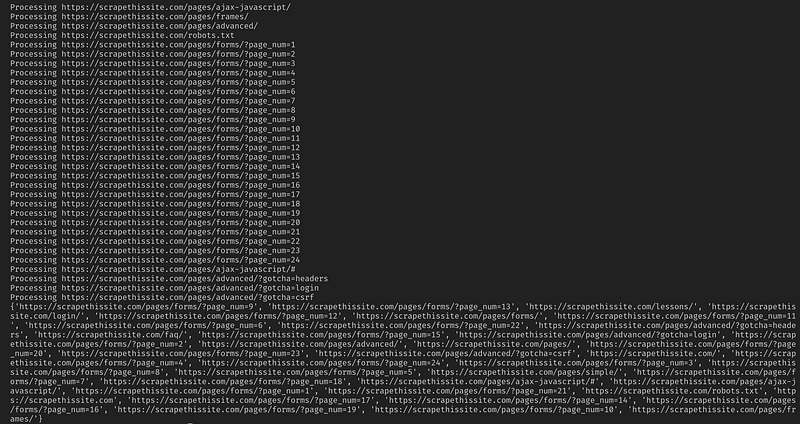
- Print results
First Things First
The first thing we should do is import all the necessary libraries. We will be using BeautifulSoup, requests, and urllib for web scraping.
from bs4 import BeautifulSoup
import requests
import requests.exceptions
from urllib.parse import urlsplit
from urllib.parse import urlparse
from collections import deque
Next, we need to select a URL to start crawling from. While you can choose any webpage with HTML links, I recommend using ScrapeThisSite. It is a safe sandbox that you can crawl without getting in trouble.
url = “https://scrapethissite.com”Next, we are going to need to create a new deque object so that we can easily add newly found links and remove them once we are finished processing them. Pre-populate the deque with your url variable:
# a queue of urls to be crawled next
new_urls = deque([url])
We can then use a set to store unique URL’s once they have been processed:
# a set of urls that we have already processed
processed_urls = set()
We also want to keep track of local (same domain as the target), foreign (different domain as the target), and broken URLs:
# a set of domains inside the target website
local_urls = set()
# a set of domains outside the target website
foreign_urls = set()# a set of broken urls
broken_urls = set()Time To Crawl
With all that in place, we can now start writing the actual code to crawl the website.
We want to look at each URL in the queue, see if there are any additional URL’s within that page and add each one to the end of the queue until there are none left. As soon as we finish scraping a URL, we will remove it from the queue and add it to the processed_urls set for later use.
# process urls one by one until we exhaust the queue
while len(new_urls):
    # move url from the queue to processed url set
    url = new_urls.popleft()
    processed_urls.add(url)
    # print the current url
    print(“Processing %s” % url)
Next, add an exception to catch any broken web pages and add them to the broken_urls set for later use:
try:
response = requests.get(url)except(requests.exceptions.MissingSchema, requests.exceptions.ConnectionError, requests.exceptions.InvalidURL, requests.exceptions.InvalidSchema):
# add broken urls to it’s own set, then continue
broken_urls.add(url)
continueWe then need to get the base URL of the webpage so that we can easily differentiate local and foreign addresses:
# extract base url to resolve relative links
parts = urlsplit(url)
base = “{0.netloc}”.format(parts)
strip_base = base.replace(“www.”, “”)
base_url = “{0.scheme}://{0.netloc}”.format(parts)
path = url[:url.rfind(‘/’)+1] if ‘/’ in parts.path else url
Initialize BeautifulSoup to process the HTML document:
soup = BeautifulSoup(response.text, “lxml”)Now scrape the web page for all links and sort add them to their corresponding set:
for link in soup.find_all(‘a’):
    # extract link url from the anchor
    anchor = link.attrs[“href”] if “href” in link.attrs else ‘’
if anchor.startswith(‘/’):
local_link = base_url + anchor
local_urls.add(local_link)
elif strip_base in anchor:
local_urls.add(anchor)
elif not anchor.startswith(‘http’):
local_link = path + anchor
local_urls.add(local_link)
else:
foreign_urls.add(anchor)Since I want to limit my crawler to local addresses only, I add the following to add new URLs to our queue:
for i in local_urls:
    if not i in new_urls and not i in processed_urls:
        new_urls.append(i)
If you want to crawl all URLs use:
if not link in new_urls and not link in processed_urls:
    new_urls.append(link)
Warning: The way the program currently works, crawling foreign URL’s will take a VERY long time. You could possibly get into trouble for scraping websites without permission. Use at your own risk!
Here is all my code:
And that should be it. You have just created a simple tool to crawl a website and map all URLs found!
In Conclusion
Feel free to build upon and improve this code. For example, you could modify the program to search web pages for email addresses or phone numbers as you crawl them. You could even extend functionality by adding command line arguments to provide the option to define output files, limit searches to depth, and much more. Learn about how to create command-line interfaces to accept arguments here.
If you have additional recommendations, tips, or resources, please share in the comments!
Thanks for reading! If you liked this tutorial and want more content like this, be sure to smash that follow button. ❤️
Also be sure to check out my website, Twitter, LinkedIn, and Github.