
How to Build a Simple Data Flow with Apache Nifi

In this post, i am going to explain brief information about Apache Nifi that is one of the most efficient tools for data flow and build a simple design as a quick tutorial.
Data Flow and Apache Nifi
Moving any content from A to B is defined as data flow. Sometimes data flow could be executed easily but sometimes could be complex and difficult situations. In my opinion Data flow process depends on 3 components.
- Data
- Infrastructure
- People
Data: Data define as content that will be moving. These contents could be logs files, xml, csv, images, video or any type. And each content may have different standards, formats, protocols, schemas etc. So collection data from different various of source and transfer to target destination could ve complicated.
Infrastructure: It can be defined as platform that includes source or target for data. At this components you need to deal with security, network etc.
People: Contains the component that will design the data flow.
Apache Nifi provides us a powerful and flexible management tool for data ingestion and data flow. Nifi works at your browser (web based) and has a simple drag and drop user interface. It provides platform, that can collect and transform data in real time. You can use Apache Nifi with your Windows or Linux/Mac OS computer.
Download and Start Nifi
Firstly you need to download Nifi by using this official link. You will see 2 options at download page. gz file is for Linux/Mac OS users and zip file is for Windows users.
If you are using Mac OS and have homebrew (software package management system), you can use brew install nifi command at terminal for download and install apache nifi.
After download and install nifi, you need to check service status and maybe need to start service. For Mac OS user you can check service status by typing nifi status command at terminal

According to your nifi service status, you can use these command to start, stop, restart etc service

After you start nifi service, you need to open browser and type http://localhost:8080/nifi/ to access nifi web based interface.
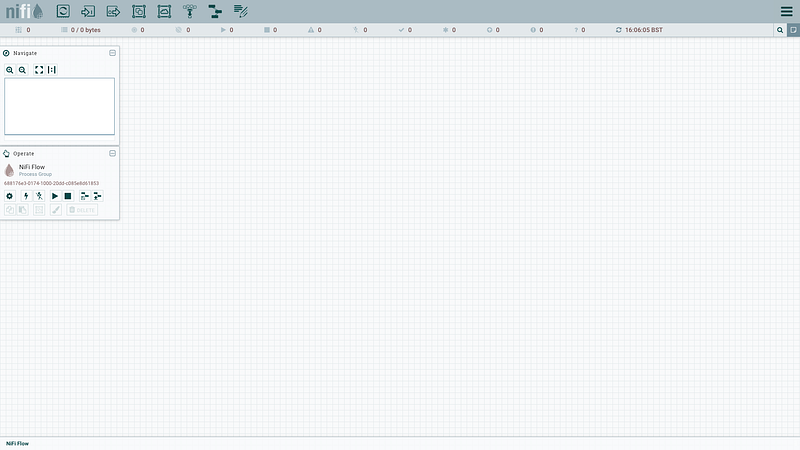
Apache Nifi Key Concepts
Processor: Processor are the basic blocks of creating a data flow. Each processor has different functionality. Apache Nifi has 280+ processors with default installation and also you can write your own processor.
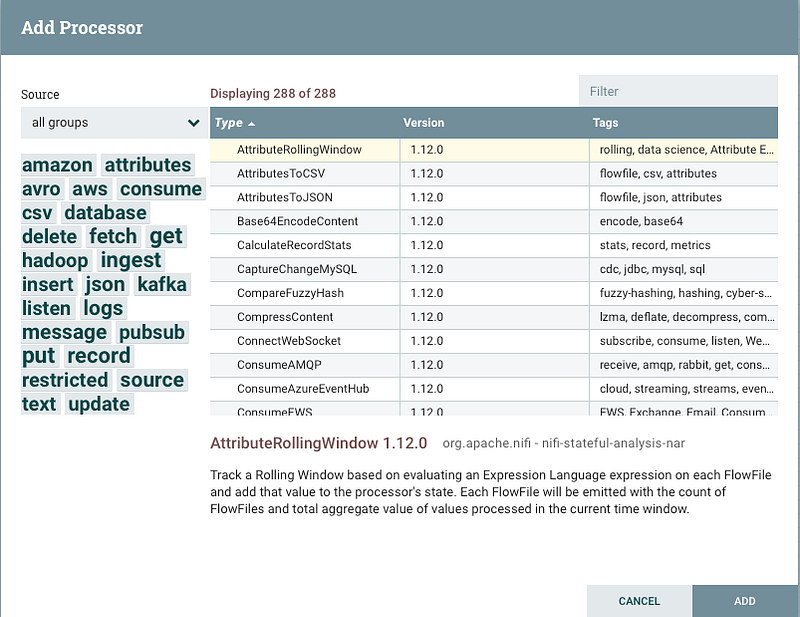
Process Group: User can group their processor based on projects or organizations.
Template: You can save your Nifi flows by using templates. The flows can be used by other user. You can create, download, upload and add templates as a xml file. These templates includes your all processors with processor groups
Connection: Links between processors. Each connections may have some relationship rules
Sample Tutorial
Scenario: In this tutorial, i am going to design a simple data flow that take json data, split them, find special keywords and put result to my local folder.
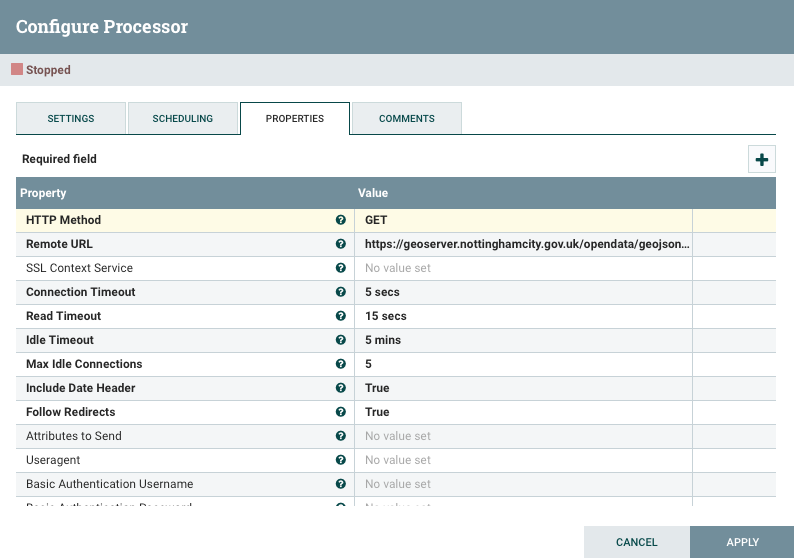
I am going to use below link to invoke http. https://geoserver.nottinghamcity.gov.uk/opendata/geojson/ncc_Recycling_Centres.json
InvokeHTTP
An HTTP client processor which can interact with a configurable HTTP Endpoint
- Drag Processor and drop white area
- Select InvokeHTTP and click ADD
- right click to your InvokeHTTP processor and Configure.
- In configure processor type link above to Remote Url area.
SplitText
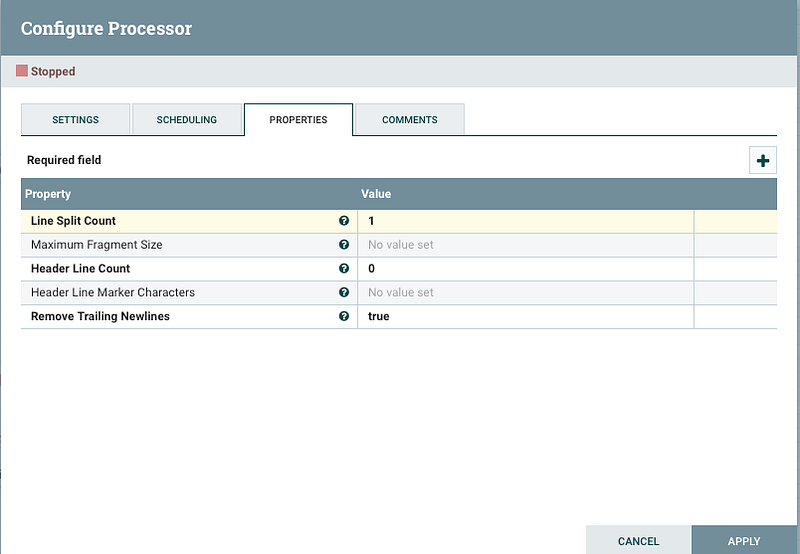
The processor splits a text file into multiple smaller text files on line boundaries limited by maximum number of lines or total size of fragment.
You can see SplitText processor configure below. I would like to split my sample JSON file 1 by 1 line.
RouteOnContent
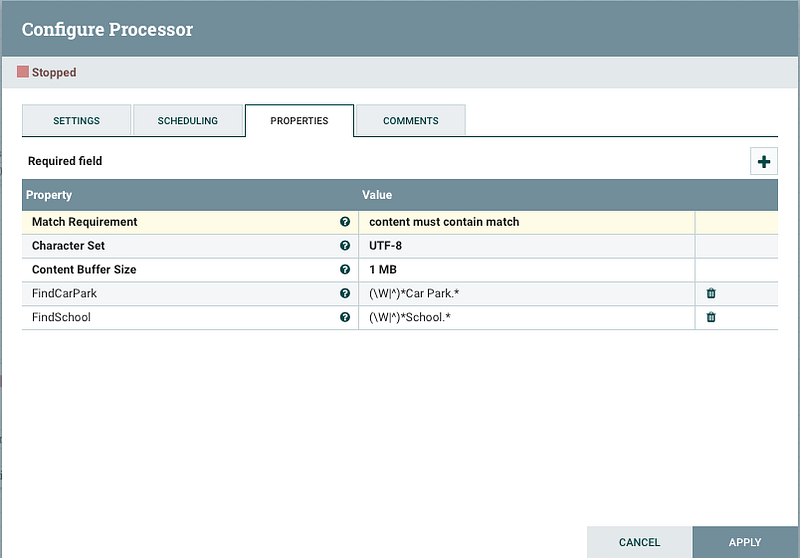
The processor routes FlowFiles based on their Attributes using the Attribute Expression Language. I created 2 new properties using regular expression. I would like to find “Car Park” and “School” contents
MergeContent
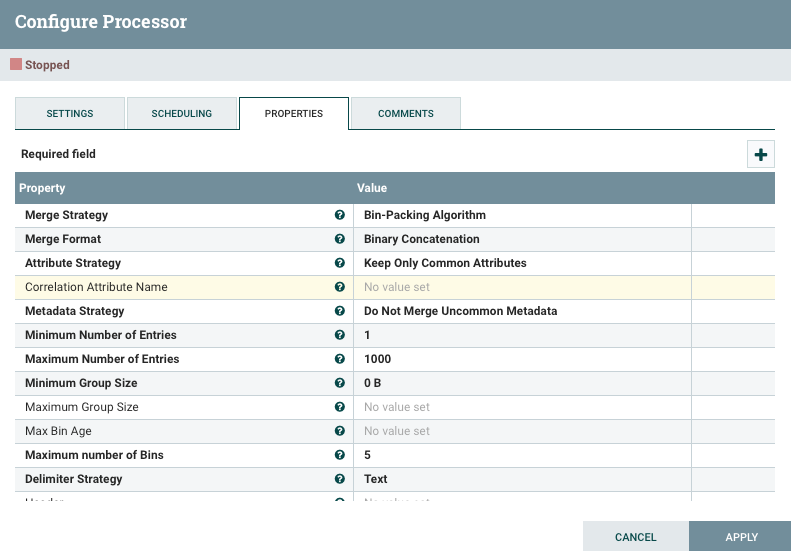
The processor merges a group of FlowFiles together based on a user defined strategy and packages them into a single FlowFile. I created 2 MergeContent, one merge “Car Park” content to a single File, other merge “School” content to an single File.
PutFile
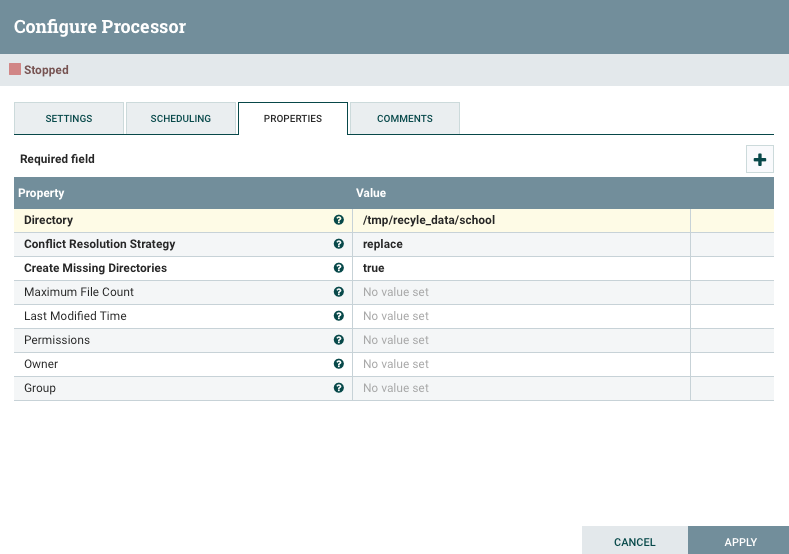
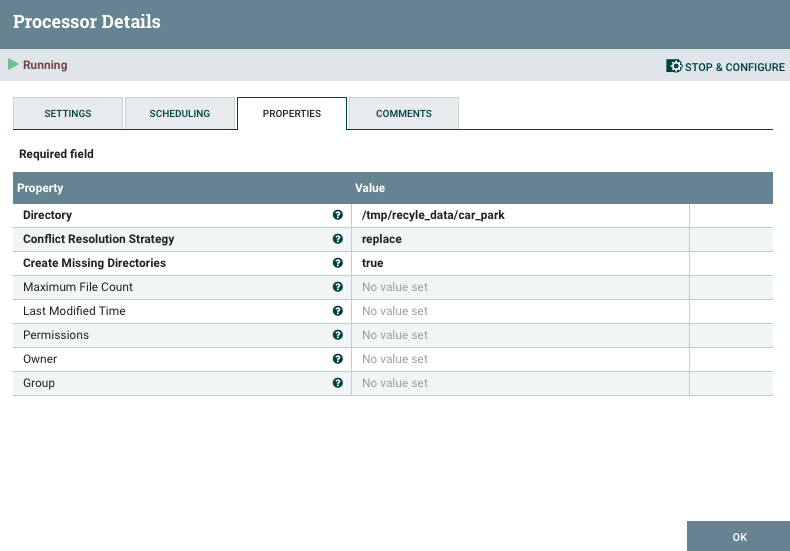
The processor writes the contents of a FlowFile to the local file system. You should to change your output directory. For my data flow, I put results to 2 new files shown below ;
/tmp/recyle_data/school
/tmp/recyle_data/car_park
After you designed all processors, you need to connect them with some rules.
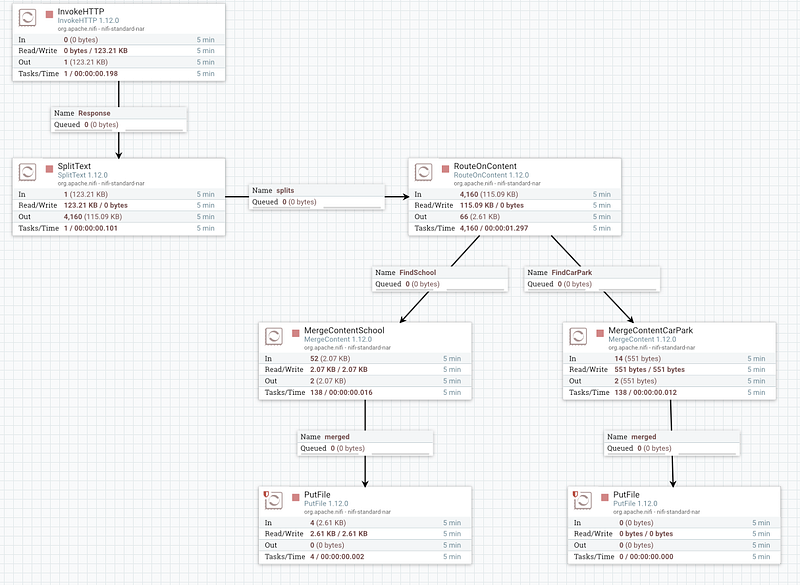
You can find above data flow design as a template at my Github Repo.
Finally let’s start data flow and see what’s happening. You can start all proceesor at same time or by one by. After you start your data flow, you can trace processors with input, read/write, output and tasks/times
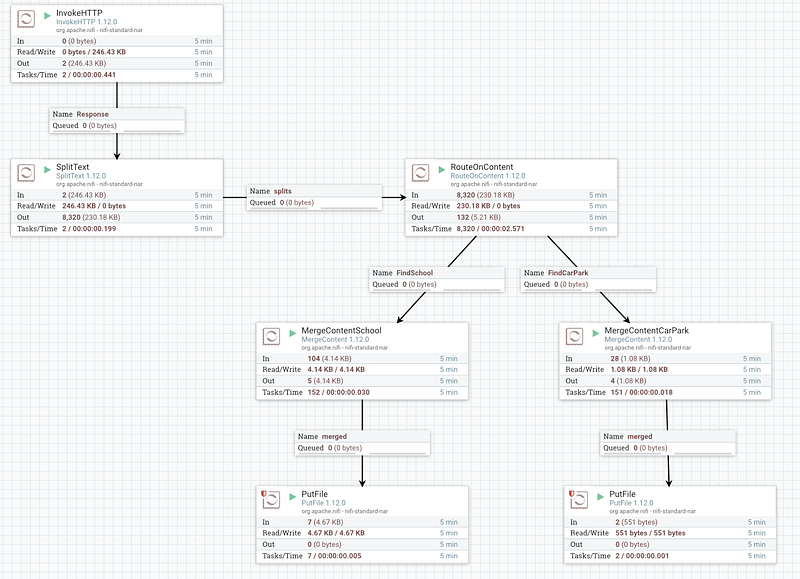
Let’s control target output to check file. You can check your files at terminal or Nifi Interface.
Terminal
You can use cat or head or tail command to see your data flow’s file content

Nifi Interface
Select PutFile processor and right click then select View Data Provenance
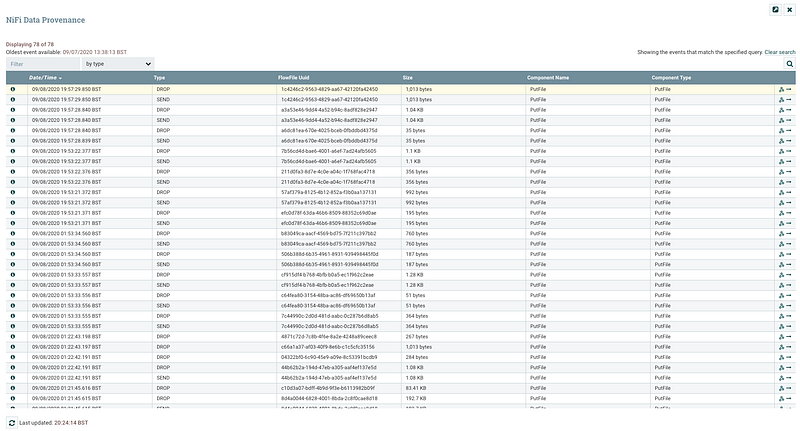
Select row and click View Details by pressing “i” icon and open “Content” tab.
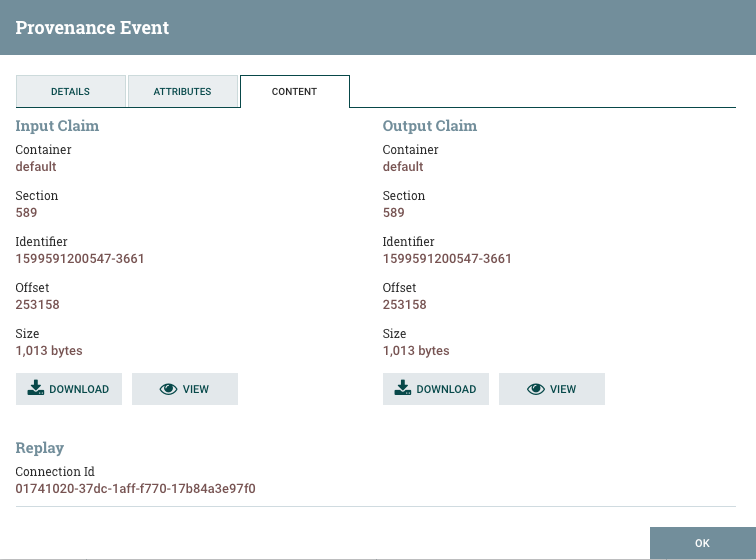
You can download final Json file or you can View content.
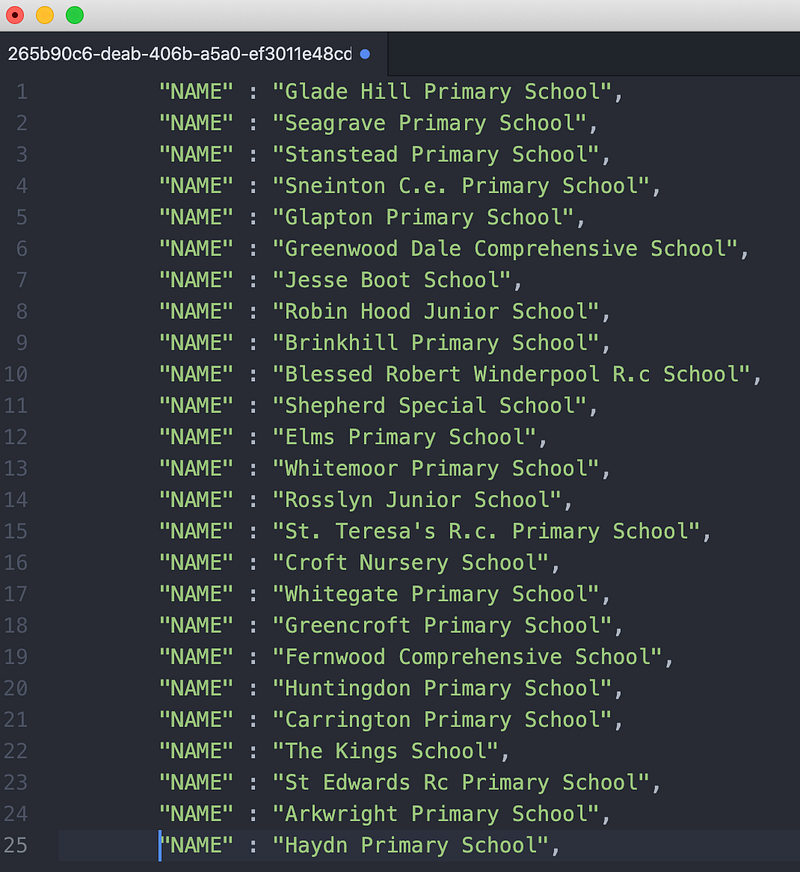
In briefly;
- I design data flow process
- I invoked HTTP that includes JSON content (recycling center)
- I split this JSON line by line
- I created two properties to find keyword (Car Park , School)
- Nifi founded each keyword and merge them
- And created 2 individual files based on my keyword rule.
Thanks for reading my post and I hope you like it. Feel free to contact me if you have any questions or if you’d like to share your comments.
Gain Access to Expert View — Subscribe to DDI Intel


